Role guide · Logistics ops · Gemini · Workspace · Oct 2026
Gemini for logistics ops (Oct 2026): Sheets lane trackers, Docs carrier briefs, and Gmail tender replies
Logistics ops role guide for transportation managers, freight analysts, and logistics coordinators whose company runs on Google Workspace — Gemini lists lanes whose cost per mile jumped in a sanitized lane Sheet, builds an on-time sheet by carrier, turns approved sources into a carrier brief in Docs, and drafts tender and carrier replies in Gmail. You check ten rows by hand before anything reaches a carrier review, the transportation manager decides every lane and carrier change, and a named person sends every email. Companion to ChatGPT for logistics ops and Stack map for logistics ops.
Who this guide is for
Transportation managers, freight analysts, and logistics coordinators — the person who exports lane costs into a Sheet, writes the quarterly carrier brief in a Doc, and answers tender and carrier email — at a shipper, 3PL, or brokerage that already pays for Google Workspace. If your TMS or freight platform already has an AI analyst for spend and on-time questions, use that first: see Uber Freight AI, project44 AI, or Shipwell AI. If your team drafts in ChatGPT instead, see ChatGPT for logistics ops.
What Google documents (its Gemini in Sheets, Gemini in Docs, and Help me write help pages and its pricing page, read 17 October 2026): in Sheets, Ask Gemini opens a side panel that can create tables and formulas, analyze data, build charts, and take actions such as conditional formatting, pivot tables, filters, and inserting or deleting rows, and Undo reverses an action. In Docs, Gemini shows suggestions you review, and you can add files as Sources. In Gmail, Help me write drafts or refines a message and can pull details from your other emails and Drive files — Sources shows what it used. Google's pricing page lists Gemini in Gmail on every Business plan, and Gemini in Docs and Sheets on Business Standard and above.
Ground rules for every section below: Gemini never sends a carrier, customer, or supplier email, never tenders or books a load, never accepts or offers a rate, and never changes an appointment. It lists, drafts, and suggests; the transportation manager or coordinator makes each change in the TMS or broker tool, and a named person sends each email. Work from sanitized exports — lane, mode, miles, shipment count, total cost, on-time count — with no customer PII (consignee names, emails, phones, delivery addresses), no driver names or driver phone numbers, no live location trails, no full rate files or contract rate tables, and no carrier bank details. Passport or ID scans from carrier onboarding never belong in a prompt either.

Major features (with how someone uses them)
Examples at a glance: each feature has a concrete example from a real job plus a short Try this you can run this week.
1. Lane Sheet: cost per mile up more than 10% (primary)
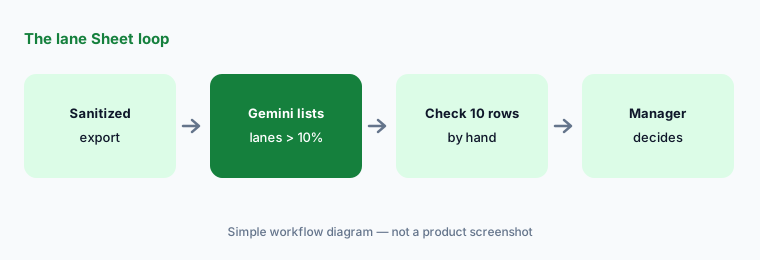
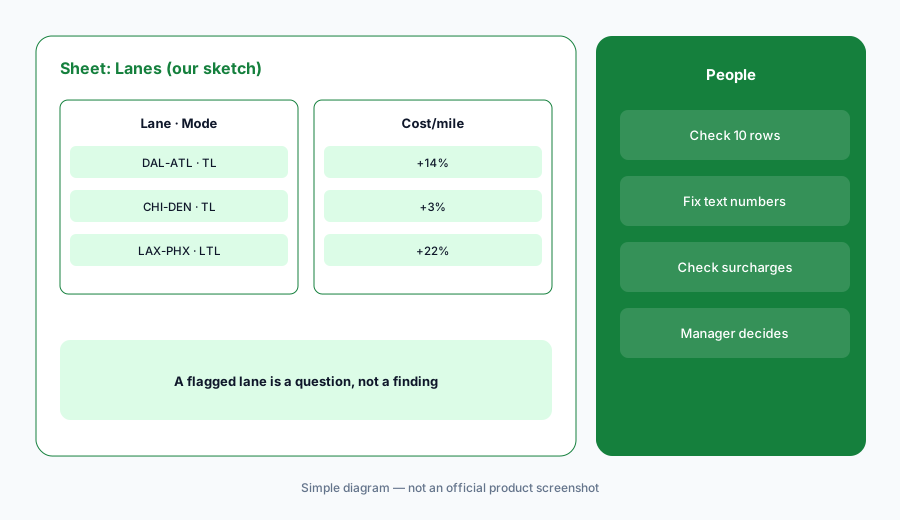
What it is: Export two months of lane totals from your TMS or freight audit tool, open it as a native Google Sheet (Google says Gemini works best with native Sheets files, so save an .xlsx as a Google Sheet first), and keep only lane, mode, total miles, shipment count, and total freight cost per month — no shipment-level rows, consignee names, or contract rate tables. Open Ask Gemini and ask it to list lanes where cost per mile rose more than 10% month over month, showing the formula it used. Before anyone raises it with a carrier, check ten rows by hand: some it flagged and some it didn't.
A flagged lane is a question, not a finding. A fuel surcharge change, one expedited load, or a lane with three shipments can each move cost per mile by 10% — the transportation manager decides what the number means.
Primary workflow:
In a sanitized lane Sheet, ask Gemini to list lanes where cost per mile rose more than 10% month over month. Check ten rows by hand.
2. On-time sheet by carrier with a decision column
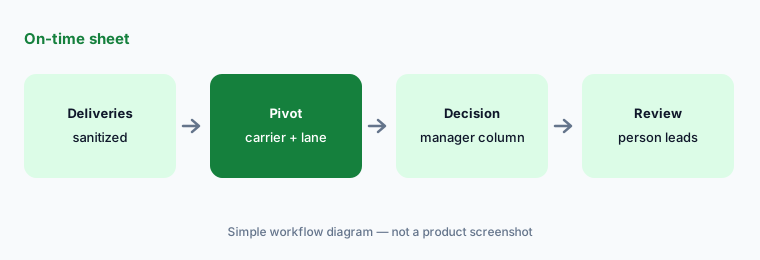
What it is: On a copy of a sanitized delivery export — carrier, lane, shipments, on-time deliveries, late deliveries by week — ask Gemini for a pivot table of on-time percentage by carrier and lane, then ask it to highlight anything below the target in your carrier agreements. Add a Transportation manager decision column yourself. Use Undo if an action touched the wrong rows, and insert anything you want to keep — Google says the side-panel history is lost when you reload the browser.
This is a carrier performance report for the next conversation, not a verdict. Late deliveries caused by your own dock or a consignee's appointment change belong to you, not the carrier — check before anyone reallocates freight.
Pivot, then decide:
On a copy of your sanitized delivery export, ask Gemini for a pivot of on-time percentage by carrier and lane and add a Transportation manager decision column. Undo anything that changes the source rows.
3. Carrier briefs in Docs from approved sources
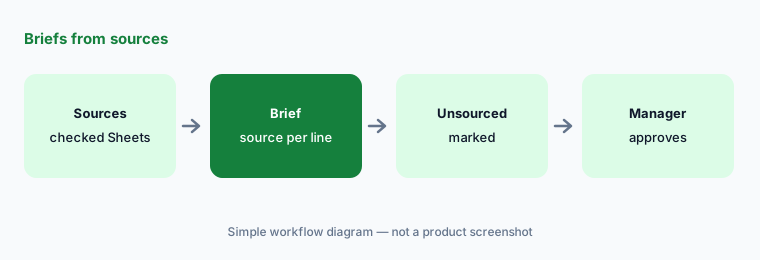
What it is: In Docs, add the approved sources — the checked lane Sheet, the on-time sheet, last quarter's review notes — as Sources, and ask Gemini for a one-page carrier brief: lanes and volumes, on-time trend, cost trend, open issues, and questions for the carrier, with the source named under each line and a list of anything the sources do not cover. Review each suggestion before you accept it. Rates and commitments come only from the signed agreement, which the transportation manager checks.
Mark, don't fill. Ask Gemini to label any line it cannot tie to a source as Not in sources — manager to confirm.
Source every line:
Add your checked lane Sheet and on-time sheet as Sources in Docs and ask Gemini for a one-page carrier brief that names the source under every line. Have the manager reject every line marked not in sources.
4. Tender and carrier replies in Gmail
What it is: For a tender confirmation, a pickup reschedule request, or a carrier asking about detention, draft with Help me write from facts you already confirmed — the load reference, pickup window, and what your procedure allows — not from pasted rate files or driver details. Google says Help me write can pull details from your other emails and Drive files, so open Sources and remove anything it pulled from the wrong thread (another carrier's rate, an old appointment). The coordinator reads the draft and sends it; any rate or accessorial is checked against the agreement first.
Gemini drafts; people send. A reply that agrees to detention or a new rate is a commercial decision — the transportation manager or carrier sales lead approves it before the coordinator hits send.
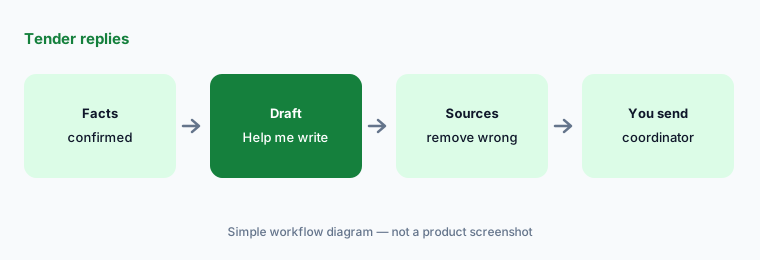
You send:
Draft one tender or carrier reply with Help me write from confirmed facts only. Open Sources, remove anything pulled from another carrier's thread, check any rate against the agreement, and have a named coordinator send it.
5. Which Workspace plan includes Gemini in Sheets
What it is: As checked on 17 October 2026, Google's pricing page shows Business Starter at $7 per user per month, Business Standard at $14, and Business Plus at $22 (with a one-year commitment, before tax). It also shows a limited-time discount for new customers: 20% off Starter and Standard and 30% off Plus for three months, with price details running Oct 31, 2026 – Jan 31, 2027. Gemini in Docs and Sheets is on Business Standard and above; Gemini in Gmail is on all Business plans. Starter, Standard, and Plus top out at 300 users; Enterprise is via sales.
If your freight analysts are on Business Starter, the Sheets workflows above need an upgrade or another tool — check before you promise them.
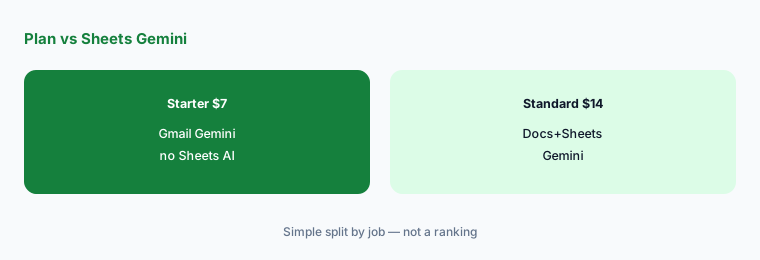
Check the plan grid:
Open workspace.google.com/pricing and confirm whether your freight analyst and transportation manager are on Business Standard or above before you standardize on Sheets Gemini workflows.
6. Sanitized exports and privacy
What it is: Google's generative AI privacy page says your data, including personal and business data in products such as Gmail, is not reviewed by humans or otherwise used for generative AI model training outside your domain without permission. That does not make it safe to paste customer PII or a driver list. Keep consignee names, delivery addresses, driver names and phone numbers, live location trails, full rate files, and carrier bank details out of prompts. If someone pastes them, delete the copy, tell whoever owns that data, and re-export a sanitized file.
Deleting a prompt does not undo an exposure. Driver and location data belong in the TMS or telematics system; rates belong in the agreement and the TMS.
Strip before you prompt:
Before any Gemini prompt, open your export and delete consignee names and addresses, driver names and phone numbers, location trails, contract rates, and bank details. Keep lanes, modes, miles, dates, and counts only.
Pricing context (October 2026)
As checked on 17 October 2026 at workspace.google.com/pricing (Oct 2026): Business Starter $7, Business Standard $14, Business Plus $22 per user per month (one-year commitment, before tax). Gemini in Docs/Sheets requires Business Standard or above; Gemini in Gmail is on all Business plans.
A limited-time three-month discount for new customers appears on the pricing page (20% off Starter and Standard, 30% off Plus; Oct 31, 2026 – Jan 31, 2027); budget from your invoice and the plan grid, not from memory.
Uncertainty: Workspace list prices and discount bands change, and the page shows prices for your region. Confirm the live pricing page and your admin console before budgeting. Google's older Sheets help link now redirects to a newer “Collaborate with Gemini in Google Sheets” article, so menu names may keep moving. Gemini suggests; it does not send carrier or customer mail, tender loads, accept rates, or change appointments. Feature availability can vary by language and admin settings.
When it’s useful (honest take)
Useful when your team already works in Google Workspace on Business Standard or above and the transportation manager will decide lane and carrier changes in the TMS.
Less useful when your TMS or freight platform already answers spend and on-time questions (Uber Freight AI, project44 AI), or the team is on Business Starter without Sheets Gemini.
Paying for Gemini and a few other AI tools? The $9 AI toolkit spreadsheet lists every AI subscription you have, what each one costs, and how fast it pays for itself, so you can see which ones are worth the money.
Want someone to do it for you? AI toolkit audit — $19
Related options (educational)
| Need | Better home | Why |
|---|---|---|
| Lane cost flags in Sheets | Gemini for logistics ops (this page) | Business Standard $14+ |
| Carrier templates in a Project | ChatGPT for logistics ops | Business seats |
| Spend questions inside the TMS | Uber Freight AI | Quote-only |
| On-time questions in a visibility platform | project44 AI | Quote-only |
| Ecommerce twin guide | Gemini for ecommerce ops | Workspace Standard+ |
FAQ
How should a logistics team start with Gemini?
Start with a sanitized lane export in a native Google Sheet: lane, mode, miles, shipment count, total cost by month — no shipment-level rows, consignee names, or contract rates. Ask Gemini to list lanes where cost per mile rose more than 10% month over month and check ten rows by hand. The transportation manager decides what to raise with a carrier.
Can Gemini send tender replies or book loads for us?
Not in this guide. Gemini drafts with Help me write; a named coordinator checks the facts, opens Sources, reads the email, and sends it. Loads are tendered and booked in your TMS, with rates approved by the transportation manager or carrier sales lead.
Which Workspace plan do we need for Gemini in Sheets?
As checked on 17 October 2026, Google's pricing page shows Gemini in Docs and Sheets on Business Standard ($14 per user per month), Business Plus ($22), and Enterprise, but not on Business Starter ($7), which gets Gemini in Gmail. Check workspace.google.com/pricing before budgeting.
Is our freight data used to train Gemini?
Google's privacy page says Workspace data is not reviewed by humans or otherwise used for generative AI model training outside your domain without permission. That covers the company account; personal accounts have different terms. Still never paste customer PII, driver details, or rate files.
What if someone pastes driver phone numbers or a rate file into a prompt?
Delete the copy, tell whoever owns that data, and re-export a sanitized file. Deleting a prompt does not undo the exposure. The Sheet should hold lanes, modes, miles, dates, and counts only.
Optional next step (if seats overlap)
If logistics ops pays for Gemini, a chat assistant, a TMS with its own AI analyst, and a visibility platform that answers the same on-time questions, fix that overlap before adding another seat. Map the overlap with the $19 AI toolkit audit or the $9 AI toolkit spreadsheet. Email Audit $19 or Toolkit spreadsheet $9.
Checkout is live via Stripe. After you pay, we email delivery (spreadsheet) or intake next steps (audit).