Tool · Logistics ops · Loadsmart · Oct 2026
Loadsmart AI review (Oct 2026): AI for tender failures, scheduling, load audits, and freight documents
Loadsmart launched Loadsmart AI on 17 September 2026: six AI agents that work a shipper’s freight paperwork and follow-up — load audits, tender failures, documents, tracking, dock scheduling, and claims — with Loadsmart’s own Freight Experts — freight operators, not software — finishing what the agents cannot. That mix is the main thing to understand: part software, part service. This page covers what each agent does, where Loadsmart says it acts alone, and what a logistics manager should check. Each section has a Try this.
What this Loadsmart AI page covers
This page is for a logistics manager, transportation manager, or freight audit lead at a mid-size or enterprise shipper. It answers: what each of Loadsmart’s six agents does, which parts are software and which are Loadsmart people, where the agents act without asking, and what Loadsmart publishes about price.
Loadsmart’s AI page (read 17 October 2026) says “Loadsmart AI runs your freight. Freight Experts resolve the exceptions.” and that agents work with your system of record over APIs, EDI, and MCP. Its launch release (17 September 2026) says agents run under rules and guardrails the customer defines, that roughly 80 percent of what they touch is resolved without a person, and that Freight Experts close out the rest. Its blog says every agent decision is logged and reviewable during or after the work, and that exceptions can go to Freight Experts or back to your own team.
Ground rules: a named logistics manager approves every audit adjustment, dispute, and claim; the transportation manager writes cost ceilings for re-tenders; the warehouse manager sets each facility’s rebooking window; and you decide in writing which exceptions go to Loadsmart’s people and which come back to yours. Contract rates and customer details stay out of outside chat tools, and Loadsmart’s figures are its claims, not our measurement.

Major features (with how someone uses them)
Examples at a glance: each feature has a concrete example from a real job plus a short Try this you can run this week.
1. Proactive load audits: before pickup and before payment (primary)
What it is: Loadsmart’s load audit agent checks every load before pickup against the rate, routing guide, appointment, and required documents, flags loads drifting toward a chargeable event such as a late pickup or a facility running behind, and “audits every charge against the contracted rate and approved accessorial before it’s paid”. Anything outside the guardrails you set escalates to a Loadsmart Freight Expert or back to your team, whichever you choose. Loadsmart attributes a 30–40% reduction in avoidable penalty charges to it.
A flagged charge is a question, not a dispute. The rate confirmation decides, and a person reads it before anyone pushes back on a carrier.
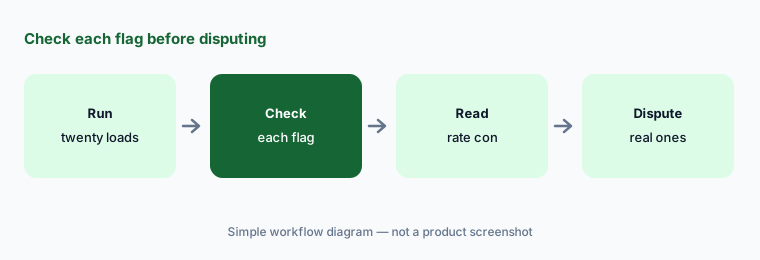
Primary workflow:
Run Loadsmart's AI load audit on twenty delivered loads. Have the logistics manager check every flagged charge against the rate confirmation before disputing it.
2. Tender failures: re-tendering inside a cost ceiling
What it is: When a carrier rejects a tender or lets it time out, the tender agent re-tenders down your routing guide and re-books the next eligible carrier, drops the rejected one, and cancels or moves the appointment already booked. Loadsmart says every fallback rate is capped at a set ceiling above the anchor rate and checked against live market benchmarks, that a contracted carrier beats a slightly cheaper one further down the guide, and that a load with no eligible fallback inside the guardrail is held for review instead of “covered at any price”.
The ceiling is the decision. Write it per lane before the agent books anything, and review what it booked while you learn how it behaves.
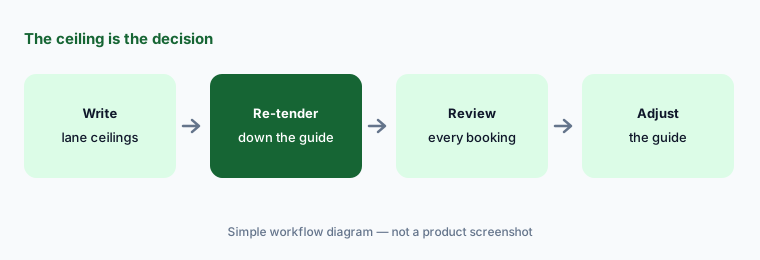
Write the ceiling:
Write the cost ceiling above your contract rate for your top ten lanes before turning on Loadsmart's tender agent. Have the transportation manager review every re-tendered load for the first two weeks.
3. Document collection and filing
What it is: The document agent picks up quotes, tenders, rate confirmations, bills of lading, proofs of delivery, and invoices from email attachments or carrier portal uploads, classifies each one, extracts the load number, carrier, and dates, files it against the right shipment, and flags what is still missing. Loadsmart says “it does not guess”: a missing, unreadable, or ambiguous document goes to a person, and it “will never invent a load number to close a gap”. It attributes 70–90% less document-handling time to the agent.
Misfiled paperwork shows up as a billing problem weeks later. Sample what the agent filed before invoices go out.
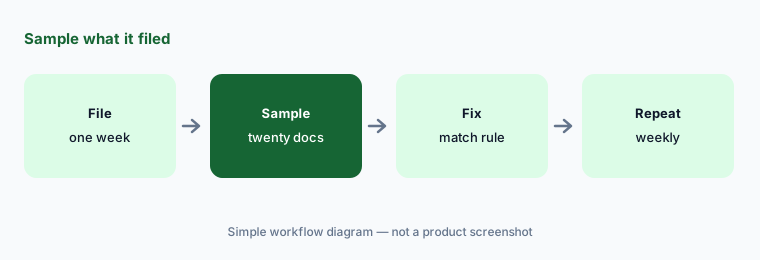
Sample the filing:
Have Loadsmart's document agent file a week of PODs and BOLs. Have the billing lead check twenty of them against the load number and carrier before invoices go out.
4. Tracking and status updates without check calls
What it is: The tracking agent confirms tracking has started on every pickup, asks the carrier when data does not show up, chases missing driver, truck, and contact details, recalculates ETAs, writes them back to your TMS, and pushes “clean updates” to your team and your customers. Carriers that stay quiet after repeated requests are escalated to a Loadsmart Freight Expert. Loadsmart puts the time saved at 5–10 minutes per tracked load.
An update that goes straight to a customer needs a person to have read a few first. Start with one customer and read the first twenty.
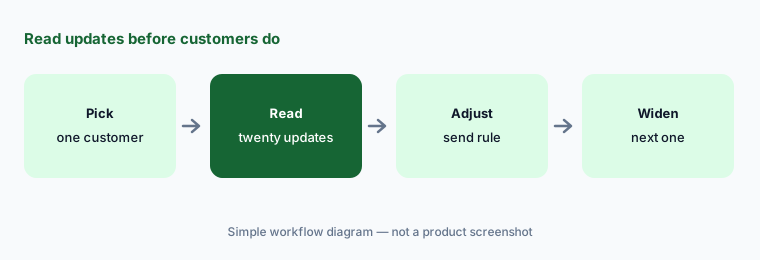
Read before they do:
Turn on Loadsmart's tracking agent for one customer's loads. Have the customer service lead read the first twenty status updates before they go to that customer.
5. Dock scheduling and rescheduling
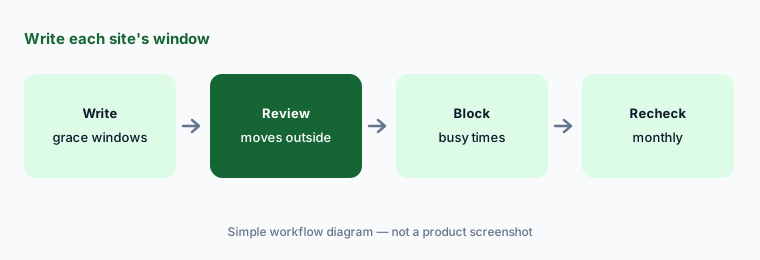
What it is: The scheduling agent books dock appointments against a facility’s live availability, watches for pickups that miss their window, reschedules, shifts the delivery appointment to protect the service window, and notifies the carrier, facility, and customer. Loadsmart says changes inside the facility’s grace period are approved and rebooked without escalation, while changes outside it are cancelled and reopened as a new appointment. Loadsmart’s release names Opendock as its dock, yard, and gate scheduler, and its AI page lists more than 14 million dock appointments a year across its platform.
The grace window is a rule someone has to write for each site. Busy docks deserve a person on anything outside it.
Write the window:
Write each facility's grace window before letting Loadsmart's scheduling agent rebook appointments. Have the warehouse manager review every rebooking outside that window for a month.
6. Claims processing: the agent drafts, you file
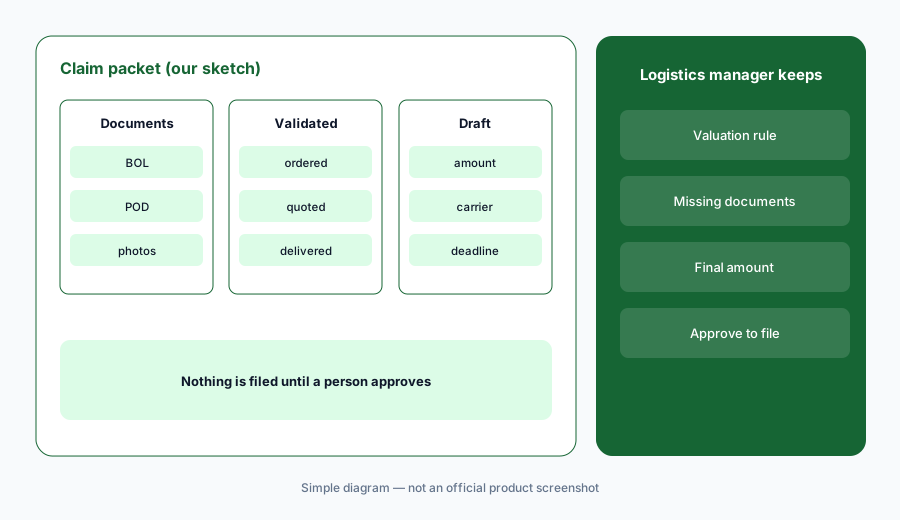
What it is: Loadsmart’s claims agent gathers the bill of lading, proof of delivery, photos, and original quote, validates the reported shortage or damage against what was ordered, quoted, and delivered, and drafts the claim. Loadsmart says plainly that “this agent stops short of filing on its own”: the claim goes to the carrier only after your approval. It attributes “2x faster claims recovery, with higher filing rates” to the agent.
This is the one agent where Loadsmart builds the approval in. Use it to set the standard: the person who approves the claim checks the amount and every document.
Approve with evidence:
Have Loadsmart's claims agent draft packets for your next ten damage or shortage claims. Have the logistics manager check each amount and document before approving any filing.
Pricing context (October 2026)
Loadsmart does not publish prices; loadsmart.com/pricing shows a “Page not found” page and the AI pages offer “Book a demo” and “Book a working session”. Its 17 September 2026 release says Loadsmart AI starts with a free Proof of Concept on a single workflow, that “if the agent doesn’t do the work, the shipper doesn’t pay for it”, and that the average Proof of Concept implementation is 60 days. Beyond that, pricing is quote-only as of 17 Oct 2026.
Ask what counts as a resolved task you pay for, whether Freight Expert time is included or billed separately, whether you need ShipperGuide or Opendock to use the agents, and what a custom agent costs to build.
Uncertainty: Loadsmart says both that its agents plug into your systems (“runs in your environment, not instead of it”) and that “the work runs on the Loadsmart Platform”; ask what must sit in Loadsmart’s systems. Its resolution figures differ by page: “roughly 80 percent” in the release, “80% or more” on the about page, and an 83% lower cost per task and 80% faster completion on the AI page, which are different measures. “100% resolution guaranteed” relies on Loadsmart’s people, not the agents alone. The release says nothing touches “the freight decisions the team owns”, yet the tender and scheduling agents book carriers and appointments inside your rules. The on-page demos are labelled scripted sessions. All figures are Loadsmart’s claims, not our measurement.
When it’s useful (honest take)
Useful when you ship enough truckload freight that tender rejections, missing PODs, check calls, accessorial disputes, and claims eat your team’s week, and a logistics manager will write the ceilings and windows and review the first weeks of agent work.
Less useful when you are a broker covering loads for shippers (Parade AI), you want a TMS with its own assistant first (Shipwell AI), or your gap is real-time visibility across many carriers (project44 vs FourKites).
Paying for Loadsmart AI and a few other AI tools? The $9 AI toolkit spreadsheet lists every AI subscription you have, what each one costs, and how fast it pays for itself, so you can see which ones are worth the money.
Want someone to do it for you? AI toolkit audit — $19
Related options (educational)
| Need | Better home | Why |
|---|---|---|
| Agents for audits, tenders, documents, tracking, scheduling, claims | Loadsmart AI (this page) | Free PoC, then quote |
| Shipper TMS with AI assistant, document AI, and tracking worker | Shipwell AI | Quote only |
| Visibility agents that chase carriers for shippers | FourKites AI | Quote only |
| Shipper analytics assistant and managed transportation | Uber Freight AI | Quote only |
| Warehouse and transport execution agents in one suite | Blue Yonder vs Manhattan | Quote only |
| Summarising a sanitized claim file | Claude | General chat; no filings |
FAQ
What is Loadsmart AI?
A set of six AI agents launched on 17 September 2026 for shippers: proactive load audits, tender failures, document collection and filing, tracking and status updates, scheduling and rescheduling, and claims processing, with Loadsmart Freight Experts handling exceptions.
Is Loadsmart AI software or a service?
Both. The agents are software that connect to your systems over APIs, EDI, or MCP; Loadsmart’s own Freight Experts, people, resolve exceptions unless you route them back to your team.
How much does Loadsmart AI cost in October 2026?
Loadsmart publishes no prices. Its launch release offers a free Proof of Concept on one workflow and says shippers don’t pay if the agent doesn’t do the work. After that it is quote-only.
Does the Loadsmart audit agent dispute charges for you?
Loadsmart says it checks every charge against the contracted rate and approved accessorials before payment and routes exceptions to a Freight Expert or your team. Have the logistics manager check each flag against the rate confirmation before disputing.
Who should approve what Loadsmart’s agents do?
The logistics manager for audit adjustments, disputes, and claims; the transportation manager for re-tender ceilings; the warehouse manager for rebooking windows; and the customer service lead for the first status updates customers see.
Optional next step (if seats overlap)
If you pay for a TMS, a dock scheduler, a visibility platform, a freight audit service, and now execution agents with people behind them, that overlap is worth mapping. Map the overlap with the $19 AI toolkit audit or the $9 AI toolkit spreadsheet. Email Audit $19 or Toolkit spreadsheet $9.
Checkout is live via Stripe. After you pay, we email delivery (spreadsheet) or intake next steps (audit).