Tool · Logistics ops · HappyRobot · Oct 2026
HappyRobot AI review (Oct 2026): AI voice agents and workflows for freight brokers and logistics teams
HappyRobot builds AI agents — it calls them “AI workers” — that take phone calls, emails, and messages for operations teams. It started in logistics, where brokers use it for carrier sales calls, check calls, dock appointments, and document collection, and now sells to several other industries too. This page is about putting those voice agents on repetitive carrier work while a named carrier sales lead still sets every rate the agent may offer. Each section has a Try this.
What this HappyRobot AI page covers
This page is for a carrier sales lead, track-and-trace manager, or operations leader at a freight brokerage, 3PL, or shipper with a busy phone line. It answers: what HappyRobot’s voice agents do on carrier calls, where HappyRobot says they act on their own, how you test and audit them, and who approves rates and appointment changes.
HappyRobot’s agents page (read 17 October 2026) describes “autonomous AI workers” that reason about when to call tools, look things up, or escalate “within the boundaries you set”, follow written operating procedures, and work across voice, SMS, email, WhatsApp, web chat, Microsoft Teams, and Slack. Its logistics page lists starting points from quote to proof of delivery and says HappyRobot builds custom workflows for each customer. Its Series C post (updated 22 September 2026) says it works with more than 150 enterprise customers and is expanding beyond logistics.
Ground rules: a named carrier sales lead sets the rate ceiling and approves every rate the agent may offer, a track-and-trace lead checks a sample of recorded ETAs, the warehouse or appointment owner approves moved appointments, and recordings are reviewed before any workflow widens. No full rate files, driver personal details, or customer names go into an outside chat tool, and HappyRobot’s customer results are its claims, not our measurement.

Major features (with how someone uses them)
Examples at a glance: each feature has a concrete example from a real job plus a short Try this you can run this week.
1. Voice agents on inbound carrier calls (primary)
What it is: HappyRobot’s logistics page lists capturing inbound loads — triaging load tenders, screening for fraud, and answering every request — as a carrier sales starting point, and says its AI rep logs every interaction, including the rate offered, the rate accepted, and the lane. Its voice page describes a “10-model stack” tuned for live phone calls: end-of-turn detection, filler and interruption handling, background-noise filtering, transcription with automatic failover, accuracy on numbers such as reference IDs, keyword boosting for carrier names and jargon, and more than 30 languages.
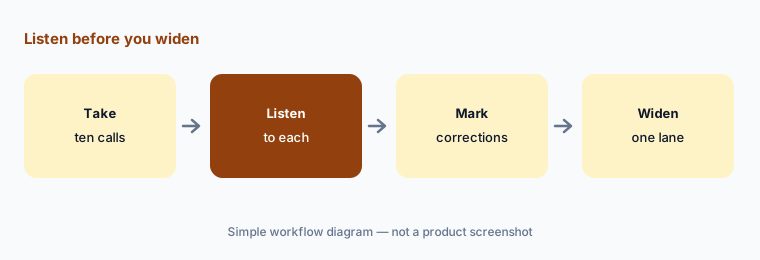
Listening to recordings is the fastest way to learn what the agent gets wrong. Do it on one test lane before the agent answers every call.
Primary workflow:
Have HappyRobot's voice agent handle ten inbound carrier calls on one test lane. Have the carrier sales lead listen to each recording and mark any rate or detail they would correct.
2. Rate negotiation: limits the carrier sales lead sets
What it is: HappyRobot says its agents can “counter offers with live market data and log every offered and accepted rate to find the ideal price range for every load” (logistics page). Agents follow the persona, boundaries, and operating procedures written in their prompt, and HappyRobot’s northstars let you turn rules into checkable conditions, such as always running a lookup and “never quote from memory”.
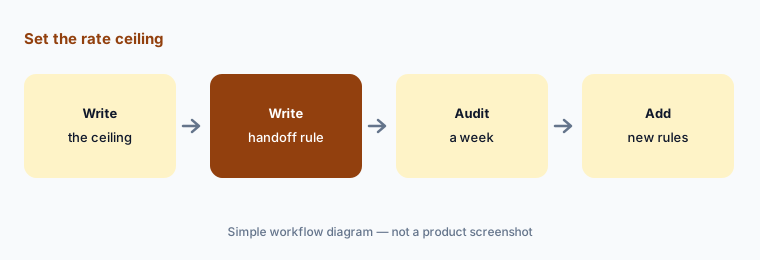
An agent that negotiates needs a written ceiling per lane and a rule for what happens above it. Put both in its procedure and check them in audits.
Set the ceiling:
Write a rate ceiling for each test lane and a handoff rule for anything above it. Have the carrier sales lead audit a week of negotiated calls before the agent covers more lanes.
3. Check calls, ETAs, and dock appointments
What it is: For track and trace, HappyRobot’s agents call carriers at every milestone, log updated ETAs, flag exceptions, and alert the team; for appointments they match carrier ETAs to dock availability, send confirmations, chase non-responses, and rebook missed pickups (logistics page). HappyRobot’s example goes further: when a carrier misses a check-in, its agent calls the driver, alerts the shipper, “adjusts the dock appointment, and logs the exception before a human notices the gap”. In a case study, freight broker WWEX Group says six agents covering dispatch confirmation through proof of delivery went live in six weeks and completed 50,000 tasks in their first full month.
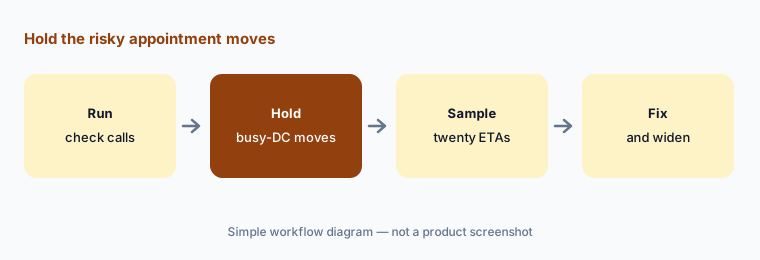
Moving a dock appointment changes the warehouse’s day. Decide which moves the agent may make alone and which wait for the appointment owner.
Hold the risky moves:
Let HappyRobot run check calls on your loads but keep appointment changes at your busiest DCs on approval. Have the track-and-trace lead check twenty recorded ETAs against carrier tracking after two weeks.
4. Workflow logic, the build copilot, and test environments
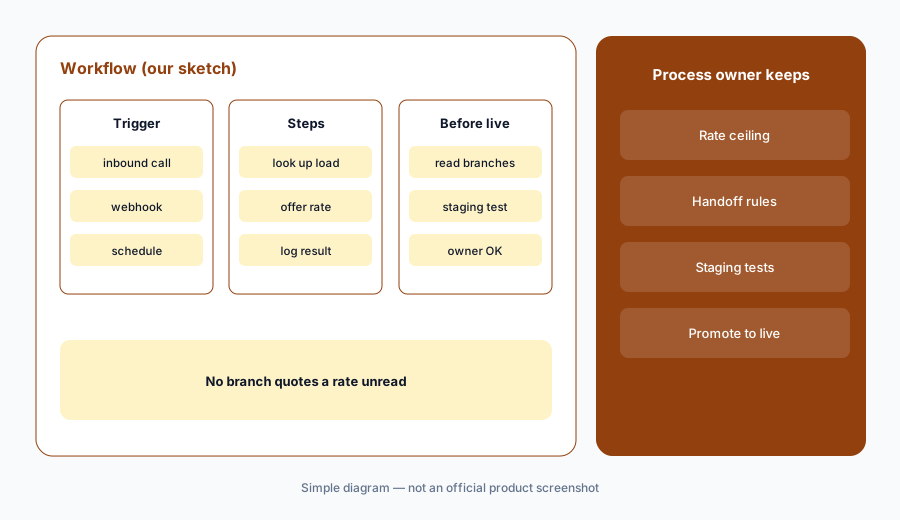
What it is: Under each agent sits programmatic workflow logic: branching paths, conditional routing, retries, fallbacks, and custom code where precision matters, with tools that call APIs, read documents, query databases, write to CRMs, or hand off to outside agents through MCP (agents page). Workflows can start from inbound calls, webhooks, schedules, file uploads, or messages. A build copilot drafts workflows from a chat description and “asks questions” before applying changes. Workflows are versioned, and dev, staging, and production run separately so a change can be tested before it goes live.
The copilot can write a workflow faster than anyone can review it. Have the person who owns the process read every branch that quotes a rate or changes an appointment before it reaches production.
Read before you promote:
Draft one HappyRobot workflow with the build copilot. Have the process owner read every branch that quotes a rate or moves an appointment and test it in staging before it reaches production.
5. Governance: northstars, adversarial agents, and audits
What it is: HappyRobot’s quality system starts with northstars: explicit rules for how an agent behaves and what it must achieve, extracted from its prompt and workflow and checked automatically on sampled sessions — for example “always confirm the waybill number before disclosing any shipment status”. Adversarial agents are AI mock callers that try prompt injection, derailing, instruction overrides, and data extraction in a sandbox. Audits and tests cover custom tests (expected response and expected tool calls), regression tests created from fixed failures, and production audit sampling from 1% to 100%.
Audits catch what you thought to write down. Have a person read a few failed and a few passed sessions each week, not just the dashboard.
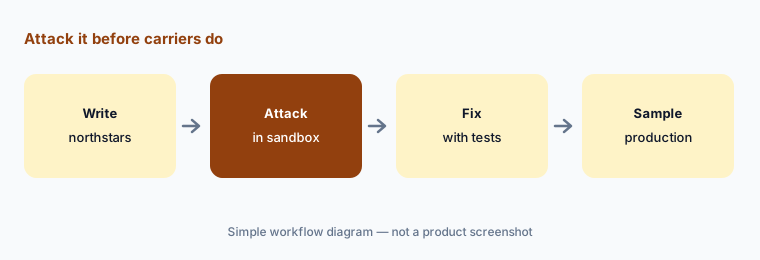
Attack it first:
Write northstars for identity checks before sharing load details. Run an adversarial test suite against the agent and fix every leak before it takes live carrier calls.
6. Agentic data, integrations, and where call data goes
What it is: HappyRobot’s agentic data layer records outcomes and custom variables (such as a quoted price or a document number) from every interaction, maps them to contacts and accounts, writes memory summaries for returning callers, and lets agents look up earlier calls mid-conversation. HappyRobot says retention periods are configurable, each customer’s data is isolated and not “used to train shared models”, and the data is reachable by REST API. It lists 200+ integrations as scoped actions, webhooks, and browser agents that log into portals with no API.
Logged rates and caller memories become a database about your carriers. Decide how long to keep them and who can query them before the first call.
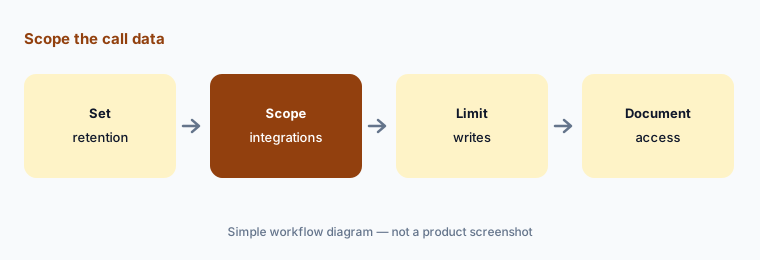
Scope the data:
Before go-live, set retention periods for HappyRobot transcripts and extracted fields, and list exactly which systems and fields each integration may write to. Have the IT lead sign the list.
Pricing context (October 2026)
HappyRobot does not publish prices; happyrobot.ai/pricing returns “page not found” and the site offers only “Book a demo”. Its logistics page says it builds custom workflows for each use case. Pricing is quote-only as of 17 Oct 2026.
Ask how calls, minutes, or tasks are counted, whether Forward Deployed Engineers are included or billed separately, what each integration or browser agent adds, and what happens to cost when you move from a test lane to all lanes. HappyRobot says initial agents typically go live within 4 to 12 weeks (Series C post).
Uncertainty: HappyRobot now describes itself as working across eight industries; logistics is one of them, and its newest posts are about the wider business. Its pages call the agents “autonomous AI workers” and describe them countering rate offers and adjusting dock appointments before a person notices, while also promising boundaries you set and human handoff — the approval steps are yours to configure. The Series C post shows only an “updated 22 September 2026” date. Customer figures (WWEX’s 50,000 tasks and 10x throughput, 150+ customers, 4–12 weeks to go live) are HappyRobot’s and its customers’ claims, not our measurement. No plan names, call prices, or minimums are published.
When it’s useful (honest take)
Useful when you broker or manage freight, your team spends hours on repetitive carrier calls, check calls, and appointment chasing, and a carrier sales lead and track-and-trace lead will review recordings and own the rate rules.
Less useful when you are a shipper wanting tracking across all carriers (project44 vs FourKites), you want analytics on your own freight spend (Uber Freight AI), or call volume is low enough that a person answering is cheaper than setting up and auditing an agent.
Paying for HappyRobot AI and a few other AI tools? The $9 AI toolkit spreadsheet lists every AI subscription you have, what each one costs, and how fast it pays for itself, so you can see which ones are worth the money.
Want someone to do it for you? AI toolkit audit — $19
Related options (educational)
| Need | Better home | Why |
|---|---|---|
| Voice agents for carrier sales, check calls, and appointments | HappyRobot AI (this page) | Quote only |
| Visibility agents that chase carriers for shippers | FourKites AI | Quote only |
| Shipper analytics assistant and TMS | Uber Freight AI | Quote only |
| Visibility analyst with booking agents | project44 AI | Quote only |
| Own-fleet telematics and driver tools | Motive AI | See its review |
| Drafting a carrier call script from a sanitized SOP | Claude | General chat; no calls |
FAQ
What does HappyRobot do for freight brokers?
Its AI agents answer and make carrier calls, emails, and messages: capturing inbound loads, negotiating within your limits, running check calls, booking and confirming dock appointments, and chasing PODs and invoices, with handoff to a person when needed.
Can HappyRobot negotiate rates?
HappyRobot says its agents can counter offers with live market data and log every offered and accepted rate. Write a ceiling per lane and a handoff rule above it, and have the carrier sales lead audit negotiated calls.
How much does HappyRobot cost in October 2026?
HappyRobot does not publish prices; its pricing URL returns page not found and the site offers demos only. Treat it as quote-only and ask how calls or tasks are counted and whether engineering help is included.
How do you test a HappyRobot agent?
With northstars (checkable rules), adversarial agents that try to break it in a sandbox, custom and regression tests, and audit sampling of production sessions between 1% and 100%.
Who should approve what a HappyRobot agent does?
A named carrier sales lead sets every rate the agent may offer, the track-and-trace lead samples recorded ETAs, the warehouse or appointment owner approves moves at busy sites, and the process owner reads every workflow before production.
Optional next step (if seats overlap)
If you pay for a voice-agent platform, a TMS with its own automation, a load board’s messaging tools, and chat seats your reps use to draft carrier emails, that overlap is worth mapping. Map the overlap with the $19 AI toolkit audit or the $9 AI toolkit spreadsheet. Email Audit $19 or Toolkit spreadsheet $9.
Checkout is live via Stripe. After you pay, we email delivery (spreadsheet) or intake next steps (audit).