Tool · Ecommerce ops · AfterShip · Oct 2026
AfterShip AI review (Oct 2026): AI post-purchase agents for tracking, returns, and order lookups
AfterShip runs tracking pages, delivery notifications, returns, and shipping for online stores. In September 2026 it launched AfterShip Intelligence and its first AfterShip Agent, which investigates shipment exceptions and reviews return requests, and it now offers a Post-purchase MCP so Claude or ChatGPT can look up orders and returns. This page is about letting that AI draft the fixes while the CX lead still approves what customers are told. Each section has a Try this.
What this AfterShip page covers
This page is for a CX lead, ecommerce operations manager, or returns lead at a store that ships enough parcels for “where is my order” questions and returns to fill a support queue, and who uses AfterShip or is weighing it against other post-purchase tools. The question it answers: what AfterShip’s AI does in tracking and returns, what it can run on its own, what the plans cost, and who approves the messages and refunds it prepares.
AfterShip’s AI page, the 1 September 2026 launch release, help-centre guides for the exception agent and return reviews, the Post-purchase MCP guide and documentation, the AI EDD page, the Returns page, and the pricing pages for Tracking and Returns were read on 16 October 2026. AfterShip says it works with more than 2,000 carriers.
Ground rules: the CX lead approves every customer message and every answer about policy; the returns lead approves refunds, exchanges, and return rejections; delivery dates shown to shoppers are checked against what carriers actually do; SMS consent is the brand’s to check; no customer lists or full order exports go into a general chat tool; and AfterShip’s accuracy and time-saving figures are its claims, not our measurement.
Major features (with how someone uses them)
Examples at a glance: each feature has a concrete example from a real job plus a short Try this you can run this week.
1. Tracking answers you can check (primary)
What it is: AfterShip’s tracking data is what its AI answers from: carrier events, sub-statuses, and delivery estimates for each shipment. You can reach those answers on the branded tracking page, in AfterShip’s dashboard, through the agent’s task view, or by asking an AI assistant connected through the Post-purchase MCP (“Where is order 12345?”). AfterShip says the assistant reports only the state its tools return and won’t claim a refund or exchange has happened unless the tool confirms it.
Before customers rely on an AI answer about a parcel, compare it with the carrier’s own tracking page. Carrier scans lag, and a confident answer about a stale scan is still wrong.
Primary workflow:
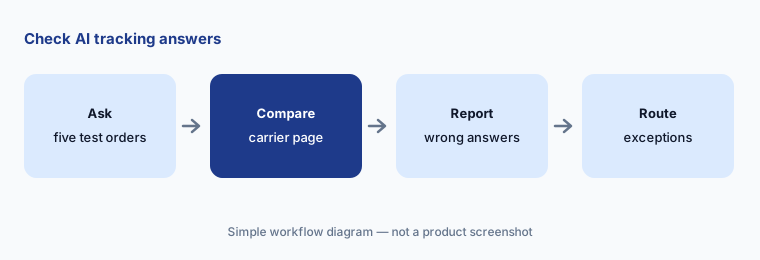
Send AfterShip's AI five tracking questions about test orders. Have the CX lead check each answer against the carrier tracking page before customers see it.
2. AfterShip Agent: shipment exceptions
What it is: The exception agent watches shipments for problems — parcels stalled for days, failed deliveries caused by address issues, parcels at risk of going back to the sender, carrier or depot disruptions — groups related shipments into one task, explains its reasoning, and recommends actions such as a customer message, a carrier escalation, or an internal alert. You can edit and preview each drafted message, then click Run. AfterShip’s help centre says executed actions cannot be undone and every run is logged with who approved it. It is offered to eligible Premium and Enterprise customers as a limited general-availability programme.
The agent drafts; a person sends. Read the reasoning, edit the message so it matches your policy, and keep the action log for the weekly review.
Check the drafts:
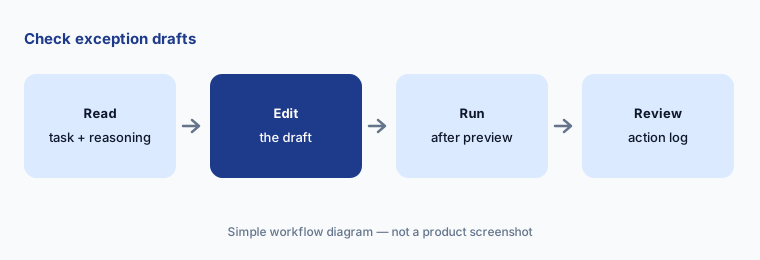
Open the next five exception tasks AfterShip Agent creates. Have the operations manager edit every drafted message for promises your policy does not make before running any of them.
3. AfterShip Agent: return reviews (RMA Review)
What it is: In AfterShip Returns, the agent rates each return request as low, medium, or high risk using signals such as the customer’s return history, order risk flags, and return photos. It groups similar low-risk requests into one batch, gives each medium- or high-risk request its own task, and recommends approving and when to trigger the refund or exchange. Your existing automation runs first. AfterShip’s AI page says RMA Review is available in the US only and is on the Premium and Enterprise plans.
A risk label is a suggestion. Look at the evidence behind high-risk flags before rejecting anyone, and spot-check approved batches for returns that should have been looked at.
Check the risk calls:
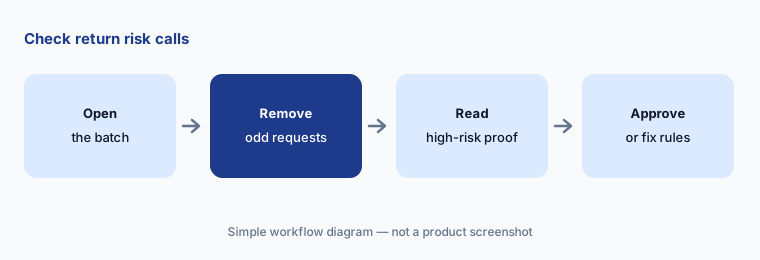
Review ten returns AfterShip Agent marked high risk last week. Have the returns lead approve any that were wrong and write down why before changing your rules.
4. Post-purchase MCP: order lookups from Claude or ChatGPT
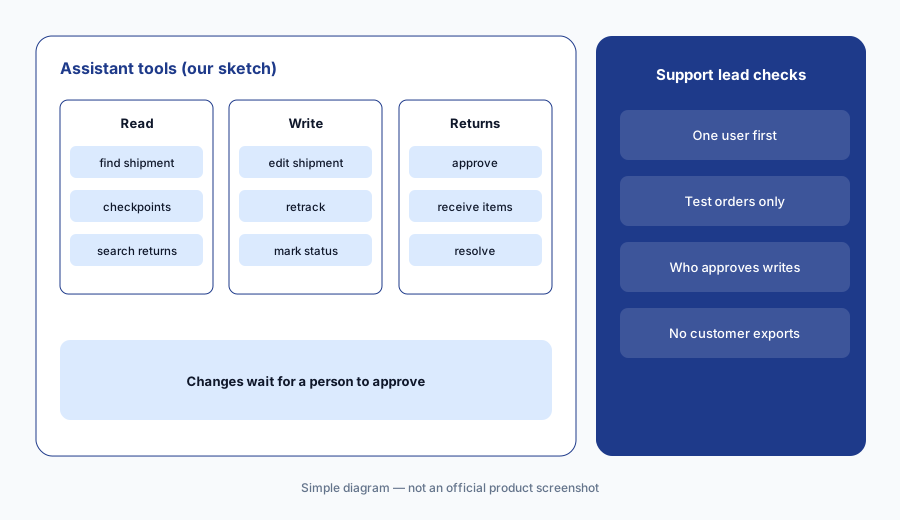
What it is: AfterShip’s Post-purchase MCP connects an AfterShip account to an AI assistant such as Claude or ChatGPT with a one-time sign-in. Its documentation lists 22 tools: 10 read tools that run on their own (find shipments, open a checkpoint timeline and delivery estimate, search returns) and 12 write tools that edit shipment details, retrack a stalled parcel, mark a status, or approve, reject, receive, and resolve returns. AfterShip says every write shows what will change and waits for your approval, and that lookups by tracking number, order number, or customer email need the complete value.
Some changes cannot be undone through the connector — un-approving a return, reopening a resolved one, or reversing a manually marked status — and recording received items twice can double-count stock. Decide who may connect it and which write tools they may approve.
Before you widen access:
Connect AfterShip’s Post-purchase MCP for one person using test orders. Check three lookups against the dashboard, and write down who may approve each kind of change before anyone else connects.
5. AI EDD: delivery dates before and after checkout
What it is: AfterShip’s AI EDD predicts delivery dates for product pages, checkout, tracking pages, and notifications. You can show a specific date or a range, set rules for warehouse processing time, carrier service types, and SKUs that need longer, and send updates when the estimate changes. AfterShip quotes up to 95% prediction accuracy; that is its claim, not our measurement. AI-powered EDD is listed on the Premium Tracking plan.
A date on the product page is part of the sale. Measure how often it was met, by carrier and region, before you show a single date instead of a range.
Check the dates you show:
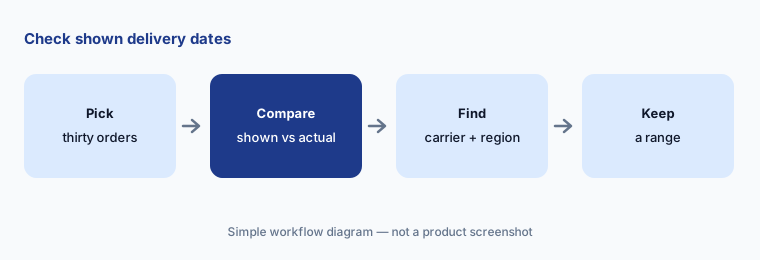
Compare the AfterShip delivery date shown for 30 recent orders with the actual delivery date. Have the ecommerce manager keep a range for any carrier or region that misses more than one in ten.
6. AI product recommendations on tracking and exchange pages
What it is: AfterShip’s AI recommendation engine picks products to show on tracking pages, in emails, at checkout, and as exchange options, based on the shopper’s history and your catalog. The Tracking pricing page lists AI-powered recommendations and Instant Checkout (buying a recommended product without leaving the tracking page) on Premium. In Returns, AI-powered exchanges suggest a different product or size at the moment of return.
A tracking page is a service page first. Keep recommendations away from shipments in an exception state, and check that suggested exchanges are in stock and fit your returns policy.
Check the recommendations:
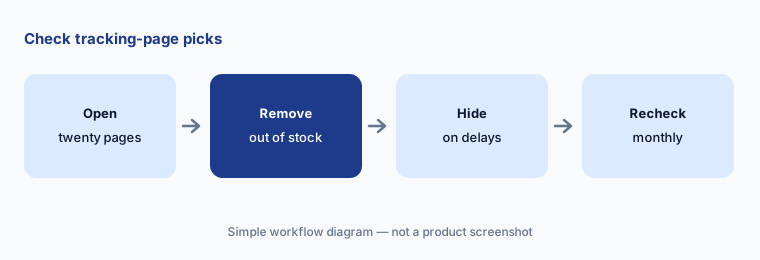
Open the tracking page for twenty recent orders. Have the merchandiser remove any recommendation that is out of stock or shown on a delayed shipment before the next promotion.
Pricing context (October 2026)
AfterShip publishes plan prices that change with volume and billing period (checked 16 October 2026). On monthly billing, Tracking Essentials starts at $11/month for 100 shipments a month ($35 at 500), and Tracking Premium — the plan that lists AI-powered delivery dates and recommendations — starts at $70/month for 500 shipments a month ($118 at 1,000). Extra shipments cost $0.08 (Essentials) or $0.12 (Premium); Enterprise is custom. Annual billing is shown as 18% cheaper.
Returns on monthly billing: Essentials from $19/month for 20 returns a month and Premium from $119/month for 100 returns a month, with extra returns at $0.50 or $1.00; Enterprise is custom. The agent’s return reviews and AI-powered exchanges sit on Premium and Enterprise, and the exception agent is offered to eligible Premium and Enterprise customers. AfterShip lists no separate price for the agent or the MCP. Team member access starts at $10 per member a month billed annually ($12 monthly), SMS is charged by destination, and the AI EDD page itself says Enterprise pricing is custom.
Uncertainty: Prices are AfterShip’s list prices on 16 Oct 2026 at monthly billing; your volume and billing period change them. The exception agent is described as a limited general-availability programme and return reviews as US-only, so ask whether your account qualifies. AfterShip’s pages conflict in two places: the AI page says its delivery-date model was trained on 11 billion shipments while the AI EDD page says 4.4 billion, and the AI page and launch release say low-risk returns can resolve automatically while the return-review guide says nothing runs until you accept and confirm. We describe the confirm-first behaviour and suggest you test it. Time-saving, accuracy, and order-value figures are AfterShip’s claims, not our measurement.
When it’s useful (honest take)
Useful when tracking questions, delivery exceptions, and returns take a large share of your support time, you already use AfterShip Tracking or Returns on Premium, and a CX lead and returns lead will read the agent’s drafts and risk calls before anything runs.
Less useful when you need one enterprise suite for delivery dates, claims, and returns with a sales-led contract (Narvar AI), most of the work is general help-desk replies (Gorgias AI), or the bigger gap is what to show shoppers in the cart rather than after they buy (Rebuy AI).
Paying for AfterShip AI and a few other AI tools? The $9 AI toolkit spreadsheet lists every AI subscription you have, what each one costs, and how fast it pays for itself, so you can see which ones are worth the money.
Want someone to do it for you? AI toolkit audit — $19
Related options (educational)
| Need | Better home | Why |
|---|---|---|
| Tracking, returns, and agent-drafted fixes with published plans | AfterShip AI (this page) | Tracking from $11/mo; Returns from $19/mo (monthly billing) |
| Enterprise post-purchase suite with claims | Narvar AI | Quote only |
| Help desk answering order questions | Gorgias AI | See its review |
| Cart and post-purchase upsell offers | Rebuy AI | From $25/mo per package |
| Product data behind accurate order details | Akeneo AI | Quote only |
FAQ
How much does AfterShip cost?
On monthly billing (checked 16 Oct 2026), Tracking starts at $11/month for 100 shipments a month and Premium at $70/month for 500; Returns starts at $19/month for 20 returns a month and Premium at $119/month for 100. Annual billing is about 18% cheaper and Enterprise is custom.
What is AfterShip Agent?
AfterShip’s AI agent for post-purchase work, launched on 1 September 2026. It investigates shipment exceptions and drafts fixes in AfterShip Tracking, and rates return requests by risk and recommends actions in AfterShip Returns.
Can AfterShip’s AI send messages or approve refunds on its own?
AfterShip says customer-facing and financial actions need human approval. In the exception agent you edit, preview, and run each action; in return reviews, its guide says nothing runs until you accept and confirm. Its AI page also describes some low-risk returns resolving automatically, so test how your account behaves.
How do order lookups work with Claude or ChatGPT?
Connect the Post-purchase MCP with a one-time AfterShip sign-in. The assistant can look up a shipment by complete tracking number, order number, or customer email and show its checkpoints and delivery estimate; changes such as approving a return wait for your confirmation.
Who should approve AfterShip’s AI actions?
A named CX lead approves customer messages and policy answers, the returns lead approves refunds, exchanges, and rejections, the operations manager owns carrier escalations, and the ecommerce manager owns the delivery dates shown before checkout.
Optional next step (if seats overlap)
If you pay for a tracking tool, a returns tool, a help desk, and a chat assistant that all answer “where is my order”, that overlap is worth mapping. Map the overlap with the $19 AI toolkit audit or the $9 AI toolkit spreadsheet. Email Audit $19 or Toolkit spreadsheet $9.
Checkout is live via Stripe. After you pay, we email delivery (spreadsheet) or intake next steps (audit).