Role · Sales & marketing · Gemini · Oct 2026
Gemini for marketing ops (Oct 2026): Workspace drafts for lifecycle briefs
A role guide for marketing ops who draft briefs in Google Docs with Gemini. The tool that sends is Klaviyo AI or Customer.io AI. Gemini does not send mail and does not know your revenue.
What this page covers
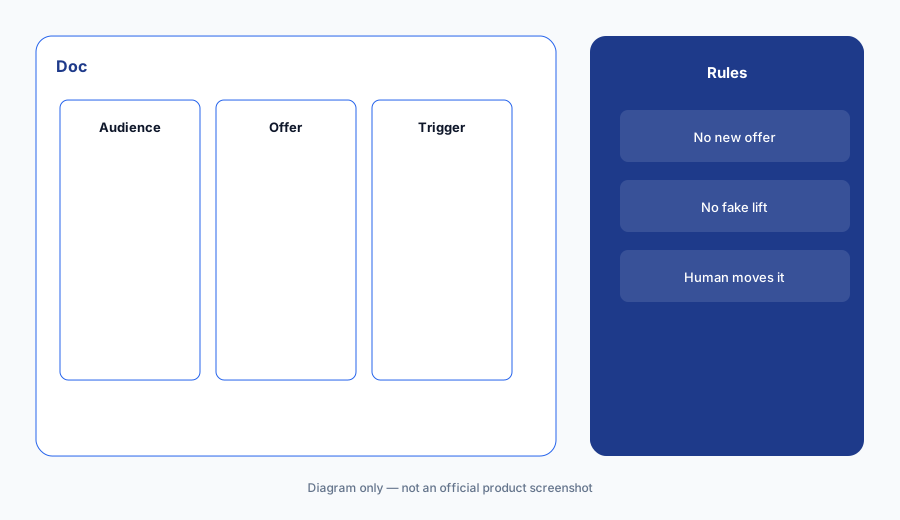
Gemini in Docs is useful for a brief: audience, offer, trigger, what we will not say. It is not the system that sends email. We do not quote Google’s add-on prices on this page. Check your Workspace admin. October 2026. Every number in the brief must be one you typed or one you pasted from an export. Otherwise write Unknown.
Major features (with how someone uses them)
Examples at a glance: each feature has a concrete ops example plus a short Try this.
1. A brief with the real offer (primary)
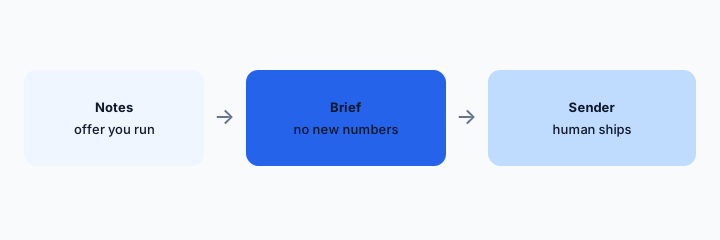
What it is: In a Doc, list audience, offer, trigger event, and banned claims. Ask Gemini to turn that into a one-page brief. If it adds a discount, a deadline, or a rate, delete it. Then move the brief into the sender.
Primary workflow:
From a sanitized offer outline in a Doc: draft a one-page brief. Mark any claim you did not write.
2. Unknown is allowed
What it is: Expected revenue, open rate, and list size are Unknown unless pasted from an export with a date. Gemini will happily approximate. You will not keep the approximation. The same rule is on the Klaviyo and Customer.io pages.
Number check:
Highlight every digit in the brief. If you did not paste it, replace it with Unknown.
3. The Doc does not send
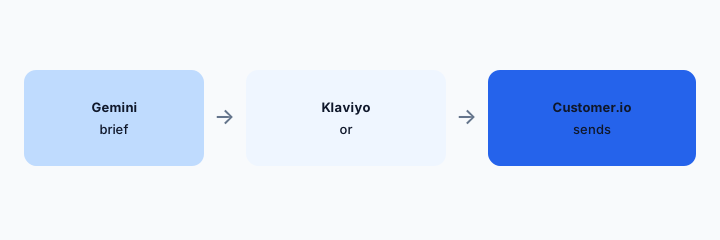
What it is: Copy the approved brief into Klaviyo or Customer.io. Build the segment there. A human ships. Do not connect a Doc to a customer list to “save time.” People data stays in the sender.
Send check:
Write the sender on the brief. If it is blank, you are not ready.
4. One brief tool, one sender
What it is: If the team writes in Microsoft 365, use that copilot instead of adding Gemini for the same brief. Do not also ask ChatGPT to rewrite the same page. One drafting surface. One sender. Overlap is the reason the optional audit exists.
Seat check:
Name the Doc tool and the sender. Anything else needs a reason.
Pricing context (October 2026)
Google Workspace and Gemini plan prices were not copied here. Check your admin console. October 2026.
Klaviyo and Customer.io bills are separate. This page does not estimate them.
Uncertainty: Which Workspace editions include Gemini, and whether Docs content is used for training, are admin settings. Confirm them. We did not read your tenant.
When it’s useful (honest take)
Useful when the brief is a Doc and the sender is a real lifecycle tool a human operates. Less useful if you wanted Gemini to email customers. Less useful if the Doc becomes full of numbers nobody exported.
Paying for Gemini and a few other AI tools? The $9 AI toolkit spreadsheet lists every AI subscription you have, what each one costs, and how fast it pays for itself, so you can see which ones are worth the money.
Want someone to do it for you? AI toolkit audit — $19
Related options (educational)
| Need | Better home | Why |
|---|---|---|
| The brief | Gemini in Docs (this page) | No claim you did not write |
| Send from Klaviyo | Klaviyo AI | If Klaviyo sends |
| Send from Customer.io | Customer.io AI | If Customer.io sends |
| A forecast | An export with a date | Not the model |
FAQ
Can Gemini send the campaign?
No.
How much does Gemini cost?
We do not quote it. Check Workspace admin.
Can it estimate revenue?
It can invent one. You should delete it.
Docs or ChatGPT?
One of them. The one you already administer.
Optional next step (if seats overlap)
If two AI seats would answer the same question, map the overlap with the $19 AI toolkit audit or the $9 AI toolkit spreadsheet. Email Audit $19 or Toolkit spreadsheet $9.
Checkout is live via Stripe. After you pay, we email delivery (spreadsheet) or intake next steps (audit).