Tool · Sales & marketing · Customer.io · Oct 2026
Customer.io AI review (Oct 2026): campaign and message drafts for lifecycle ops
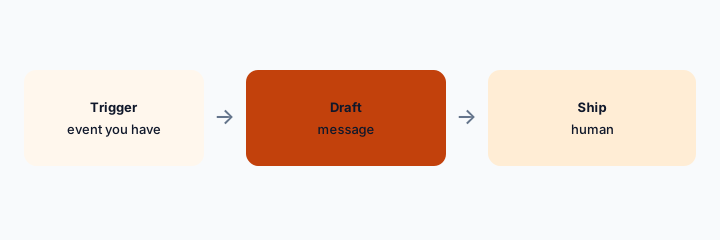
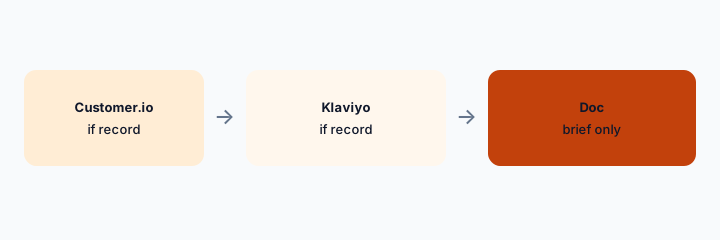
Customer.io when campaigns already send from there. Draft the message and the trigger description. A human ships. Klaviyo AI if Klaviyo is the sender. A Doc brief can start in Gemini for marketing ops.
What this page covers
This page is for lifecycle ops whose triggers, campaigns, and messages already live in Customer.io. We did not fetch a price. The same rules as any sender apply: the draft may not invent a discount, a metric, or a segment count. People data stays in the tool. Do not export a customer list into a chat to “make the copy more personal.”
Major features (with how someone uses them)
Examples at a glance: each feature has a concrete ops example plus a short Try this.
1. Name the event before the copy (primary)
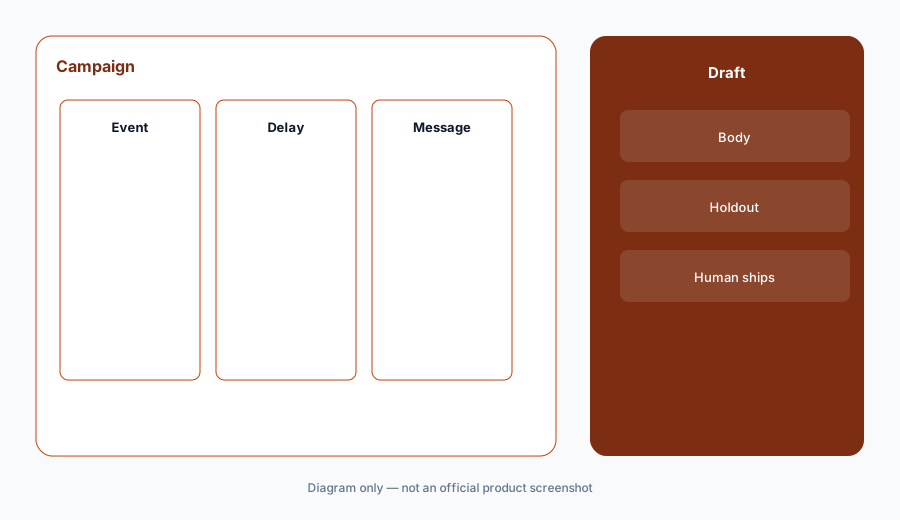
What it is: Write the event name you already track, the delay, and the goal. Then ask for the message. If the draft assumes an event you do not emit, stop. A human checks a recent event payload before the campaign is live.
Primary workflow:
Write the event name from your tracking plan. Draft the message only after that name matches a real event.
2. Personalization uses attributes you store, not a pasted list
What it is: First name and plan name are fine if they are attributes in Customer.io. A spreadsheet of customers pasted into a prompt is not. The message should still make sense if an attribute is empty.
Attribute check:
Write the attributes the message uses. Write the sentence if each one is blank.
3. No invented campaign math
What it is: Do not ask for expected conversion. Export the last campaign if you need a number, and label it as that export. Klaviyo AI has the same rule. Two tools inventing two lifts is how a forecast becomes fiction.
Metric check:
Remove every forecast number from the draft. Put Unknown where you do not have an export.
4. Versus Klaviyo and a Doc brief
What it is: One sender. If this is Customer.io, Klaviyo AI should not also message the same people for the same job. Briefs can start in Gemini for marketing ops. The campaign that sends is the record of who was contacted.
Home for the job:
Who received the last lifecycle message, and from which tool? New work uses that tool.
Pricing context (October 2026)
We did not open this vendor’s public price table for this review. October 2026 is the date of the page, not a quote. Use the vendor’s live pricing page and your invoice.
If an assist is included or missing on your plan, record that from the admin screen.
Uncertainty: Names, limits, and which workspaces have the assist change. This page does not claim a dollar price or a general-availability date.
When it’s useful (honest take)
Useful when Customer.io is the sender and a human matches the trigger to a real event before ship. Less useful if you wanted a forecast. Less useful as a second sender next to Klaviyo.
Paying for Customer.io AI and a few other AI tools? The $9 AI toolkit spreadsheet lists every AI subscription you have, what each one costs, and how fast it pays for itself, so you can see which ones are worth the money.
Want someone to do it for you? AI toolkit audit — $19
Related options (educational)
| Need | Better home | Why |
|---|---|---|
| Customer.io already sends | Customer.io (this page) | Event name first, human ships |
| Klaviyo already sends | Klaviyo AI | Do not double-send |
| A brief, not a send | Gemini for marketing ops | Then move into the sender |
| A number | An export you label | Not a generated forecast |
FAQ
Can it predict revenue?
Not honestly. Use an export or write Unknown.
How much does Customer.io cost?
We do not say. Your invoice is the source.
Can I paste a customer list?
No. Use attributes already in the tool.
Customer.io or Klaviyo?
Whichever already sends this program.
Optional next step (if seats overlap)
If two AI seats would answer the same question, map the overlap with the $19 AI toolkit audit or the $9 AI toolkit spreadsheet. Email Audit $19 or Toolkit spreadsheet $9.
Checkout is live via Stripe. After you pay, we email delivery (spreadsheet) or intake next steps (audit).