Tool · Ecommerce ops · BigCommerce · Oct 2026
BigCommerce AI review (Oct 2026): Companion assistant, Catalog Enrichment, Storefront MCP, and agentic shopping for online stores
BigCommerce is an ecommerce platform for B2C and B2B online stores, now run by its parent company Commerce alongside Feedonomics (product feeds) and Makeswift (visual page building). Its AI layer has three parts: Companion, an assistant inside the control panel that answers questions and makes small changes after you approve them; catalog tools that write and translate product content in bulk; and agentic shopping — conversational search, a Shopping Agent, and MCP servers that let outside AI assistants browse your catalog and build carts. This page is about using those for the dull, useful jobs while a merchandiser still decides what goes live. Each section has a Try this.
What this BigCommerce page covers
This page is for an ecommerce manager, merchandiser, or owner who runs a BigCommerce store or is shortlisting store platforms. The question it answers: which BigCommerce AI features exist today, which are still early access, what BigCommerce publishes about price, and who must approve product content, order changes, and anything an AI shopping agent tells a customer.
BigCommerce’s agentic commerce page (read 16 October 2026) lists Companion, Feedonomics Enrichment, and the B2C and B2B Storefront MCP servers as now available. Catalog Enrichment, Smart Edits, Translations, conversational search, Shopping Agent, the B2B PO Skill, and the Store Management MCP are marked Early Access, with sign-up through Commerce’s AI Labs program.
Ground rules: a named merchandiser approves every enriched or translated product field; the owner or ecommerce manager approves order changes and store credits; nobody pastes customer details or card data into an outside chat tool; and any numbers in BigCommerce case studies are BigCommerce’s claims, not our measurement.

Major features (with how someone uses them)
Examples at a glance: each feature has a concrete example from a real job plus a short Try this you can run this week.
1. Companion: ask your store questions in the control panel (primary)
What it is: BigCommerce Companion is an AI assistant built into the control panel. It answers how-to questions in the context of your store, shows store analytics as on-demand charts with period-over-period comparisons, lets you browse the product catalog in chat, and takes you anywhere in the admin when you ask (“Take me to my shipping settings”). BigCommerce says Companion is included with your store, during free trials and on paid plans, with nothing to install. It is for merchants, not a shopper-facing chatbot.
A chart in a chat window is still a claim about your business. Check the first few answers against the report you already trust before anyone plans around them.
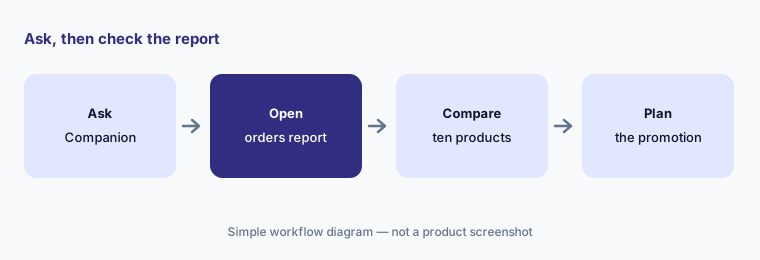
Primary workflow:
Ask Companion for last month's ten best-selling products by revenue. Check them against your BigCommerce orders report and note any product it got wrong before you plan a promotion.
2. Approved changes: order status and store credit, within permissions
What it is: Companion can also do routine work. BigCommerce’s examples include “Update this order to fulfilled” and “Issue a store credit to this customer”. Its FAQ says Companion does not apply a change without your approval: it shows exactly what will change, applies nothing until you approve, and re-checks the order first in case something changed while you were deciding. It works within the permissions of the signed-in user, so it can only see and change what that staff account can.
Approval protects you only if the person approving owns that change. Match staff account permissions to who really issues credits and marks orders fulfilled.
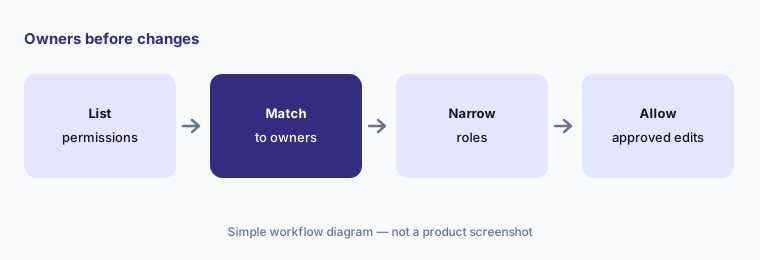
Owners before changes:
List which staff accounts can issue store credit and change order status. Narrow any account whose holder should not approve a Companion change.
3. Catalog Enrichment: bulk titles, descriptions, bullets, and FAQs
What it is: Catalog Enrichment, announced in a 29 September 2026 release, works inside the BigCommerce control panel. You select products, give it brand inputs, and it generates titles, descriptions, feature bullets, FAQs, SEO metadata, and structured fields meant to help AI answer engines understand each product. BigCommerce says generated content goes through its own quality check for accuracy, consistency, and brand voice; you then review the results and apply them, even across the whole catalog in one click. The agentic commerce page labels it Early Access.
One click across the whole catalog is exactly the risk. Review a small batch by hand first, especially sizes, materials, care instructions, and anything that reads like a health or safety claim.
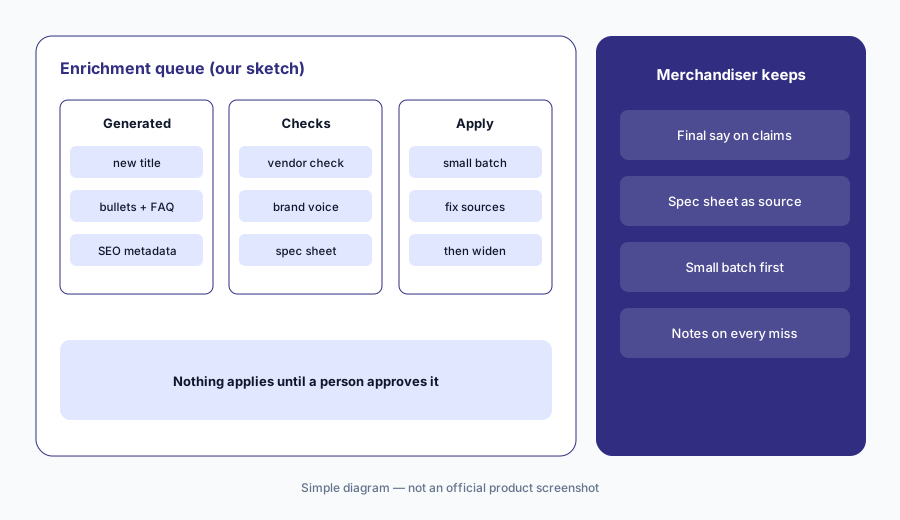
Check a batch first:
Run Catalog Enrichment on twenty products. Have the merchandiser check every size, material, and care claim against the spec sheet before applying any of it.
4. Smart Edits and Translations: describe a change once (early access)
What it is: Smart Edits lets you describe a catalog change once and apply it across many products through a guided workflow, instead of editing each product by hand. BigCommerce Translations translates catalog content into your buyers’ languages inside BigCommerce, and Makeswift Translations localises full storefront pages while keeping layouts. All three are Early Access. BigCommerce’s 2026 roadmap post also describes Companion running a bulk AI edit across thousands of product titles and descriptions.
Bulk edits and machine translation repeat a mistake as fast as they repeat a fix. Try a small set, and have a fluent speaker read translated sizing, care, and returns wording.
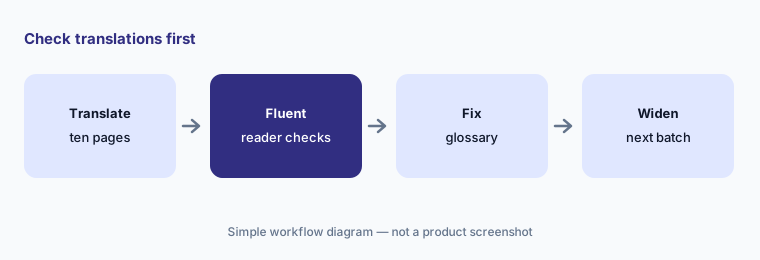
Check translations:
Translate ten product pages with BigCommerce Translations. Have a fluent speaker check sizing, care, and returns wording before you publish them.
5. Conversational search and Shopping Agent on your storefront (early access)
What it is: Conversational search lets shoppers type natural questions instead of exact keywords and uses semantic matching to find relevant products. Shopping Agent goes further: it answers questions, compares options, and guides a shopper toward a product and checkout. For B2B, the PO Skill helps buyers with purchase-order ordering, validation, and checkout. All three are Early Access on the agentic commerce page.
Answers on your storefront are promises about your products, stock, and policies. Test them with real customer questions before every shopper sees them.
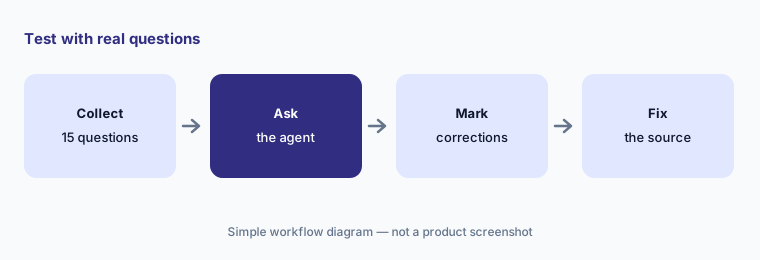
Test with real questions:
Collect fifteen product questions from your support inbox. Ask each one in conversational search or the Shopping Agent and mark every answer the CX lead would correct.
6. Storefront MCP, Store Management MCP, and Feedonomics
What it is: BigCommerce’s MCP Toolkit lets outside AI assistants work with your store. The B2C Storefront MCP (announced 11 May 2026) lets an agent search the catalog, read product details and variants, build and manage a cart, and generate a checkout URL to hand to the shopper; any live, transacting store can opt in under Settings → Early Access. The B2B Storefront MCP adds buyer context such as customer-specific pricing, shopping lists, and quotes. The Store Management MCP, for back-office tasks, is Early Access (developer docs). Separately, Feedonomics Enrichment prepares product data for marketplaces, ad channels, and AI surfaces; the 29 Sep release says it is English-only for now.
An outside agent that builds carts and sends checkout links speaks for your store. Decide who owns that connection, test it on a sandbox store, and keep a log of what it can do.
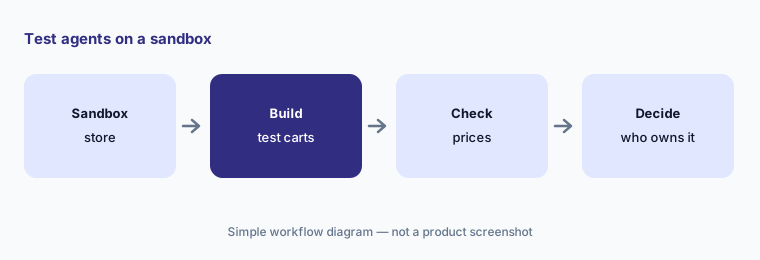
Test on a sandbox:
Connect one AI assistant to Storefront MCP on a test store. Ask it to build three carts and have the ecommerce manager check every price and variant against the catalog.
Pricing context (October 2026)
BigCommerce’s pricing page (read 16 Oct 2026, US dollars, excluding tax) lists Core at $39/month, Growth at $105/month, and Scale at $399/month on monthly billing, with about 25% off when billed annually, and Performance at custom pricing starting at $1,499/month billed annually. Plans follow trailing-12-month sales: Core up to $30K, Growth up to $100K, and Scale up to $33,333/month in sales with a 0.9% overage above that; stores move up a plan automatically as sales grow. There is a 15-day free trial.
Orders processed through payment providers outside BigCommerce’s embedded list carry an extra BigCommerce fee of 2.0% (Core), 1.0% (Growth), or 0.6% (Scale); orders through embedded providers such as BigCommerce Payments, Stripe, PayPal Braintree, and Adyen carry no extra fee. Companion is included with the store. No separate price is published for the Early Access AI features, and Feedonomics Enrichment is sold through a demo. Feedonomics Surface (ad channel listings) is free for up to 100,000 SKUs on its basic plan.
Uncertainty: Catalog Enrichment, Smart Edits, Translations, conversational search, Shopping Agent, the B2B PO Skill, and the Store Management MCP were Early Access on 16 Oct 2026 and may change in scope or price. BigCommerce’s own release mentions an internal quality check on generated content; we have not tested how strict it is. The company now presents itself as Commerce (Nasdaq: CMRC), so some pages and releases use that name. Numbers in BigCommerce customer stories are BigCommerce’s claims, not our measurement.
When it’s useful (honest take)
Useful when you run a BigCommerce store (or are choosing a platform) and want quick answers on sales, help with routine order tasks, and bulk help with product content — and you have a merchandiser who reviews every batch and an owner who keeps staff permissions narrow.
Less useful when your main gap is SMS and email retention (Attentive AI), cross-channel ad attribution (Triple Whale AI), or customer support replies at volume (Gorgias AI). It also helps less if you need a finished shopper-facing agent today rather than an Early Access test.
Paying for BigCommerce AI and a few other AI tools? The $9 AI toolkit spreadsheet lists every AI subscription you have, what each one costs, and how fast it pays for itself, so you can see which ones are worth the money.
Want someone to do it for you? AI toolkit audit — $19
Related options (educational)
| Need | Better home | Why |
|---|---|---|
| Store platform + built-in AI assistant | BigCommerce AI (this page) | Core $39 · Growth $105 · Scale $399 /mo (monthly billing) |
| SMS and email retention with AI | Attentive AI | Usage-based — quote |
| Attribution and analytics across ad channels | Triple Whale AI | Free plan → tiers by annual sales |
| Ecommerce helpdesk drafts | Gorgias AI | Helpdesk plans — see review |
| Ad hoc analysis on an exported report | Claude (sanitized export) | General chat; no store actions |
FAQ
Is BigCommerce Companion free?
BigCommerce says Companion is included with your BigCommerce store and is available during free trials and on paid plans, with nothing to install.
Can Companion change my store by itself?
No. BigCommerce says Companion shows exactly what will change, applies nothing until you approve it, and re-checks the order first. It works within the permissions of the signed-in staff account.
How much does BigCommerce cost in October 2026?
The pricing page lists Core $39/month, Growth $105/month, and Scale $399/month on monthly billing (about 25% less billed annually), and Performance from $1,499/month billed annually. Orders through non-embedded payment providers carry an extra 2.0%, 1.0%, or 0.6% fee by plan.
What is BigCommerce Catalog Enrichment?
An Early Access tool announced 29 September 2026 that generates product titles, descriptions, feature bullets, FAQs, and SEO metadata in bulk inside the control panel. You review the results and choose what to apply.
What is BigCommerce Storefront MCP?
An MCP server that lets outside AI assistants search your catalog, read product details and variants, build carts, and create checkout links. Live, transacting stores can opt in under Settings → Early Access; a B2B version adds buyer-specific pricing and quotes.
Optional next step (if seats overlap)
If you pay for a store platform with built-in AI copy, a separate product-content tool, and a chat assistant seat that now overlap, that is worth mapping. Map the overlap with the $19 AI toolkit audit or the $9 AI toolkit spreadsheet. Email Audit $19 or Toolkit spreadsheet $9.
Checkout is live via Stripe. After you pay, we email delivery (spreadsheet) or intake next steps (audit).