How-to · Ops & automation · Support stack · Oct 2026
Stack map for support ops (Oct 2026): inventory AI seats by support job
A blank inventory for support jobs: triage, macros, knowledge base, CSAT, and escalations. One row per job. Overlap is the only reason to look at the optional $9 sheet or $19 audit. This is not a ranked list of tools.
What this page covers
This page is a how-to for support leads who suspect two AI seats draft the same reply. The output is a table you fill with tools you already pay for. Empty cells stay empty. Do not invent a monthly cost you have not opened an invoice for. The live reviews linked below are the explanations; this page is the inventory.

Major features (with how someone uses them)
Examples at a glance: each feature has a concrete ops example plus a short Try this.
1. The blank table (primary)
What it is: Six columns: Job, Tool, Owner, Cost/mo, Overlap, Decision. Five jobs to start: triage, macros, KB, CSAT, escalations. One job can have two rows if two tools touch it. That second row is the overlap. Decision is a plain sentence (keep the desk’s draft, stop the Doc draft), not a score.
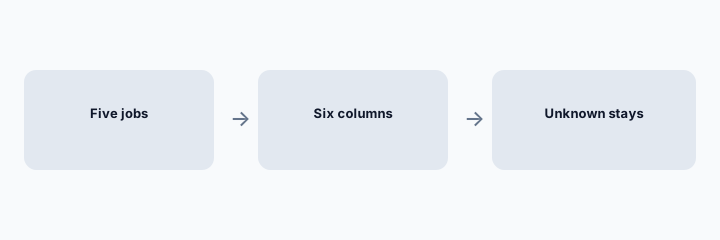
Primary workflow from the Saturday brief:
Build Job \
2. What each job means so the rows do not blur
What it is: Triage: who labels or routes a new ticket. Macros: who drafts the reusable reply. KB: who drafts or updates the article. CSAT: who reads the score and triggers a follow-up. Escalations: who decides a human must take it, including refunds and identity. If a tool does none of these, it does not get a row.
Definition check:
Write one sentence for each of the five jobs in your words. If two sentences are the same, you have one job and an overlap.
3. Cost from invoices, not from memory
What it is: Cost/mo is the seat or usage line you can point at: a helpdesk AI add-on, Workspace, Salesforce Agentforce at the public $125 line only if that is what you bought, PostHog credits only if support is actually spending them. If finance has not opened the invoice, write Unknown. Overlap is yes when two rows would draft the same customer sentence.
Invoice check:
For each tool, paste the invoice line name or write Unknown. Do not estimate.
4. Which review explains the tool
What it is: Use the live pages when you need the job, not a second inventory: Zendesk AI, Freddy, Freddy vs Zendesk, Front AI, Service Hub, Service Cloud, Kustomer, Gorgias, Zoho Desk, Help Scout. Incident paging is a different map (Datadog vs PagerDuty).
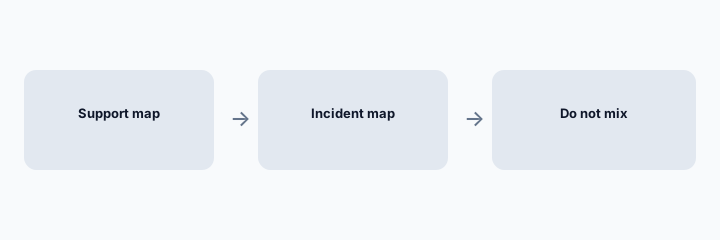
Row check:
Read the map aloud. Any tool that does not perform that job gets deleted from the row.
Pricing context (October 2026)
This how-to has no vendor price of its own. Put only costs you can see on an invoice into Cost/mo. Public prices we have checked on other pages (for example Agentforce for Service at $125 USD per user per month billed annually, as of 3 Oct 2026 on Salesforce’s page) are context, not your bill. October 2026.
Uncertainty: Seats, resolution packs, and credit burn do not show up in a marketing page. Unknown is the correct cell until finance looks.
When it is useful (honest take)
Useful when support is paying for more than one drafter and nobody can say which job each one owns. Less useful as a shopping list. If the map has one tool and no overlap, you do not need another seat or the paid sheet.
Comparing several AI tools for the same job? The $9 AI toolkit spreadsheet puts each one you pay for on one page with cost, usage, and payback, so overlaps are easy to spot.
Want someone to do it for you? AI toolkit audit — $19
Related options (educational)
| Need | Better home | Why |
|---|---|---|
| The inventory itself | This blank table | Five jobs, six columns |
| A filled sheet with the same columns | $9 AI toolkit spreadsheet | Optional, if you want the grid already built |
| Someone else to read the overlap | $19 AI toolkit audit | Optional, if several seats collide |
| The desk’s own review | Linked reviews above | Explain the tool; do not add a row you do not pay for |
If two seats cover the same job, name the seats and what you pay on the overlap calculator, then keep the grid in the $9 AI toolkit spreadsheet.
FAQ
What are the columns?
Job, Tool, Owner, Cost/mo, Overlap, Decision. Jobs to start: triage, macros, KB, CSAT, escalations.
What if I do not know the cost?
Write Unknown. Do not invent a monthly number.
Is overlap bad?
It is a fact. The decision sentence says which draft is allowed to reach a customer. This page does not score the tools.
Do I need the $9 sheet?
Only if you want the grid maintained as a spreadsheet. The blank above is enough to start.
Optional next step (if seats overlap)
If several AI seats would cover the same analytics, support, or incident jobs, optional help mapping overlap: $19 AI toolkit audit or $9 AI toolkit spreadsheet. Email Audit $19 or Toolkit spreadsheet $9.
Checkout is live via Stripe. After you pay, we email delivery (spreadsheet) or intake next steps (audit).