Tool · Ops & automation · Salesforce · Oct 2026
Salesforce Service Cloud AI review (Oct 2026): case assists for enterprise CS ops
Service Cloud case assists for enterprise CS ops. The public customer-service AI page (checked 3 Oct 2026) leads with Agentforce for Service. A human confirms before a case is closed or a customer is emailed. Complements HubSpot Service Hub AI.
What this page covers
This page is for enterprise customer-ops leads whose cases already live in Salesforce Service Cloud. We use the packaging name on Salesforce’s public customer-service AI pricing page: Agentforce for Service. That page’s feature table still lists case classification, case routing, case wrap-up, replies, and summaries. Older “Einstein” labels may still appear in your org. Verify what is enabled. Do not treat a draft as the case record.
Major features (with how someone uses them)
Examples at a glance: each feature has a concrete ops example plus a short Try this.
1. Pilot: three jobs safe to draft, three that stay agent-owned (primary)
What it is: Write the pilot before you turn anything on. Safe drafts are internal: a case summary, a suggested reply the agent edits, a knowledge-article outline from a resolved case you already wrote. Agent-owned: refunds, legal commitments, identity changes, anything that needs a system of record you did not paste.
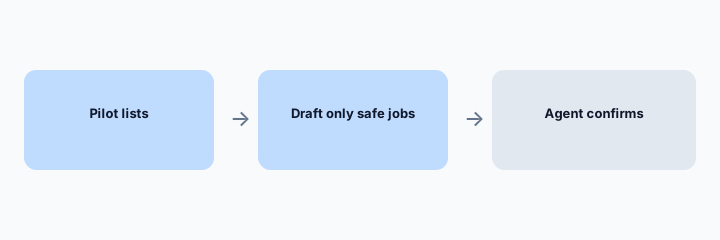
Primary workflow from the Saturday brief:
Outline a pilot: 3 case jobs safe for AI draft and 3 that stay agent-owned.
2. What the public pricing page lists
What it is: Checked 3 Oct 2026, Agentforce for Service is listed at $125 USD per user per month, billed annually. The page includes generative replies, summaries, answers, and knowledge articles, an unmetered employee agent, and Customer Signals Intelligence. The feature table lists case classification (unmetered per user, 5 data segments per org), case routing (2,000 routing predictions per user per month), and case wrap-up (unmetered per user, 5 data segments per org). The page says it is informational and subject to change.
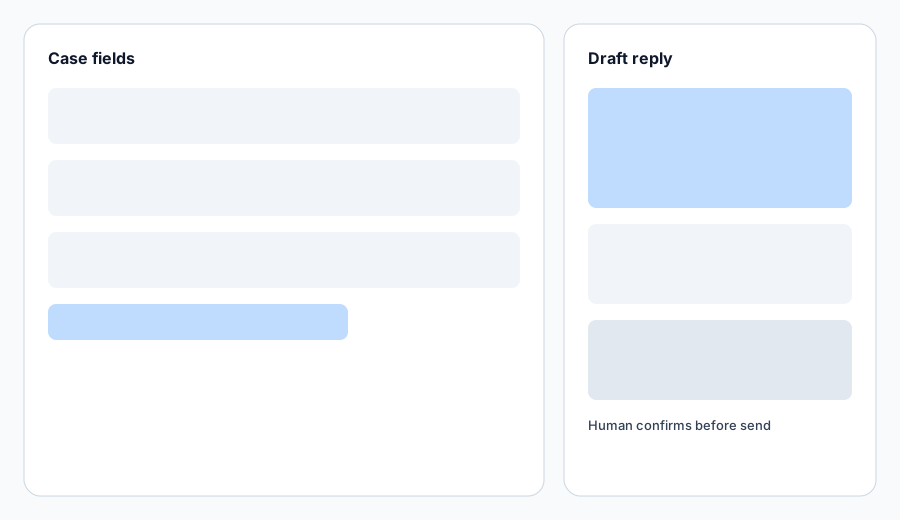
Table check:
Copy the six features you think you bought. Next to each, write On, Off, or Unknown after looking in your org. Do not budget the $125 line for a feature you cannot open.
3. CRM truth before send
What it is: A suggested reply can sound complete and still miss entitlement, order status, or a field the agent can see and the model cannot. The send step stays with the agent. Same rule as other desk reviews on this site.
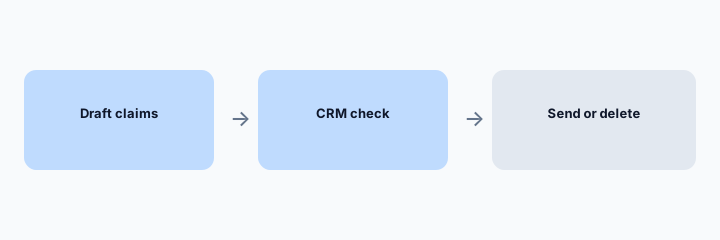
Field check:
From one sanitized case, list every factual claim in the draft. Mark each claim as In Salesforce, Unknown, or Delete.
4. Vs HubSpot Service Hub and Zendesk
What it is: If the CRM and the cases are in Salesforce, start here. If they are in HubSpot, use HubSpot Service Hub AI. If the desk is Zendesk or Freshdesk, use those reviews. Do not add Agentforce to draft tickets that live somewhere else.
Home for the job:
List 5 case jobs. Assign each to Salesforce, HubSpot, Zendesk, Freshdesk, or Front. One sentence why.
Pricing context (October 2026)
Checked 3 October 2026 on Salesforce’s customer service AI pricing page. Agentforce for Service is listed at $125 USD per user per month, billed annually (other currencies are on the page). The page says some Service Cloud editions already include AI and others add Agentforce at that price. It also says the page is informational and subject to change, and to contact sales for detail. We do not restate Service Cloud edition seat prices we did not read on that page.
Uncertainty: Your contract, Success Plan, and which case features are actually on can differ from the public table. The live name to verify is Agentforce for Service; do not assume an older Einstein product name is a separate bill without checking your org.
When it is useful (honest take)
Useful when cases already live in Service Cloud, the $125 line (or your contract) is a known seat, and agents confirm drafts. Less useful when you wanted the model to close refunds, or when the desk is not Salesforce.
Paying for Salesforce Service Cloud AI and a few other AI tools? The $9 AI toolkit spreadsheet lists every AI subscription you have, what each one costs, and how fast it pays for itself, so you can see which ones are worth the money.
Want someone to do it for you? AI toolkit audit — $19
Related options (educational)
| Need | Better home | Why |
|---|---|---|
| Cases in Salesforce | Agentforce for Service (this page) | Drafts only; agent confirms |
| HubSpot is CRM and CS | HubSpot Service Hub AI | Stay in HubSpot |
| Zendesk or Freshdesk is the desk | Freddy vs Zendesk AI | Compare those desks, do not add Salesforce for the same tickets |
| Shared inbox, not a CRM case | Front AI | Inbox drafts, human send |
Inventory seats by job on the stack map for support ops.
FAQ
Is it still called Einstein?
The public customer-service AI pricing page checked 3 Oct 2026 leads with Agentforce for Service. Case classification, routing, and wrap-up appear on the same table. Your org’s setup screen is the check. We do not invent a second product name.
How much does it cost?
The public page lists $125 USD per user per month, billed annually, for Agentforce for Service. It says prices can change. Confirm your edition and contract.
What belongs in a pilot?
Three draft jobs and three jobs that stay with an agent. Refunds and legal commitments stay with the agent.
Salesforce or HubSpot?
Whichever system already holds the case. See the Service Hub review if that is HubSpot.
Optional next step (if seats overlap)
If several AI seats would cover the same analytics, support, or incident jobs, optional help mapping overlap: $19 AI toolkit audit or $9 AI toolkit spreadsheet. Email Audit $19 or Toolkit spreadsheet $9.
Checkout is live via Stripe. After you pay, we email delivery (spreadsheet) or intake next steps (audit).