Tool · Ecommerce ops · Rebuy · Oct 2026
Rebuy AI review (Oct 2026): AI product recommendations, Smart Cart, and post-purchase upsells for ecommerce
Rebuy is a personalization platform for Shopify stores. Its AI picks products for recommendation widgets, the slide-out Smart Cart, one-click post-purchase offers between checkout and the thank-you page, and site search, and you shape those picks with your own rules and test them. This page is about using that AI to add relevant products to orders while the merchandiser still approves every offer and discount. Each section has a Try this.
What this Rebuy page covers
This page is for a merchandiser, ecommerce manager, or founder of a Shopify or Shopify Plus store who wants larger orders without hand-curating every “you might also like”, and who uses Rebuy or is comparing personalization apps. The question it answers: where Rebuy’s AI makes choices, what you control with rules and tests, what the packages cost, and who approves the offers and discounts shoppers see.
Rebuy’s home page, pricing page and its FAQ, the product pages for Merchandising Widgets, Smart Cart, Post-Purchase Offers, Smart Search, and A/B Testing, the Data Sources page, the dated product updates feed, and Rebuy’s Momentum 2025 announcement were read on 16 October 2026.
Ground rules: the merchandiser approves every offer, discount, and gift before it goes live; finance agrees discount depth and margin floors; shoppers can always decline an offer easily; subscriptions offered in the cart state their terms clearly; and Rebuy’s order-value, revenue, and subscription figures are its or its customers’ claims, not our measurement.

Major features (with how someone uses them)
Examples at a glance: each feature has a concrete example from a real job plus a short Try this you can run this week.
1. AI recommendation widgets (primary)
What it is: Rebuy’s Merchandising Widgets show product recommendations on the home page, product pages, cart, checkout, thank-you page, emails, and landing pages. Rebuy says one AI engine powers them, trained on shopper signals such as purchase history, browsing, and cart contents, and that your team controls what shows, when, and to whom through rules. Recent updates added a tabbed widget with up to ten product sets (23 September 2026) and a dashboard that suggests widgets by goal (1 October 2026).
A recommendation that sells an add-on which then comes back as a return is not a win. Measure attach rate and returns together, against a period without the widget.
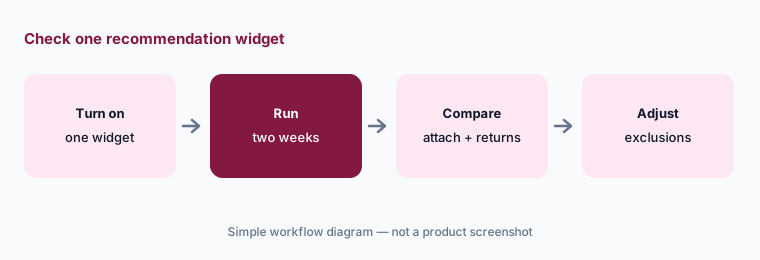
Primary workflow:
Turn on one Rebuy AI recommendation widget on the cart page for two weeks. Have the merchandiser compare attach rate and returns with the two weeks before.
2. Data Sources: AI endpoints plus your own rules
What it is: Rebuy’s Data Sources decide what each widget shows. You combine AI-driven endpoints — “customers also bought”, similar products, top sellers, trending, recently viewed, and buy-it-again for logged-in shoppers — with IF/THEN rules on product tags, vendors, cart contents, customer history, traffic source, dates, and location. An August 2026 update added rules triggered by the discount code in the cart.
Rules are where your judgement lives. Exclude products you never want pushed — final-sale items, low-margin lines, anything with a high return rate — before the AI picks from what is left.
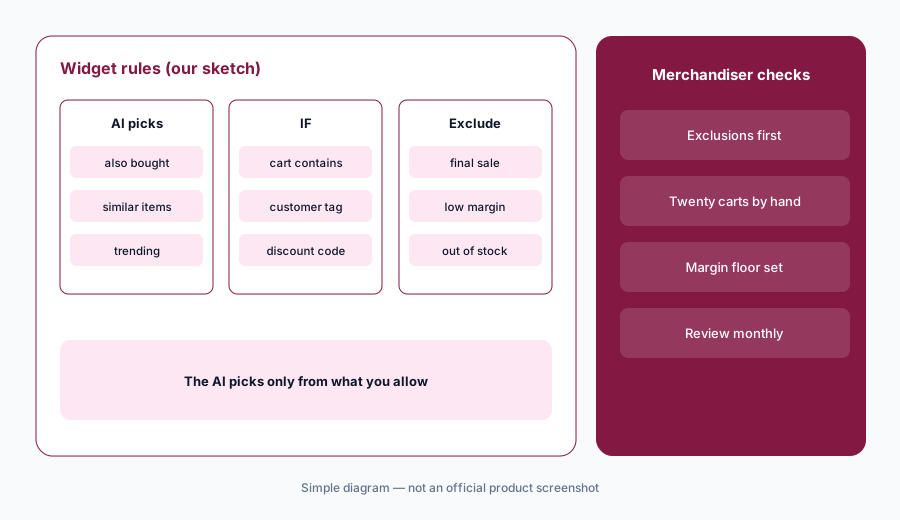
Check what the AI can pick:
Open the Data Source behind one Rebuy widget. Have the merchandiser add rules that exclude final-sale, low-margin, and out-of-stock products, then check twenty carts by hand.
3. Smart Cart: upsells, rewards, and subscriptions in the cart
What it is: Rebuy’s Smart Cart replaces Shopify’s cart with a slide-out cart that has AI-powered upsells and cross-sells, a tiered progress bar toward free shipping or gifts, Buy More Save More discounts, gift with purchase, switch-to-subscription, a promo-code field, and accelerated checkout buttons. Recent updates added cart tabs (28 July 2026), shopper-selectable free gifts (2 October 2026), and stacking a Rebuy and a Shopify discount on one product (3 September 2026, Shopify Plus only).
Every reward tier and stacked discount is a margin decision. Work out the cost of each tier at your average order before it goes live, and re-check when prices change.
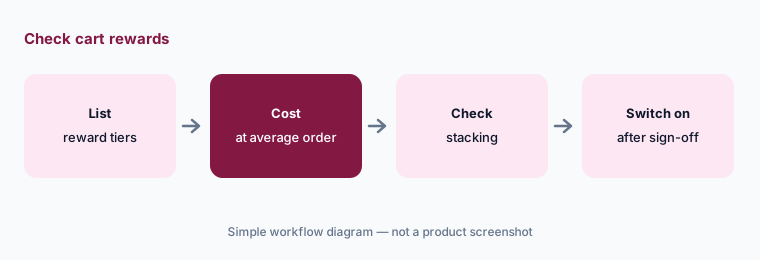
Check the cart offers:
List every Smart Cart reward tier and stacked discount you plan to run. Have finance cost each one at your average order value before the merchandiser switches it on.
4. Post-purchase offers between checkout and thank-you
What it is: Rebuy’s Post-Purchase Offers appear after payment and before the thank-you page, so a shopper can add products with one click without re-entering payment details. Rebuy says you can use its AI or your own rules to choose offers, run up to 40 flows with upsell and downsell steps, let shoppers accept up to three offers, A/B test with automatic winner selection, and set a hold window before fulfilment begins. Rebuy says accepted offers update the original order rather than creating a new one.
The shopper has already paid, so keep the offer honest: clear price, clear discount, easy to decline. Check that your warehouse doesn’t start picking before the hold window ends.
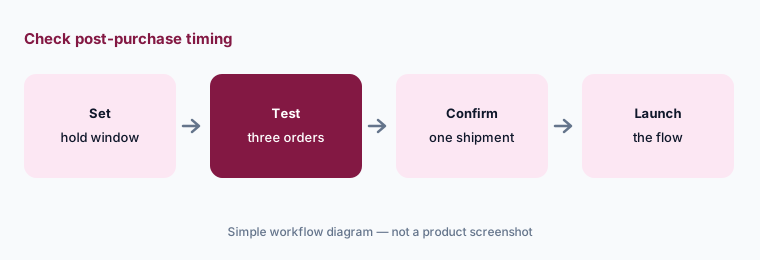
Check the timing:
Place three test orders that accept a Rebuy post-purchase offer. Have the operations manager confirm each add-on joined the original shipment before switching the flow on for shoppers.
5. Smart Search and Smart Collections
What it is: Rebuy’s Smart Search is AI-powered site search with personalized results and merchandising rules, and Smart Collections apply similar rules to collection pages. Updates this autumn include auto-complete suggestions built from your catalog and real searches (10 September 2026), rules combining up to ten conditions (2 September), collection-specific rules (13 October), and a head-to-head test against Shopify’s own search (21 July). Rebuy’s conversational search product, R/AI, was described as available in private beta in a post last updated 30 April 2026.
Search rules can bury products as easily as they boost them. Review your top searches after each rule change, especially for out-of-stock and discontinued items.
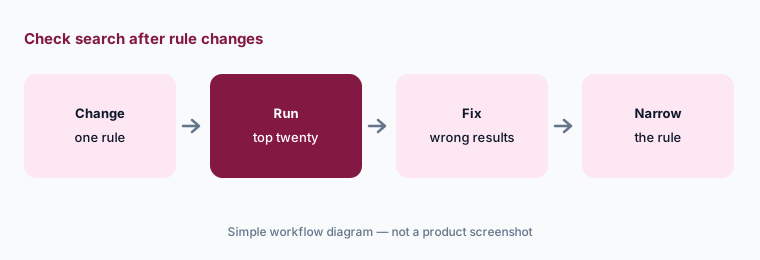
Check search after changes:
Run your twenty most common searches in Rebuy Smart Search after any rule change. Have the merchandiser fix any results page where the top three products are wrong or out of stock.
6. A/B tests to check what the AI changes
What it is: Rebuy’s A/B Testing is included for testing recommendations, content, and merchandising, with unlimited tests, scheduling, and automatic winner selection. Recent updates added a visual editor for storefront experiments (21 July 2026), a previewer that doesn’t affect results (7 July), and audience targeting by device, new or returning visitors, country, Shopify customer tag, or Klaviyo segment (30 September).
Automatic winner selection picks on the metric you set. Choose one that includes returns or margin when you can, and let tests run through a full weekly cycle before calling them.
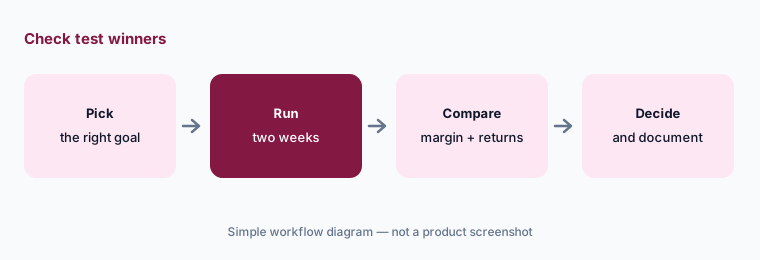
Before you call a winner:
Run one Rebuy A/B test of AI recommendations against your hand-picked products for at least two weeks. Have the merchandiser compare margin and returns, not only conversion, before keeping the winner.
Pricing context (October 2026)
Rebuy’s pricing page says Rebuy “starts at $25 a month for one package”, with each package priced by your store’s monthly Shopify orders (checked 16 October 2026). The page’s published plan data lists base prices for up to 500 orders a month: Cart & Merchandising $45/month (Smart Cart, Merchandising Widgets, Dynamic Bundles, Bundle Builder), Checkout & Post-Purchase $25/month (checkout extensions need Shopify Plus), Search & Collections $35/month, and Flows & A/B Testing $35/month, with 10% off annual contracts. Bundling saves 10% on two packages, 20% on three, and 30% on all four.
Every package has a 14-day free trial and a money-back guarantee; billing runs on a prorated 30-day cycle based on the previous 30 days’ orders. Rebuy Monetize, which shows other brands’ offers after purchase and pays you, is free. Rebuy promises a positive return on what you spend, measured with its own “Rebuy generated revenue” figure; read the refund terms, which require a good-faith effort to use the product and a request within 60 days.
Uncertainty: Prices are Rebuy’s figures on 16 Oct 2026 for up to 500 orders a month; they rise with order volume, and the visible price cards load in the browser, so we used the page’s published plan data and FAQ. Rebuy’s pages differ on small points: the home page says Smart Cart has 35+ integrations and the Smart Cart page says 40+, and the Platform One plan advertises 40% savings while bundle discounts top out at 30%. R/AI’s availability beyond private beta isn’t stated. The positive-return guarantee uses Rebuy’s own revenue measure, and order-value, subscription, and Monetize earnings figures are Rebuy’s or its customers’ claims, not our measurement.
When it’s useful (honest take)
Useful when you run a Shopify store with enough traffic for recommendations to learn and tests to finish, want cart, post-purchase, and search personalization from one vendor with published prices, and have a merchandiser who owns the rules and a finance lead who sets margin floors.
Less useful when you are not on Shopify, you need enterprise search and merchandising across a large catalog (Algolia AI, Bloomreach AI), or your bigger gap is post-purchase service rather than offers (AfterShip AI).
Paying for Rebuy AI and a few other AI tools? The $9 AI toolkit spreadsheet lists every AI subscription you have, what each one costs, and how fast it pays for itself, so you can see which ones are worth the money.
Want someone to do it for you? AI toolkit audit — $19
Related options (educational)
| Need | Better home | Why |
|---|---|---|
| Shopify recommendations, cart, post-purchase offers, search | Rebuy AI (this page) | From $25/mo per package; 14-day trial |
| Personalization and AI agents across a store | Nosto AI | Custom pricing |
| Site search and merchandising at scale | Algolia AI | Free tier; usage pricing |
| Search, merchandising, and marketing in one suite | Bloomreach AI | Custom; no public rate card |
| Tracking pages with AI recommendations | AfterShip AI | Tracking Premium from $70/mo (monthly billing) |
FAQ
How much does Rebuy cost?
Rebuy says it starts at $25 a month for one package, priced by monthly Shopify orders (checked 16 Oct 2026). Base prices for up to 500 orders a month are $45 for Cart & Merchandising, $25 for Checkout & Post-Purchase, and $35 each for Search & Collections and Flows & A/B Testing, with bundle discounts of 10–30%.
Does Rebuy offer a free trial?
Yes. Rebuy lists a 14-day free trial on every package plus a money-back guarantee; its Platform One plan mentions a 30-day trial arranged through its solutions team.
Does Rebuy’s AI change prices or discounts by itself?
Rebuy’s AI chooses which products to recommend. Discounts, reward tiers, gifts, and offers are set up by your team in the Rebuy admin, so the merchandiser decides what is discounted and by how much.
Does Rebuy work outside Shopify?
Rebuy’s pricing and product pages describe a Shopify and Shopify Plus app, with checkout extensions on Shopify Plus only. Its R/AI conversational search was described as platform-independent and in private beta.
Who should approve Rebuy offers?
A named merchandiser approves every widget rule, offer, discount, and gift; finance sets discount depth and margin floors; the operations manager confirms post-purchase add-ons ship with the original order; and the growth lead owns test goals.
Optional next step (if seats overlap)
If you pay for a cart app, a post-purchase upsell app, a search app, and a testing tool that overlap with your store platform’s own features, that overlap is worth mapping. Map the overlap with the $19 AI toolkit audit or the $9 AI toolkit spreadsheet. Email Audit $19 or Toolkit spreadsheet $9.
Checkout is live via Stripe. After you pay, we email delivery (spreadsheet) or intake next steps (audit).