Tool · Ecommerce ops · Northbeam · Oct 2026
Northbeam AI review (Oct 2026): Northbeam AI assistant, MCP, attribution, and incrementality for ecommerce marketers
Northbeam is marketing measurement for ecommerce brands: multi-touch attribution built on first-party data, media mix modeling (MMM+), and controlled incrementality tests, in one place. Its newer AI layer has two parts: Northbeam AI, an assistant inside the dashboard, and Northbeam MCP, which lets ChatGPT, Claude, or another assistant read your Northbeam data. Both read your numbers rather than change your ad accounts. This page is about using them while the finance lead still decides which number the team quotes. Each section has a Try this.
What this Northbeam page covers
This page is for a growth lead, paid media manager, or finance lead at an ecommerce brand spending across Meta, Google, TikTok, and other channels, who uses Northbeam or is comparing attribution tools. The question it answers: what Northbeam AI and Northbeam MCP can and cannot do, how attribution, MMM+, and incrementality differ, what Northbeam publishes about price, and who signs off before a number moves a budget.
Northbeam’s documentation for Northbeam AI, Northbeam MCP and its MCP FAQs, attribution models, MMM, incrementality, and reading test results, plus its pricing page, were read on 16 October 2026, along with Northbeam’s 7 April 2026 incrementality release. Northbeam’s docs say both Northbeam AI and MCP are available on every Northbeam plan.
Ground rules: the finance lead checks every attribution, MMM, or test number before it goes into a plan or a meeting; the team agrees one attribution model and accounting mode to quote; no customer emails or order exports are pasted into outside chat tools; and Northbeam’s ROAS and CAC improvement figures are its claims, not our measurement.
Major features (with how someone uses them)
Examples at a glance: each feature has a concrete example from a real job plus a short Try this you can run this week.
1. Northbeam AI: ask your own numbers (primary)
What it is: Northbeam AI opens from the AI icon in the dashboard’s left-hand menu. It answers how-to questions from Northbeam’s documentation with links to the articles it used, and it queries the dashboard you are in to answer data questions — Northbeam’s own example is “What was my Google ROAS over the last 30 days?” Per Northbeam’s guide, it reads your data and does not edit orders, spend, or platform connections; the one change it can make is to your own default attribution settings if you ask. It can also file a support ticket after confirming the details with you.
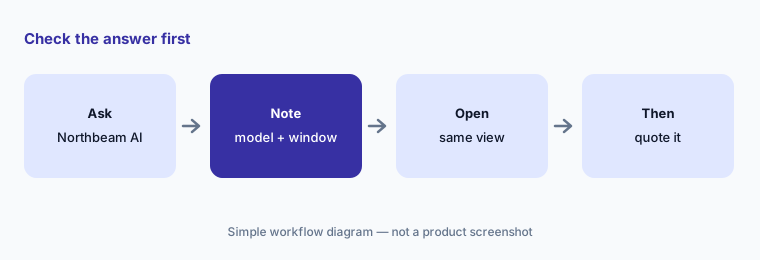
A ROAS figure changes with the attribution model, the window, and cash versus accrual accounting. Note which ones the answer used and compare it with the same dashboard view before anyone repeats it.
Primary workflow:
Ask Northbeam AI for your Google ROAS over the last 30 days. Check the number against the dashboard view and the attribution model it used before quoting it in a meeting.
2. Context Center and Custom Instructions
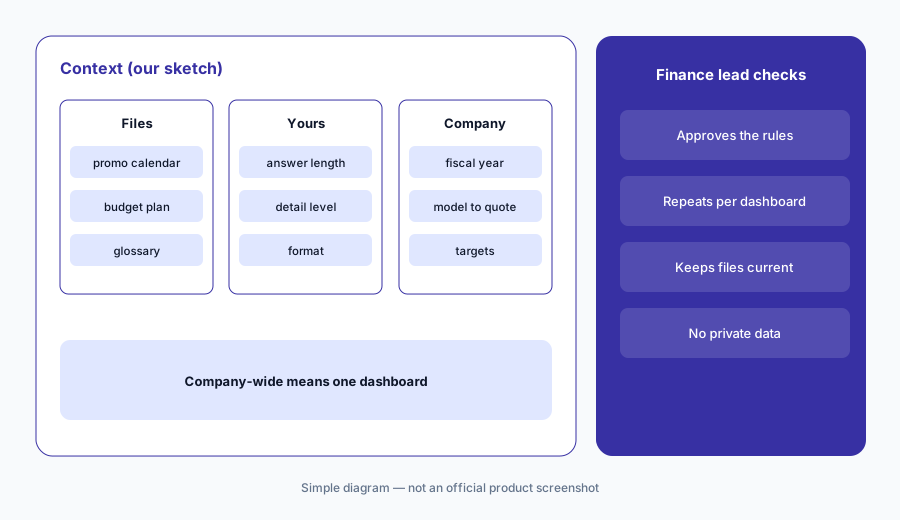
What it is: Northbeam AI can use two kinds of standing context. Context Center is a shared library of reference files — brand glossaries, budget plans, promotion calendars, media-buying playbooks — in .csv, .txt, .md, .json, or .yaml, up to 1 MB each and 100 per dashboard. Custom Instructions come in two boxes of up to 2,000 characters: Your Instructions for your own conversations, and Company-wide Instructions for everyone on the dashboard (fiscal calendar, accounting conventions, attribution preferences, targets). Northbeam’s Northbeam AI guide warns that company-wide instructions apply to one dashboard, not your whole company.
Everything in Context Center is visible to every user on the dashboard and shapes every answer. Keep supplier contracts, salaries, and customer lists out, and give one person the job of keeping the files current.
Set the house rules:
Write company-wide instructions naming your fiscal calendar, the attribution model, and the accounting mode your team quotes. Have the finance lead approve them and repeat them on every dashboard you use.
3. Northbeam MCP: your data inside ChatGPT or Claude
What it is: Northbeam MCP connects an outside assistant to your Northbeam data at https://mcp.northbeam.io. Each person signs in with their own Northbeam login; ChatGPT needs a paid plan (Pro, Team, Enterprise, or EDU) and Claude works on any plan. Per the MCP FAQs, the connection is read-only, follows each user’s existing permissions, and sends data only when the assistant makes a specific request — there is no background sync — but once data reaches the assistant, the AI provider’s storage and training policies apply, not Northbeam’s.
Read-only does not mean private. Check your AI provider’s plan terms before connecting, and remember the assistant may make several requests to answer one question.
Connect one person first:
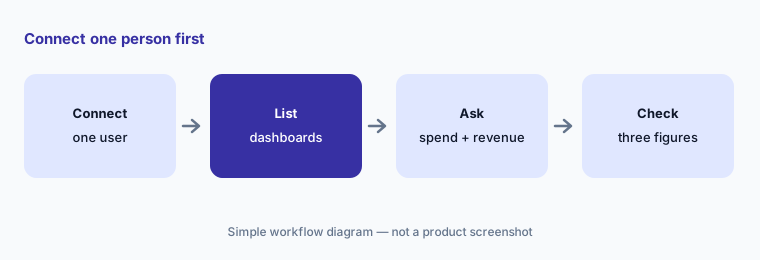
Connect Northbeam MCP for one user, ask the assistant to list your dashboards, then ask for spend and revenue by platform for 30 days. Check three figures against Northbeam before anyone else connects.
4. Seven attribution models and Northbeam Apex
What it is: Northbeam’s attribution docs list seven models: three simple ones (First Touch, Last Touch, Last Non-Direct Touch) and four multi-touch ones (Linear, plus Northbeam’s proprietary Clicks-Only, Clicks + Modeled Views, and Clicks + Deterministic Views, which uses platform-verified views rather than modelled ones). Northbeam notes that Last Non-Direct Touch is close to what most ad platforms and Google Analytics report. Northbeam Apex sends Northbeam’s first-party performance data back to ad platforms such as Meta for their delivery algorithms.
Different models give different answers to “what drove this order”, and Northbeam says its numbers may not line up with Meta Ads Manager, by design. Pick the model the team quotes on purpose and write it down.
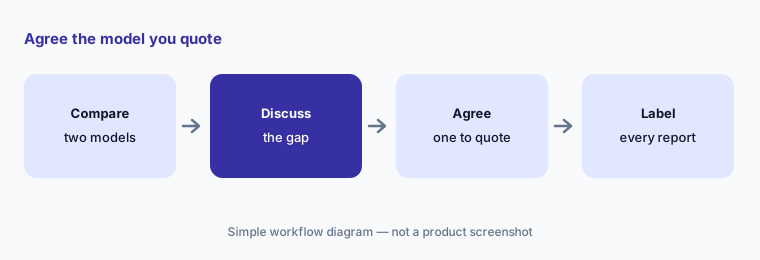
Pick your model:
Compare two Northbeam attribution models for your largest channel last month. Have the finance lead choose the model the team quotes and label it on every report.
5. MMM+: budget scenarios over weeks and months
What it is: Media mix modeling looks at total spend and revenue over time rather than individual journeys. Northbeam’s MMM docs say it does not depend on pixels, captures longer-run and cross-channel effects, and suits strategic budget planning — but it updates more slowly, reports at channel and business level rather than campaign level, and needs enough clean history. Northbeam’s MMM+ page adds promotion and seasonality sensitivity, daily forecasts, budget scenarios, and the option to feed in Northbeam’s attribution data. On the pricing page MMM+ is an optional add-on on Enterprise.
A budget scenario is a forecast, not a promise. Compare it with what happened the last time you made a similar shift, and plan for the less optimistic end.
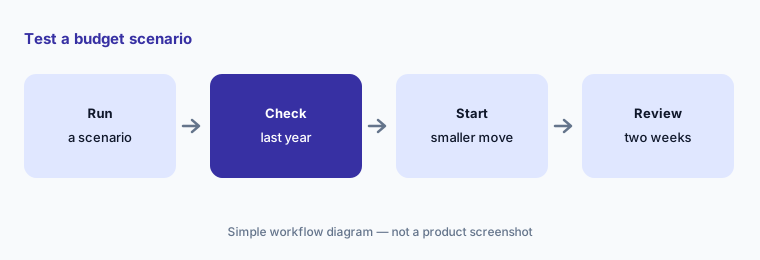
Test a scenario:
Run one MMM+ budget scenario for your next promotion. Have the finance lead compare it with last year’s actual results before approving any shift, and start with the smaller move.
6. Northbeam Incrementality: test what a channel caused
What it is: Incrementality tests compare a group that sees your ads with a holdout that does not — or comparable regions, in a geo test — to estimate revenue a channel actually caused. Northbeam’s results guide gives three verdicts (significant lift, no detectable lift, or inconclusive), reports lift, iROAS, and iCAC with a confidence interval, and says to plan against the lower bound. Northbeam’s 7 April 2026 release said the initial release covered Meta channel-level tests in the United States, with more channels, tactics, and countries planned through 2026. On the pricing page it is optional on Professional and Enterprise.
Inconclusive is a common, honest result. Agree before the test what you will do with each verdict, and do not stop a test early because the line looks good.
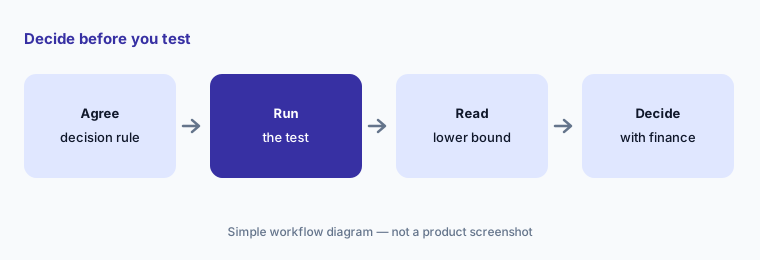
Decide before you test:
Pick one high-spend channel and write down what you will do if a Northbeam incrementality test shows lift, no lift, or an inconclusive result. Have the finance lead plan from the lower bound.
Pricing context (October 2026)
Northbeam’s pricing page (checked 16 Oct 2026) is based on annual ad spend. Starter (under $1.5M a year on ads) shows $1,500 without a stated period and also says “Contact us for a quote”; Professional (up to $500K a month on ads) shows $3,500 per month, with Incrementality optional; Growth (seven-figure brands under $200K a month, with a preferred agency partner) and Enterprise (over $500K a month; MMM+ and Incrementality optional) are custom. Every tier lists ad credits from Northbeam’s ad-platform partners.
Northbeam’s FAQ says plans “start at” these rates and the monthly price depends on your data volume, measured in pageviews. Starter is month-to-month, usage-based pricing for Shopify brands; Professional and Enterprise are annual terms billed annually or semi-annually. Northbeam AI and Northbeam MCP are listed in the docs as available on every plan; Northbeam AI has a weekly usage limit.
Uncertainty: Starter’s $1,500 has no stated period and sits beside “Contact us for a quote”, so confirm the amount and term on a written quote. MCP availability changed recently: search copies of Northbeam’s Claude and ChatGPT guides said “Pro and Enterprise customers”, while the docs we read on 16 Oct 2026 say every plan — check your contract. Northbeam’s docs label the incrementality announcement August 2026, while its press release dates the launch to 7 April 2026 with Meta in the US first; ask which channels your account can test today. Northbeam AI usage limits are not given in numbers. Northbeam’s ROAS, CAC, and new-customer improvement figures are its claims, not our measurement.
When it’s useful (honest take)
Useful when you spend meaningfully across several ad channels, want attribution, MMM, and incrementality tests in one tool, prefer an assistant that reads rather than changes your ad accounts, and have a finance lead who owns the model the team quotes.
Less useful when you want the AI to act in your ad accounts (Triple Whale AI — see Triple Whale vs Northbeam), your spend is small enough that platform reporting will do, or the bigger gap is stock and purchasing (Cin7 AI).
Paying for Northbeam AI and a few other AI tools? The $9 AI toolkit spreadsheet lists every AI subscription you have, what each one costs, and how fast it pays for itself, so you can see which ones are worth the money.
Want someone to do it for you? AI toolkit audit — $19
Related options (educational)
| Need | Better home | Why |
|---|---|---|
| Attribution, MMM, and incrementality with a read-only assistant | Northbeam AI (this page) | Starter from $1,500; Professional $3,500/mo; custom tiers |
| Attribution plus an AI that can act in ad accounts | Triple Whale AI | Free plan → tiers by annual GMV |
| Side-by-side on models, tests, and approvals | Triple Whale vs Northbeam | Not a ranking |
| On-site behaviour and experience analytics | Contentsquare AI | See its review |
| One-off analysis of a sanitized export | Claude | General chat; no ad connection |
FAQ
How much does Northbeam cost?
On 16 Oct 2026 the pricing page showed Starter at $1,500 (no period stated, with “Contact us for a quote”), Professional at $3,500 per month, and Growth and Enterprise as custom. Northbeam says plans start at these rates and depend on your data volume.
Is Northbeam AI included in every plan?
Northbeam’s docs say Northbeam AI and Northbeam MCP are both available on every Northbeam plan. Northbeam AI has a weekly usage limit.
Can Northbeam AI change my ad campaigns?
No. Northbeam says Northbeam AI reads your data and does not edit orders, spend, or platform connections; it can change only your own default attribution settings if you ask. Northbeam MCP is read-only.
What is the difference between attribution, MMM, and incrementality?
Per Northbeam’s docs, attribution shows which touchpoints appeared before an order, MMM estimates each channel’s longer-run contribution from spend and revenue over time, and incrementality tests use holdouts to measure what a channel actually caused.
Who should approve Northbeam numbers?
A named finance lead for every number used in planning and for the model the team quotes; the paid media lead for any budget change made in the ad platforms; and the person who owns Context Center files for keeping them current.
Optional next step (if seats overlap)
If you pay for an attribution tool, an analytics platform with its own AI, and a general chat seat that also reads your ad data, that overlap is worth mapping. Map the overlap with the $19 AI toolkit audit or the $9 AI toolkit spreadsheet. Email Audit $19 or Toolkit spreadsheet $9.
Checkout is live via Stripe. After you pay, we email delivery (spreadsheet) or intake next steps (audit).