Tool · Ecommerce ops · Bloomreach · Oct 2026
Bloomreach AI review (Oct 2026): Loomi AI for ecommerce search, merchandising, and marketing
Bloomreach sells one platform for ecommerce marketing and site search, with Loomi AI as the shared intelligence underneath. On its site the products are now called Marketing Automation (email, SMS, and other channels — once called Engagement) and Ecommerce Search (search and category merchandising — once called Discovery), plus two agents: the Loomi Marketing Agent, which builds campaigns from a goal, and the Loomi Shopping Agent for on-site conversations. This page is about letting Loomi do the building while the CRM lead and merchandiser still decide who is messaged and what is shown. Each section has a Try this.
What this Bloomreach page covers
This page is for a CRM lead, lifecycle marketer, or ecommerce merchandiser at a mid-size or larger online retailer running Bloomreach or comparing it with separate email and search tools. The question it answers: what Loomi AI does in each Bloomreach product, which parts are live, early, or still on the roadmap, what Bloomreach says about price, and who checks segments, campaigns, rankings, and shopping-agent answers.
Bloomreach’s Loomi AI page, Marketing Automation page, Loomi Marketing Agent page, shopping agent page, Ecommerce Search page, categories page, Loomi Connect page, product updates and roadmap, and pricing page were read on 16 October 2026. The navigation labels the Loomi Marketing Agent “Live” and the shopping agent “2.0”.
Ground rules: the CRM lead approves every segment and send, the merchandiser owns every boost, bury, and pinned product, and the ecommerce manager approves every discount an agent attaches; consent and quiet-hour rules for email and SMS are the brand’s; no customer lists or order exports go into an outside chat tool; and Bloomreach’s revenue and ROI figures are its and its customers’ claims, not our measurement.

Major features (with how someone uses them)
Examples at a glance: each feature has a concrete example from a real job plus a short Try this you can run this week.
1. Loomi segments and analytics from a prompt (primary)
What it is: In Marketing Automation, Bloomreach says Loomi Analytics lets you explore customer behaviour, create segments, track campaign results, and find insights with simple prompts, and that Loomi AI predicts purchases, churn, and returns. Enhanced ready-made predictions (purchase likelihood, churn risk) are listed in the product updates, and using catalogue attributes such as category, availability, and price directly in segments is on the second-half 2026 roadmap. The segment still lives in your Bloomreach project, where you can read its rules and size.
A prompt-built segment is only as good as the rule underneath it. Read the rule in plain words, check the audience size against what you expected, and look at a few profiles before anything sends.
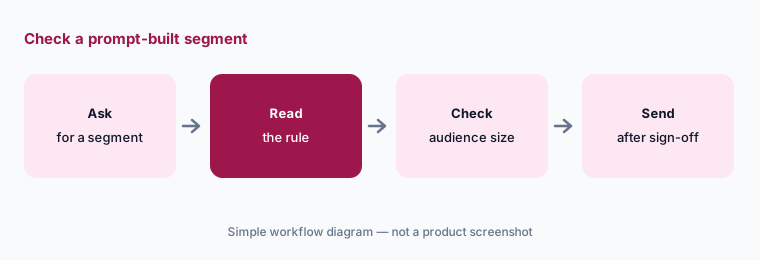
Primary workflow:
Ask Loomi AI to suggest one new segment for a win-back email. Have the CRM lead check the rules and the audience size before anything is sent.
2. Ecommerce Search and category merchandising
What it is: Ecommerce Search uses Loomi AI for conversational, natural-language queries and per-shopper personalisation of results. Recent updates include Dynamic Vector Cutoff (6 May 2026), which widens or tightens results depending on what the shopper seems to want, and behaviour-driven category ranking (2 Sep 2026), which Bloomreach describes as an automatic baseline “with your rules applied on top”. On the categories page, merchandisers can boost, bury, lock, and block products, build dynamic categories from attributes, preview changes side by side, and work through a prioritised list of Loomi-flagged revenue opportunities.
Automatic ranking with rules on top means two things move results: the model and your rules. When a category looks wrong, check which one put the product there before changing either.
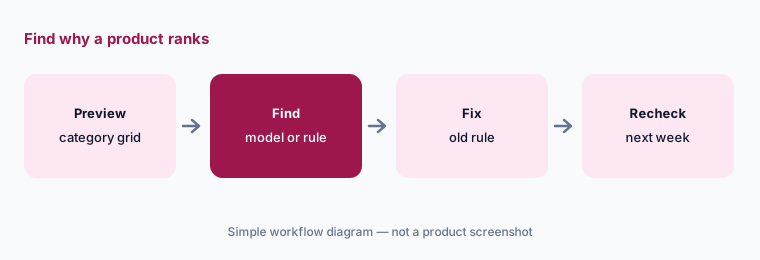
Check the category grid:
Open your five busiest category pages in the side-by-side preview. Have the merchandiser note every product in the top row that is there because of an old rule, not shopper behaviour, and remove or update the rule.
3. Loomi Marketing Agent: from a goal to a campaign plan
What it is: The Loomi Marketing Agent takes a plain-English goal and comes back with a plan — audience, timing, channels, and the measure of success — then builds the campaign: the audience from live behaviour, a multi-step email and SMS journey, product recommendations, and on-brand images and copy from your saved brand guidelines. Bloomreach says it handles triggers, consent, frequency caps, and send times per customer, and keeps serving the best-performing version after launch. Since 22 July 2026 it can build SMS and combined email-and-SMS campaigns and attach unique per-customer discount codes (product updates). Bloomreach is explicit about control: “Nothing builds until you approve”, and you can review every campaign, edit anything, or route it to your team for sign-off.
An agent that writes the audience, the copy, and the discount codes is doing three people’s checks at once. Split the approval: the CRM lead checks the audience, the merchandiser or owner checks the offer, and someone reads the copy.
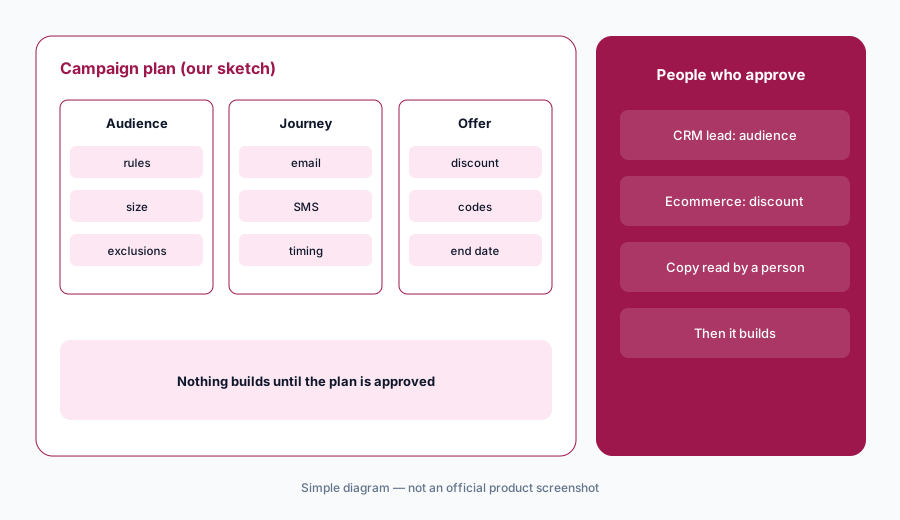
Approve the plan first:
Give the Loomi Marketing Agent one plain-English goal. Before it builds anything, have the CRM lead check the audience, the ecommerce manager approve any discount, and someone read every message.
4. Loomi Shopping Agent: on-site product conversations
What it is: The Loomi Shopping Agent is an on-site assistant that remembers a shopper’s preferences across visits, asks clarifying questions, runs several searches, and returns a short set of products with reasons. Bloomreach says it is grounded in your live catalogue, inventory, and merchandising rules and won’t surface items that are out of stock — its claims to test. It needs Bloomreach search underneath, and it comes with an insights dashboard of conversation transcripts showing what shoppers asked for and where content is missing. An “AI Mode” that makes the agent the main shopping surface is on the roadmap with no timeline.
A shopping agent explains why a product fits. Those explanations come from your product data and content, so a missing size chart or a wrong material line becomes a confident wrong answer.
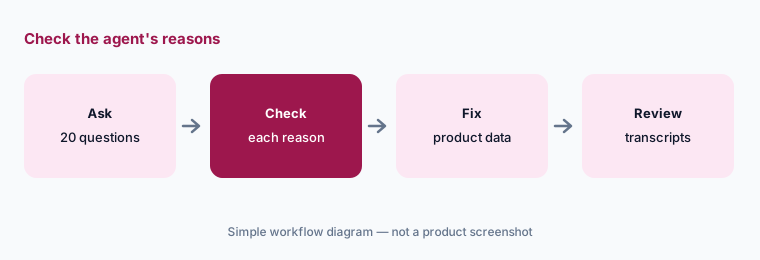
Check its reasons:
Ask the shopping agent twenty questions your shoppers really type. Have the merchandiser check every product reason against the spec sheet and fix the product data behind any wrong one.
5. Campaign approvals and the messages archive
What it is: Two updates add human checkpoints. Campaign Approval Workflow (15 May 2026) puts structured approvals into the same canvas where campaigns are designed, “so the right people review the right things before anyone hits send.” Messages Archive (3 Jun 2026) is an add-on that gives compliance, QA, and customer service teams the exact email each customer received. Bloomreach also added an email deliverability dashboard (5 Aug 2026) and Catalog Triggers (29 Jul 2026), which start journeys when products drop in price, come back in stock, or run low.
Approval steps help only if the right person is named on each one. Set them up before an agent starts building campaigns, not after the first wrong discount goes out.
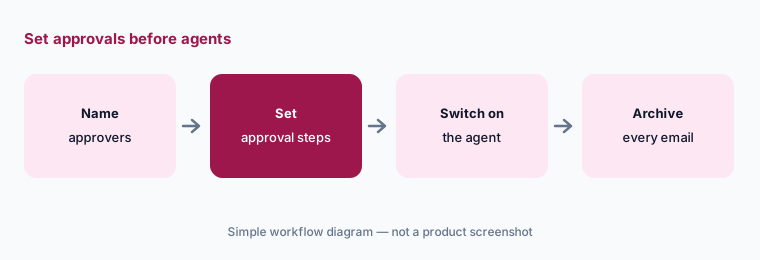
Set approvals first:
Set up Campaign Approval Workflow with a named approver for audiences, discounts, and product claims. Have the head of CRM confirm every agent-built campaign passes through it before the first send.
6. Loomi Connect: MCP for your own agents (limited availability)
What it is: Loomi Connect is Bloomreach’s MCP-based layer that exposes customer, catalogue, and search intelligence as tools other AI agents can call — for example to diagnose a drop in conversion, flag churn risk, or suggest an audience. You need to be a Bloomreach customer. On 16 October 2026 the page asked visitors to sign up to be notified “when expanded access opens”, and the roadmap lists MCP-powered merchandising with Loomi Connect as “Q2 2026, Limited Availability”. A ChatGPT integration is described as a beta, and merchandising-agent write actions are listed as in design with no timeline.
An outside agent that can build audiences or change merchandising needs the same approvals as a person. Start with read-only questions and check the answers against Bloomreach’s own reports.
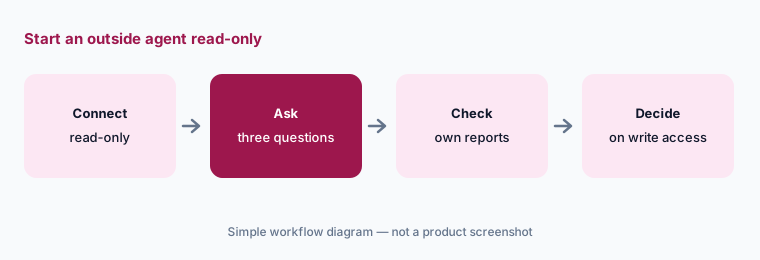
Start read-only:
If you join the Loomi Connect pilot, connect it read-only first. Ask three questions about last month’s results and have the CRM lead check each answer against Bloomreach’s own reports.
Pricing context (October 2026)
Bloomreach’s pricing page (checked 16 Oct 2026) says there is no public rate card. Pricing is custom: a platform fee for the products you turn on plus usage that scales with your audience, catalogue size, and volume (messages sent, searches served). The page says most brands invest $60K a year or more — Bloomreach’s own figure — and that billing is annual. You can start with one product (Marketing Automation, Ecommerce Search, or the Shopping Agent) and add the others later.
On AI specifically, the page says “the power of Loomi is included in the platform” and that “AI agents and tools are add-ons you choose”, without prices for those add-ons. Onboarding, 175+ integrations, and in-app support are included. Bloomreach offers a revenue projection for Ecommerce Search modelled on your own products (ready in 10 days, it says) and a demo of the shopping agent on your own site through a Chrome extension built from your catalogue (ready in three days). Treat it as quote-only.
Uncertainty: No published prices on 16 Oct 2026 beyond Bloomreach’s “$60K a year or more” for most brands, and the agent add-ons are unpriced, so ask for a quote that names each agent. Loomi Connect access was limited, the ChatGPT integration was beta, and merchandising-agent write actions and Shopping Agent AI Mode were roadmap items without dates; roadmap items can change. Revenue and ROI figures on Bloomreach’s pages (including a Forrester study it cites and customer lifts) are its and its customers’ claims, not our measurement.
When it’s useful (honest take)
Useful when you want email, SMS, and site search on one customer profile with one AI underneath, you have a CRM lead and a merchandiser who will each own their half, and the budget fits a custom annual contract.
Less useful when you want published usage prices for search (Algolia AI), text messaging is your main channel and you want a price list (Postscript AI; see also Attentive vs Postscript), or you mostly need recommendations and merchandising for a mid-size store (Nosto AI).
Paying for Bloomreach AI and a few other AI tools? The $9 AI toolkit spreadsheet lists every AI subscription you have, what each one costs, and how fast it pays for itself, so you can see which ones are worth the money.
Want someone to do it for you? AI toolkit audit — $19
Related options (educational)
| Need | Better home | Why |
|---|---|---|
| Email, SMS, and search on one platform | Bloomreach AI (this page) | Custom; most brands $60K+/yr (vendor) |
| Hosted search with published usage prices | Algolia AI | Free → Grow / Grow Plus usage → Elevate custom |
| Search, recommendations, and merchandising suite | Nosto AI | Custom by GMV and traffic |
| SMS, email, RCS, and push with AI audiences | Attentive AI | Usage-based — quote |
| Email-first lifecycle with AI drafts | Klaviyo AI | See its review |
| Experimenting across the site | Optimizely AI | See its review |
FAQ
How much does Bloomreach cost?
Bloomreach publishes no rate card. Its pricing page says pricing is custom — a platform fee plus usage — that most brands invest $60K a year or more, and that billing is annual. Loomi AI is included; AI agents and tools are add-ons (checked 16 Oct 2026).
What is Loomi AI?
Bloomreach’s name for the AI that runs across its products: segments and analytics in Marketing Automation, search and category ranking in Ecommerce Search, and the marketing and shopping agents.
Does the Loomi Marketing Agent send campaigns on its own?
Bloomreach says nothing builds until you approve the plan, and nothing ships on its own; you can review, edit, or route every campaign for sign-off. Campaign Approval Workflow adds named approval steps.
Is Loomi Connect available?
Access was limited on 16 Oct 2026: the page invited sign-ups for when expanded access opens, and the roadmap listed MCP-powered merchandising as limited availability. You need to be a Bloomreach customer.
Who should approve Bloomreach AI output?
A named CRM lead for segments and sends, a merchandiser for rankings and pinned products, the ecommerce manager for discounts, and a CX lead for what the shopping agent tells shoppers.
Optional next step (if seats overlap)
If you pay for an email platform, an SMS tool, and a site search vendor that each have their own AI and their own customer profile, that overlap is worth mapping. Map the overlap with the $19 AI toolkit audit or the $9 AI toolkit spreadsheet. Email Audit $19 or Toolkit spreadsheet $9.
Checkout is live via Stripe. After you pay, we email delivery (spreadsheet) or intake next steps (audit).