Tool · Ecommerce ops · Wix · Oct 2026
Wix AI review (Oct 2026): AI store tools, AI product descriptions, and Wix's AI business assistant for online stores
Wix is a website builder with a full online store built in, used by a lot of small shops and solo makers. Its AI now runs through most of the product: it can generate a store from a description, write product descriptions, edit product photos, and answer questions about your business through Aria, the assistant in your dashboard. Newer AI agents draft campaigns and, in Wix’s separate Symphony product, can even pay for stock once you approve. This page is about using that help for the routine work while the owner still decides what every product page, price, and message says. Each section has a Try this.
What this Wix page covers
This page is for the owner or manager of a small online store who runs it on Wix or is choosing a store platform. The question it answers: what each Wix AI tool does for a store, which ones need an upgraded site or an extra plan, what Wix publishes about price, and where a person has to check the output before customers see it.
Wix’s AI website builder page, features page, eCommerce page, and help article on using AI for a store (all read 16 October 2026) describe the store builder, AI product descriptions, photo tools, recommendations, Site Chat, and the agents Aria, Kleo, Omni, and Juno. A 24 August 2026 release put Wix site building inside Gemini, and a 15 October 2026 release let Symphony’s agents pay for things after the owner approves.
Ground rules: the owner (or a named manager) approves every product description, photo, price, and campaign before it goes live; sizes, materials, care, and safety lines are checked against the supplier spec; no customer lists or order exports go into an outside chat tool; and vendor results such as conversion lifts are Wix’s claims, not our measurement.
Major features (with how someone uses them)
Examples at a glance: each feature has a concrete example from a real job plus a short Try this you can run this week.
1. AI product descriptions (primary)
What it is: When you add or edit a product in the Wix dashboard, you enter the product name and its key details, and Wix’s AI writes three different descriptions for you to pick from and edit, according to Wix’s help article. Wix pitches them as SEO-friendly copy that saves time across a catalogue. The same AI text tool can suggest SEO titles and meta descriptions once the site is upgraded.
The AI only knows what you typed plus general patterns, so it can add a plausible material, size range, or care line that is not true for your product. The supplier spec is the source, not the draft.
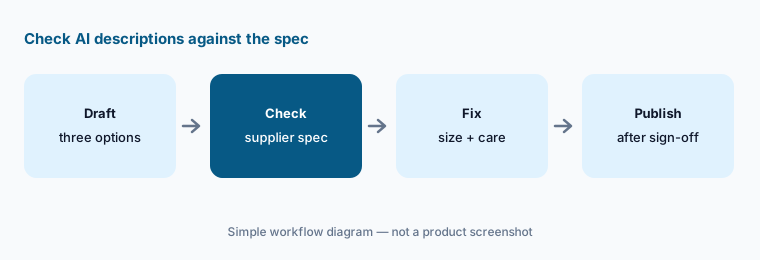
Primary workflow:
Use Wix's AI to rewrite five product descriptions. Have the owner check sizes, materials, and care lines against the supplier spec before publishing.
2. Aria, Wix’s AI business assistant
What it is: Aria is the AI assistant inside Wix. Wix’s developer docs say that in the site dashboard Aria “acts as a business management assistant” that can navigate dashboard pages, read and update site data across the CMS and Wix business apps, create content such as blog posts and marketing plans, and help troubleshoot domains, payments, and automations. The help center says Aria is ready to use right away and can answer questions, complete tasks, and assist with analytics. For deeper number questions there is Analytics Pro, which needs an upgraded site; Wix notes that its AI writes the query behind each answer, so results can differ slightly.
An assistant that can update site data can change a product page or a setting from one chat line. Ask questions first, and make or confirm every change yourself while you learn what it does.
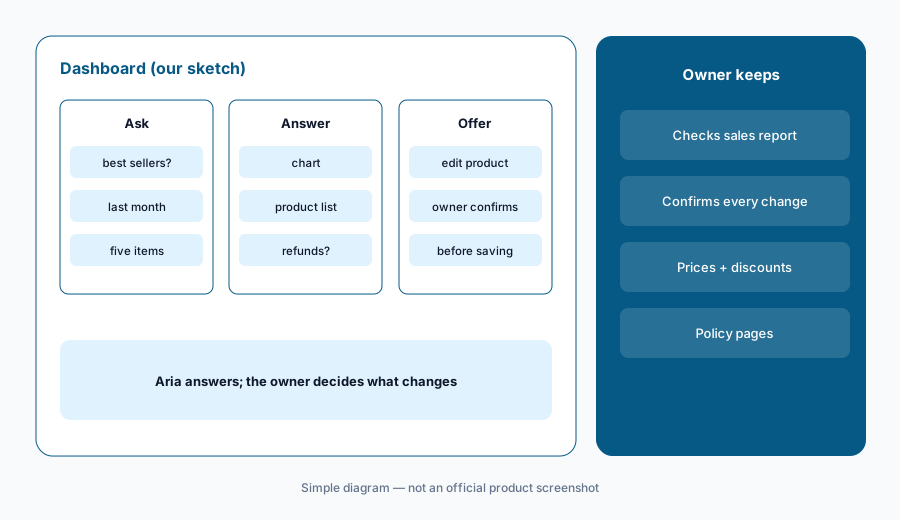
Check its numbers:
Ask Aria for last month's five best-selling products. Have the owner check each one against the Wix sales report and confirm any change Aria offers to make before it is saved.
3. The AI store builder, and Wix inside Gemini
What it is: Wix’s AI website builder (part of what Wix calls Wix Harmony) asks what you want in a chat and generates a store with pages, copy, images, and business tools already connected; you then edit by prompting Aria or by drag and drop. Since a 24 August 2026 announcement, people can also create and manage a Wix Harmony site from inside Gemini as a connected app by typing “@Wix”; Wix says that from there users can handle inventory, pull analytics, and update product pricing. Wix says the app is available to Gemini users in eligible markets.
A generated store arrives with pages you did not write — shipping, returns, about, FAQ. Those are promises to customers, and a price change typed into a chat window is still a price change.
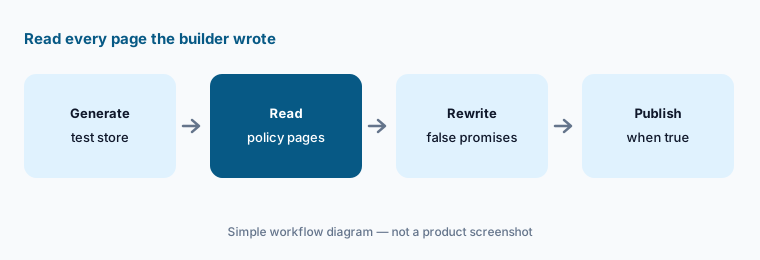
Read what it wrote:
Generate one test store with Wix's AI builder. Have the owner read every shipping, returns, and policy line it wrote and replace anything your store does not actually offer before publishing.
4. AI product photo tools
What it is: Wix’s Photo Studio, opened from Crop & edit image on a product photo, includes AI tools to auto-enhance an image, remove or change the background, upscale a low-resolution photo, change part of an image with the AI Image Editor, and erase objects. Wix also offers an AI Image Creator that generates new images from a description, and an extend tool that fills in the edges of a photo.
An edited photo still has to show the real product: its colour, texture, size, and what is in the box. Generated scenery is fine; a generated detail on the product is not.
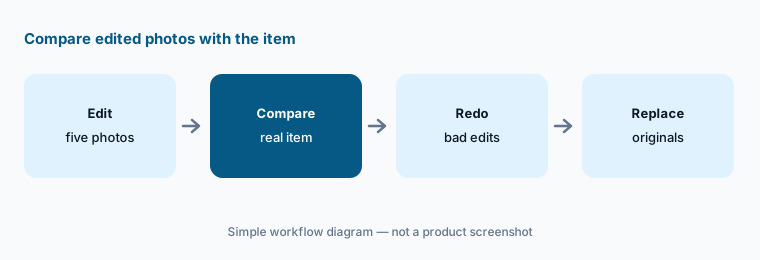
Compare with the real item:
Edit five product photos with Wix's AI tools. Have the owner compare each edited photo with the real item for colour, shape, and what is included before replacing the original.
5. AI product recommendations and AI Site Chat
What it is: Wix’s eCommerce page describes AI-based product recommendation sections — such as frequently bought together and bestsellers — shown before checkout, and the Twik personalization app, which reorders products for each visitor; Wix says Twik users see an average revenue uplift of 12%, which is Wix’s figure, not ours. Wix’s features page also lists AI Site Chat, which learns about your business and answers visitor questions around the clock.
Answers a chat gives shoppers are your store speaking. A wrong delivery time or return window in a chat reply becomes a customer service problem the next week.
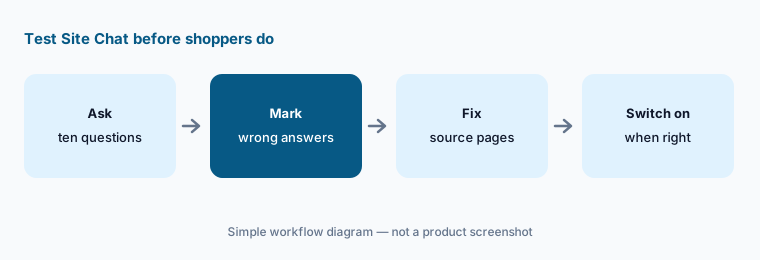
Test before visitors see it:
Ask AI Site Chat ten questions a shopper would ask about shipping, sizing, and returns. Have the owner correct the source text behind every wrong answer before turning it on for visitors.
6. Kleo, Omni, and Symphony: agents that act on approval
What it is: Wix’s features page describes Kleo, which drafts social posts, runs email campaigns, and works on SEO “all automatically and on your approval”; Omni, which plans and carries out multi-step workflows and asks for your final sign-off; and Juno, which prioritises incoming messages and drafts replies. Symphony by Wix is a separate multi-agent product launched in August 2026; its 15 October 2026 release connects it to Link, Stripe’s wallet, so its agents can pay for things such as a stock reorder or a supplier invoice. Wix says the owner approves each purchase first, within a 10-minute window by WhatsApp or SMS, each card is capped at the approved amount, and the feature is rolling out to users with a US-based Link account.
Approval prompts become routine fast, and a ten-minute window rewards tapping yes. Write down the limits first — which suppliers, what amounts, which discounts — and say no to anything outside them.
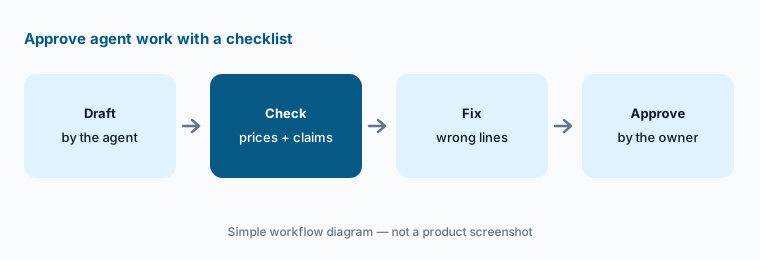
Approve with a checklist:
Turn on Kleo for one email campaign. Have the owner check every price, discount, and product claim in the draft before approving the send.
Pricing context (October 2026)
Wix’s plans page fills in its prices in the browser by location, so the page text we could read on 16 Oct 2026 did not carry usable amounts. Wix’s own pricing article (updated 8 Oct 2026) lists a free plan and four Premium plans, billed yearly and paid in full up front: Light $204 a year, Core $348 a year, Business $468 a year, and Business Elite $1,908 a year — Wix shows these as $17 to $159 a month on yearly billing. Light cannot take payments; Core is the first plan with basic eCommerce, Business adds standard eCommerce, and Business Elite advanced eCommerce. Prices exclude tax and vary by location; other billing periods cost a different amount per month; first upgrades have a 14-day money-back guarantee; Enterprise is quoted.
Wix lists “AI creation tools” on every plan. Some AI features need more: AI SEO suggestions appear once the site is upgraded, Analytics Pro needs an upgraded site, and AI-generated emails need an email marketing plan. Symphony is a separate product, and we did not find its price on the pages we read.
Uncertainty: Wix’s plans page renders prices by location, so we quoted Wix’s own pricing article (updated 8 Oct 2026); confirm the total at checkout. Wix does not publish one table of which AI tool is on which plan. The Gemini app is limited to eligible markets, and Symphony’s Link payments were rolling out to US Link accounts only. Some tools differ between Wix Harmony and the classic Editor. Twik’s 12% average uplift is Wix’s claim, not our measurement.
When it’s useful (honest take)
Useful when you run a small store without a copywriter or photographer and want help with product descriptions, photo clean-up, a first store design, and quick answers about sales — and the owner reads every description, policy page, and campaign before it goes live.
Less useful when you have a large catalogue, B2B pricing, or several channels to feed (BigCommerce AI is built for more of that), when customer reviews are your main growth lever (Yotpo AI), or when text messaging is a big revenue channel (Postscript AI or Attentive AI).
Paying for Wix AI and a few other AI tools? The $9 AI toolkit spreadsheet lists every AI subscription you have, what each one costs, and how fast it pays for itself, so you can see which ones are worth the money.
Want someone to do it for you? AI toolkit audit — $19
Related options (educational)
| Need | Better home | Why |
|---|---|---|
| Store builder with AI copy, photos, and an assistant | Wix AI (this page) | Free; Light $204 → Business Elite $1,908 a year |
| Bigger catalogue or B2B store platform | BigCommerce AI | Core $39 → Scale $399 /mo (monthly) |
| Customer reviews with AI summaries | Yotpo AI | Free → Starter $89/mo at 500 orders |
| Text messaging with AI conversations | Postscript AI | Starter $0 + $49 minimum → AI Plan $699/mo |
| Email-first marketing with AI drafts | Klaviyo AI | See its review |
| Social and ad images beyond the store | Canva Magic Studio | See its review |
FAQ
How much does Wix cost for an online store?
Wix’s pricing article (updated 8 Oct 2026) lists Light at $204 a year, Core at $348 a year, Business at $468 a year, and Business Elite at $1,908 a year, billed yearly. Light cannot take payments, so a store needs Core or above. Prices vary by location and exclude tax.
Can Wix write my product descriptions?
Yes. When you add a product you enter its name and key details, and Wix’s AI writes three descriptions to choose from and edit. Check sizes, materials, and care lines against the supplier spec before publishing.
What is Aria?
Aria is Wix’s AI assistant. In the dashboard Wix describes it as a business management assistant that can answer questions, read and update site data, create content, and help with analytics; in the Wix Harmony editor it also designs pages.
Can Wix’s AI change prices or buy stock on its own?
Wix says the Gemini app can update product pricing from a chat, and Symphony’s agents can pay for things such as reorders once the owner approves each purchase. Treat both as changes a named person confirms, with written limits.
Who should approve Wix AI output?
The store owner or a named manager, for every product description, edited photo, policy page, price change, campaign, and purchase before customers see it or money moves.
Optional next step (if seats overlap)
If you pay for a store platform with built-in AI, a separate copywriting tool, and a chat assistant that all write the same product pages, that overlap is worth mapping. Map the overlap with the $19 AI toolkit audit or the $9 AI toolkit spreadsheet. Email Audit $19 or Toolkit spreadsheet $9.
Checkout is live via Stripe. After you pay, we email delivery (spreadsheet) or intake next steps (audit).