Tool · Ecommerce ops · Algolia · Oct 2026
Algolia AI review (Oct 2026): NeuralSearch, AI ranking, and Agent Studio for ecommerce site search
Algolia is a hosted search and discovery service that many online stores use for their search bar, autocomplete, and category pages. Its AI comes in layers: AI Ranking that reorders results from clicks and conversions, NeuralSearch that blends keyword and meaning-based search, AI Synonyms and personalization, and Agent Studio for building shopping assistants on your own product index. This page is about letting that AI tune results while the merchandiser still owns what shoppers see first. Each section has a Try this.
What this Algolia page covers
This page is for an ecommerce merchandiser, ecommerce manager, or the developer who looks after site search and is running Algolia or comparing search tools. The question it answers: what each Algolia AI feature does, which plan it sits on, what Algolia publishes about price, and who checks results pages and shopping-assistant answers before shoppers rely on them.
Algolia’s AI Search page, NeuralSearch page, AI Ranking page, AI Synonyms page, Agent Studio page and docs, its changelog, and the pricing page were read on 16 October 2026. Agent Studio, which launched in public beta in January 2026, is listed as generally available in Algolia’s changelog (posted 15 July 2026).
Ground rules: the merchandiser owns every rule, pinned result, accepted synonym, and ranking goal; a CX lead checks what a shopping assistant says about shipping, returns, and sizing before it answers shoppers; no customer names, emails, or order exports go into prompts or test indexes; and Algolia’s ROI, speed, and customer-count figures are its claims, not our measurement.
Major features (with how someone uses them)
Examples at a glance: each feature has a concrete example from a real job plus a short Try this you can run this week.
1. Start from your top searches (primary)
What it is: Algolia’s analytics show your most frequent searches, searches with no results, and click and conversion rates by query (7 days of history on Free, 30 on Grow, 90 on Grow Plus and Elevate). Before switching on more AI, the most useful check is simple: run the searches shoppers actually type and look at what comes back. The AI Search FAQ says the dashboard tracks zero-result searches and click-through so you can tune relevance, run A/B tests, and add merchandising rules.
AI ranking learns from clicks, so it can make a bad first page more popular rather than better. A person reading the top twenty results pages is the baseline every later change is measured against.
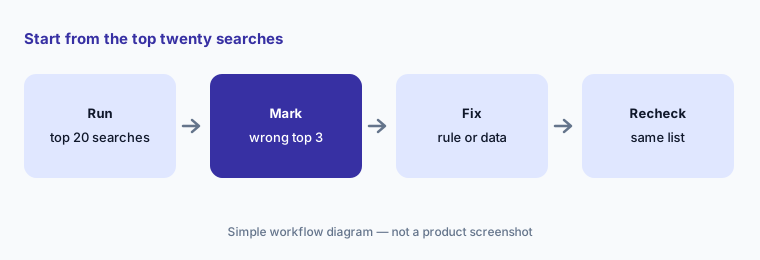
Primary workflow:
Run your twenty most common site searches through Algolia. Have the merchandiser mark every results page where the top three products are wrong or out of stock.
2. NeuralSearch: keyword and meaning-based search together
What it is: NeuralSearch combines keyword matching with vector (meaning-based) search in one query, so a shopper typing “warm jacket for a winter hike” can find products that never use those words. Algolia says it handles spelling errors and synonyms, offers presets for common scenarios, lets you change the weight between neural and keyword ranking, learns from engagement, and can be A/B tested. On the pricing page NeuralSearch, AI Collections, and Smart Groups are only on Elevate, Algolia’s annual-contract plan.
Meaning-based search widens the net. That helps long, descriptive searches and can hurt exact ones, such as a part number or a size, so test both kinds before you change the weighting.
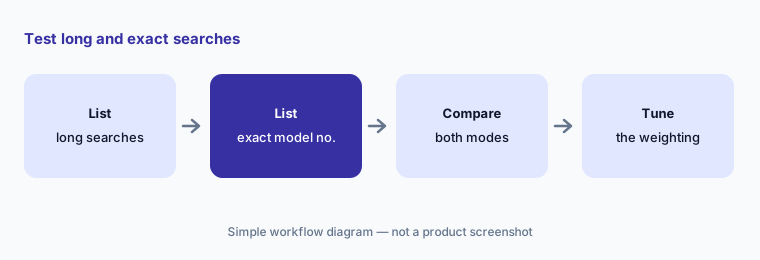
Test both kinds of search:
Pick ten long, descriptive searches that return few results and ten exact model-number searches. If you are evaluating Elevate, have the merchandiser compare keyword and NeuralSearch results for each before changing the weighting.
3. AI Ranking: Dynamic Re-Ranking and ranking goals
What it is: AI Ranking reorders results from real interactions. Dynamic Re-Ranking boosts the results shoppers click and buy for each query; Advanced Dynamic Re-Ranking adds hourly refreshes, more browsing facets, and empty-query pages; Dynamic Re-Ranking for Revenue lets you choose revenue as the goal; Multi-Signal Ranking weighs several data signals, such as margin or stock, and can be A/B tested. Algolia gives examples like promoting surplus stock or balancing margin with popularity. These sit on Grow Plus and Elevate.
A ranking goal is a business decision, not a setting. Revenue as the goal will lift expensive items; popularity will bury new arrivals. The merchandiser picks the goal and watches what it moves.
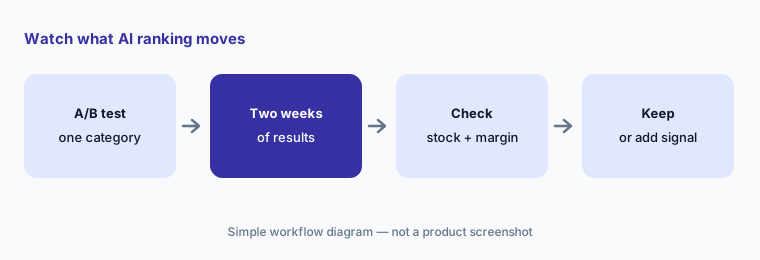
Watch what it moves:
Turn on Dynamic Re-Ranking for one category as an A/B test for two weeks. Have the merchandiser check every product it moved into the top three for stock and margin before keeping it.
4. Rules, Merchandising Studio, and AI Synonyms
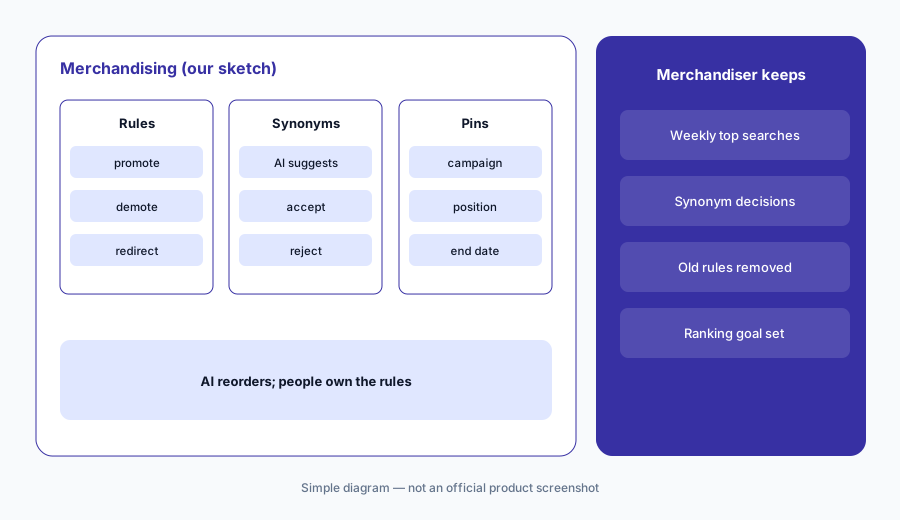
What it is: Algolia keeps hand controls beside the AI. Rules promote, demote, pin, or redirect results for specific queries (10 per index on Free and Grow, 10,000 per index on Grow Plus and Elevate), and the AI Search page says you can see why results appear where they do. Merchandising Studio, an interface for ecommerce business teams that mixes AI and manual controls, and the Visual Editor for rules are on Grow Plus and Elevate. AI Synonyms suggests new synonym pairs from your own search data that you accept or reject; Algolia says it works for Latin-alphabet languages and that non-Latin languages have not been tested in its beta program yet.
Every pinned product and every accepted synonym is a decision someone made. Write down who owns them, and review them on a schedule, or old campaign rules will keep pushing last season’s products.
Review the synonym queue:
Open the AI Synonyms suggestions in your Algolia dashboard. Have the merchandiser accept only pairs a shopper would treat as the same product, reject the rest, and delete any pinned rule from a finished campaign.
5. Personalization: affinities on top of relevance
What it is: Algolia’s personalization turns clicks, views, and purchases into category-based affinity profiles and boosts results for each shopper after the text and business-relevance layers, so it adjusts order without overriding relevance. Classic and Advanced Personalization (which builds and applies the profiles automatically) are on Grow Plus and Elevate; real-time personalization is on Elevate only. It needs click and conversion events sent from your site.
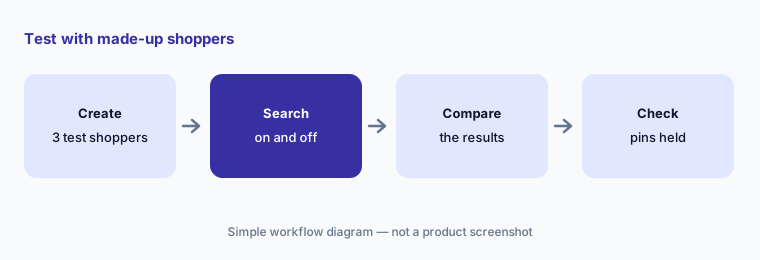
Personalized pages are different for every shopper, so one person’s screenshot proves little. Test with a few made-up shopper profiles and make sure pinned campaign products still sit where you put them.
Use test shoppers:
Create three test shopper profiles on a staging site. Run five searches for each with personalization on and off, and have the merchandiser confirm pinned campaign products stay where they were placed.
6. Agent Studio: shopping assistants on your own index
What it is: Agent Studio builds conversational agents that answer from your Algolia indices: an AI search bar, suggested questions on product pages, guided selling, fit and compatibility checks, product comparisons, and answers about shipping, returns, and warranty. You pick the model provider (Algolia lists Anthropic, OpenAI, Azure OpenAI, Google Gemini, and OpenAI-compatible models), set what the agent should and should not answer, and see conversation history and message feedback. User memory is optional. Algolia lists Agent Studio on every plan; the docs say each agent search counts toward your search usage and you pay your model provider directly, with completions cached by default. Related products: Ask AI for documentation and help-centre answers, and an MCP server that lets agents query, analyse, and update an index.
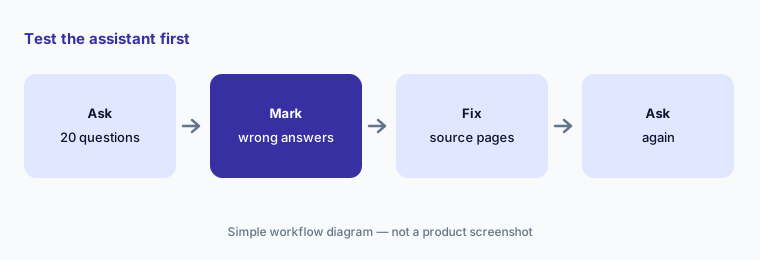
An assistant grounded in your index can still answer from an outdated returns page or a product description with the wrong size chart. The CX lead reads its answers before shoppers do.
Test before shoppers do:
Build one Agent Studio assistant on a copy of your index. Ask it twenty questions about shipping, returns, and sizing, and have the CX lead mark every answer your policies don’t support before shoppers can use it.
Pricing context (October 2026)
Algolia’s pricing page (checked 16 Oct 2026) publishes usage prices for its self-serve plans. Free: 10,000 search requests a month, 50,000 records, 5,000 recommendation requests, and 5,000 crawls, no credit card. Grow (keyword search): 10,000 search requests a month included, then $0.50 per 1,000; 100,000 records included, then $0.40 per 1,000. Grow Plus (labelled new; keyword search with AI): 10,000 search requests included, then $1.75 per 1,000; 100,000 records included, then $0.40 per 1,000; adds AI Ranking, AI Synonyms, Advanced Personalization, Query Categorization, Collections, Merchandising Studio, and 10,000 rules per index. Recommendations on Grow and Grow Plus include 10,000 requests a month, then $0.60 per 1,000. Grow and Grow Plus are billed monthly with no contract.
Elevate is custom-priced with volume discounts and needs an annual contract; it adds NeuralSearch, AI Collections, Smart Groups, real-time personalization, 99.99% availability, SSO, and enterprise support. Agent Studio is marked on all four plans; its agent searches count as normal search requests, and model costs are billed by your chosen provider. Algolia says a search request is counted per request, not per index, and that it ignores the three days with the most records each month when counting records.
Uncertainty: Algolia’s price estimator is directional and not a binding quote, and Elevate (the only plan with NeuralSearch) has no public price, so ask for a quote. Agent Studio cost depends on how many searches each conversation triggers plus your model provider’s token prices, which Algolia does not set. AI Synonyms has not been tested for non-Latin languages. The Forrester ROI figure, query-speed claims, and customer counts on Algolia’s pages are its claims, not our measurement.
When it’s useful (honest take)
Useful when site search and category pages drive a large share of revenue, a merchandiser reviews the top searches every week, and a developer can send click and conversion events — and you want published usage prices you can model before talking to sales.
Less useful when you want search, email, and SMS from one vendor with one customer profile (Bloomreach AI), you want recommendations and merchandising packaged with search for a Shopify store (Nosto AI), or nobody owns search day to day. For checking which changes improve the whole site rather than search, see Optimizely AI.
Paying for Algolia AI and a few other AI tools? The $9 AI toolkit spreadsheet lists every AI subscription you have, what each one costs, and how fast it pays for itself, so you can see which ones are worth the money.
Want someone to do it for you? AI toolkit audit — $19
Related options (educational)
| Need | Better home | Why |
|---|---|---|
| Hosted search with published usage prices | Algolia AI (this page) | Free → Grow / Grow Plus usage → Elevate custom |
| Search plus email and SMS on one profile | Bloomreach AI | Custom; most brands $60K+/yr (vendor) |
| Search, recommendations, and merchandising suite | Nosto AI | Custom by GMV and traffic |
| Store platform with built-in search and AI | BigCommerce AI | Core $39 → Scale $399/mo (monthly) |
| Experimenting beyond search results | Optimizely AI | See its review |
| Seeing where shoppers get stuck on the site | Contentsquare AI | See its review |
FAQ
How much does Algolia cost?
Free covers 10,000 search requests and 50,000 records a month. Grow charges $0.50 and Grow Plus $1.75 per 1,000 search requests after the first 10,000, plus $0.40 per 1,000 records after 100,000 (checked 16 Oct 2026). Elevate, which includes NeuralSearch, is custom-priced on an annual contract.
Which Algolia plan has NeuralSearch?
Only Elevate, according to the pricing page. Grow Plus has AI Ranking, AI Synonyms, and Advanced Personalization on keyword search.
Is Algolia Agent Studio generally available?
Yes. It launched in public beta in January 2026, and Algolia’s changelog lists it as generally available (posted 15 July 2026). Agent searches count toward your search usage, and you pay your model provider directly.
Will AI Ranking override my pinned products?
Rules and pinned results are the hand controls that sit beside AI Ranking; Algolia says you can see why results appear where they do. Still check your top searches after turning on any ranking change.
Who should approve Algolia changes?
A named merchandiser for rules, pins, synonyms, and ranking goals; a CX lead for shopping-assistant answers about policies; a developer for events and index changes.
Optional next step (if seats overlap)
If you pay for a search tool with AI ranking, a separate recommendations app, and a store platform with its own search, that overlap is worth mapping. Map the overlap with the $19 AI toolkit audit or the $9 AI toolkit spreadsheet. Email Audit $19 or Toolkit spreadsheet $9.
Checkout is live via Stripe. After you pay, we email delivery (spreadsheet) or intake next steps (audit).