Tool · Ecommerce ops · Cin7 · Oct 2026
Cin7 AI review (Oct 2026): ForesightAI demand forecasting and inventory ops for product brands
Cin7 is inventory and order management for product brands that sell through several channels at once — their own store, marketplaces, wholesale, and retail — with stock, purchasing, warehouses, and accounting connections in one system. Its AI sits in a few places: ForesightAI for demand forecasting and reorder suggestions, AMA (Ask Me Anything) for questions about your data, IDR for reading purchase orders, and AI-written product descriptions. This page is about using those suggestions while the inventory lead still decides what gets ordered. Each section has a Try this.
What this Cin7 page covers
This page is for an inventory lead, operations manager, or founder at a product brand selling through a web store, Amazon, wholesale, or shops, who uses Cin7 or is comparing inventory tools. The question it answers: what ForesightAI and Cin7’s other AI features do, what Cin7 publishes about price, which pieces are add-ons, and who must approve a forecast before it turns into a purchase order.
Cin7’s ForesightAI forecasting page, pricing page, AMA page, IDR page, Automations page, and retail and ecommerce page were read on 16 October 2026. Cin7 comes in two products: Cin7 Core (three published plans) and Cin7 Omni (custom, for larger or more customised setups). Cin7 says it connects to more than 700 apps, including Shopify, Amazon, WooCommerce, and BigCommerce, so stock levels sync across channels.
Ground rules: the inventory lead approves every purchase order, reorder point, and safety-stock change; forecasts are checked against actual sales before anyone orders from them; supplier bank details and full order exports stay out of any outside chat tool; and Cin7’s availability and accuracy statements are its claims, not our measurement.
Major features (with how someone uses them)
Examples at a glance: each feature has a concrete example from a real job plus a short Try this you can run this week.
1. ForesightAI forecasts against last month’s actuals (primary)
What it is: ForesightAI predicts demand per SKU up to 24 months ahead from your sales history, trends, and seasonality, and Cin7’s retail page says it reads demand across all your sales channels. Basic forecasting is included in every Cin7 package; ForesightAI is the add-on for AI-driven forecasting and optimisation on Core and Omni. Cin7 recommends at least six months of sales history, lets you import older sales, and allows manual adjustments to the forecast.
A forecast that has never been compared with what actually sold is a guess with a chart. Check it against last month before you trust next month, SKU by SKU, and write down the ones it gets wrong.
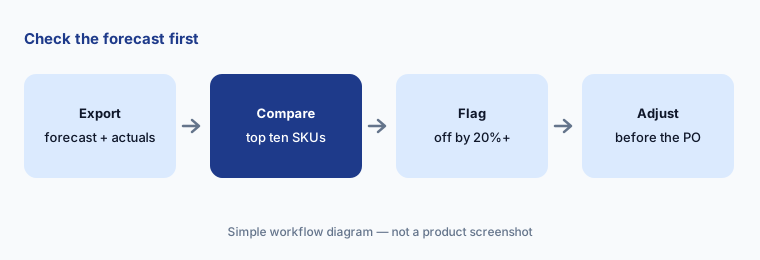
Primary workflow:
Compare Cin7 ForesightAI's forecast with actual units sold for your top ten SKUs last month. Have the inventory lead adjust any SKU off by more than 20% before the next purchase order.
2. Smart replenishment: reorder points, safety stock, and draft purchase orders
What it is: Cin7 describes smart replenishment as working out reorder points and safety stock from predicted demand and supplier lead times, assessing the risk of stock-outs, and automatically generating purchase orders from the forecast. Cin7 says this helps it achieve “over 99% product availability” — that is Cin7’s claim, not our measurement. Purchase order management is part of every Core plan.
An automatically generated purchase order spends real money with a real supplier. Treat it as a draft: the inventory lead checks quantities, lead times, minimum order quantities, and cash before it is sent.
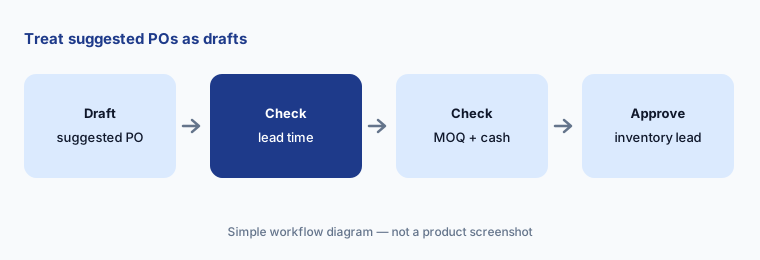
Treat POs as drafts:
Have ForesightAI suggest the next purchase order for one supplier. Have the inventory lead check every line’s lead time, minimum order quantity, and quantity before approving it.
3. Product segmentation and multi-location planning
What it is: ForesightAI sorts products by sales volume and profitability so you can see which SKUs carry the business, which are slow, and which are new and still finding their level. Cin7’s forecasting page also describes multi-location planning: forecasts, stock projections, transfers, and reorder needs per warehouse or store, so a spike at one site does not get hidden in a company-wide total.
A segment label is a starting point, not a verdict. A slow seller can be a new launch, a seasonal line, or the product that brings customers in for something else. Ask the buyer before cutting it.
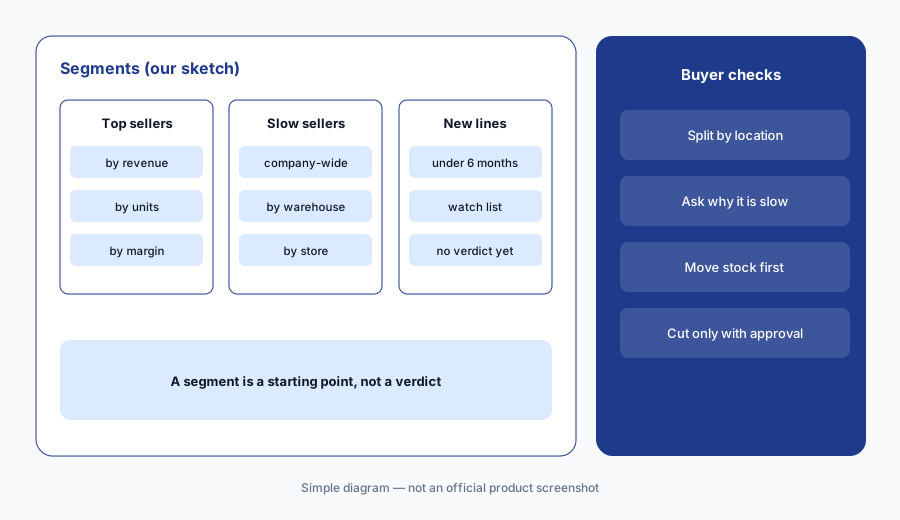
Check segments by site:
Pick ten SKUs ForesightAI marks as slow sellers. Look at sales by warehouse or store for each, and have the buyer note which are slow everywhere and which are slow in one place only.
4. AMA: questions about your Cin7 data
What it is: AMA (Ask Me Anything) is Cin7’s AI assistant. Per Cin7’s AMA page, it answers from your live Cin7 data and Cin7’s documentation: top sellers, low stock across warehouses, sales by region, raw-material availability, and step-by-step how-to questions such as setting up a new sales channel. It returns data, graphs, and source links, keeps follow-up questions in context, and works within each user’s existing permissions. Cin7 says AMA is only available in Cin7 Core and is included at no extra cost.
Cin7 says the more specific the question, the more precise the answer. Name the date range, channel, and warehouse in the question, and open the source link before you quote a number.
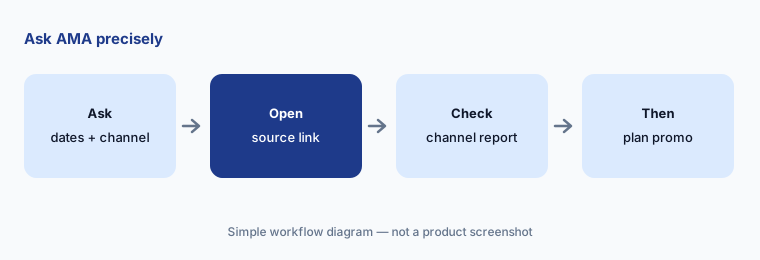
Ask precisely:
Ask AMA for last month’s five top-selling products on one sales channel, naming the channel, dates, and units. Check two of the answers against that channel’s own report.
5. IDR: reading purchase orders into sales orders
What it is: Intelligent Document Recognition (IDR) is a Cin7 Core add-on that reads purchase orders your wholesale customers send — PDF, PNG, BMP, or JPEG — and turns them into sales orders, in batches if needed. Cin7’s IDR page says you review the filled-in fields, adjust them, and then move to fulfilment, and that the system learns from your corrections. IDR is not yet available on Omni.
A misread quantity or unit becomes a wrong shipment. Have someone compare the first batches line by line with the original documents before you rely on the review screen alone.
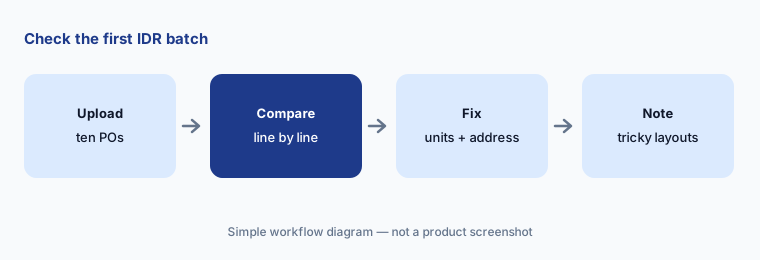
Check the first batch:
Run IDR on ten recent wholesale purchase orders. Have the wholesale coordinator compare every quantity, unit, price, and address with the original document before converting any to sales orders.
6. Automations, approvals, and AI product descriptions
What it is: Cin7 Automations (an add-on on Core plans) cover low-stock alerts, integration-error notifications, scheduled reports, and multi-stage approval workflows — Cin7 names purchase order approvals as a common use. Every Core plan also lists Generate with AI for product descriptions written from the product information already in Cin7.
Approval steps are where a forecast meets a person. Put a named approver and a spending limit on purchase orders before turning on automatic suggestions, and treat AI-written product copy like any other draft.
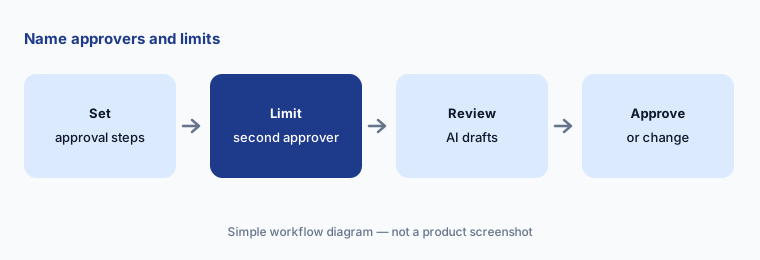
Name the approvers:
Set up a purchase order approval in Cin7 with a named inventory lead and a spending limit for a second approver. Have the merchandiser check any AI-written product description against the spec sheet before it is published.
Pricing context (October 2026)
Cin7’s pricing page (checked 16 Oct 2026) lists three Cin7 Core plans in USD, excluding taxes, for new customers: Standard $349/month (5 users, 2 ecommerce and app integrations, 6,000 sale orders a year), Pro $599/month (10 users, 4 integrations, 24,000 sale orders a year, material requirements planning), and Advanced $1,199/month (15 users, 6 integrations, 120,000 sale orders a year, advanced warehouse management). Cin7 Omni is priced by quote.
ForesightAI is an add-on on all three Core plans and on Omni. Cin7 says its price is based on GMV and that existing customers see it on their subscription page; no amount is published, so ask for a quote. IDR starts at $79/month for up to 600 documents, plus $50/month for each extra 600 (Core only). Advanced Automations, extra users, and extra integrations are also add-ons. AMA is included in Core. Cin7 offers a free trial; its IDR page describes it as 14 days.
Uncertainty: ForesightAI’s price is not published (GMV-based, by quote) on 16 Oct 2026, so the total cost of Core plus forecasting depends on your quote. AMA and IDR are Core-only per Cin7’s pages; check what applies on Omni. Cin7 describes its forecast accuracy as “continuously improving” and gives no figure we can check; “over 99% product availability” and customer sales lifts are Cin7’s and its customers’ claims, not our measurement. Plan limits and add-on lists can change — confirm them on the pricing page before you buy.
When it’s useful (honest take)
Useful when you sell the same stock through several channels and warehouses, already raise purchase orders in Cin7 or are moving off spreadsheets, have at least six months of clean sales history, and have an inventory lead who will compare forecasts with actuals every month.
Less useful when you sell through one store with a small catalogue (the store platform’s own tools may be enough, see BigCommerce AI), the bigger question is which ads drove the orders (Northbeam AI), or the pain is after the order ships (Narvar AI).
Paying for Cin7 AI and a few other AI tools? The $9 AI toolkit spreadsheet lists every AI subscription you have, what each one costs, and how fast it pays for itself, so you can see which ones are worth the money.
Want someone to do it for you? AI toolkit audit — $19
Related options (educational)
| Need | Better home | Why |
|---|---|---|
| Multichannel inventory, purchasing, and forecasting | Cin7 AI (this page) | Core $349 → $1,199/mo; ForesightAI add-on by quote |
| Store platform with built-in AI | BigCommerce AI | Core $39 → Scale $399/mo (monthly) |
| Which ads drove the orders | Northbeam AI | Starter from $1,500; Professional $3,500/mo |
| Tracking, returns, and delivery messages | Narvar AI | Quote only |
| A quick stock-cover check in a sheet | Google Sheets + Gemini | Sanitized export; see its review |
FAQ
How much does Cin7 cost?
Cin7 Core is $349, $599, or $1,199 per month for Standard, Pro, and Advanced (USD, excluding taxes, new customers, checked 16 Oct 2026). Cin7 Omni is by quote. ForesightAI is an add-on priced by GMV with no published amount.
Is ForesightAI included in every plan?
Basic forecasting and planning are included in every Cin7 package. ForesightAI, the AI-driven forecasting and optimisation, is an add-on for Core and Omni customers and is not sold on its own.
How far ahead does ForesightAI forecast?
Cin7 says up to 24 months ahead, and recommends at least six months of sales history. You can import older sales data and adjust forecasts by hand.
Can Cin7 create purchase orders automatically?
Yes. Smart replenishment can generate purchase orders from the forecast, with reorder points and safety stock. Treat them as drafts and have a named inventory lead approve each one, ideally through an approval workflow.
Who should approve Cin7 AI suggestions?
The inventory lead for purchase orders, reorder points, and safety stock; the finance lead for large orders; the wholesale coordinator for IDR-converted orders; and the merchandiser for AI-written product descriptions.
Optional next step (if seats overlap)
If you pay for an inventory system with forecasting, a store platform with its own AI, and a separate spreadsheet add-on for stock planning, that overlap is worth mapping. Map the overlap with the $19 AI toolkit audit or the $9 AI toolkit spreadsheet. Email Audit $19 or Toolkit spreadsheet $9.
Checkout is live via Stripe. After you pay, we email delivery (spreadsheet) or intake next steps (audit).