How-to · Ecommerce · Northbeam · Oct 17, 2026
Ask the Northbeam AI assistant about attribution, and have the finance lead check every number before planning
Northbeam AI answers questions about your attribution data — and it reads your data rather than editing it. The risk is not that it changes spend; it is that a ROAS figure changes with the model, the window, and accounting mode. This page shows how to ask one question two ways and have the finance lead check every number before planning.
Who this is for
Growth leads and finance leads at ecommerce brands on Northbeam who plan budgets from attribution numbers. For Triple Whale's Moby Actions that move budget with a paid media lead approving — a different job — see Triple Whale Moby budget approval.
How to do it
This is a how-to, not a ranking of attribution tools. Per the Northbeam AI review and Northbeam's own guide, Northbeam AI reads your data and does not edit orders, spend, or platform connections; Context Center holds shared reference files; and Northbeam offers seven attribution models. Incrementality's first release covered Meta channel-level tests in the US, so ask which channels your account can test.
1. Load Context Center
What it is: Add the reference files Northbeam AI should use: fiscal calendar, budget plan, promotion calendar, and the attribution model your team quotes.
- Upload a fiscal calendar and this quarter's budget plan.
- Add Company-wide Instructions: accounting mode and the default attribution model.
- Keep supplier contracts, salaries, and customer lists out — every dashboard user can see these files.
- Name one owner who keeps the files current.
The growth lead uploads the fiscal calendar and Q4 budget plan and writes 'Quote Clicks + Modeled Views, accrual' in Company-wide Instructions.
List every file in Context Center with its owner and last-updated date.
2. Ask one channel question under two models
What it is: Ask Northbeam AI the same channel question under two attribution models and note both answers.
- Ask, for example, 'What was Google ROAS over the last 30 days?'
- Ask again under a second model, such as Last Non-Direct Touch.
- Note the model, window, and accounting mode for each answer.
- Open the same dashboard view and confirm the numbers match.
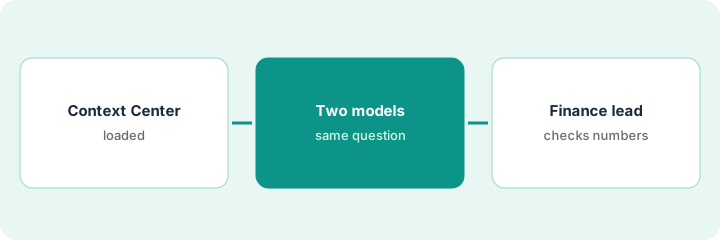
Google ROAS is noticeably higher under Last Non-Direct Touch than under Clicks + Modeled Views. Both match the dashboard views. The growth lead writes both into the planning draft.
Put both answers side by side with model, window, and accounting mode.
3. Finance lead checks before the budget plan
What it is: The finance lead checks every number against the dashboard and finance's own revenue before anything goes into the plan.
- Compare attributed revenue with booked revenue for the same period.
- Agree which model the plan will quote.
- Mark any number that came only from a chat answer.
- Plan against the lower end of any incrementality result.
- Sign off the numbers in writing.
The finance lead accepts the Clicks + Modeled Views figure, notes the Last Non-Direct number as a cross-check, and approves a smaller Google increase than first proposed.
Add a 'checked by finance' column to the budget plan for every channel number.
Pricing context (October 2026)
This how-to isn't a price sheet. Per the Northbeam AI review and Northbeam's pricing page (checked Oct 17, 2026), Starter shows $1,500 beside 'Contact us for a quote' and Professional shows $3,500 per month; Growth and Enterprise are custom. Northbeam AI is listed on every plan. Dated October 2026.
Checked Oct 17, 2026 on the vendor’s own pricing page: Northbeam’s pricing page shows Starter at $1,500 beside “Contact us for a quote” and Professional at $3,500 per month; Growth and Enterprise are custom. Northbeam says plans start at these rates and vary with data volume.
Uncertainty: The only prices this site sells here are the optional $9 AI toolkit spreadsheet and $19 AI toolkit audit.
When this helps (honest take)
Useful when you plan budgets from attribution numbers and a finance lead is willing to check them.
Not useful when you want an assistant that moves budget for you — see the Triple Whale how-to — or nobody agrees which attribution model to quote.
Related options (educational)
| Need | Where to look | Why |
|---|---|---|
| Northbeam AI features | Northbeam AI | Primary path |
| Triple Whale vs Northbeam | Triple Whale vs Northbeam | Side-by-side |
| Triple Whale Moby budget Actions | Triple Whale Moby budget approval | A different job |
| Ecommerce stack map | Stack map: ecommerce ops | Where Northbeam fits |
FAQ
How is this different from the Triple Whale how-to?
A different job: this page is a read-only Northbeam AI answer checked by the finance lead. The Triple Whale page is Moby Actions that move budget, approved by the paid media lead.
Can Northbeam AI change our spend?
No. Northbeam's guide says it reads your data and does not edit orders, spend, or platform connections; it can update your own default attribution settings if you ask.
Where do Northbeam prices live?
Starter shows $1,500 and Professional $3,500 per month on the page we checked; see the pricing section. Our Oct 17, 2026 check of the vendor’s own pricing page is summarized in the pricing section above.
Is Northbeam MCP private?
Per Northbeam’s FAQ it is read-only and follows each user’s permissions, but once data reaches ChatGPT or Claude, that provider’s policies apply.
Optional next step
If you want a one-page toolkit map for the tools you already pay for, use the optional $9 AI toolkit spreadsheet. If you want a short review of seat waste and unused tools, use the optional $19 AI toolkit audit. Neither is required to follow this how-to.