Tool · Ecommerce ops · Salsify · Oct 2026
Salsify AI review (Oct 2026): SalsifyIQ, the Angie assistant, and Intelligence Suite for product content
Salsify is a product experience management (PXM) platform: brands, distributors, and retailers keep product content in it and send it to retailer sites, marketplaces, and their own stores. Its AI now has three layers — SalsifyIQ, which Salsify calls its intelligence layer; Angie, a conversational assistant; and the Intelligence Suite, AI steps you build into content workflows — plus a channel that sends product data to OpenAI. This page is about using that AI for drafts and checks while the merchandiser still approves every claim that leaves the building. Each section has a Try this.
What this Salsify page covers
This page is for a digital-shelf manager, product content lead, or merchandiser at a consumer brand or retailer that sends product content to many retailers and marketplaces, and who uses Salsify or is comparing PXM platforms. The question it answers: what each part of Salsify’s AI does, which parts are new in 2026, what Salsify says about price, and who approves the copy, images, and data it produces before they are syndicated.
Salsify’s AI page, its Intelligence Suite page, the 15 October 2025 release that introduced Angie, the Intelligence Suite, and the OpenAI channel, the 5 May 2026 SalsifyIQ release, and Salsify’s Digital Shelf Summit recap (8 May 2026) were read on 16 October 2026. Salsify’s pricing link leads to a platform overview and a contact form, not a price list.
Ground rules: the merchandiser checks every health, safety, sizing, material, allergen, and “made in” claim against the spec sheet before anything is syndicated; regulated categories such as grocery get a compliance owner; AI images are labelled internally and checked against the real product; the brand decides which data AI agents may read; and Salsify’s time-saving and sales figures are its customers’ claims, not our measurement.
Major features (with how someone uses them)
Examples at a glance: each feature has a concrete example from a real job plus a short Try this you can run this week.
1. Intelligence Suite: content drafts and optimization (primary)
What it is: The Intelligence Suite lets you add AI steps to Salsify workflows — draft or rewrite descriptions, make versions for different shopper personas, seasons, or keywords, translate, and audit content — using Salsify’s own AI service or your own provider. Salsify lists out-of-the-box connections to OpenAI, Gemini, and Anthropic, says it never uses your data to train models, and describes accept-or-change review steps in the workflow.
AI copy is fluent even when a number is wrong. Put a review step after every generation step, and check claims, dimensions, and materials against the spec sheet rather than the old copy.
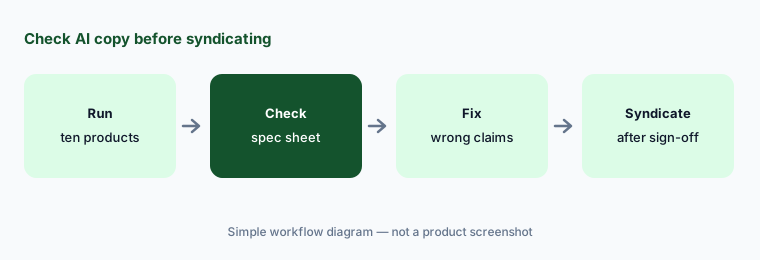
Primary workflow:
Run Salsify's Intelligence Suite on ten product descriptions. Have the merchandiser check every claim, dimension, and material against the spec sheet before syndicating.
2. Angie: the conversational assistant
What it is: Angie is Salsify’s conversational assistant inside the platform. Salsify’s Intelligence Suite page describes it helping with formulas, channel mappings, and more, and the May 2026 release says Angie is now platform-wide, from building computed properties to answering support questions from the knowledge base in plain language. Salsify’s own summit recap three days later said Angie “will be expanded platform-wide”, so check which screens have it on your account.
Treat a formula or mapping Angie builds like one a new colleague wrote: test it on a few products before it runs across the catalog.
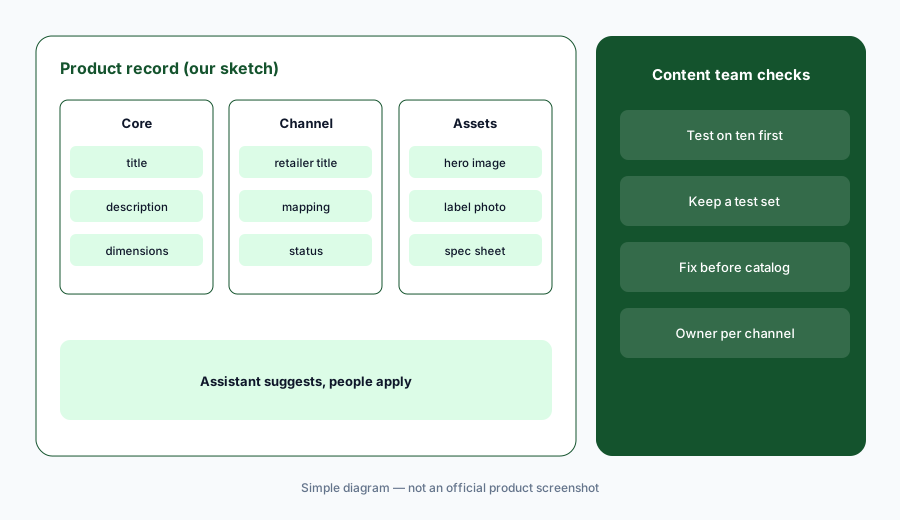
Before it runs everywhere:
Ask Angie to build one computed property or channel mapping. Test it on ten products and have the content operations manager fix anything wrong before it applies to the catalog.
3. Asset extraction, translation, and governance rules
What it is: Salsify says the Intelligence Suite can pull content from product packaging, nutrition labels, or spec sheets and store it as structured fields, translate base properties into other languages and review them together in one task, and audit content against data-quality rules and retailer style guides. For grocery, Salsify describes AI-validated content against the latest regulations and retailer style guides, with recommendations you accept or change, and FeedbackIQ, which reads GS1 catalogue messages to point to the attributes that need fixing.
Extraction from a photo of a label is only as good as the photo. Compare extracted values with the source file, and have a native speaker read a sample of each translated market before launch.
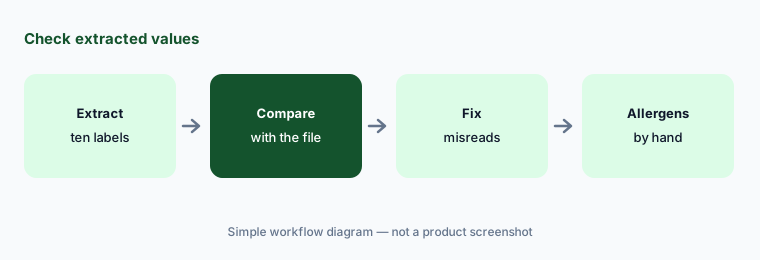
Check what was extracted:
Run asset extraction on ten packaging or label images. Have the product data lead compare every extracted value with the original file, and check allergens by hand, before saving.
4. AI images and the AEO accelerator
What it is: The May 2026 release added AI image generation to the Intelligence Suite — background removal, variant colourways, and lifestyle scenes — and an AEO Accelerator that drafts question-and-answer and use-case content aimed at AI assistants and answer engines. Salsify’s Intelligence Suite page also lists hero infographic images from text prompts.
A generated colourway the factory does not make is a product claim. Label AI images internally, compare each one with a real sample, and read every generated Q&A answer as if a shopper will quote it back to you.
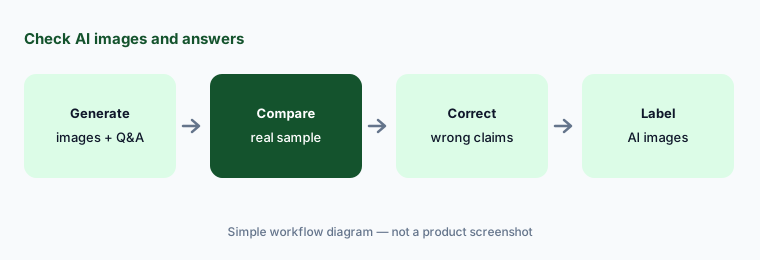
Check images and answers:
Generate three AI product images and ten AEO Q&A pairs in Salsify. Have the brand manager compare each image with a real sample and each answer with the spec sheet before publishing.
5. The OpenAI channel and MCP: product data for AI agents
What it is: Salsify’s October 2025 release added an OpenAI syndication channel that sends brand-approved product data to OpenAI for shopping experiences in ChatGPT, using OpenAI’s Agentic Commerce Protocol and Product Feed specification, with a readiness report to check content before sending; Salsify launched it as a pilot. The May 2026 release introduced an MCP layer so a customer’s own AI agents and other systems can read approved product attributes. Salsify does not say whether MCP is generally available.
Once data is in an AI channel, shoppers may see it without visiting your page. Send only fields you would print on the box, and decide who may connect agents to the MCP.
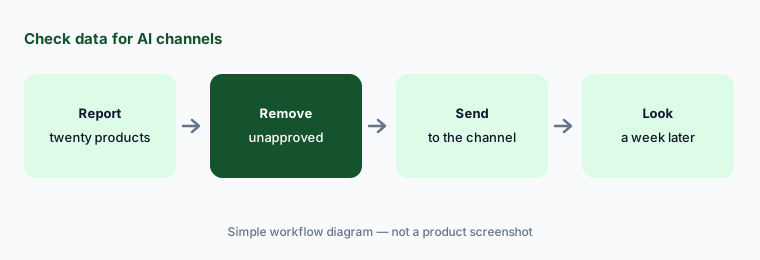
Before you send to AI channels:
Run Salsify’s readiness report on twenty products before sending them to the OpenAI channel. Have the merchandiser remove any claim legal has not approved and check how two appear a week later.
6. SalsifyIQ and automapping
What it is: Salsify’s May 2026 release describes SalsifyIQ as a unified intelligence layer and product knowledge graph built from retailer schemas and error-code patterns, Salsify’s own guidance, your brand’s style rules and approved terms, and outside data such as conversion and shopping trends. It also announced Automapping and Auto-healing, which analyse retailer requirements and fix schema errors, with the stated goal of “touchless” syndication. In Salsify’s October 2025 release, SalsifyIQ was the name of its commerce-tuned AI service.
“Touchless” is a goal, not a guarantee. Keep a weekly look at what automapping changed and why, and make sure a person owns each retailer connection.
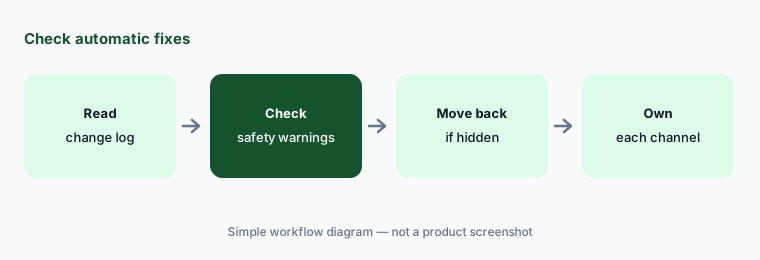
Check the automatic fixes:
Read last week’s automapping and auto-healing changes for one retailer. Have the syndication manager confirm every safety warning and claim still appears where shoppers will see it.
Pricing context (October 2026)
Salsify publishes no prices (checked 16 October 2026). Its pricing link goes to a platform overview with a contact form, so PXM, the Intelligence Suite, Angie, and the OpenAI channel are all by quote. Ask whether AI steps are included or metered, whether using your own AI provider changes the price, and whether the OpenAI channel and MCP carry separate fees.
If you use your own AI provider in the Intelligence Suite, that provider bills you separately. Salsify’s customer stories quote large time savings and sales gains; those are its customers’ claims, not our measurement.
Uncertainty: No published prices on 16 Oct 2026, so cost depends on your quote. Salsify’s May 2026 release says Angie is now platform-wide, while its summit recap three days later says Angie will be expanded platform-wide; check availability on your account. The release introduces MCP without saying whether it is generally available, the OpenAI channel launched as a pilot and its current status is not stated, and the name SalsifyIQ has described both an AI service (2025) and an intelligence layer (2026). Time-saving and sales figures are customer claims, not our measurement.
When it’s useful (honest take)
Useful when you send product content to many retailers and marketplaces, spend real hours on rewrites, translations, and retailer rejections, and have a merchandiser and a compliance owner who will review AI output before it is syndicated.
Less useful when you sell mainly through your own store and its built-in AI copy tools are enough (BigCommerce AI, Wix AI), you want a PIM with web-sourced enrichment and published package tiers to compare (Akeneo AI), or your bigger need is images and ads rather than product data (Canva Magic Studio).
Paying for Salsify AI and a few other AI tools? The $9 AI toolkit spreadsheet lists every AI subscription you have, what each one costs, and how fast it pays for itself, so you can see which ones are worth the money.
Want someone to do it for you? AI toolkit audit — $19
Related options (educational)
| Need | Better home | Why |
|---|---|---|
| Brand-to-retailer content with AI workflows and syndication | Salsify AI (this page) | Quote only |
| PIM with web-sourced enrichment and agent orchestration | Akeneo AI | Quote only (free Community Edition) |
| Store-platform AI copy and catalog enrichment | BigCommerce AI | Core $39 → Scale $399/mo (monthly billing) |
| Images and design for product marketing | Canva Magic Studio | See its review |
| Post-purchase tracking and returns | AfterShip AI | Tracking from $11/mo (monthly billing) |
FAQ
How much does Salsify cost?
Salsify publishes no prices (checked 16 Oct 2026); its pricing link leads to a contact form. Ask whether AI features are included or metered and whether using your own AI provider changes the quote.
What is SalsifyIQ?
Salsify’s name for its intelligence layer, announced on 5 May 2026: a product knowledge graph built from retailer requirements, Salsify’s guidance, your brand rules, and outside data, which feeds Angie, the Intelligence Suite, and automapping. In 2025 the name referred to Salsify’s commerce-tuned AI service.
What can the Intelligence Suite do?
Salsify lists content drafting and optimization, persona and seasonal versions, translation, extraction from packaging and spec sheets, audits against data-quality rules and style guides, AI images, and an AEO accelerator for Q&A content, using Salsify’s AI or your own provider.
Does Salsify send product data to ChatGPT?
Salsify offers an OpenAI syndication channel, launched as a pilot in October 2025, that sends brand-approved product data to OpenAI for shopping in ChatGPT. It also introduced MCP in May 2026 so your own agents can read approved attributes.
Who should approve Salsify’s AI output?
A named merchandiser approves every syndicated claim, dimension, and material; a compliance owner signs off regulated categories; the brand manager approves AI images; and the syndication manager owns each retailer connection and reviews automatic fixes.
Optional next step (if seats overlap)
If you pay for a PXM platform with AI steps, a separate AI writing tool, and a chat assistant your team pastes product copy into, that overlap is worth mapping. Map the overlap with the $19 AI toolkit audit or the $9 AI toolkit spreadsheet. Email Audit $19 or Toolkit spreadsheet $9.
Checkout is live via Stripe. After you pay, we email delivery (spreadsheet) or intake next steps (audit).