Tool · Logistics ops · Flexport · Oct 2026
Flexport AI review (Oct 2026): Flexport MCP, booking and quoting agents, AI customs classification, and Control Tower for importers
Flexport is a freight forwarder and customs broker with its own software platform for ocean, air, and trucking shipments, customs, and fulfillment. Its AI now reaches outside that platform: Flexport MCP lets your own AI assistant track, quote, and book freight; a fleet of AI agents handles quoting, rate sheets, and vessel changes behind the scenes; and AI customs tools draft HTS codes and check entries against your rules. This page is about using those for the routine work while a logistics manager still approves bookings and a licensed broker still confirms every code. Each section has a Try this.
What this Flexport page covers
This page is for an importer’s logistics manager, an ecommerce brand’s operations lead, or a trade compliance lead who ships with Flexport or is comparing forwarders. The question it answers: which Flexport AI features exist today, what an outside AI assistant can do in your Flexport account, what Flexport publishes about price, and who must approve bookings, customs codes, and anything said to a customer.
Flexport’s Flexport AI page, MCP page, and Fall Release 2026 page (read 17 October 2026) describe the MCP server, the agent fleet, AI customs classification, AI search and reporting, container optimization, and Flexport Atlas. Trade press dated the release and the MCP launch 29 September 2026.
Ground rules: a named logistics manager approves every booking an assistant prepares; a licensed broker or compliance lead confirms every HTS code and customs rule; the admin decides who may connect an assistant; nobody pastes commercial invoices with bank details or customer data into an outside chat tool; and Flexport’s savings and accuracy figures are its claims, not our measurement.

Major features (with how someone uses them)
Examples at a glance: each feature has a concrete example from a real job plus a short Try this you can run this week.
1. Flexport MCP: ask your own AI assistant about your freight (primary)
What it is: Flexport MCP connects your Flexport account to AI assistants your team already uses — Claude, ChatGPT and Codex, Microsoft 365 Copilot Studio, Meta’s Muse, or internal tools that speak the Model Context Protocol. Its tools let an assistant track a shipment (status, milestones, vessel, customs holds), filter active shipments for exceptions or demurrage and detention risk, search contract and spot rates, browse quotes, create a booking against a rate it just pulled, and look up HS codes, port codes, and saved addresses. An admin turns it on once; each person then signs in with their own Flexport login, and the assistant can reach only what that person can. Admins can revoke any user or switch it off for the whole account.
An assistant’s summary of a shipment is one step removed from the record. Check the shipment page before you pass a date or a customs status to a customer.
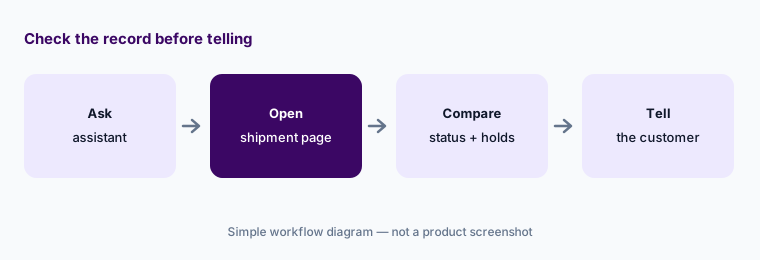
Primary workflow:
Connect Flexport MCP to your AI assistant and ask where your five most urgent shipments are. Check each answer against the shipment page in the Flexport Platform before you tell a customer.
2. Booking and quoting agents, rate sheets, and vessel changes
What it is: Flexport describes a “fleet of AI agents” working behind its platform. Send an email with booking details and a shipping document, and an agent reads it and either sends back a quote for review or executes the booking. Another converts Flexport rate data into your own rate-sheet template. A third reads carriers’ vessel-change emails and updates the affected shipments. Flexport told FreightWaves that its agents process 21 million tasks a year and that every exception routes to a human expert.
An agent that can execute a booking from an email will act on a mistyped weight or the wrong cargo-ready date. Decide which requests should come back as quotes for review rather than bookings.
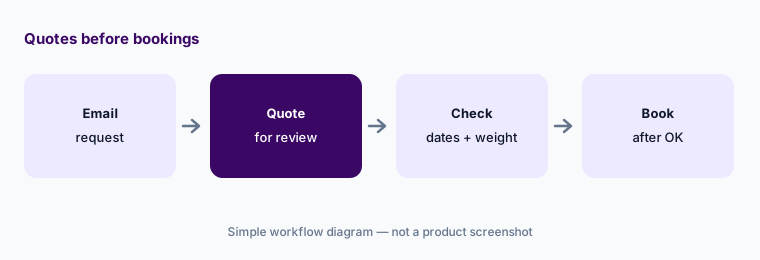
Quotes before bookings:
Ask your Flexport team to set new-supplier email bookings to come back as quotes. Have the logistics manager check cargo-ready date, weight, and Incoterms before approving each one.
3. AI Customs Classification and the Customs Business Rules Engine
What it is: Flexport’s AI Customs Classification turns finding a 10-digit US HTS code into a guided conversation: you describe the product, answer follow-up questions, and compare several candidate codes side by side with the relevant Customs and Border Protection rulings linked. Flexport says its AI flags classification errors and its licensed customs brokers confirm every code. The Fall Release 2026 also added a Customs Business Rules Engine: AI writes your customs procedures as deterministic code that checks every entry against your rules before filing — and once it is tested and signed off, it runs the same way every time.
A plausible code with a ruling attached can still be wrong for your exact materials. Keep a licensed broker or your compliance lead as the person who confirms every code and every rule.
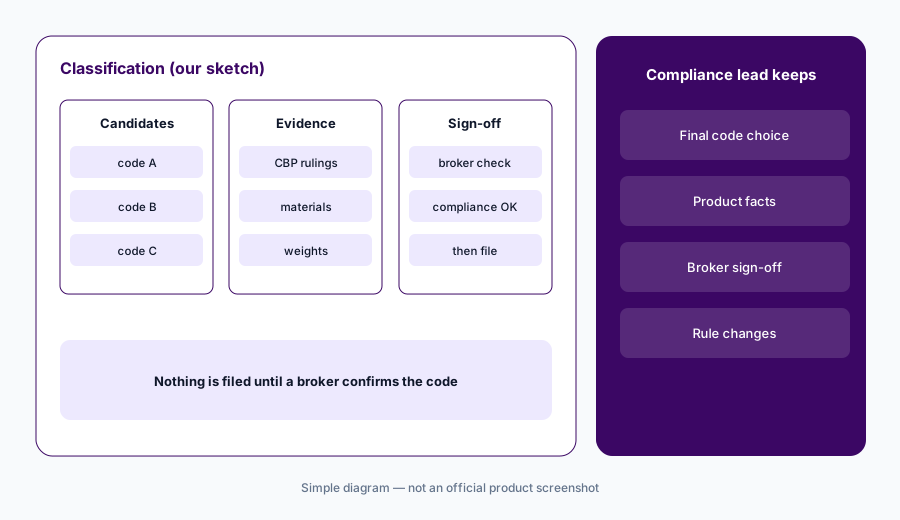
Broker confirms every code:
Run ten new products through Flexport's AI Customs Classification. Have your licensed broker or compliance lead confirm every code before anything is filed.
4. AI search, on-demand reports, and translation
What it is: Inside the Flexport Platform, AI search answers plain-language questions by navigating to the right view, applying filters, and summarizing what matters. Flexport says its AI can also build reports and dashboards without technical skills. The platform translates its interface, notifications, and messages in 11 languages; the Fall Release added Japanese and French.
A report built from a question is only as good as the filters it chose. Read the filters before a dashboard becomes the weekly reference.
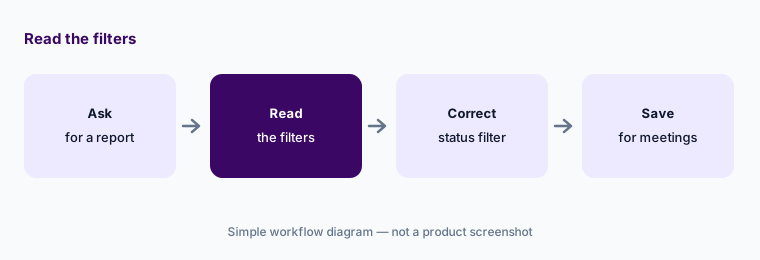
Read the filters:
Ask Flexport's AI for a report of last quarter's late ocean shipments. Read every filter it applied and correct any before the report goes to your weekly meeting.
5. AI container optimization and Control Tower
What it is: Flexport says its AI evaluates every booking against live full-container, less-than-container, and buyer’s consolidation data — price, capacity, timing, and utilization — and claims this can cut ocean freight costs by up to 10%. Control Tower combines booking management, order management at the SKU level, supplier performance views, and optimization suggestions such as moving air freight to ocean, and Flexport says it works even for freight Flexport isn’t moving.
A cheaper consolidation can add days. Check each suggestion against the date the goods are actually needed before accepting it.
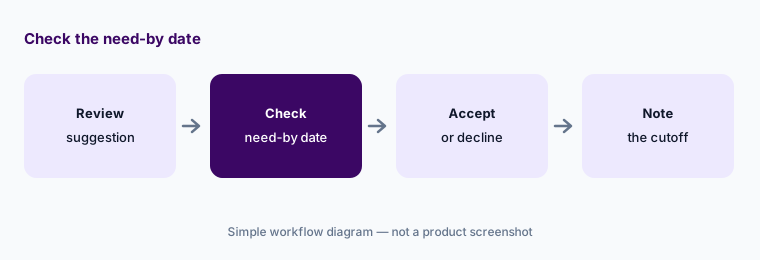
Check the need-by date:
Review the next five Flexport container or consolidation suggestions. Have the planner check each against the date the goods are needed before accepting any.
6. Flexport Atlas: routes, disruptions, and route emissions
What it is: Flexport Atlas maps vessels, ports, and carrier services as one system. The Fall Release 2026 extended it to multimodal routing (feeder, ocean, rail, air, and barge legs with a transit time on each), live disruption alerts that show which vessels are stalled when a chokepoint closes or a port backs up, and estimated CO2e per container next to carrier and transit time in search results. Flexport says its agents reason against the same map.
An emissions estimate in a search result is a planning figure. Keep the method and source with any number that goes into a sustainability report.
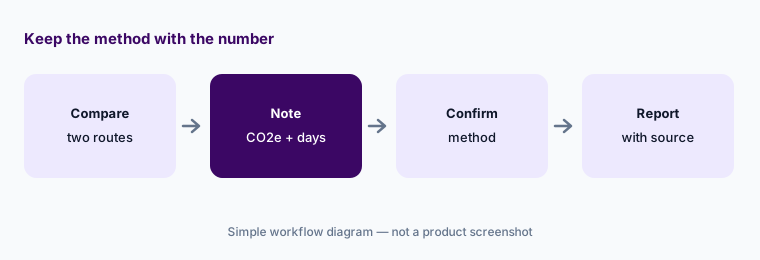
Keep the method with the number:
Compare two routings for one regular lane in Flexport Atlas. Record the transit time and CO2e estimate, and have the reporting lead confirm the method before any figure is published.
Pricing context (October 2026)
Flexport does not publish a price list for its software or AI features. Freight, customs brokerage, and fulfillment are quoted for your shipments and lanes, and the MCP page points buyers to a demo request, so pricing is quote-only as of 17 Oct 2026; we have no plan names or amounts to give.
Ask whether MCP access, the agents, AI classification, the Customs Business Rules Engine, and Control Tower (including Control Tower on freight Flexport isn’t moving) carry separate fees or come with your forwarding and customs services.
Uncertainty: Flexport’s figures — up to 10% lower ocean freight costs, a 0.2% customs error rate versus a 20% industry average, 80% fewer emails per shipment, 21 million agent tasks a year — are its own claims, not our measurement. On the AI page we read, the customs error-rate tile repeated the container-optimization text, so we rely on the classification page for customs details. The MCP page says historical analysis is not available yet. The Fall Release page itself showed no date; the 29 September 2026 date comes from trade press coverage of the launch.
When it’s useful (honest take)
Useful when you import by ocean or air with Flexport as forwarder and customs broker, your team already works in an AI assistant, and you have a logistics manager who approves bookings and a broker or compliance lead who confirms every code.
Less useful when you mainly need multi-carrier visibility for domestic truckload (project44 AI, FourKites AI), inventory planning across warehouses (Cin7 AI), or you don’t ship with Flexport and only want Control Tower — ask about that option directly.
Paying for Flexport AI and a few other AI tools? The $9 AI toolkit spreadsheet lists every AI subscription you have, what each one costs, and how fast it pays for itself, so you can see which ones are worth the money.
Want someone to do it for you? AI toolkit audit — $19
Related options (educational)
| Need | Better home | Why |
|---|---|---|
| Forwarder + customs broker with MCP and booking agents | Flexport AI (this page) | Freight and customs quoted |
| Shipper visibility with an AI analyst and agents | project44 AI | Quote only |
| Visibility with a named Digital Workforce | FourKites AI | Quote only |
| Inventory planning and reorder suggestions | Cin7 AI | See its review |
| Drafting a product description for a broker | Claude (no invoices or bank details) | General chat; no filings |
FAQ
What is Flexport MCP?
A Model Context Protocol server, launched with Flexport’s Fall Release on 29 September 2026, that lets assistants such as Claude, ChatGPT, Microsoft 365 Copilot Studio, and Muse track shipments, search rates, browse quotes, and create bookings in your Flexport account within your own permissions.
Can an AI assistant book freight through Flexport?
Yes. Flexport MCP can create a booking against a rate the assistant has pulled, with price, routing, and cargo details validated first. An admin must enable MCP, and each user signs in with their own Flexport login.
How much does Flexport cost in October 2026?
Flexport does not publish a software price list. Freight, customs brokerage, and fulfillment are quoted for your shipments, so treat the AI features as quote-only and ask what is included.
Does Flexport’s AI choose my HTS codes?
It drafts and compares candidate codes with linked rulings. Flexport says its licensed customs brokers confirm every code; your compliance lead should also own the final decision.
Who should approve Flexport AI work?
A named logistics manager for bookings, a licensed broker or compliance lead for codes and customs rules, the admin for who can connect an assistant, and the planner for consolidation suggestions.
Optional next step (if seats overlap)
If you pay for a forwarder portal with AI, a separate visibility platform, and chat seats that now all answer “where is my container”, that overlap is worth mapping. Map the overlap with the $19 AI toolkit audit or the $9 AI toolkit spreadsheet. Email Audit $19 or Toolkit spreadsheet $9.
Checkout is live via Stripe. After you pay, we email delivery (spreadsheet) or intake next steps (audit).