Tool · Fleet / field ops · Samsara · Oct 2026
Samsara AI review (Oct 2026): AI for fleet safety, routing, and connected field operations
Samsara is a connected-operations platform for fleets — GPS, cameras, equipment, and workforce tools. Its safety AI centers on Samsara Coach and Automated Coaching: the system prioritizes safety events, routes lower-risk cases to driver self-review, and escalates higher-risk patterns to managers, with start-of-day briefings, in-cab voice coaching, and post-shift avatar recaps. This page is about using those flags while a named safety lead still decides what enters a driver file. Each section has a Try this.
What this Samsara page covers
This page is for a fleet manager, safety lead, or field-ops director who runs Samsara or is comparing fleet platforms. The question it answers: which safety events Samsara’s AI flags and coaches, how Automated Coaching decides self-review versus manager review, what pricing looks like when there is no public price list, and who must watch a clip before coaching is stored.
Samsara’s driver coaching page (read 12 October 2026) describes AI that prioritizes events using roughly fifty factors (severity, frequency, patterns, context), then delivers in-cab alerts, self-coaching, or manager-supported sessions. Samsara Coach covers pre-shift guidance, real-time in-cab coaching through dash cams, and post-shift recaps. A 10 March 2026 press release added automated triage, Safety Program Overview, and start-of-day audio briefings. The pricing page does not publish a per-vehicle rate card — you talk to sales.
Ground rules: an AI-flagged event is a reason to look, not a closed coaching case; a self-coaching recap is not a disciplinary record until a person decides; in-cab voice tips are not a substitute for a ride-along when the pattern is serious; and no driver performance files go into a general chat prompt. Facts below come from Samsara’s website as read on 12 October 2026; Samsara’s accident-prevention marketing statistics are not repeated here.
Major features (with how someone uses them)
Examples at a glance: each feature has a concrete example from a real job plus a short Try this you can run this week.
1. Open one AI safety event with the safety lead (primary)
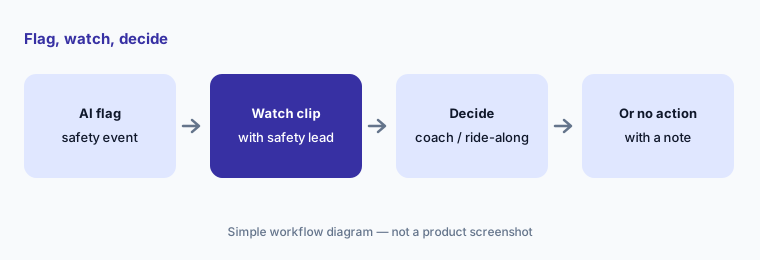
What it is: Samsara’s cameras and AI flag behaviors and situations for review. The first habit that keeps the program fair is simple: open the clip with the safety lead, watch it together, and decide whether the right next step is coaching, coaching plus a ride-along, or no action — before anything is filed against the driver.
Context the model may miss: weather, a cut-off by another vehicle, a new route, or a medical event. The clip is evidence to discuss, not a verdict.
Primary workflow:
Open one AI safety event from last week. Watch the clip with the safety lead and decide whether coaching, coaching + ride-along, or no action is right.
2. Automated Coaching: prioritize and route
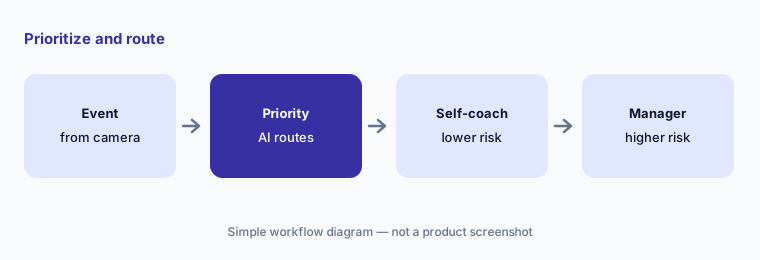
What it is: Automated Coaching ranks safety events (Samsara describes low / medium / high risk using roughly fifty factors) and routes most drivers to scalable self-review with Samsara Coach while escalating higher-risk patterns to managers. The Safety Program Overview acts as a command center for how many events went to self-coaching versus managers and whether coaching is being completed.
Set the routing rules in writing: which event types always need a human, and who owns the daily manager queue.
Write the routing rules:
Write which event types must always escalate to a manager. Review tomorrow’s Automated Coaching queue against that list before drivers start.
3. Samsara Coach: briefings, in-cab voice, avatar recaps
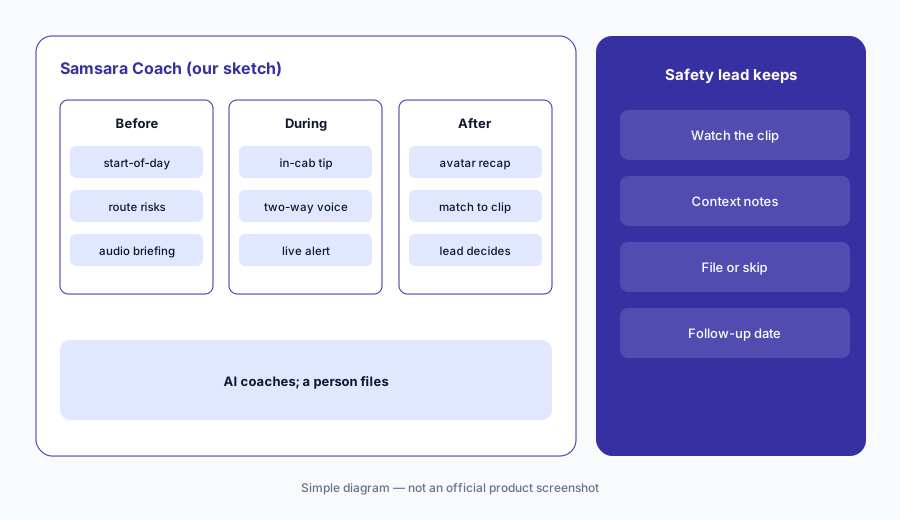
What it is: Samsara Coach is the driver’s AI safety copilot across the shift: start-of-day audio briefings, real-time in-cab coaching through the dash cam, and post-shift recaps (including an AI avatar that explains risk and recognizes safer habits). Samsara’s pages also describe recognition tools so positive behaviors get called out, not only problems.
In-cab tips help in the moment; they do not replace a conversation when the same pattern repeats.
Match recap to clip:
For one driver, compare the post-shift Coach recap to the underlying clip with the safety lead before any note is stored in the driver file.
4. Manager tools: Role Play, Guided Sessions, Group Coaching
What it is: For manager-led coaching, Samsara lists AI Role Play (practice a tough conversation with an AI “driver”), AI Guided Sessions (structured, recognition-first talk tracks), and Group Coaching (auto-generated decks and risk summaries). These tools prepare and structure conversations — they do not hold the conversation for you.
Practice is useful; the real session still needs the clip, the driver’s context, and a clear outcome.
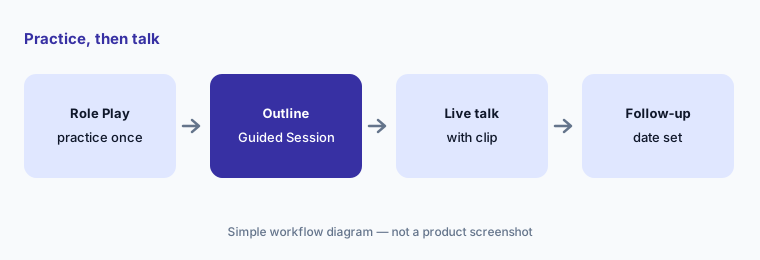
Practice once:
Before one real coaching conversation, run AI Role Play once and jot the three points you will actually say — including one positive behavior.
5. Routing, equipment, and field context
What it is: Samsara’s broader platform covers fleet telematics, routing and dispatch, equipment and asset tracking, and workforce apps alongside safety. AI coaching is most useful when the safety lead can see trip context — route, weather, equipment faults — next to the clip. This page stays on the coaching workflow; treat routing and equipment modules as separate line items on the quote.
Don’t blame a driver for a vehicle fault the gateway already reported. Pull maintenance context before the coaching talk.
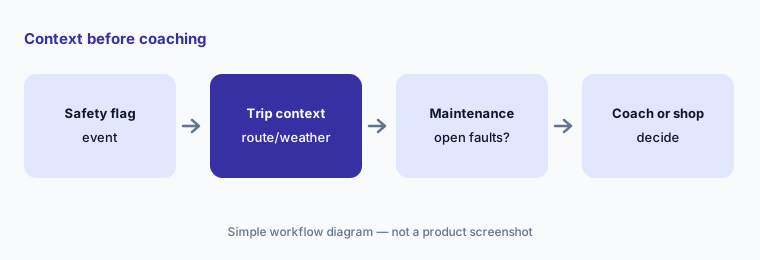
Context first:
For your next flagged event, open trip and maintenance context before the coaching conversation. Note whether the vehicle had an open fault.
6. Quote-only pricing and who approves coaching
What it is: Samsara’s public pricing page does not list per-vehicle software or hardware prices you can add up yourself — commercial deals are quoted. Gateway, AI dash cam, and coaching capabilities are typically packaged per vehicle or asset. Before you compare Samsara with another fleet platform, get a written quote with hardware, licenses, contract length, and coaching features named, and write down who may file an AI coaching note.
Ask for the all-in monthly cost at your vehicle count with cameras and coaching on, and the cost without coaching, side by side.
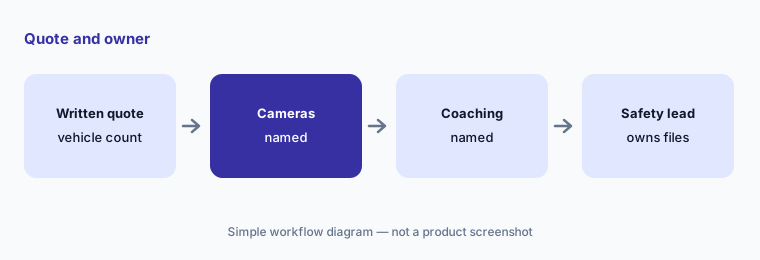
Quote + owner:
Request a written Samsara quote at your vehicle count with cameras and coaching named. Write who may store an AI coaching note in a driver file.
Pricing context (October 2026)
Samsara’s pricing page (read 12 Oct 2026) does not publish a public per-vehicle rate card. You request pricing through sales. Hardware (Vehicle Gateway, AI dash cams) and software licenses are quoted together; contract length is part of the deal.
Third-party cooperative contract sheets sometimes list sample rates; those are not Samsara’s general public list and are not repeated here. Ask Samsara for a written quote for your fleet size with coaching features named.
Uncertainty: Which coaching features (Coach briefings, avatar recaps, Role Play, Group Coaching) sit on which package varies by quote and rollout date — confirm in writing. In-cab and avatar experiences depend on camera hardware. Samsara’s product pages mention configured safety metrics and coaching-priority views; those are fleet settings, not grades we assign. Vendor crash-reduction claims are not repeated here.
When it’s useful (honest take)
Useful when you run a camera-equipped fleet, want AI to prioritize coaching so managers focus on higher-risk patterns, and have a safety lead who watches clips before anything is filed.
Less useful when nobody owns coaching decisions, you want AI notes to go straight into HR files, or you only need ELD compliance without cameras (compare scope carefully with Motive AI).
Paying for Samsara AI and a few other AI tools? The $9 AI toolkit spreadsheet lists every AI subscription you have, what each one costs, and how fast it pays for itself, so you can see which ones are worth the money.
Want someone to do it for you? AI toolkit audit — $19
Related options (educational)
| Need | Better home | Why |
|---|---|---|
| Samsara Coach and Automated Coaching | Samsara AI (this page) | Quote-only; cameras + coaching |
| Motive AI dash cams and AI Coach | Motive AI | Quote-only; formerly KeepTruckin |
| Home-service booking AI | Jobber vs Housecall Pro | Receptionist / CSR AI |
| Construction project AI | Buildertrend AI · Procore AI | Jobsites, not highway |
| CMMS for shop maintenance | MaintainX AI · UpKeep AI | Work orders, not drivers |
| General chat for sanitized SOPs | ChatGPT · Claude | No live fleet video |
FAQ
What AI features does Samsara have for safety in October 2026?
Samsara Coach (start-of-day briefings, in-cab voice coaching, post-shift avatar recaps), Automated Coaching that prioritizes events and routes self-review versus manager review, plus manager tools such as AI Role Play, AI Guided Sessions, and Group Coaching (checked 12 October 2026).
How much does Samsara cost?
Samsara does not publish a public per-vehicle price list on its pricing page. Hardware and licenses are quote-only — ask for a written quote at your vehicle count with coaching features named.
Can AI coaching go in a driver file without a person?
It should not. Treat AI flags and recaps as inputs. Have a named safety lead watch the clip and decide coaching, coaching plus ride-along, or no action before anything is stored as coaching.
What is the difference between in-cab coaching and manager coaching?
In-cab coaching is automated support during the trip (briefings, alerts, two-way voice). Manager coaching is an after-the-fact conversation for higher-risk patterns, using video context. Automated Coaching routes which path an event takes.
Does Samsara replace Motive?
They overlap as fleet safety and telematics platforms. Compare by coaching workflow, camera hardware, ELD needs, and quoted cost — not as a ranking. See also Motive AI.
Optional next step (if seats overlap)
If you pay for fleet cameras, a separate coaching tool, and chat seats that all summarize the same incidents, that overlap is worth a look. Map the overlap with the $19 AI toolkit audit or the $9 AI toolkit spreadsheet. Email Audit $19 or Toolkit spreadsheet $9.
Checkout is live via Stripe. After you pay, we email delivery (spreadsheet) or intake next steps (audit).