Tool · Facilities / CMMS · MaintainX · Oct 2026
MaintainX AI review (Oct 2026): AI work orders, natural-language reports, and frontline assistance
MaintainX is a mobile-first CMMS for work orders, procedures, parts, and asset health. Its AI layer (as listed on MaintainX’s pricing and help pages in October 2026) centers on MaintainX Assist, Report Builder AI (natural-language custom reports), and Smart Time Estimates from historical work-order data. This page is about using those drafts while a named planner still owns what hits the schedule. Each section has a Try this.
What this MaintainX page covers
This page is for a maintenance planner, reliability lead, or facilities manager who already runs MaintainX or is comparing CMMS platforms. The question it answers: which reporting, procedure, and time-estimate tasks MaintainX’s AI drafts for you, and what still needs a named planner before a PM is assigned.
MaintainX’s pricing page (read 12 October 2026) publishes Basic (free), Essential, and Premium per full user, with Enterprise as custom. Report Builder AI and MaintainX Assist are listed on Enterprise. MaintainX’s help center warns that AI-generated reports may include errors and should be reviewed before sharing. Requester seats are free across plans.
Ground rules: an AI report paragraph isn’t a KPI until someone recomputes sample rows; an AI procedure isn’t a safe PM until the planner edits it against how your site actually works; Smart Time Estimates are history-based guesses, not promises; and no employee performance files or customer PII belong in prompts. Facts below come from MaintainX’s website and help center as read on 12 October 2026; vendor marketing statistics are not repeated here.
Major features (with how someone uses them)
Examples at a glance: each feature has a concrete example from a real job plus a short Try this you can run this week.
1. Natural-language overdue summary: ask, then check five rows (primary)
What it is: On Enterprise with MaintainX Assist / Report Builder AI, you can ask plain-language questions about work orders and get tables, charts, or narrative answers. MaintainX’s help center (read 12 October 2026) says AI-generated reports may include errors — review content before sharing. Use that for a one-paragraph overdue summary only after you recompute sample rows.
Start with last week’s overdue list for one site. If the paragraph and the work-order list disagree, trust the list.
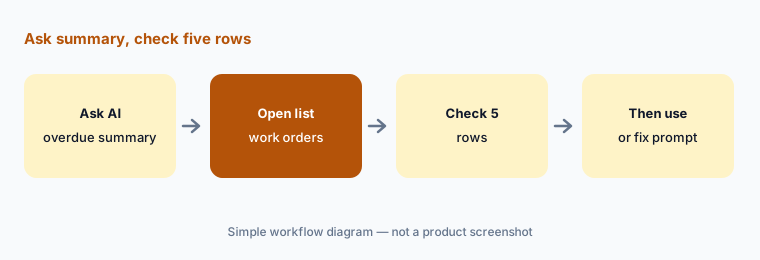
Primary workflow:
Ask MaintainX AI for a one-paragraph summary of last week’s overdue work orders. Check five rows against the work-order list.
2. Report Builder AI: build the report, then edit in Builder
What it is: Report Builder AI (Enterprise; requires Assist access per help) lets administrators describe a report; MaintainX builds datasets, filters, and visuals, with follow-up chat to refine. You can open Edit in Builder to change visualizations and filters manually before saving to a dashboard.
Save to a dashboard only after one person who owns the KPI recomputes a column by hand.
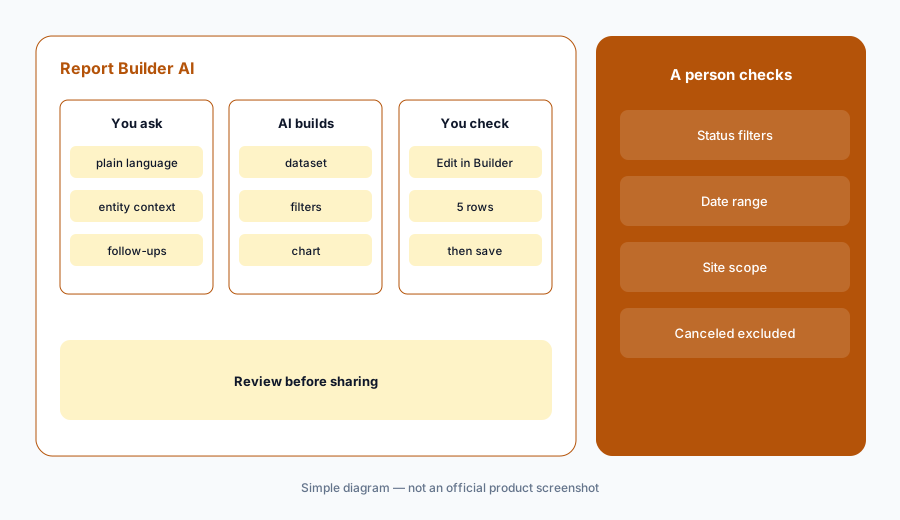
Edit before share:
On Enterprise, ask Report Builder AI for one parts or work-order report. Use Edit in Builder and recompute five rows before you save it to a dashboard.
3. MaintainX Assist: frontline help a supervisor still owns
What it is: MaintainX Assist (Enterprise) is described on the pricing page as an AI assistant that helps technicians find asset information, generate procedures, and streamline work-order reporting. Treat generated procedures as drafts — the planner deletes steps that do not match site practice before assignment.
Never assign an Assist-drafted procedure to a critical asset on the first pass without a walkdown.
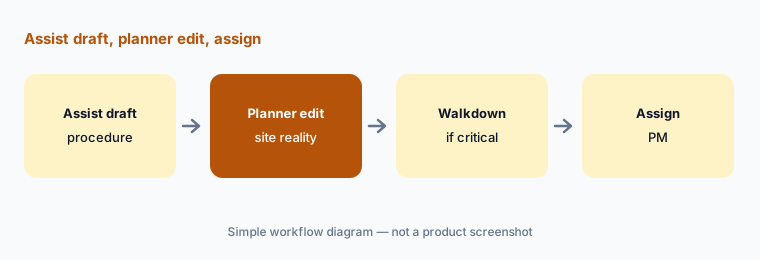
One procedure draft:
If MaintainX Assist is on, ask it to draft one procedure for a non-critical asset. Have the planner delete or rewrite every step that does not match how your site works before assigning it.
4. Smart Time Estimates: history-based guesses
What it is: Smart Time Estimates are described on MaintainX’s pricing comparison as AI-generated estimates from historical work-order data, focusing on procedures, assets, and categories. History that excludes travel or permit wait time will understate reality.
Compare the estimate to the last five similar completed jobs before you promise a window to operations.
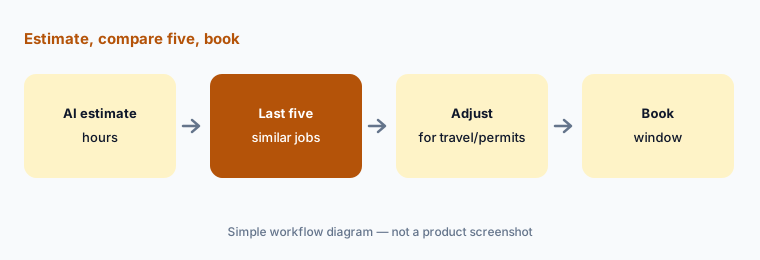
Compare five jobs:
Open Smart Time Estimate on one upcoming PM. Compare it with the last five similar completed jobs before you publish the schedule window.
5. Work-order reporting assists: summaries a person closes
What it is: Assist is also described as streamlining work-order reporting — useful for turning messy technician notes into clearer closeout text. A supervisor still owns status changes that close or cancel work. An AI summary is not proof the asset is back online.
Require a named closer on every work order that affects safety or production.
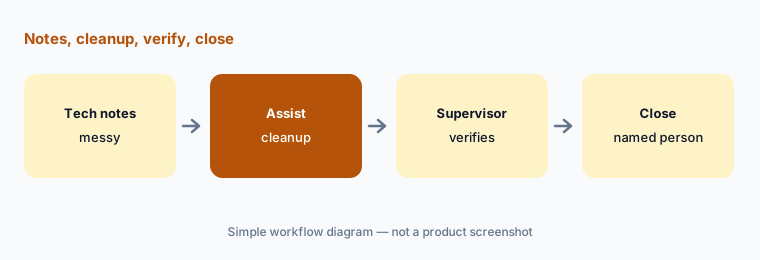
Verify then close:
On one completed job, let Assist help clean the closeout notes. Have the supervisor verify parts and meter readings before the work order is closed.
6. Published plans: Basic, Essential, Premium — Enterprise for Assist
What it is: MaintainX’s pricing page (read 12 October 2026) lists Basic at $0 per user/month, Essential at $20/user/mo billed annually ($25 monthly), Premium at $65/user/mo annual ($75 monthly), and Enterprise as custom (“Let’s chat”). Report Builder AI and MaintainX Assist appear on Enterprise. Requester accounts are free.
If you only need published mid-market CMMS without Assist, Premium may be enough — confirm AI labels on your tenant before you buy Enterprise solely for chat reporting.
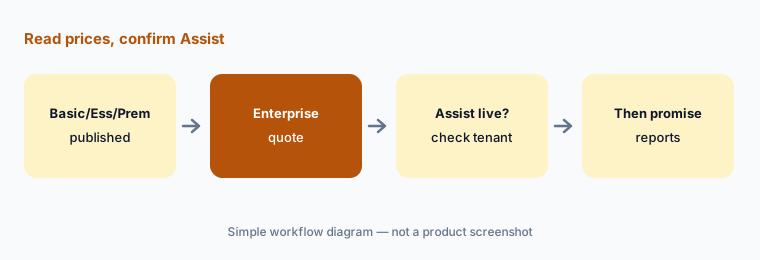
Plan vs Assist map:
Write down which MaintainX plan you are on and whether Assist / Report Builder AI appear in your tenant. Do not promise natural-language reports to leadership until you have seen them live.
Pricing context (October 2026)
MaintainX’s pricing page (read 12 Oct 2026) publishes Basic $0/user/mo, Essential $20/user/mo annual ($25 monthly), Premium $65/user/mo annual ($75 monthly), and Enterprise custom. Requesters are free. A user is someone with a unique login who uses the app.
MaintainX Assist and Report Builder AI are listed with Enterprise. Smart Time Estimates appear on the feature comparison — confirm plan placement in your account. Implementation services and some integrations may cost extra per MaintainX’s FAQ.
Uncertainty: Report Builder AI and Assist are Enterprise-gated per help/pricing as of 12 October 2026 — confirm your tenant. AI reports can be wrong; MaintainX says so in help. Smart Time Estimates quality depends on your history. Enterprise dollar amounts are quote-only.
When it’s useful (honest take)
Useful when you want a mobile CMMS with free requesters, published Essential/Premium prices, and (on Enterprise) natural-language reporting with a planner who spot-checks.
Less useful when you need Voice Fill / Nova-style agents first — see UpKeep AI — or when you are buying FSM for trade dispatch rather than facilities maintenance.
Paying for MaintainX AI and a few other AI tools? The $9 AI toolkit spreadsheet lists every AI subscription you have, what each one costs, and how fast it pays for itself, so you can see which ones are worth the money.
Want someone to do it for you? AI toolkit audit — $19
Related options (educational)
| Need | Better home | Why |
|---|---|---|
| Mobile CMMS + Report Builder AI / Assist | MaintainX AI (this page) | Enterprise for Assist; published lower tiers |
| Nova / Voice Fill / Photo-to-Part | UpKeep AI | Intelligence + Nova credits |
| Trade FSM (not CMMS) | ServiceTitan AI · Workiz AI | Customer jobs, not asset PMs |
| Service Fusion trade FSM | Service Fusion AI | Notes+ / ZyraTalk |
| IT / enterprise workflow neighbour | ServiceNow AI | Different domain |
| Generic chat for sanitized drafts | ChatGPT · Claude | No live MaintainX data unless connected |
FAQ
What AI features does MaintainX have in October 2026?
MaintainX Assist, Report Builder AI (natural-language custom reports), and Smart Time Estimates. Assist and Report Builder AI are listed on Enterprise with Assist access.
How much does MaintainX cost?
Basic $0; Essential $20/user/mo annual ($25 monthly); Premium $65 annual ($75 monthly); Enterprise custom (checked 12 October 2026). Requesters free.
Can I trust an AI overdue summary for the standup?
Only after you check rows on the work-order list. MaintainX’s help says AI-generated reports may include errors.
Who should approve an AI-drafted PM or procedure?
A named maintenance planner or reliability engineer — before it is assigned, especially on safety-critical assets.
Does MaintainX replace UpKeep?
Different AI packaging (Assist/Report Builder vs Nova/Voice Fill). Compare by mobile workflow, plan transparency, and who approves AI-created work — not as a ranking.
Optional next step (if seats overlap)
If you pay for MaintainX Enterprise Assist, a BI seat, and a general chat tool that all answer the same overdue-work questions, that overlap is worth a look. Map the overlap with the $19 AI toolkit audit or the $9 AI toolkit spreadsheet. Email Audit $19 or Toolkit spreadsheet $9.
Checkout is live via Stripe. After you pay, we email delivery (spreadsheet) or intake next steps (audit).