Tool · Field service ops · Workiz · Oct 2026
Workiz AI review (Oct 2026): Genius answering, booking, and field AI for service companies
Workiz is field-service software for home-service teams — jobs, dispatch, estimates, invoicing, and payments in one place. Its AI layer is branded Genius: Genius Answering for calls and inbox messages, Genius Scheduling and Genius Leads on higher plans, plus Genius Phone and Genius Marketing as separate add-ons. This page is about using those drafts while a named owner still approves what becomes a sold job. Each section has a Try this.
What this Workiz page covers
This page is for an owner or office lead at a home-service company — HVAC, plumbing, electrical, locksmith, appliance repair, junk removal, and similar trades — that already runs Workiz or is comparing it to other FSM tools. The question it answers: which parts of answering, booking, scheduling, and marketing Workiz’s Genius AI drafts or does for you, and what still needs a named owner.
Workiz’s public site (read 12 October 2026) groups AI under Genius Answering, Genius Scheduling, Genius Leads, Genius Phone, and Genius Marketing. The pricing page lists Standard, Pro, and Ultimate with feature rows, and shows Genius Phone, Genius Answering, and Genius Marketing as sold separately — it does not publish dollar amounts for the plans or those add-ons (quote-only). Genius Answering’s help docs describe a configurable agent (default voice “Jessica”) that can book, take a message, reschedule, or cancel within the tasks you allow.
Ground rules: an AI-booked job isn’t sold until someone confirms time, scope, and price; Genius only does the tasks you enable; after-hours tests should start with booking off; and no customer payment details belong in prompts or third-party chat tools. Facts below come from Workiz’s website and help center as read on 12 October 2026; Workiz’s marketing statistics are not repeated here.
Major features (with how someone uses them)
Examples at a glance: each feature has a concrete example from a real job plus a short Try this you can run this week.
1. Genius Answering: test calls before you allow booking (primary)
What it is: Genius Answering is Workiz’s embedded AI answering service. Per Workiz’s feature page and help center (read 12 October 2026), it can answer calls, emails, SMS, web forms, and lead sources; speak English, Spanish, or French; live-transfer to your team; identify known callers; and — when you allow it — book, reschedule, or cancel jobs inside your Workiz calendar. The default agent voice is called Jessica. It follows your online-booking availability and the task list you configure (message-only vs book vs reschedule).
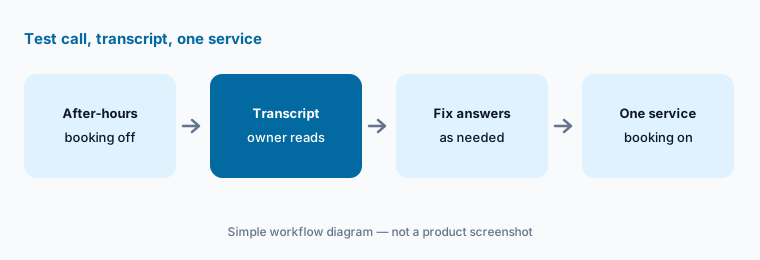
Start with booking off on a single after-hours test number. Read the transcript like you would listen to a new CSR — then turn booking on for one simple service only.
Primary workflow:
Let Genius answer one after-hours test call with booking off. Read the transcript, then turn booking on for a single service only.
2. Genius Scheduling and Genius Leads: suggestions a dispatcher still owns
What it is: On Pro and Ultimate, Workiz lists Genius Scheduling and Genius Leads. Genius Scheduling suggests time windows based on how close a new job is to others already on the calendar. Genius Leads maps inbound lead emails into Workiz lead fields. Neither replaces a dispatcher who knows a tech called out sick or a road closure the map does not show.
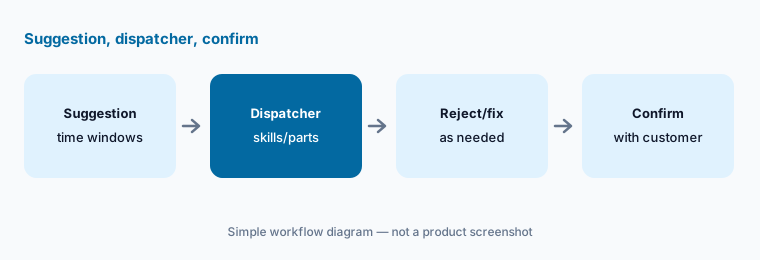
Treat every Genius Scheduling suggestion as a draft. The dispatcher confirms skills, drive time, and parts before the customer gets a firm window.
One suggestion:
Create one job and use Genius Scheduling’s suggested windows if your plan includes it. Have the dispatcher reject any window that ignores a skill or parts constraint before the customer is told.
3. Genius Phone: call insights a manager still interprets
What it is: Genius Phone is Workiz’s integrated phone system, listed as sold separately on the pricing page. Marketing copy describes call insights such as why leads say no and how dispatchers can improve. Treat those summaries as starting points for coaching conversations — not as automatic performance files.
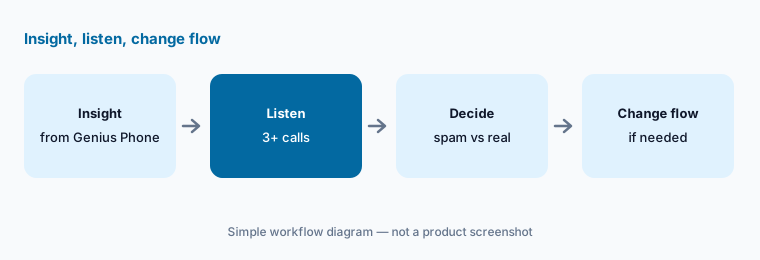
Pick one insight type (for example, unanswered after-hours calls) and verify it against the call list before you change staffing.
Verify one insight:
Open one Genius Phone insight (or call summary) from last week. Listen to three related calls before you change staffing or scripts.
4. Genius Marketing: campaigns from live job data
What it is: Genius Marketing (sold separately) is Workiz’s marketing suite that uses live business data for campaigns, plus AI writer/design tools and reputation management on the pricing comparison. A campaign that pulls the wrong customer segment still reaches a real inbox.
Start with an internal draft or a tiny segment. A person reviews every SMS/email template before the first send.
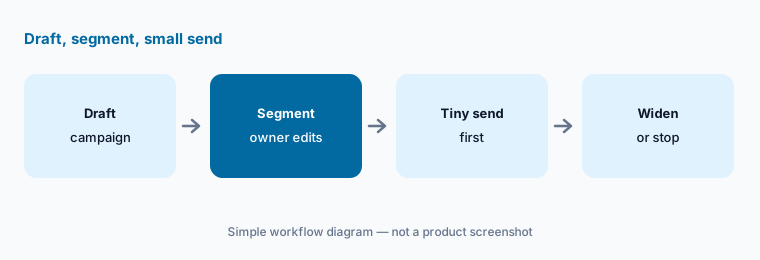
Small segment first:
Draft one Genius Marketing campaign for a single service. Have the owner remove every wrong segment before any message is sent.
5. Estimates and Workiz Pay: AI-adjacent drafts a person prices
What it is: Workiz supports on-site estimates (including good-better-best framing in marketing copy) and Workiz Pay for collecting payment. Genius Answering can answer pricing questions from your configured answers — it does not replace a written estimate you stand behind. Any price spoken on a call still needs the same checklist you use for human CSRs.
Keep a one-page estimate checklist (scope, exclusions, change orders). Every AI-influenced price goes through it.
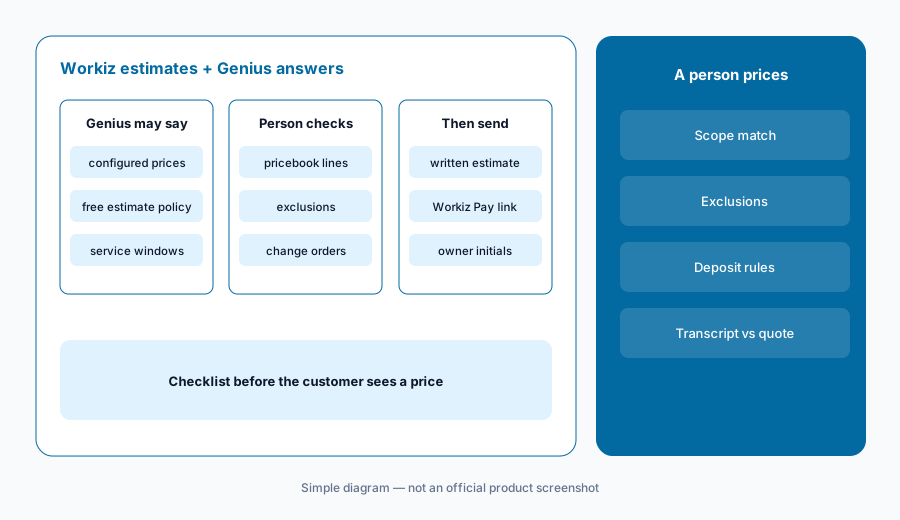
Transcript vs estimate:
After Genius books or quotes on a test call, open the transcript and the draft job. Correct every price or scope line that does not match your pricebook before the customer sees it.
6. Plans and Genius add-ons: confirm what you actually bought
What it is: Workiz’s pricing page (read 12 October 2026) shows Standard, Pro, and Ultimate. Pro adds Genius Leads, Genius Scheduling, and custom reports; Ultimate adds service plans, inventory, flat rate, checklists, multi-day jobs, franchise tools, and Open API. Genius Phone, Genius Answering, and Genius Marketing are sold separately. Dollar amounts for plans and Genius add-ons are not published on that page — get them in writing for your seat count.
List which Genius products are on, who owns each, and which tasks (especially booking) are allowed. Turn booking off for any channel you have not reviewed.
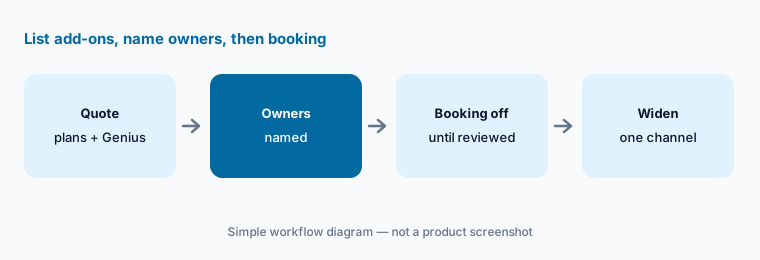
Written add-on list:
List every Genius product on your Workiz quote (Phone, Answering, Marketing) and which tasks booking is allowed for. Keep booking off on any channel you have not reviewed.
Pricing context (October 2026)
Workiz’s pricing page (read 12 Oct 2026) lists Standard, Pro, and Ultimate with feature rows and a free trial CTA — quote-only for dollar amounts (no public monthly prices on the page at write time). Genius Phone, Genius Answering, and Genius Marketing are marked sold separately, also without published add-on prices.
Pro includes Genius Leads and Genius Scheduling; Ultimate adds inventory, service plans, franchise tools, and Open API among other items. Annual billing is described as saving "$400+" versus monthly in FAQ marketing copy — treat that as Workiz’s claim, not a quote for your seat count. Always get the live quote for your headcount and add-ons in writing.
Uncertainty: Plan and Genius add-on dollar amounts are unpublished on the public pricing page — confirm in your quote. Which Genius Answering tasks (book vs message-only) are enabled can differ by account. Genius Marketing and Phone packaging can change; check the comparison table and your invoice. Workiz marketing claims about booking lift are not verified here.
When it’s useful (honest take)
Useful when you want FSM and embedded AI answering in one vendor, with configurable booking limits and an owner who reads transcripts before widening hours.
Less useful when you need published plan prices on the website, or when you already standardized on Jobber AI Receptionist or Housecall Pro AI CSR AI and do not want another answering stack.
Paying for Workiz AI and a few other AI tools? The $9 AI toolkit spreadsheet lists every AI subscription you have, what each one costs, and how fast it pays for itself, so you can see which ones are worth the money.
Want someone to do it for you? AI toolkit audit — $19
Related options (educational)
| Need | Better home | Why |
|---|---|---|
| SMB FSM with Genius answering + booking | Workiz AI (this page) | Genius Answering / Scheduling / Leads |
| Larger trade orgs with Atlas / TI / Max | ServiceTitan AI | Quote pricing, Pro modules |
| Published prices + AI Receptionist | Jobber AI | Chat/Voice, Receptionist, Teammate |
| Home-service Pros with AI Team + CSR AI | Housecall Pro AI | Analyst/Coach/Marketing + CSR AI |
| Trade FSM neighbour (EverPro) | Service Fusion AI | Notes+, ZyraTalk, published plans |
| Generic chat for sanitized drafts | ChatGPT · Claude | No live Workiz data unless connected |
FAQ
What AI features does Workiz have in October 2026?
Genius Answering (calls and inbox), Genius Scheduling and Genius Leads on Pro/Ultimate, plus Genius Phone and Genius Marketing as separate add-ons. Confirm labels in your account — packaging can change.
How much does Workiz cost?
The public pricing page lists Standard, Pro, and Ultimate but does not publish dollar amounts (quote-only as checked 12 October 2026). Genius Phone, Answering, and Marketing are sold separately without published add-on prices.
Can Genius Answering book jobs without a person?
It can book within the tasks and online-booking settings you allow. Start after-hours with booking off, read transcripts, then enable one service — you stay responsible for what was promised.
Is Genius Answering the same as a third-party answering AI?
Workiz positions it as embedded in Workiz (calendar, clients, dispatch). Still configure tasks carefully; embedded does not mean unsupervised.
Should I repeat Workiz’s booking-lift marketing numbers?
No. Use your own booked-vs-sold counts after you review transcripts. Vendor marketing statistics are not measurements for your shop.
Optional next step (if seats overlap)
If you pay for Workiz, a separate answering service, and a general chat seat that all draft the same customer replies, that overlap is worth a look. Map the overlap with the $19 AI toolkit audit or the $9 AI toolkit spreadsheet. Email Audit $19 or Toolkit spreadsheet $9.
Checkout is live via Stripe. After you pay, we email delivery (spreadsheet) or intake next steps (audit).