Tool · Field service ops · Housecall Pro · Oct 2026
Housecall Pro AI review (Oct 2026): AI Team, CSR AI, Analyst, Coach, and Marketing AI for home services
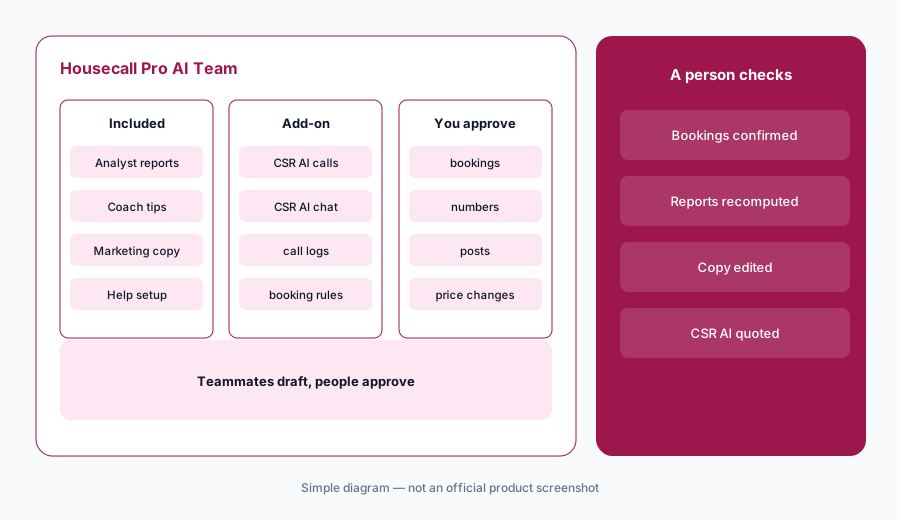
Housecall Pro is field-service software built for home-service Pros — scheduling, quotes, invoices, reviews, and payments. Its AI Team puts specialized teammates inside the account: Analyst AI for reports, Coach AI for business guidance, Marketing AI (including Write it for me), Help AI for product setup, and optional CSR AI for 24/7 call and chat answering. This page is about using those teammates while a named person still approves bookings, prices, and numbers that guide the business. Each section has a Try this.
What this Housecall Pro page covers
This page is for an owner or office lead at a home-service business — HVAC, plumbing, electrical, cleaning, landscaping, handyman, and similar — that already runs Housecall Pro or is comparing it to Jobber or ServiceTitan. The question it answers: which AI teammates draft reports, marketing copy, coaching tips, and after-hours bookings for you, and what still needs a named owner.
Housecall Pro’s AI Team overview in the help center (article dated 22 July 2026, read 12 October 2026) says the AI Team is generally available with no waitlist. Analyst, Coach, Marketing, and Help are included and enabled by default; CSR AI is the optional paid add-on for 24/7 answering. Only Analyst, Coach, and Help are reachable via the AI Team chat today; Marketing AI also powers Write it for me across the product.
Ground rules: a CSR AI booking isn’t sold work until someone confirms time, scope, and price; Analyst numbers aren’t for payroll or pricing decisions until you recompute a sample; Coach tips are suggestions, not a substitute for your accountant or employment counsel; and Marketing AI drafts still need a person before they go to customers. Facts below come from Housecall Pro’s website and help center as read on 12 October 2026; Housecall Pro’s revenue-multiple marketing claims are not repeated here.
Major features (with how someone uses them)
Examples at a glance: each feature has a concrete example from a real job plus a short Try this you can run this week.
1. Analyst AI: reports from your data (primary)
What it is: Analyst AI builds custom reports from your Housecall Pro data. The help center example asks who the top-performing tech was last quarter and how many jobs they completed; you can save the report in one click. Analyst is included on every plan and is available in the AI Team chat (blue chat bubble → AI Team).
Treat the first answer like a draft pivot table. Recompute one technician or one week from the Jobs list before the number guides bonuses, hiring, or price changes.
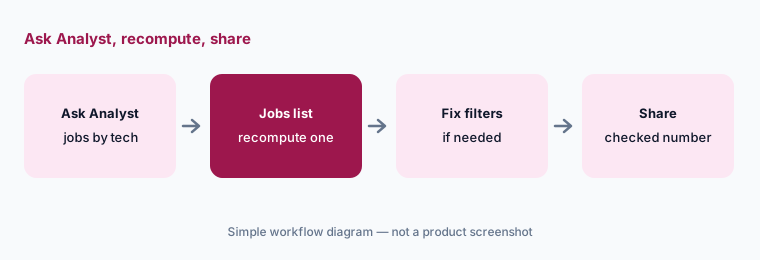
Primary workflow:
Ask Analyst AI for last month’s completed jobs by technician. Recompute one technician’s total from the Jobs list before you use the number.
2. CSR AI: 24/7 answering you configure
What it is: CSR AI is Housecall Pro’s AI customer-service teammate for calls (and chats; texts called out as coming soon on the marketing page). It answers using your business and customer data, can book from your schedule and service preferences, and keeps a call log. It is a paid add-on — the pricing page lists CSR AI under add-ons without a published dollar amount (checked 12 October 2026). You set hours, scripts, and escalation rules.
Get the add-on price in writing before you budget against a human CSR. Start with nights and weekends, booking limited to one service, and read every call log for the first two weeks.
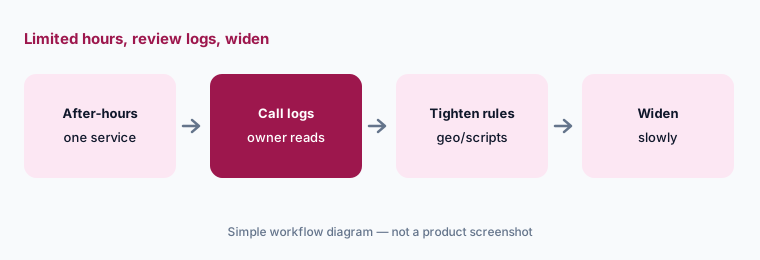
Limited hours first:
If you buy CSR AI, enable it for after-hours only with one bookable service. Review the first fourteen call logs before you widen coverage.
3. Marketing AI and Write it for me: drafts a person sends
What it is: Marketing AI drafts emails, service descriptions, and review responses from a prompt. Across Housecall Pro it also powers Write it for me so you are not starting from a blank box. Included on every plan per the AI Team pages (read 12 October 2026).
Keep a short brand sheet (words you use, promises you never make, how you mention financing). Every draft gets a human pass before it is public.
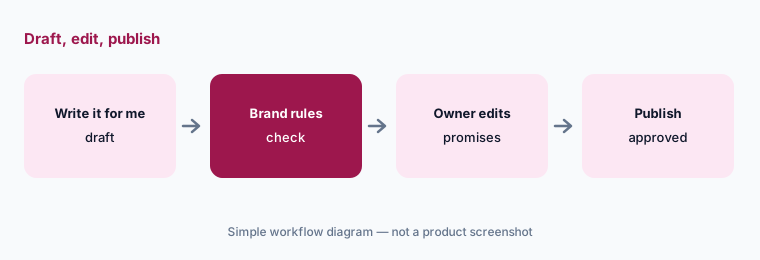
Edit before publish:
Draft one review response with Write it for me. Have the owner remove any promise or apology that does not match your policy before posting.
4. Coach AI: business suggestions, not automatic changes
What it is: Coach AI offers growth, pricing, hiring, and operations suggestions framed as tips from successful home-service Pros. It is included and available in AI Team chat. Suggestions are prompts for your judgment — not payroll, legal, or tax advice.
When Coach suggests a pricing or hiring change, write down what you will measure for thirty days and who can approve the change before anything goes live.
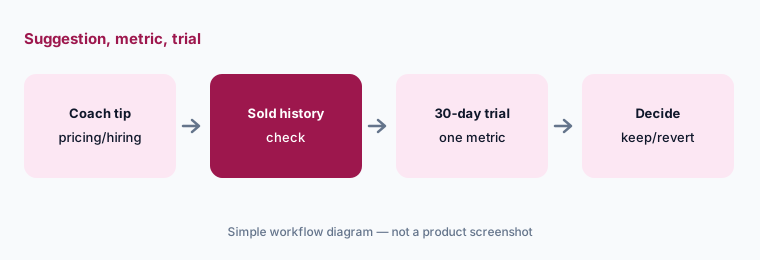
One suggestion, one metric:
Ask Coach AI one pricing or scheduling question. Write the metric you will watch for thirty days before you change anything customer-facing.
5. Help AI: product setup without guessing menus
What it is: Help AI answers how-to questions about Housecall Pro itself — for example how to add an employee — and can hand you to a human via Talk to a person, carrying the chat history. Included on every plan. When Help AI is wrong, the sad-face feedback and human handoff are the path; do not invent admin steps.
Use Help AI for navigation and setup. Use your own SOPs for how your company prices, discounts, and dispatches.
Setup question:
Ask Help AI how to complete one setup task you already know. Confirm the steps against Housecall Pro’s help article before you train someone else on them.
6. Plans and add-ons: what is included vs quoted
What it is: Housecall Pro’s pricing page (read 12 October 2026) lists Basic at $59/mo, Essentials at $149/mo, and MAX at $299/mo (amounts shown with annual billing; month-to-month is higher on the page). Every plan lists AI team members as included. CSR AI sits with other add-ons (Pipeline, Payroll, Voice, Campaigns, VGPS, Websites, etc.) and has no published price. MAX includes eight users then $35/mo per additional user in the structured plan data on the page.
Budget AI Team as included; budget CSR AI only after sales quotes it. Card processing “as low as 2.59%” and other add-ons are separate from the plan price.
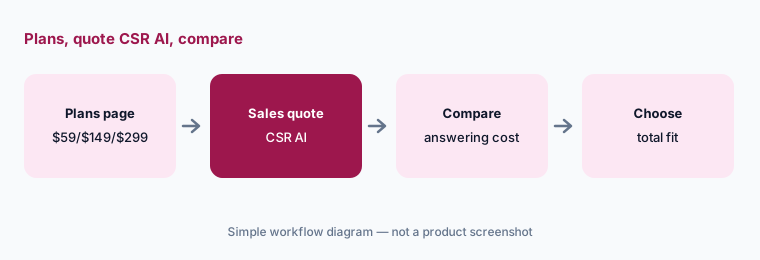
Get CSR AI in writing:
From the pricing page, note Basic/Essentials/MAX. Ask sales for a written CSR AI price before you treat answering as “included.”
Pricing context (October 2026)
Housecall Pro’s pricing page (read 12 Oct 2026) publishes Basic $59/mo, Essentials $149/mo, and MAX $299/mo (annual billing amounts in the plan JSON on the page; the page also shows higher month-to-month figures). MAX lists eight users then $35/mo per additional user.
AI Team members are included on every plan. CSR AI is a paid add-on with no published price on the pricing page — get a quote. Other add-ons (Pipeline, Payroll, Voice, Campaigns, websites, vehicle GPS, and more) are listed separately. Card processing starts as low as 2.59% per the page.
Uncertainty: CSR AI’s dollar price is not published — do not invent one. Which AI teammates appear in chat vs only as Write it for me can change; the help center (22 July 2026) says only Analyst, Coach, and Help are in AI Team chat today. Marketing claims such as revenue multiples are vendor claims and are not repeated here. Confirm annual vs monthly totals for your user count on the live pricing wizard.
When it’s useful (honest take)
Useful when you want home-service FSM with included AI reporting/coaching/marketing and an optional answering add-on, and you have someone who will review CSR AI bookings and Analyst numbers.
Less useful when you need a published answering price you can buy online today (Jobber lists Receptionist at USD 29/mo) or deep enterprise trade modules aimed at larger ServiceTitan shops.
Paying for Housecall Pro AI and a few other AI tools? The $9 AI toolkit spreadsheet lists every AI subscription you have, what each one costs, and how fast it pays for itself, so you can see which ones are worth the money.
Want someone to do it for you? AI toolkit audit — $19
Related options (educational)
| Need | Better home | Why |
|---|---|---|
| Home-service Pros with AI Team + CSR AI add-on | Housecall Pro AI (this page) | Analyst/Coach/Marketing + CSR AI |
| Published receptionist price + Chat/Voice | Jobber AI | Receptionist USD 29/mo or Plus |
| Larger trade orgs with Atlas / TI / Max | ServiceTitan AI | Quote pricing |
| Books neighbours | QuickBooks AI | Accounting sync |
| Support inbox AI (different job) | Zendesk AI | Ticket help desks |
| Generic chat for sanitized drafts | ChatGPT · Gemini | No live HCP data |
FAQ
What AI features does Housecall Pro have in October 2026?
AI Team: Analyst AI, Coach AI, Marketing AI (Write it for me), Help AI — included on every plan — plus optional CSR AI for 24/7 call/chat answering (paid add-on).
How much does Housecall Pro cost?
Published Basic $59, Essentials $149, and MAX $299 per month on annual billing amounts shown on the pricing page (checked 12 October 2026). CSR AI has no published price.
Is the AI Team free?
Analyst, Coach, Marketing, and Help are included with the Housecall Pro account per the help center. CSR AI is optional and paid.
Can CSR AI book jobs without a person?
Yes, within the hours, scripts, and services you allow. Review call logs and confirm bookings before you treat them as sold work.
Where do I open the AI Team?
On web: blue chat bubble → AI Team (Analyst, Coach, Help). Settings → Team → AI Team shows teammates. Marketing AI also appears as Write it for me in product surfaces.
Optional next step (if seats overlap)
If you pay for Housecall Pro, a separate answering service, and a general chat seat that all draft the same customer replies, that overlap is worth a look. Map the overlap with the $19 AI toolkit audit or the $9 AI toolkit spreadsheet. Email Audit $19 or Toolkit spreadsheet $9.
Checkout is live via Stripe. After you pay, we email delivery (spreadsheet) or intake next steps (audit).