Tool · Field service ops · Jobber · Oct 2026
Jobber AI review (Oct 2026): AI Chat and Voice, Receptionist, Rewrite, and Teammate for service businesses
Jobber is field-service software for home and commercial service businesses — quotes, jobs, invoicing, and client messaging in one place. Its AI layer now includes Jobber AI Chat and Voice on every plan, Rewrite for client messages, suggested automations, a Custom Report Builder on Plus, an AI Receptionist that answers calls and texts within limits you set, and Jobber Teammate (announced 23 September 2026) as a proactive agent inside Jobber. This page is about using those drafts while a named person still approves what reaches a client. Each section has a Try this.
What this Jobber page covers
This page is for an owner or office lead at a home or commercial service business — lawn care, cleaning, HVAC, plumbing, electrical, and similar trades — that already runs Jobber or is comparing it to other FSM tools. The question it answers: which parts of quoting, booking, reporting, and after-hours answering Jobber’s AI drafts or does for you, and what still needs a named owner.
Jobber’s AI features page (read 12 October 2026) groups the product into Custom Report Builder, automations suggestions, Rewrite, AI Receptionist, Voice, and recommendations from Chat. The pricing page (schema dateModified 23 September 2026) shows Core, Connect, Grow, and Plus with published monthly prices that change by team size and billing commitment. Jobber Teammate was announced 23 September 2026 as an AI agent that plans, acts, and learns inside Jobber — confirm whether your account has it before you write processes around it.
Ground rules: an AI-booked request isn’t a sold job until someone confirms time, scope, and price; an AI-drafted quote isn’t accurate until a person checks it against your price list; Receptionist only does what you allow; and no customer payment details belong in Chat prompts. Facts below come from Jobber’s website and help center as read on 12 October 2026; Jobber’s marketing statistics are not repeated here.
Major features (with how someone uses them)
Examples at a glance: each feature has a concrete example from a real job plus a short Try this you can run this week.
1. AI Receptionist: after-hours answering with limits you set (primary)
What it is: Jobber AI Receptionist answers calls and texts, captures leads, takes messages, and can book jobs inside the limits you configure. Jobber’s help center (read 12 October 2026) says Receptionist is included with unlimited usage on Plus, and on other plans is an add-on at USD 29 per month for 30 conversations, then $0.79 per additional conversation (spam / “no conversation” tags do not count). You can pause Receptionist at the limit instead of paying overages. It needs a Jobber dedicated phone number.
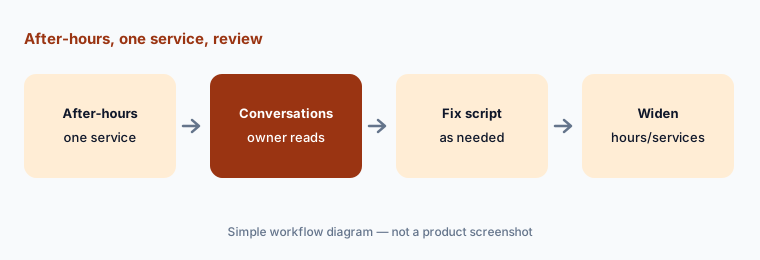
Start after-hours only, with booking limited to one simple service and everything else taking a message. Read the first conversations like you would listen to a new CSR — then widen hours or services.
Primary workflow:
Turn on AI Receptionist for after-hours only with booking limited to one service. Review the first ten conversations and every booked request before you widen the hours.
2. Jobber AI Chat and Voice: ask the business, work hands-free
What it is: Jobber AI Chat (web and mobile) and Voice (mobile) are included on Jobber plans per the AI features and pricing pages. You can ask about pricing strategy, growth ideas, product how-tos, draft quotes, and suggested automations; Voice can create quotes, ask for directions, reschedule jobs, and complete many field tasks hands-free. Jobber says answers blend your business data with patterns from other home-service companies — still verify numbers against your own reports.
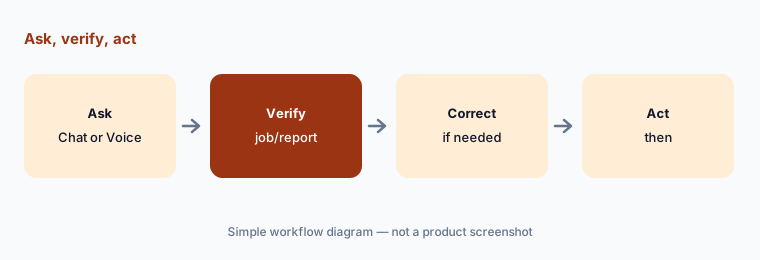
Use Chat for questions you can check in a built-in report the same day. Use Voice in the field for notes and schedule tweaks, then glance at the job record before you drive off.
Check one answer:
Ask Jobber AI Chat for last week’s total invoiced amount. Compare it with the financial report before you share the number.
3. Rewrite and auto-drafted quotes: polish a person still owns
What it is: Rewrite turns a rough client message into clearer wording in one click. Quoting features on higher plans include auto-drafted quotes from requests (“Draft for me”), optional line items, and automated quote follow-ups. AI can speed the first draft; it cannot know a verbal promise you made on site unless you typed it in.
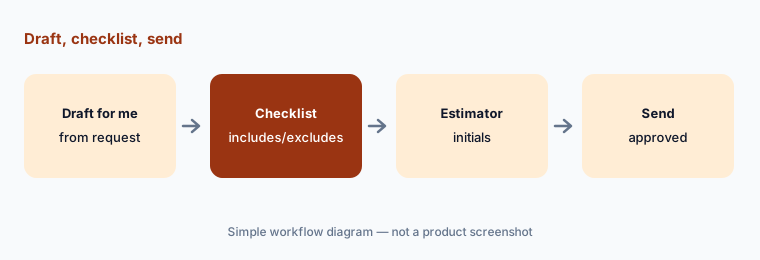
Keep a one-page quote checklist (what’s included, what’s excluded, how change orders work). Every AI draft goes through that checklist before send.
Checklist before send:
Auto-draft one quote from a request. Have the estimator mark every line that does not match the visit notes before it goes to the client.
4. Custom Report Builder: ask for the report, then spot-check
What it is: On Plus, Jobber’s Custom Report Builder lets you describe the report you need; Jobber AI builds it from live Jobber data with visuals when needed. It is included on Plus per the pricing comparison (read 12 October 2026). Useful for owners who outgrew the standard dashboards — still not a substitute for reconciling payroll or tax figures.
Save the report only after you recompute one column by hand. If the AI misunderstood “completed” vs “invoiced,” fix the prompt before anyone else uses it.
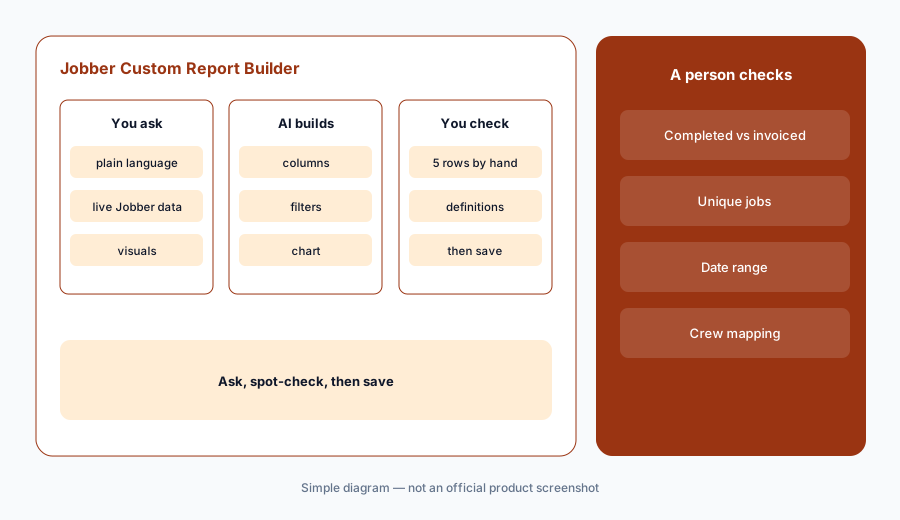
Recompute five rows:
On Plus, ask Custom Report Builder for one September ops report. Recompute five rows by hand before you save it.
5. Jobber Teammate (Sep 2026): proactive agent — confirm access
What it is: On 23 September 2026 Jobber announced Jobber Teammate, described as an AI agent inside Jobber that provides a personalized morning briefing, takes on work across the business, and adapts to preferences — alongside Custom Report Builder, Projects (phases/milestones/visits), Crew Scheduling, Marketing Suite updates, and phone-calls-in-Jobber plans. Treat Teammate as real only after you see it in your account; announcement features can roll out in stages.
If Teammate is on, give it one recurring morning job (for example, list yesterday’s unsent invoices) and require a human click before any client message goes out.
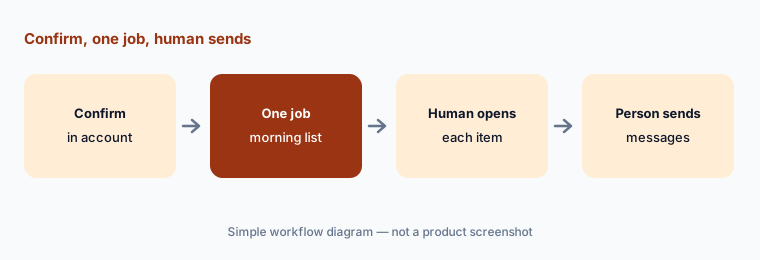
One morning job:
If Jobber Teammate is in your account, give it one morning briefing job for a week. Act only on items you have opened yourself.
6. Suggested automations: turn on with an owner
What it is: Jobber AI suggests automations based on how you run the business — follow-ups, draft quotes, flagging high-value jobs, and repetitive tasks. Grow and Plus also include a custom automation builder. Suggestions are only as good as the patterns they learned; a wrong follow-up at the wrong time still reaches a client.
Accept one suggestion at a time. Name an owner, set a quiet period for review, and disable anything that messages clients until that owner has watched it for a week.
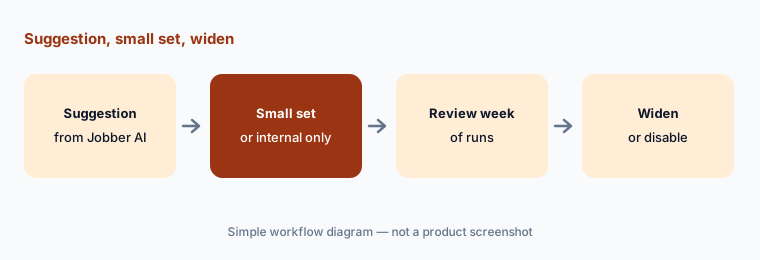
One suggestion:
Accept one AI-suggested automation that does not message clients yet (or only messages you). Review a week of runs before you let it email clients.
Pricing context (October 2026)
Jobber’s pricing page (read 12 Oct 2026; schema dateModified 23 Sep 2026) publishes Core from USD 29/mo, Connect from USD 99/mo, Grow from $149/mo, and Plus from $399/mo on annual billing for the smallest team size shown — prices rise with users and with monthly / no-commitment billing. Extra users are listed at USD 29/mo each on several tiers.
Jobber AI Chat and Voice appear across plans on the comparison table. Receptionist is included on Plus; elsewhere it is an add-on at USD 29/mo (30 conversations) then $0.79 per extra conversation. Marketing Suite and Pipeline are separate add-ons (USD 99/mo and USD 49/mo as listed). Card processing fees (for example 2.9% + 30¢) are separate.
Uncertainty: Jobber Teammate was announced 23 September 2026 — confirm it is live in your tenant before you depend on it. Which AI features are labeled beta can change; check the in-app labels. Receptionist conversation counting (what counts as spam vs billable) should be verified on your own dashboard. Plan prices vary by team size and commitment; always re-read the live pricing page for your headcount.
When it’s useful (honest take)
Useful when you want published FSM pricing, AI Chat/Voice on every plan, and an answering add-on you can cap — with an owner who reviews AI bookings and quotes.
Less useful when you need deep enterprise trade modules (pricebook intelligence, contact-center Voice Intelligence, construction CRM) that ServiceTitan targets, or when you already standardized on Housecall Pro’s AI Team.
Paying for Jobber AI and a few other AI tools? The $9 AI toolkit spreadsheet lists every AI subscription you have, what each one costs, and how fast it pays for itself, so you can see which ones are worth the money.
Want someone to do it for you? AI toolkit audit — $19
Related options (educational)
| Need | Better home | Why |
|---|---|---|
| SMB FSM with published prices + AI receptionist | Jobber AI (this page) | Chat/Voice, Receptionist, Teammate |
| Larger trade orgs with Atlas / TI / Max | ServiceTitan AI | Quote pricing, Pro modules |
| Home-service Pros with AI Team + CSR AI | Housecall Pro AI | Analyst/Coach/Marketing + CSR AI |
| Accounting sync neighbours | QuickBooks AI · Xero AI | Books, not field ops |
| Support inbox AI (different job) | Intercom Fin | Customer support, not dispatch |
| Generic chat for sanitized drafts | ChatGPT · Claude | No live Jobber data unless connected |
FAQ
What AI features does Jobber have in October 2026?
Jobber AI Chat and Voice, Rewrite, suggested automations, Custom Report Builder on Plus, AI Receptionist, and Jobber Teammate (announced 23 September 2026). A ChatGPT/Claude connector is described in third-party guides — confirm in Jobber’s own help for your account.
How much does Jobber cost?
Published from USD 29/mo (Core) to $399/mo (Plus) on annual billing for the smallest team size shown (checked 12 October 2026), plus USD 29/mo per extra user on several tiers. Receptionist is USD 29/mo for 30 conversations on non-Plus plans (unlimited on Plus).
Can the AI Receptionist book jobs without a person?
It can book within the permissions you set. Start after-hours with one bookable service and review conversations before you widen — you stay responsible for what was promised.
Is Jobber Teammate generally available?
It was announced 23 September 2026. Rollouts can be staged — confirm in your account or with Jobber support before you redesign morning routines around it.
Does Jobber AI replace a bookkeeper?
No. Custom reports and Chat answers still need spot-checks against invoices and payroll. Jobber Bookkeeping (announced alongside Teammate) is a separate offering — verify scope and availability for your region.
Optional next step (if seats overlap)
If you pay for Jobber, a separate answering service, and a general chat seat that all draft the same client follow-ups, that overlap is worth a look. Map the overlap with the $19 AI toolkit audit or the $9 AI toolkit spreadsheet. Email Audit $19 or Toolkit spreadsheet $9.
Checkout is live via Stripe. After you pay, we email delivery (spreadsheet) or intake next steps (audit).