Tool · Field service ops · ServiceTitan · Oct 2026
ServiceTitan AI review (Oct 2026): Atlas, Titan Intelligence, Virtual Agent, and Max for trade contractors
ServiceTitan is the operating system many HVAC, plumbing, electrical, and other trade contractors run on — jobs, dispatch, pricebook, phones, and payments in one place. Its AI layer is Titan Intelligence (TI), with Atlas as the conversational sidekick technicians and office staff talk to in plain language, plus a Virtual Agent that can recover unsold estimates and help book work, and a growing set of predictions inside Dispatch Pro, Pricebook Pro, and Marketing Pro. This page is about using those drafts and agents while a named person still approves what reaches a customer. Each section has a Try this.
What this ServiceTitan page covers
This page is for an owner, general manager, or operations lead at a trade contracting company that already runs (or is evaluating) ServiceTitan — typically multi-truck residential or commercial service and replacement. The question it answers: which parts of booking, dispatching, pricing, and follow-up ServiceTitan’s AI drafts or does for you, where it asks for a person, and what still needs a named owner before a customer sees it.
ServiceTitan’s help center (Atlas home, updated 23 September 2026) draws a clear line: Titan Intelligence is the engine — insights, predictions, and agents — and Atlas is the interface you talk to. Atlas sits in mobile for technicians, in Field Pro for equipment help, in the Help Center chatbot, in Adaptive Capacity for plain-language capacity rules, and (for Max customers, private preview) in a separate Atlas mobile app for owners checking business metrics. Administrators assign Atlas personas in Settings so an accountant and a technician do not get the same capabilities.
Ground rules: an AI-booked job isn’t a sold job until a person confirms the time, price, and scope; Atlas may be wrong — ServiceTitan says to verify details before acting and not to treat answers as professional advice; Virtual Agent follow-ups that contact customers need an owner who read the script; and no AI changes a customer appointment or posts a price without a named approver. Facts below come from ServiceTitan’s website and help center as read on 12 October 2026; ServiceTitan’s own productivity statistics are not repeated here.
Major features (with how someone uses them)
Examples at a glance: each feature has a concrete example from a real job plus a short Try this you can run this week.
1. Atlas: plain-language sidekick (primary)
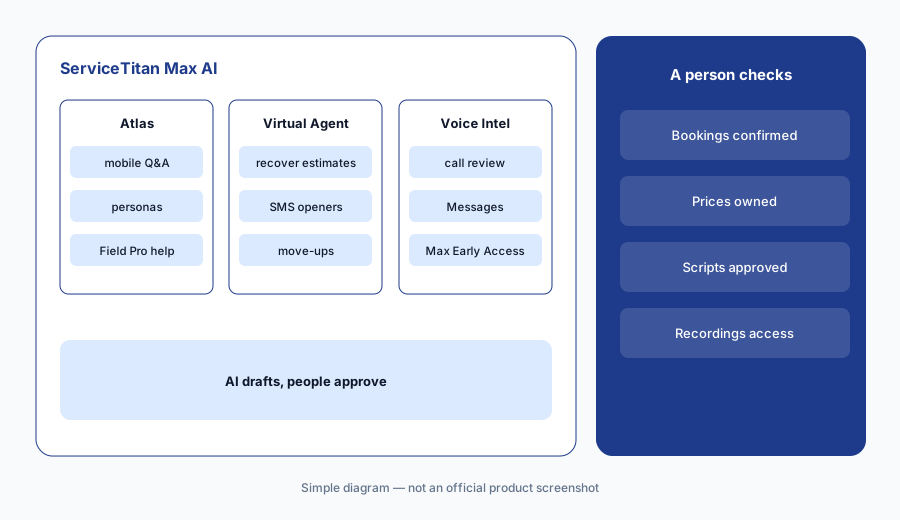
What it is: Atlas is ServiceTitan’s conversational AI sidekick. Per the Atlas help article (updated 23 September 2026), technicians ask about jobs and customers in mobile; Field Pro users get equipment documents, troubleshooting, calculators, and replacement-parts lookup (Field Pro subscription required for those); office staff use Atlas in the Help Center; Adaptive Capacity Strategic Rules can be written in plain language; and owners on ServiceTitan Max can join a private-preview Atlas mobile app that answers business-performance questions from a phone. ST-81 (NEXT environment 22 September 2026; release notes last updated 30 September) also lets administrators assign Atlas personas in Settings instead of asking ServiceTitan to flip internal flags.
Start with read-only questions a person can check in the Jobs or Customers list. Give write-capable personas only to named roles, and keep a short list of what each persona is allowed to change. ServiceTitan itself warns that Atlas may generate inaccurate or outdated responses — treat it like a fast junior coordinator, not a licensed technician.
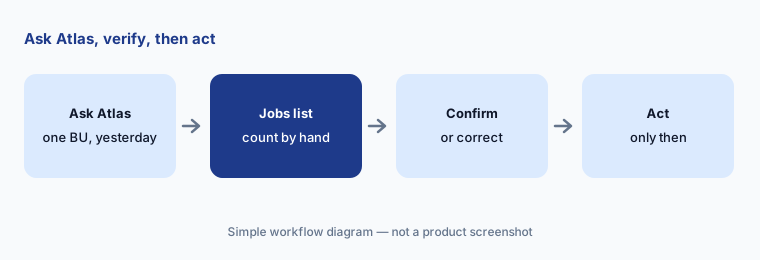
Primary workflow:
Ask Atlas one question about yesterday’s booked jobs for a single business unit. Check the answer against the Jobs list before you act on it.
2. Titan Intelligence: predictions inside dispatch, pricebook, and marketing
What it is: Titan Intelligence (TI) is the brand ServiceTitan uses for AI across the platform. The Titan Intelligence product page (read 12 October 2026) lists TI-powered features such as Dispatch Pro board optimization that accounts for job-value predictions and recent technician performance, Price Insights in Pricebook Pro (regional average selling prices for services), Second Chance Leads that flag unbooked calls worth a callback, Marketing Pro Ads Optimizer that feeds ServiceTitan audience and revenue data into Google Ads, review-response generation, invoice summaries, and payment-collection email drafts. TI also publishes industry insight reports; those vendor numbers are not repeated on this page.
Use predictions as a second opinion on a board or a pricebook row you already own. When Dispatch Pro reshuffles work, a dispatcher still confirms anything that moves a customer’s arrival window. When Price Insights suggests a price, a pricebook owner compares it to your sold history before the truck sees it.
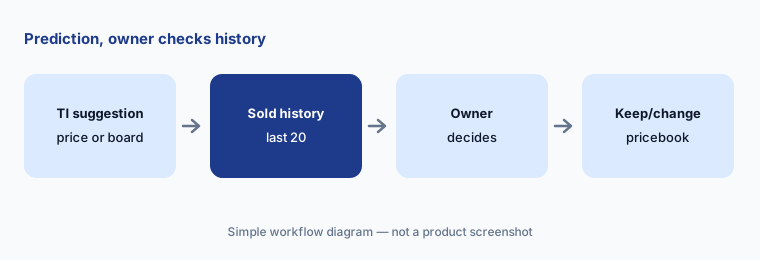
Check one prediction:
Open Price Insights for one high-volume service. Compare the regional average with your last twenty sold jobs before you change the pricebook.
3. Virtual Agent: recover estimates and book with limits you set
What it is: ServiceTitan’s Virtual Agent (voice and related booking automations) handles inbound conversations and follow-ups. ST-81 release notes (September 2026) add recovering unsold estimates automatically, configurable escalation rules, task types for call containment, separate reschedule and cancel permissions by job type, custom opening messages for inbound SMS, and Appointment Move Up to fill schedule gaps. These are powerful — and they contact real customers — so treat every new automation like a new CSR on probation.
Turn on one recovery flow for a single estimate type, with a named owner who reads every transcript for the first two weeks. Keep cancel and reschedule permissions tight until you have seen how the agent interprets customer requests.
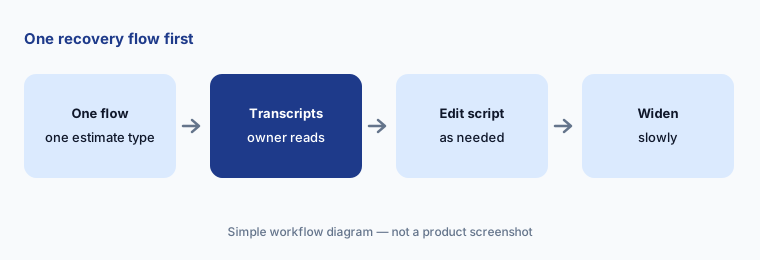
One recovery flow:
Enable Virtual Agent recovery for one unsold estimate type only. Have a sales manager read the first twenty conversations before you add another type.
4. ServiceTitan Max: AI-native package and Voice Intelligence
What it is: ServiceTitan Max is ServiceTitan’s AI-native package (product page read 12 October 2026). It includes Pro products and Max-only capabilities. ST-81 lists Max-exclusive Early Access for Voice Intelligence on ServiceTitan Calls (reviews recorded calls), broader call-detail recordings and transcripts, and a unified Messages list for texts and team chat with new access controls. Connected AI agents on Max are described as drawing on shared context across demand, field, and office; treat marketing claims about full automation as a roadmap until your account team confirms what is live for you.
If you are on Core or Pro, do not assume Max features are available. Ask explicitly which Atlas, Voice Intelligence, and agent features your package includes, and who in your company can open call recordings.
Confirm your package:
Ask your ServiceTitan account team which Atlas, Voice Intelligence, and Virtual Agent features are live on your package today. Write the list next to Core, Pro, or Max.
5. Atlas personas and data preferences: who can do what
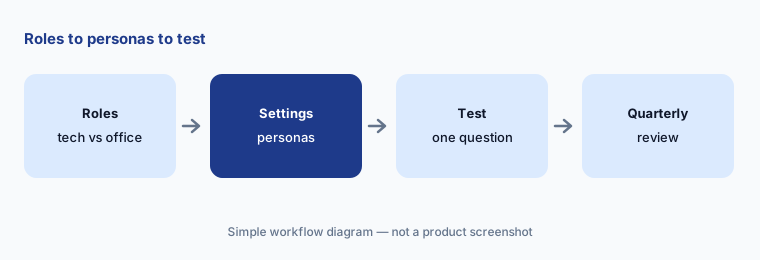
What it is: ST-81 lets administrators assign Atlas personas from Settings so capabilities match the job (technician vs accountant vs owner). ServiceTitan can also assign personas from company position. Separately, Titan Intelligence’s data preferences control center lets you configure how aggregated industry data is used. Atlas help states conversations may be stored to improve the service and may be shared with third-party providers under the privacy policy — so keep payment card data, SSNs, and unrelated employee notes out of prompts.
Map personas the same way you map roles: least privilege first. Review the persona list quarterly when ServiceTitan ships new capabilities.
Least privilege:
In Settings, assign Atlas personas for one technician and one office role. Ask each a question only their role should answer and confirm the other is blocked.
6. Invoice summaries and collection emails: drafts a person sends
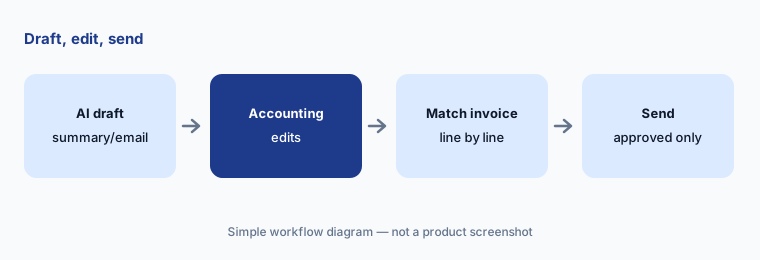
What it is: Titan Intelligence’s product page lists AI that drafts invoice summaries from job and invoice text and payment-collection emails from prompts plus contact and job details. These are office accelerators, not autopilot. The accounting owner still decides what goes out, and the wording still has to match what was actually sold.
Keep a short style guide (tone, what you never promise, how you refer to membership discounts). Paste sanitized job notes only — no full card numbers.
Edit before send:
Generate one AI invoice summary for a closed job. Have accounting correct every line against the invoice before it is used anywhere customer-facing.
Pricing context (October 2026)
ServiceTitan’s pricing page (read 12 Oct 2026) shows custom per-technician packages (including tiers such as The Works) and asks you to choose a package or book a demo — no public dollar amounts. Pro modules (Dispatch Pro, Marketing Pro, Pricebook Pro, Phones/Contact Center Pro, Field Pro) and the Max package are sold as part of that quote.
Ask the quote to list Atlas / Titan Intelligence features, Virtual Agent, Voice Intelligence, and each Pro module by name, plus implementation fees and contract term. Third-party sites publish per-tech guesses; this page does not repeat them.
Uncertainty: ServiceTitan publishes no prices, so package and AI-module costs are unknown until you get a quote. Atlas mobile app and several Max Voice Intelligence items are Early Access / private preview — confirm what your tenant has enabled. Atlas help warns responses may be inaccurate; Private Preview features (Accounting, Marketing Pro, Contact Center Pro, Field Pro Sales Coach) are select-account only. Vendor productivity statistics on the Titan Intelligence page are not repeated here.
When it’s useful (honest take)
Useful when you run a multi-truck trade business that already needs unified jobs, dispatch, pricebook, and phones, and you have named owners who will review AI bookings, prices, and call follow-ups.
Less useful when you are a solo or few-truck shop that needs published SaaS pricing and a lighter AI receptionist (look at Jobber or Housecall Pro on this site), or when nobody will own the Virtual Agent scripts after launch.
Paying for ServiceTitan AI and a few other AI tools? The $9 AI toolkit spreadsheet lists every AI subscription you have, what each one costs, and how fast it pays for itself, so you can see which ones are worth the money.
Want someone to do it for you? AI toolkit audit — $19
Related options (educational)
| Need | Better home | Why |
|---|---|---|
| Enterprise trade FSM with Atlas / TI / Virtual Agent | ServiceTitan AI (this page) | Quote pricing, deep Pro modules |
| SMB service pros with published prices + AI receptionist | Jobber AI | Chat/Voice, Receptionist, Teammate |
| Home-service Pros with AI Team + CSR AI add-on | Housecall Pro AI | Analyst/Coach/Marketing + CSR AI |
| IT / enterprise service workflows (different job) | ServiceNow AI | ITSM, not trade FSM |
| Customer support cloud (different job) | Salesforce Service Cloud AI | Contact center, not field dispatch |
| Meeting / call intelligence without FSM | Gong or Fireflies | Conversation intel |
FAQ
What AI features does ServiceTitan have in October 2026?
Titan Intelligence powers Atlas (conversational sidekick across mobile, Field Pro, Help Center, Adaptive Capacity, and a Max private-preview mobile app), predictions in Dispatch Pro and Price Insights, Second Chance Leads, Marketing Pro helpers, invoice and collection drafts, plus Virtual Agent booking/recovery automations and Max Voice Intelligence (Early Access).
How much does ServiceTitan cost?
ServiceTitan publishes no prices (checked 12 October 2026). Pricing is custom per technician by package; ask for Atlas/TI, Virtual Agent, Voice Intelligence, and each Pro module by name in the quote.
Can Atlas book or reprice work on its own?
Atlas can surface insights and, depending on persona and product, take actions — but ServiceTitan tells you to verify responses before acting. Keep booking, pricebook, and appointment changes behind named approvers.
What is the difference between Atlas and Titan Intelligence?
Per ServiceTitan’s Atlas help: Titan Intelligence is the AI engine; Atlas is the conversational interface you talk to.
What shipped in ST-81 (September 2026)?
Release notes updated 30 September 2026 include Atlas persona assignment in Settings, the Atlas mobile app (Early Access / Max), Virtual Agent unsold-estimate recovery, Max Voice Intelligence, and Marketing Pro Demand Orchestration and Segment Assistant — re-check the live release notes before you buy.
Optional next step (if seats overlap)
If you pay for an FSM, a separate answering service, a fleet tool, and chat seats that all draft the same customer follow-ups, that overlap is worth a look. Map the overlap with the $19 AI toolkit audit or the $9 AI toolkit spreadsheet. Email Audit $19 or Toolkit spreadsheet $9.
Checkout is live via Stripe. After you pay, we email delivery (spreadsheet) or intake next steps (audit).