How-to · IT ops · Stack inventory · Oct 2026
Stack map for IT ops (Oct 2026): inventory AI seats by IT job
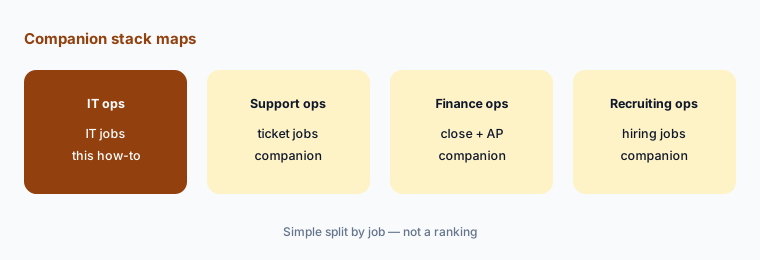
How-to inventory — IT jobs, tools, owners, and overlaps. Overlap is the point: most IT teams find two or three tools answering the same employee questions or drafting the same knowledge articles. Pair with Stack map for support ops and Stack map for finance ops.
What this how-to covers
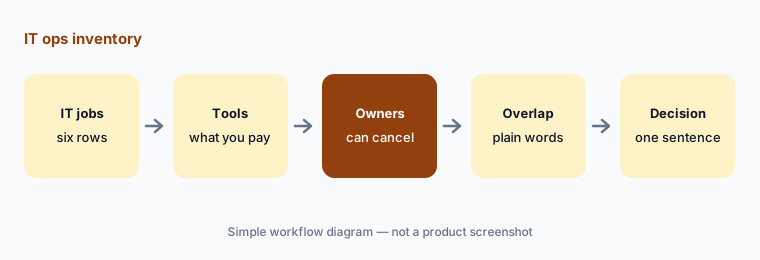
IT teams add AI one surface at a time: the service desk turns on an AI agent, the RMM adds an assistant, the MDM ships one, the identity platform adds an AI admin helper, a SaaS-management tool starts flagging shadow AI, and everyone already has a chat assistant. A year later, three tools draft the same knowledge articles and two answer the same “how do I reset…” questions. This how-to builds one table — Job | Tool | Owner | Cost/mo | Overlap | Decision — for the six IT jobs where overlap is most common: service desk, RMM, MDM, identity, SaaS management, and the chat assistant.
It is an inventory, not a ranking. Fill Cost/mo from your own invoices, write overlaps in plain sentences, and add one column most stack maps skip: for each tool that can act on devices or access, who approves the action. AI can suggest a script or an access change; a named person approves it, and no tool in the table should hold secrets pasted into a chat.
How to inventory IT AI seats
Examples at a glance: each feature has a concrete example from a real job plus a short Try this you can run this week.
1. Build the blank table (primary)
What it is: Start with six rows, one per IT job, and six columns. Leave every cell blank until you have a source: a seat list from an admin console, an invoice, or the person who uses the tool. The six jobs: service desk (AI that answers or routes employee requests — Moveworks, Atomicwork, or your help desk’s own AI), RMM (remote monitoring and management with AI assists — Atera, NinjaOne), MDM (device management — Jamf or your MDM’s assistant), identity (directory, SSO, and access — JumpCloud or your identity provider), SaaS management (seat and shadow-AI discovery — Torii, Zluri), and the chat assistant (Claude, ChatGPT, or Gemini seats used for IT drafting).
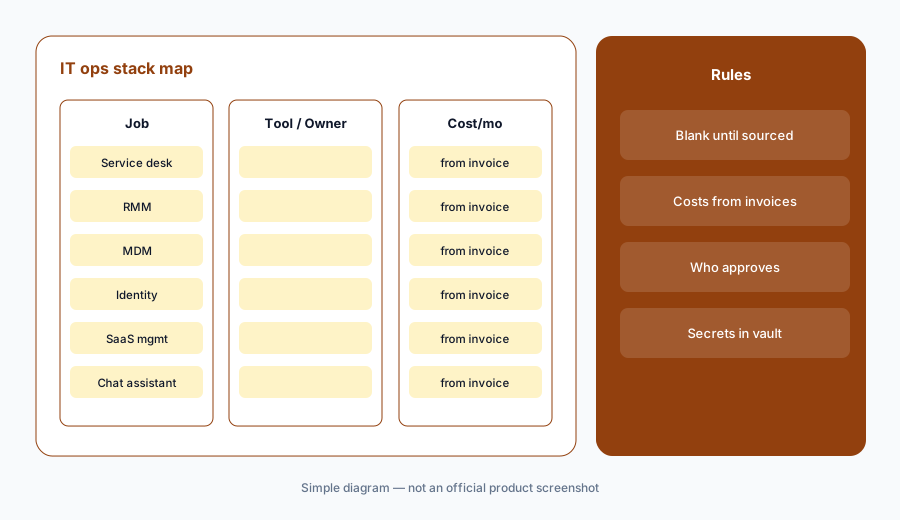
Primary workflow:
Build Job | Tool | Owner | Cost/mo | Overlap | Decision blank for: service desk, RMM, MDM, identity, SaaS management, chat assistant.
2. Owners and Cost/mo from invoices
What it is: For each tool, write one owner — the person who can cancel it — and the monthly cost from the invoice or card statement. If you can’t find it, write “Unknown — check bill”. Don’t fill costs from list prices: IT tools price per user, per device, per technician, or by credits, and several don’t publish prices at all (Zluri’s pricing page showed a demo form with no prices when we checked on 7 October 2026). Contract prices also differ from list prices. For credit-based AI, write last month’s credits used next to the cost.
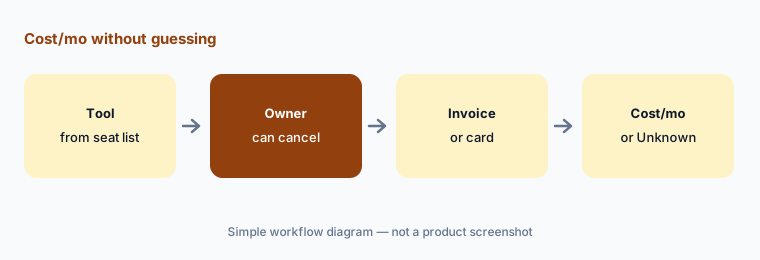
Costs from invoices only:
For each of the six IT jobs, name the owner and Cost/mo from invoices only. If missing, write Unknown — check bill. Do not invent prices, device counts, or ticket numbers.
3. Mark overlaps in plain language
What it is: For each row with two or more tools, write one sentence about what both do on that job — for example, “the service desk agent and the identity platform’s assistant both answer password-reset questions.” Common IT overlaps: the service desk AI and a chat assistant both draft knowledge articles; the RMM and the MDM both report patch status for Macs; the identity platform and the SaaS-management tool both discover shadow AI apps; two chat assistants draft the same runbooks. Mark rows with no paid AI as blank — that can be fine.
One sentence per overlap:
For each row with two or more tools, write one plain sentence about what both do on that job. No scores or labels. Flag any job with no paid AI as blank.
4. Add who approves actions and where secrets live
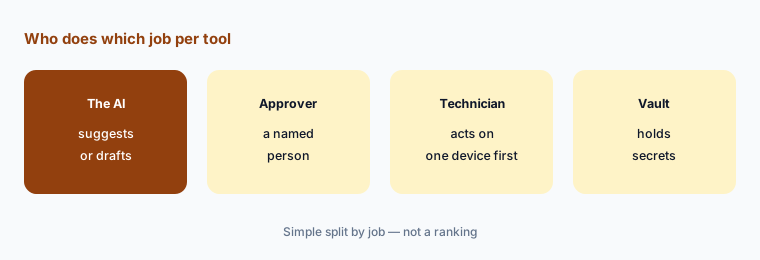
What it is: Add two short columns for tools that can act: Who approves (the person who signs off before an AI-suggested script runs, a patch is pushed, or access is granted) and Secrets (where credentials live — the vault, not chats, uploaded documents, or AI knowledge bases). If a tool can run actions on its own — an AI agent that resets passwords or a playbook that removes access — write whether that setting is on, its scope, and who approved it. Chat assistants stay in company accounts, not personal ones.
Name who approves:
For every tool that can run scripts, push patches, or change access, add Who approves and Secrets columns. Write whether any automatic action is on, its scope, and who approved it.
5. Write a Decision in one sentence
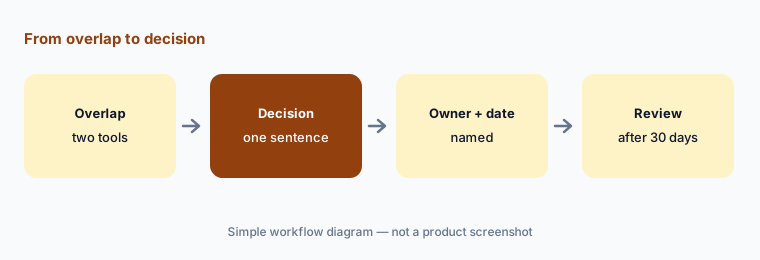
What it is: For each overlap row, write a Decision in one sentence: keep both (and why they do different jobs), consolidate onto one tool, or pause one for 30 days. Name who owns the follow-up and the date. Don’t use scores or labels — the sentence is the decision. If a contract is annual or per-device with a minimum, write the renewal date so the decision happens before it renews.
One sentence, one owner:
For the service desk and chat assistant rows only, write a Decision in one sentence each (keep both, consolidate, or pause). Name who owns the follow-up date and note any renewal date.
6. Run a 30-day check
What it is: After 30 days, check each paused or consolidated tool: did anyone ask for it back, did any IT job stop getting done, and did approvals still happen where they should? Update the table and keep it next to your IT budget so new AI requests go through it. For changes vendors shipped last month, see What’s new in JumpCloud (Sep 2026) and What’s new in Zluri (Sep 2026); for drafting habits, the role guides Claude for IT ops, ChatGPT for IT ops, and Gemini for IT ops.
Check after 30 days:
Thirty days after a pause or consolidation, ask the owners three questions: did anyone ask for the tool back, did any IT job stop getting done, and did approvals still happen. Update the table.
Pricing context (October 2026)
This how-to is dated 7 October 2026 and is not a price sheet. IT tools price per user, per device, per technician, or by AI credits, and many don’t publish prices. Examples as of 7 October 2026: JumpCloud lists per-user prices on its pricing page (see JumpCloud AI); NinjaOne’s pricing page describes per-device pricing and its FAQ gives a range of $1.50 to $3.75 per endpoint per month depending on volume, varying by region and products; and Zluri’s pricing page showed a demo form with no prices. Fill Cost/mo from your invoices, not from list prices.
Our dated reviews note which vendors publish prices: see NinjaOne vs Atera, Moveworks vs Atomicwork, Jamf AI, and Torii. Optional structured help: $9 toolkit spreadsheet or $19 toolkit audit.
Uncertainty: Plan names, AI add-ons, credit models, and bundled pricing change often in IT software, and several AI features are previews or betas. Always verify on the vendor’s live page and your bill before budgeting. This is product education, not security advice for your environment.
When it’s useful (honest take)
Useful when IT pays for more than one AI surface and you suspect two tools answer the same employee questions or draft the same knowledge articles.
Useful when you need to show who approves every AI-suggested device action or access change.
Less useful when you have one help desk, one RMM, and one chat habit with clear jobs. Soft $19/$9 only if overlaps are real.
Comparing several AI tools for the same job? The $9 AI toolkit spreadsheet puts each one you pay for on one page with cost, usage, and payback, so overlaps are easy to spot.
Want someone to do it for you? AI toolkit audit — $19
Related options (educational)
| Need | Better home | Why |
|---|---|---|
| Inventory seats by IT job | This stack map | Jobs · tools · owners · overlaps · decision |
| Support and finance inventory | Support ops · Finance ops | Same table pattern, different jobs |
| Choosing an RMM with AI | NinjaOne vs Atera | Split by job |
| Choosing a service-desk front door | Moveworks vs Atomicwork | Requests and approvals |
| Drafting in an assistant you already pay for | Claude · ChatGPT · Gemini for IT ops | Role guides |
FAQ
What is an IT ops stack map?
One table that lists each IT job (service desk, RMM, MDM, identity, SaaS management, chat assistant), the tool that does it, its owner, its monthly cost from your invoices, overlaps with other tools, and a one-sentence decision.
Which jobs should we inventory first?
The service desk and the chat assistant. They overlap most often, because both answer employee questions and draft knowledge articles.
Should we use list prices for Cost/mo?
No. Use invoices or card statements. IT tools price per user, device, technician, or credit, many don’t publish prices, and contract prices differ. Write Unknown — check bill when you can’t find it.
Why add who approves and where secrets live?
Because several IT tools can now suggest or run actions on devices and access. A named person should approve those actions, and credentials should stay in a vault, not in chats or AI knowledge bases.
When do the $9 / $19 toolkit offers help?
Only when overlaps are real and you want a structured sheet ($9 spreadsheet) or a second pair of eyes on the table ($19 audit).
Optional next step (if seats overlap)
If the table shows two or three tools on the same IT job, fix that overlap before adding another seat. Map the overlap with the $19 AI toolkit audit or the $9 AI toolkit spreadsheet. Email Audit $19 or Toolkit spreadsheet $9.
Checkout is live via Stripe. After you pay, we email delivery (spreadsheet) or intake next steps (audit).