What’s new · IT ops · Zluri · Sep 2026
What’s new in Zluri (Sep 2026): access-request, SoD, and workflow changes IT teams should notice
Zluri posted seven dated changelog entries between 8 and 30 September 2026, most of them about who approves access and how conflicts get caught. This page pulls out the changes an IT lead should act on — and who decides each one. It isn’t a review; for that, see our Zluri review. Every item below comes from Zluri’s public changelog as we read it on 7 October 2026.
What this page covers
This page is for the IT lead or identity admin who runs access requests and access reviews in Zluri and wants September’s changes without reading every entry — especially anything that changes who approves, what an approver sees, or what runs automatically.
We list only entries dated September 2026 on Zluri’s changelog, each linked to its own post. Several are Early Access or beta, which means they may not be on in your tenant yet; we say so on each. We don’t speculate about features Zluri says are coming next.
The guardrails stay the same whatever the tool shows: Zluri surfaces context and suggestions, and a named approver or reviewer decides. Nothing here should change access without a person signing off.
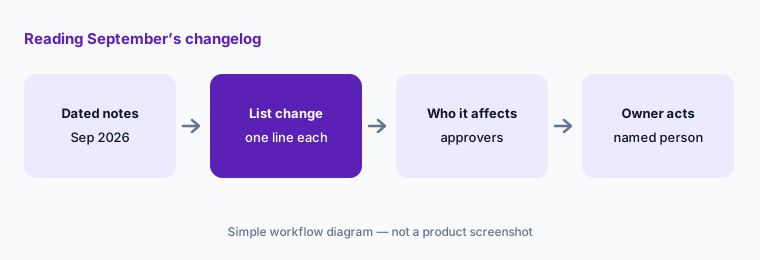

Major features (with how someone uses them)
Examples at a glance: each feature has a concrete example from a real job plus a short Try this you can run this week.
1. Five changes an IT lead should act on (primary)
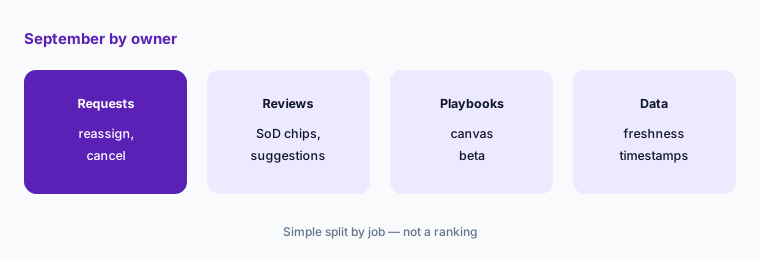
What it is: From September’s entries, these five need a decision from someone, not just awareness: (1) Segregation of Duties policies (8 September, Early Access); (2) SoD violation insights in access requests (9 September, Early Access, off by default); (3) SoD violation insights in access reviews (23 September, Early Access); (4) approver reassignment and added approvers in access requests (24 September, off by default); and (5) Workflows v2, a canvas-based playbook builder (10 September, beta for a limited set of organizations). The full list is on the Zluri changelog.
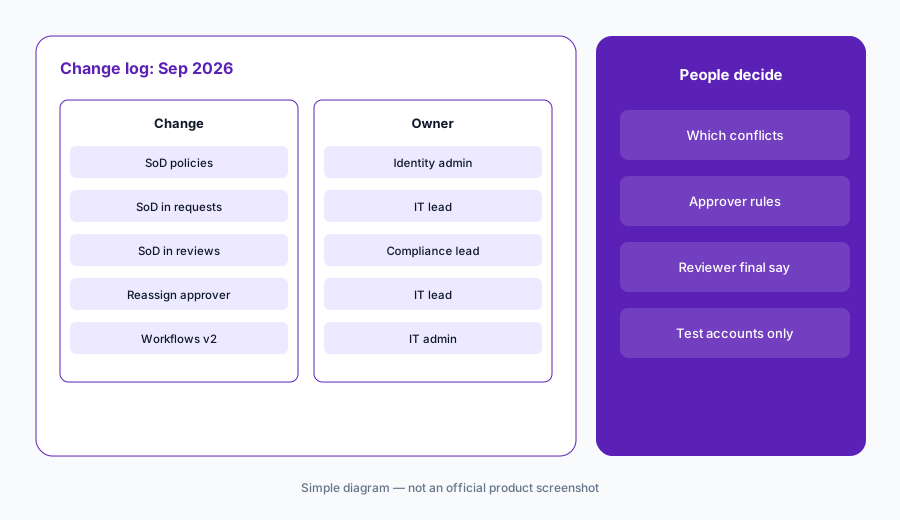
Primary workflow:
From Zluri’s public Sep 2026 notes, list 5 changes an IT lead should act on — cite sources.
2. Segregation of Duties policies (Early Access)
What it is: Per the 8 September entry, Zluri’s SoD module lets you build policies from Set A / Set B conflict pairs across roles, permissions, and groups — the example is one person who can both create a vendor and approve payments to it. Each rule gets a risk level, a scope (an application and a user population), and a dry run before publishing. Violations are detected on an ongoing basis, and you choose how each is handled: alert the policy owner, route for manual review, or trigger automated access removal through Playbooks. Every exemption needs a documented reason and an expiry, and the violation reopens when it lapses. Early access is through your customer success manager.
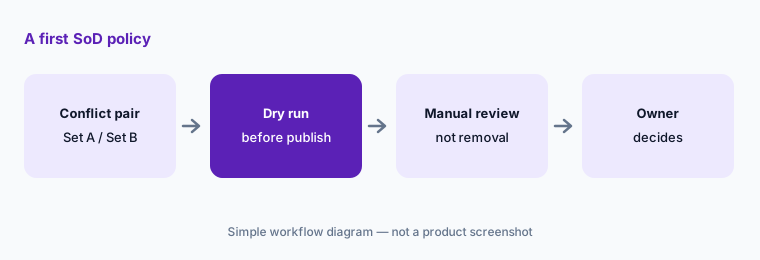
Dry run, then manual review:
Write one SoD policy for your most sensitive app as a Set A / Set B pair. Dry-run it, route the first violations to manual review, and name the person who approves any automated removal before you turn that on.
3. SoD checks in access requests and reviews
What it is: Two entries put SoD conflicts in front of the person deciding. In access requests (9 September), an admin turns on Show policy violation insights under Settings > Access Request > Approver Insights; requests that would create a conflict then show “Compliance risk detected” with the policy, severity level, and both sides of the conflict, and the approve or reject dialog lets the approver record which violations they knowingly accepted and why. Zluri notes the insights don’t block approval, and the policy owner is named but not added to the approval chain. In access reviews (23 September), certifications show open and exempted conflicts with a recommended action (Modify for an open conflict, Approve for an exempted one); Zluri says recommendations are suggestions and the reviewer has the final say, and the set of violations is fixed when the campaign is created.
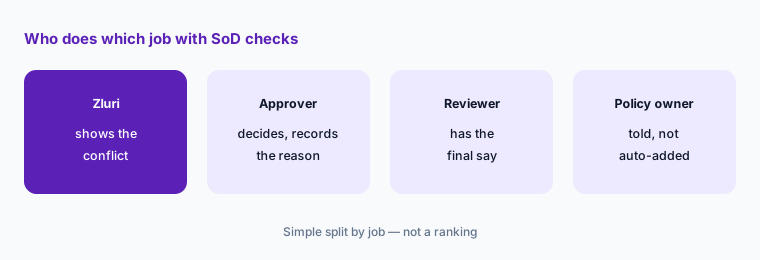
Write the approver rule:
Before turning on SoD insights, write one rule for approvers: what to do when a request shows a predicted violation, what reason to record, and when to loop in the policy owner. Have the compliance lead approve it.
4. Approver reassignment and admin cancellation
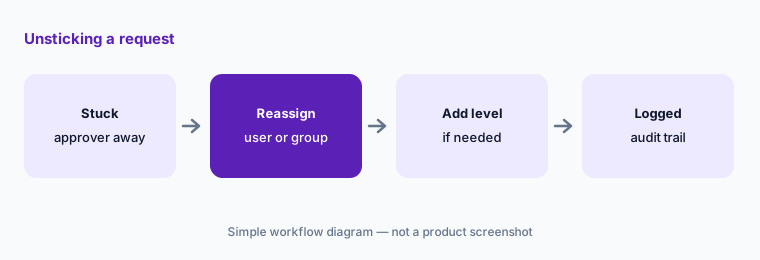
What it is: From 24 September, the approver a pending request is waiting on can reassign it to another user, several users, or a group with an optional reason, or approve their stage and add one more approver at the next level. It is off by default; an admin turns on Approver Reassignment under Platform > Access Request > Approver Experience. A request can have up to 10 approval levels and 10 approvers per level, and every reassignment is recorded in the request’s changelog and audit log. Earlier, on 9 September, admins gained a Cancel Request action with an optional reason and an email to the requester; the requester’s own action is now labelled Withdraw Request, and Cancelled and Withdrawn are separate statuses.
Set the delegate rule:
Before turning on approver reassignment, write who may receive a reassigned request for each sensitive app and when a second approver is required. Check one reassigned request in the audit log after a week.
5. Workflows v2: a canvas for playbooks (beta)
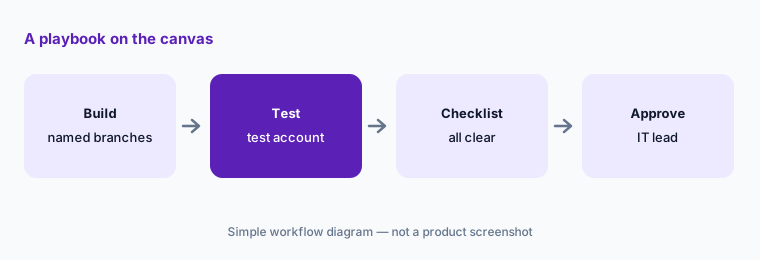
What it is: Per the 10 September entry, playbooks — onboarding and offboarding, application, access request, access review, SoD, and application management — can now be built on a visual canvas with named branches, drag and drop, variables in every field, a pre-publish checklist of incomplete steps, and run reviews that show which steps succeeded, failed, or were skipped, with retry or convert-to-manual-task on failures. Two details matter for IT: changes save automatically (there is no save button), and you can run any action on its own to test it. Because a test runs the real action, point it at a test user or test account. The builder is in beta for a limited set of organizations, enabled through your customer success manager.
Test on a test account:
If Workflows v2 is on in your tenant, rebuild one playbook on a copy. Test each action against a test account only, clear the pre-publish checklist, and have the IT lead approve before it runs on real people.
6. Also in September: data freshness timestamps
What it is: On 30 September, Zluri added last-refreshed timestamps for JDBC, on-prem AD, CSV Connector, SDK V2, and SDK V3 sources in the data freshness indicator on the Applications, Users, and Application Users lists; these sources previously showed N/A. SDK V1 sources, manual uploads, webhooks, and desktop and browser agents are still excluded. That matters before any access review: a reviewer looking at stale user data can approve access for someone who already left.
Check freshness first:
Before your next access review, open Applications, Users, and Application Users and note the last-refreshed time for each source. Refresh anything older than your review policy allows before reviewers start.
Pricing context (October 2026)
September’s entries didn’t mention pricing. Zluri doesn’t publish prices: as of 7 October 2026 its pricing page showed a demo request form with no dollar amounts. Several September features are Early Access or beta and are enabled through your customer success manager, so ask whether they change your contract.
For our dated notes on Zluri’s plans and AI features, see the Zluri review, and for a second SaaS-management option, Torii.
Uncertainty: We read only Zluri’s public changelog and pricing page on 7 October 2026. Early Access and beta features may not be on in your tenant, and names or settings paths may change. This is product education, not compliance or audit advice.
When it’s useful (honest take)
Useful when you run access requests or reviews in Zluri and want September’s changes with an owner and an action for each.
Useful when you are deciding whether to turn on SoD insights or approver reassignment and need to write the approver rules first.
Less useful when you want a review of Zluri as a whole — read Zluri — or your access requests run elsewhere, such as JumpCloud or your service desk.
Paying for Zluri and a few other AI tools? The $9 AI toolkit spreadsheet lists every AI subscription you have, what each one costs, and how fast it pays for itself, so you can see which ones are worth the money.
Want someone to do it for you? AI toolkit audit — $19
Related options (educational)
| Need | Better home | Why |
|---|---|---|
| Full review of Zluri | Zluri | Not a changelog |
| Another SaaS-management tool | Torii | Seat and shadow-AI discovery |
| Another IT tool’s September changes | What’s new in JumpCloud (Sep 2026) | Same format |
| Access requests through a service-desk front door | Moveworks vs Atomicwork | Requests and approvals in chat |
| Inventory IT AI seats | Stack map for IT ops | Jobs, tools, overlaps |
FAQ
What did Zluri change in September 2026?
Per Zluri’s changelog: Segregation of Duties policies (Early Access), SoD violation insights in access requests and in access reviews (Early Access), approver reassignment and added approvers, an admin Cancel Request action, Workflows v2 (beta), and last-refreshed timestamps for more data sources.
Do SoD insights block an access request?
No. Zluri says the violations are shown as context, approval isn’t blocked, and acknowledging a violation is optional. That is why approvers need a written rule for what to do when a conflict appears.
Is approver reassignment on by default?
No. An admin turns on Approver Reassignment under Platform > Access Request > Approver Experience. Every reassignment is recorded in the request’s changelog and audit log.
Who decides in an access review with SoD recommendations?
The reviewer. Zluri recommends Modify for an open conflict and Approve for an exempted one, and says recommendations are suggestions and the reviewer has the final say.
Does Zluri publish prices?
No. As of 7 October 2026 the pricing page showed a demo request form with no prices, and the September entries don’t mention pricing.
Optional next step (if seats overlap)
If IT pays for a SaaS-management tool, an identity platform’s SaaS add-on, and a service-desk front door that all handle the same access requests, fix that overlap before adding another seat. Map the overlap with the $19 AI toolkit audit or the $9 AI toolkit spreadsheet. Email Audit $19 or Toolkit spreadsheet $9.
Checkout is live via Stripe. After you pay, we email delivery (spreadsheet) or intake next steps (audit).