Tool · Field service ops · Service Fusion · Oct 2026
Service Fusion AI review (Oct 2026): AI for dispatch, estimates, and office automation in the trades
Service Fusion (EverPro) is field-service software for trade contractors — estimates, jobs, dispatch, invoicing, and payments. Its AI toolkit (as described on Service Fusion’s site in October 2026) includes Notes+ for cleaning field notes, ZyraTalk for answering and booking when the office is busy or closed, Advanced Search in help, and ServiceCall.ai as a VoIP/AI add-on. This page is about using those assists while a named manager still owns prices and bookings. Each section has a Try this.
What this Service Fusion page covers
This page is for an owner, office manager, or sales lead at a trade contractor — HVAC, plumbing, electrical, and similar — that already runs Service Fusion or is comparing it to other FSM platforms. The question it answers: which office and answering tasks Service Fusion’s AI drafts for you, and what still needs a named manager before a customer sees a price or a booked job.
Service Fusion’s Notes+ announcement (18 August 2026) positions Notes+ as Early Access, free for every customer, inside Job Notes and Completion Notes on the mobile app — techs tap Refine, then accept, edit, or discard. The same post names ZyraTalk (answers and books calls) and Advanced Search (help-center answers) as part of the growing AI toolkit. The pricing page publishes Starter, Plus, and Pro with unlimited users, and lists ServiceCall.ai as an add-on.
Ground rules: an AI-cleaned note isn’t a warranty document until someone reads it; an AI-booked call isn’t a sold job until scope and price are confirmed; an estimate that auto-fills from the pricebook still needs a sales manager on every line; and no customer payment details belong in outside chat tools. Facts below come from Service Fusion’s website as read on 12 October 2026; vendor marketing statistics are not repeated here.
Major features (with how someone uses them)
Examples at a glance: each feature has a concrete example from a real job plus a short Try this you can run this week.
1. Estimates from the pricebook: draft, then a manager corrects every line (primary)
What it is: Service Fusion’s estimate tools auto-populate service rates, tax, and customer info from templates and the pricebook, including mobile estimate creation that converts to jobs. As of 12 October 2026 Service Fusion publicly brands Notes+, ZyraTalk, and ServiceCall.ai more clearly than a separate “AI estimate writer” product name — so treat any AI-assisted estimate draft (including narrative cleaned with Notes+, or lines suggested inside the estimate flow if your tenant shows them) as a first pass only. A sales manager still corrects every line before send.
Use one existing pricebook item as the source of truth. If the draft invents a line that is not on the pricebook, delete it.
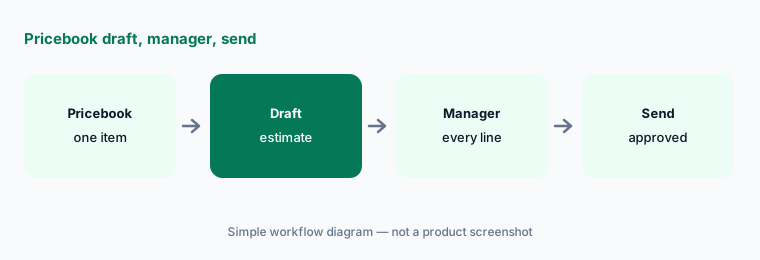
Primary workflow:
Ask Service Fusion’s AI to draft one estimate from an existing pricebook item. Have the sales manager correct every line before sending.
2. Notes+: clean field notes a person still accepts
What it is: Notes+ (announced 18 August 2026) uses AI to turn rough Job Notes and Completion Notes into a cleaner write-up inside the Service Fusion mobile app. Early Access is described as free for every Service Fusion customer. Every suggestion is reviewable — accept, edit further, or discard and keep the original. The original is not overwritten without approval.
Have the office spot-check the first twenty Refine results for invented part names before you treat Notes+ as default.
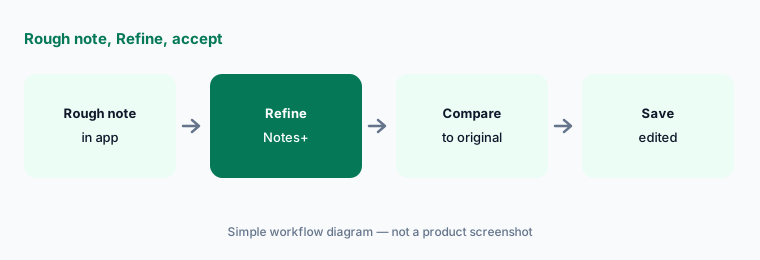
Refine and compare:
On one completed job, tap Notes+ Refine on the completion note. Compare the cleaned version to the original and fix anything it dropped before you save.
3. ZyraTalk: answering and booking with limits you set
What it is: ZyraTalk is named by Service Fusion as the AI that answers and books calls when the office is busy or closed. Treat it like any answering AI: start after-hours or overflow-only, limit bookable services, and have a person review bookings before they count as sold work.
Pair ZyraTalk settings with your published service menu. If a call quotes a price, the office confirms against the pricebook the same day.
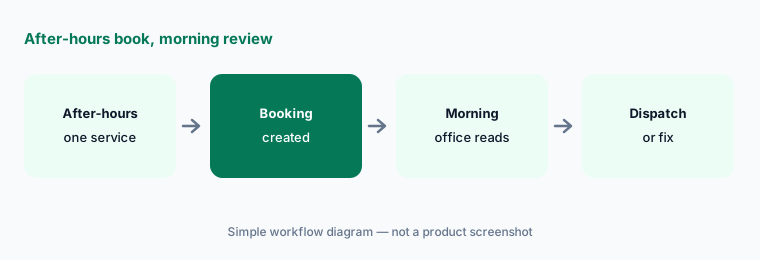
Overflow only first:
Turn ZyraTalk on for after-hours or overflow only with booking limited to one service. Review every booked request the next morning before you widen hours.
4. ServiceCall.ai: VoIP plus AI as a priced add-on
What it is: ServiceCall.ai appears on Service Fusion’s pricing page as an add-on across plans — described as VoIP combined with artificial intelligence for service contractors. Get the add-on price in writing; do not assume it is included in Starter/Plus/Pro.
If you already pay for another answering AI (Workiz Genius, Jobber Receptionist, Housecall CSR AI), map overlap before you add ServiceCall.ai.
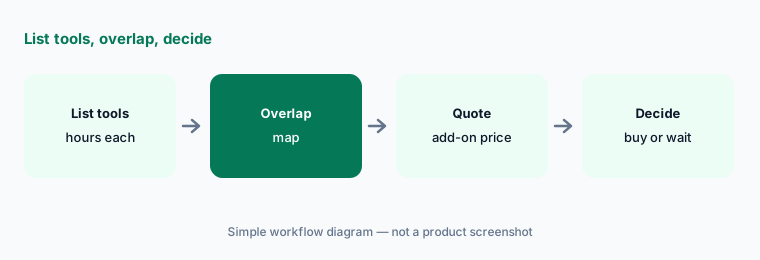
Overlap map:
List every answering tool you pay for (ZyraTalk, ServiceCall.ai, a third-party service). Mark which hours each covers before you buy another add-on.
5. Dispatch and office automation: humans still move the appointment
What it is: Service Fusion’s scheduling and dispatch tools include drag-and-drop assignment, route planning marketing claims, and a Dispatch Grid for estimate visits. AI may help with notes, search, and call answering — a dispatcher still owns any change that moves a customer appointment or reassigns a tech.
Name the dispatcher who must approve appointment moves. AI suggestions are inputs, not permission.
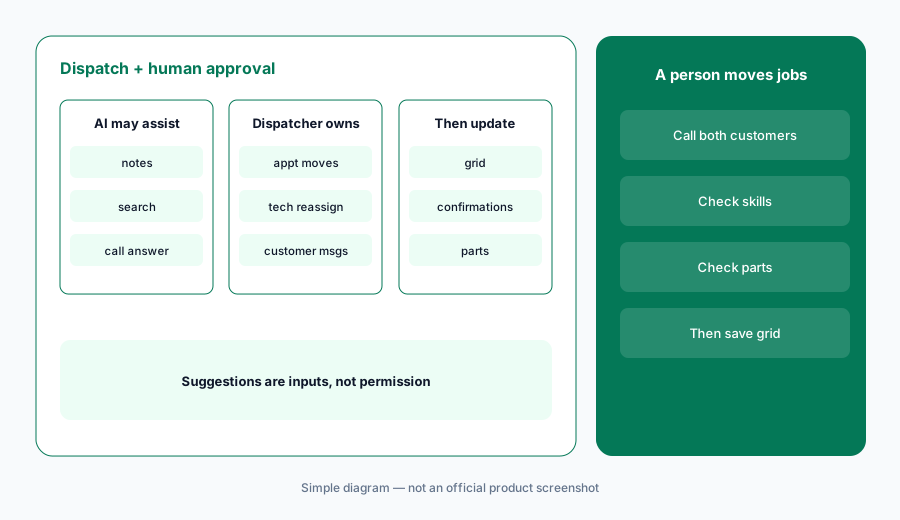
One move, two calls:
For the next schedule change that moves a customer window, have the dispatcher call both affected customers before the grid update is considered final.
6. Published plans: Starter, Plus, Pro (unlimited users)
What it is: Service Fusion’s pricing page (read 12 October 2026) publishes Starter at $245/mo month-to-month or $208/mo billed annually, Plus at $382/mo or $325/mo annually, and Pro at $627/mo or $533/mo annual — all with unlimited users. Plus adds photos, inventory, job costing, and integrated voice/text; Pro adds API, custom documents, eSign, customer portal, and progress billing. ServiceCall.ai and GPS are add-ons.
Notes+ Early Access is described as free for customers — confirm it still appears in your mobile app and whether that changes after Early Access.
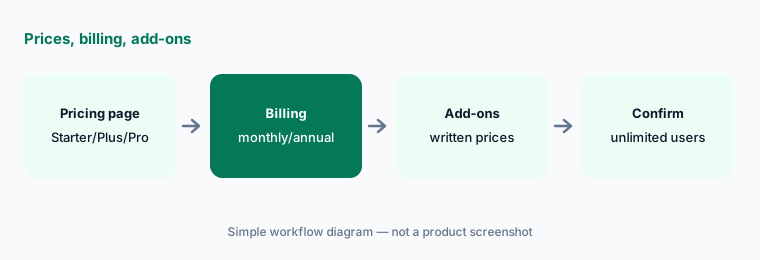
Write the all-in number:
From the live pricing page, write Starter/Plus/Pro for your billing choice plus every add-on on your quote (ServiceCall.ai, GPS). Confirm unlimited-user wording still matches.
Pricing context (October 2026)
Service Fusion’s pricing page (read 12 Oct 2026) publishes Starter $245/mo (or $208/mo billed annually), Plus $382/mo (or $325/mo annual), and Pro $627/mo (or $533/mo annual), each with unlimited users. Month-to-month is available; annual is described as about 15% off.
ServiceCall.ai and GPS Fleet Tracking are listed as add-ons (prices not published on the main cards — get them in writing). Notes+ Early Access is described as free for customers as of the 18 August 2026 announcement — confirm current packaging in your account.
Uncertainty: Whether Service Fusion exposes a branded generative “AI draft estimate” beyond pricebook templates and Notes+ narrative cleanup varies by tenant — the primary Try this still requires a sales manager on every line. Notes+ is Early Access; terms can change with notice. ZyraTalk and ServiceCall.ai packaging/pricing should be confirmed on your quote. Help-center Advanced Search answers are not a substitute for your own SOPs.
When it’s useful (honest take)
Useful when you want published FSM prices with unlimited users, Notes+ for field-note cleanup, and a manager who still owns estimates and bookings.
Less useful when you need a deeply branded AI receptionist already standardized on Workiz AI or Jobber AI, or enterprise trade modules aimed at ServiceTitan AI Max buyers.
Paying for Service Fusion AI and a few other AI tools? The $9 AI toolkit spreadsheet lists every AI subscription you have, what each one costs, and how fast it pays for itself, so you can see which ones are worth the money.
Want someone to do it for you? AI toolkit audit — $19
Related options (educational)
| Need | Better home | Why |
|---|---|---|
| Trade FSM with Notes+ / ZyraTalk / published plans | Service Fusion AI (this page) | Starter/Plus/Pro + add-ons |
| Embedded Genius answering | Workiz AI | Quote-only plans + Genius add-ons |
| Published SMB prices + Receptionist | Jobber AI | Core→Plus + Receptionist |
| Larger trade orgs / Atlas | ServiceTitan AI | Quote pricing |
| Home-service AI Team | Housecall Pro AI | Analyst/Coach + CSR AI |
| CMMS neighbour (maintenance, not FSM) | MaintainX AI · UpKeep AI | Work orders / assets |
FAQ
What AI features does Service Fusion have in October 2026?
Notes+ (Early Access note cleanup), ZyraTalk (answering/booking), Advanced Search in help, and ServiceCall.ai as a VoIP/AI add-on. Estimate flows still rely on pricebook templates — a manager checks every line.
How much does Service Fusion cost?
Published Starter $245/mo ($208/mo annual), Plus $382 ($325 annual), Pro $627 ($533 annual), unlimited users (checked 12 October 2026). ServiceCall.ai and GPS are add-ons without prices on the main cards.
Is Notes+ free forever?
The 18 August 2026 announcement says Early Access is free for customers and that Service Fusion will give notice before changing how it is offered. Confirm in your account.
Can ZyraTalk book jobs without a person?
It can book when enabled. Start after-hours with one service and review every booking — you remain responsible for what was promised.
Does Service Fusion replace ServiceTitan or Jobber?
Different buyers and packaging. Compare by published vs quote pricing, answering AI, and who approves estimates — see also the ServiceTitan AI and Jobber AI pages on this site.
Optional next step (if seats overlap)
If you pay for Service Fusion, a separate answering service, and a general chat seat that all clean the same job notes, that overlap is worth a look. Map the overlap with the $19 AI toolkit audit or the $9 AI toolkit spreadsheet. Email Audit $19 or Toolkit spreadsheet $9.
Checkout is live via Stripe. After you pay, we email delivery (spreadsheet) or intake next steps (audit).