Tool · Facilities / CMMS · UpKeep · Oct 2026
UpKeep AI review (Oct 2026): Nova, Intelligence, Voice Fill, and Photo-to-Part for maintenance teams
UpKeep is a CMMS for work orders, preventive maintenance, parts, and asset history. Its AI layer splits into Nova (chat assistant, Pulse scheduled tasks, Knowledge Base, Nova Apps) and UpKeep Intelligence features such as Voice Fill, Smart Scheduler, Photo-to-Part, and Smart Checklist Builder. This page is about using those drafts while a named supervisor still approves anything that creates or closes work. Each section has a Try this.
What this UpKeep page covers
This page is for a maintenance supervisor, planner, or facilities lead who already runs UpKeep or is comparing CMMS platforms. The question it answers: which work-order, parts, and scheduling tasks Nova and Intelligence draft for you, and what still needs a named supervisor before work is created or closed.
UpKeep’s Nova product page and Intelligence help article (read 12 October 2026) describe Nova on every plan with monthly credits that scale by tier, Voice Fill across plans, Photo-to-Part and Smart Checklist Builder from Premium, and Smart Scheduler on Enterprise (manual scheduler from Premium). The pricing page publishes Essential and Premium per-user prices; Professional and Enterprise are request-a-quote.
Ground rules: a Voice Fill work order isn’t assigned until a supervisor edits the description; a Nova Pulse action that creates or closes work needs a named approver; Photo-to-Part suggestions are inventory drafts; and no employee performance files belong in prompts. Facts below come from UpKeep’s website and help center as read on 12 October 2026; UpKeep’s marketing statistics are not repeated here.
Major features (with how someone uses them)
Examples at a glance: each feature has a concrete example from a real job plus a short Try this you can run this week.
1. Voice Fill: create a test work order, then a supervisor edits (primary)
What it is: Voice Fill (UpKeep Intelligence) lets someone speak work-order or request details into the app; AI captures the fields hands-free. UpKeep’s help article lists Voice Fill as available across all plans. Useful on the floor — still not a substitute for a supervisor reading the description before assignment.
Use a test asset first. If Voice Fill invents a part or severity, fix the text before anyone is assigned.
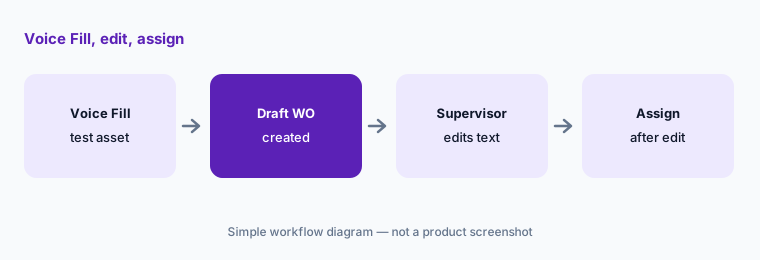
Primary workflow:
Create one work order with Voice Fill on a test asset. Have the supervisor edit the description before assigning it.
2. Nova and Pulse: scheduled insights a person still acts on
What it is: Nova is UpKeep’s AI agent: chat, Pulse scheduled recurring tasks, Knowledge Base that learns team rules, email forwarding, bulk fixes, and Nova Apps. UpKeep’s Nova page says results land for review and that nothing should reach production records until a reviewer approves drafts that create work. Monthly Nova credits scale by plan tier.
Give Nova one Pulse job that only reports (for example, list stale open work orders) before you allow any Pulse that creates or closes work.
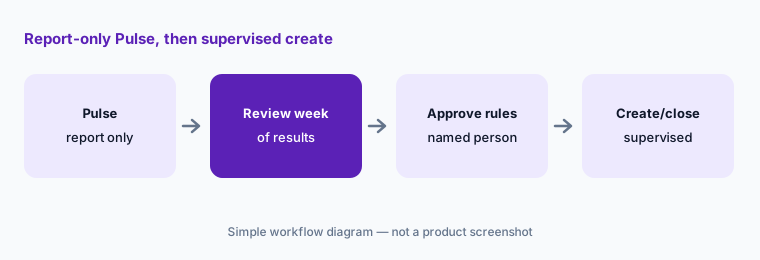
Report-only Pulse first:
Configure one Nova Pulse that only lists issues (no create/close). Review a week of results before you allow any Pulse action that creates or closes work.
3. Photo-to-Part: inventory drafts from a picture
What it is: Photo-to-Part Creation (Intelligence; help lists Premium and above) lets you photograph a part; AI suggests name, type, and quantity for the inventory item. Treat suggestions as drafts — wrong units or duplicate SKUs still break storeroom counts.
Have the storeroom owner confirm name, unit of measure, and min/max before the part is receivable.
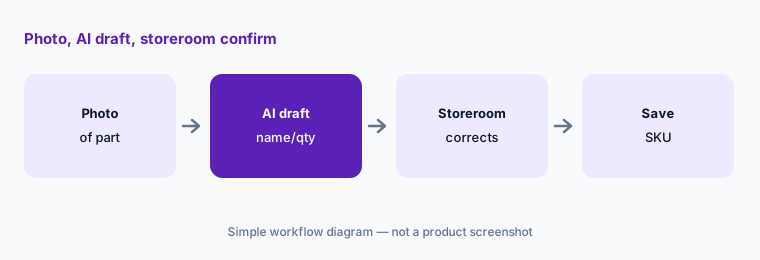
One part draft:
On Premium or above, create one inventory item with Photo-to-Part. Have the storeroom owner correct name, unit, and quantity before it is used on a work order.
4. Smart Scheduler: recommendations a planner assigns
What it is: Smart Scheduler (help: Enterprise; manual scheduler from Premium) recommends who should do what and when based on availability, due dates, and priority. A planner still owns the assignment — especially when certifications or permits are involved.
Reject any recommendation that ignores a required qualification in your crew matrix.
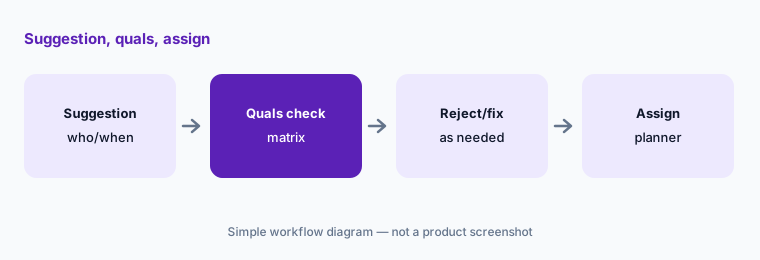
Qualification check:
If Smart Scheduler is on, open one recommendation. Confirm the person’s qualifications against your matrix before you accept the assignment.
5. Smart Checklist Builder and work-order summaries
What it is: Smart Checklist Builder (Premium+ per help) builds PM checklists from a prompt or asset type. Intelligence also includes work-order activity summaries and closeout notes. Generated checklists still need a planner to remove steps your site does not perform.
Never attach a brand-new AI checklist to a safety-critical PM on day one without a walkdown.
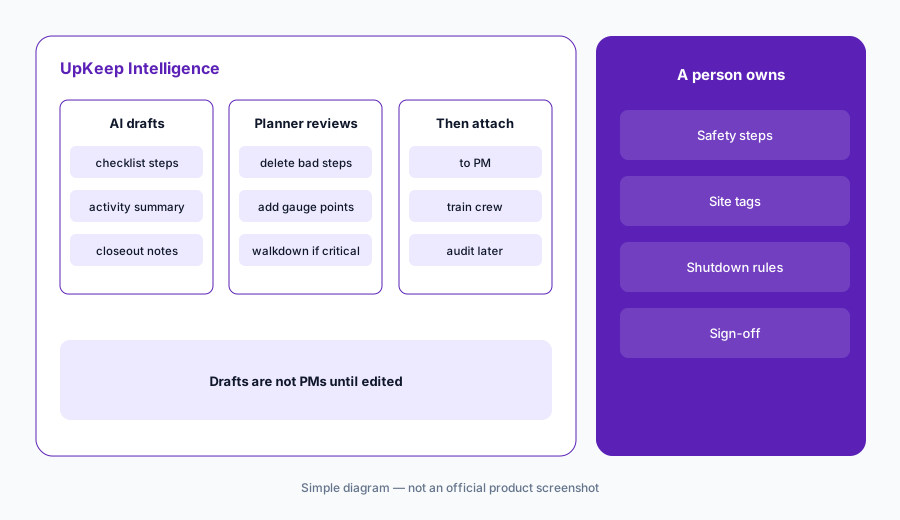
Edit every step:
Ask Smart Checklist Builder for one PM checklist on a non-critical asset. Have the planner delete or rewrite every step that does not match site practice before attaching it.
6. Plans and Nova credits: Essential, Premium, quote tiers
What it is: UpKeep’s pricing pages (read 12 October 2026) list Essential at $24/user/mo (Nova included) and Premium at $55/user/mo, with Professional and Enterprise as request-a-quote. Marketing pages also show monthly Nova credit allowances that rise by tier (for example 250 on Essential and 500 on Premium in materials checked the same day) — confirm the live credit number in your account. UpKeep says AI features are included today without a separate Intelligence SKU, and that packaging could change later with notice.
Map which Intelligence features your plan actually shows (Voice Fill vs Photo-to-Part vs Smart Scheduler) before you promise them to the floor.
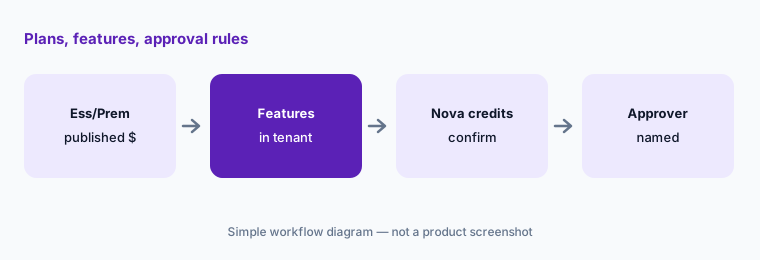
Feature vs plan list:
List Essential vs Premium vs Enterprise for your headcount and which Intelligence features appear in your tenant. Write who must approve Nova actions that create or close work.
Pricing context (October 2026)
UpKeep’s pricing page (read 12 Oct 2026) publishes Essential at $24/user/mo and Premium at $55/user/mo; Professional and Enterprise are request-a-quote. Nova is included with paid plans; monthly Nova credits scale by tier (confirm the number shown in your account).
Per UpKeep’s Intelligence help article, Voice Fill is listed across plans; Photo-to-Part and Smart Checklist Builder from Premium; Smart Scheduler on Enterprise (manual scheduler from Premium). UpKeep states Intelligence features have no separate add-on fee today, with possible future packaging changes and advance notice.
Uncertainty: Professional/Enterprise dollar amounts are quote-only. Exact Nova credit counts and which Intelligence rows light up can differ by tenant — confirm in-app. Smart Scheduler availability is Enterprise per help; do not assume it on Premium. Nova actions that create or close work must stay behind a named supervisor even when UpKeep’s UI makes the draft easy.
When it’s useful (honest take)
Useful when you want Voice Fill and Nova on published Essential/Premium prices, with a supervisor who edits every AI-created work order before assignment.
Less useful when you need Enterprise-only Report Builder AI natural-language analytics first — see MaintainX AI — or when you are buying trade FSM answering rather than facilities CMMS.
Paying for UpKeep AI and a few other AI tools? The $9 AI toolkit spreadsheet lists every AI subscription you have, what each one costs, and how fast it pays for itself, so you can see which ones are worth the money.
Want someone to do it for you? AI toolkit audit — $19
Related options (educational)
| Need | Better home | Why |
|---|---|---|
| Nova + Voice Fill + Photo-to-Part | UpKeep AI (this page) | Essential/Premium published; Enterprise quote |
| Assist + Report Builder AI | MaintainX AI | Enterprise-gated Assist |
| Trade FSM answering / notes | Workiz AI · Service Fusion AI | Customer jobs, not asset PMs |
| Home-service / trade FSM neighbours | Jobber AI · Housecall Pro AI | Different buyer |
| ServiceTitan for larger trades | ServiceTitan AI | Quote pricing |
| Generic chat for sanitized drafts | ChatGPT · Claude | No live UpKeep data unless connected |
FAQ
What AI features does UpKeep have in October 2026?
Nova (chat, Pulse, Knowledge Base, Nova Apps), plus Intelligence features: Voice Fill, Smart Scheduler, Photo-to-Part, Smart Checklist Builder, and work-order summaries/closeout notes. Plan placement differs — confirm in your tenant.
How much does UpKeep cost?
Essential $24/user/mo and Premium $55/user/mo as published 12 October 2026; Professional and Enterprise are quote-only. Nova credits scale by tier.
Can Nova create or close work without a person?
Nova can draft and, depending on configuration, propose actions. Require a named supervisor to approve anything that creates or closes work before it is trusted.
Is Voice Fill on every plan?
UpKeep’s Intelligence help article lists Voice Fill across all plans. Still verify on your phones before you train the whole crew.
Does UpKeep replace MaintainX?
Different AI packaging (Nova/Voice Fill vs Assist/Report Builder). Compare by mobile workflow, published prices, and who approves AI-created work — not as a ranking.
Optional next step (if seats overlap)
If you pay for UpKeep Nova credits, a separate parts app, and a general chat seat that all draft the same work-order text, that overlap is worth a look. Map the overlap with the $19 AI toolkit audit or the $9 AI toolkit spreadsheet. Email Audit $19 or Toolkit spreadsheet $9.
Checkout is live via Stripe. After you pay, we email delivery (spreadsheet) or intake next steps (audit).