Compare · Field service · Oct 2026
Jobber vs Housecall Pro (Oct 2026): AI assistants and receptionists for home service Pros
Jobber and Housecall Pro both run the office side of a home-service business — booking, scheduling, quotes, invoices — and both now put AI into answering customers, drafting messages, and answering questions about the business. Both publish plan prices. The bigger differences sit in how after-hours answering is sold and whether coaching and analytics live as named AI teammates inside the account. This page compares those AI surfaces and who has to approve what they book or report. It is not a ranking, and each section has a Try this.
What this comparison covers
This page is for an owner or office lead at a home-service business who is choosing between Jobber and Housecall Pro, or who runs one and keeps hearing about the other’s AI. The question it answers: for after-hours answering, in-app coaching, and day-to-day questions about your numbers, what each product’s AI covers, what the pricing page says it costs, and who must review an AI booking or an Analyst number before you act on it.
We checked both vendors’ pages on 12 October 2026. Jobber’s pricing page (last modified 23 September 2026) publishes Core, Connect, Grow, and Plus prices by team size, and lists Receptionist as included on Plus and as an add-on elsewhere. Housecall Pro’s pricing page publishes Basic, Essentials, and MAX amounts and says AI team members are included on every plan. Housecall Pro’s AI Team page and help center describe Analyst, Coach, Marketing, and Help as included, with CSR AI 24/7 call answering as a paid add-on whose price is not published.
Ground rules for either platform: an AI-booked job isn’t a sold job until a person confirms time, scope, and price; an Analyst or Chat answer isn’t a payroll or pricing input until someone recomputes it from the jobs list; an AI receptionist is not a licensed technician; and no customer payment details go into a chat prompt. Facts come from the same vendor pages as our Jobber AI and Housecall Pro AI reviews; both vendors’ marketing statistics are left out.
| Question | Jobber | Housecall Pro |
|---|---|---|
| Built for | Home and commercial service businesses from solo operators to growing crews | Home-service Pros — HVAC, plumbing, electrical, cleaning, landscaping, and similar |
| In-app AI brand | Jobber AI: Chat and Voice (beta), Rewrite, Custom Report Builder, suggested automations; Jobber Teammate announced 23 Sep 2026 | AI Team: Analyst AI, Coach AI, Marketing AI (Write it for me), Help AI — included on every plan |
| After-hours answering | AI Receptionist: answers calls and texts, takes messages, books inside limits you set; needs a Jobber phone number | CSR AI: 24/7 call (and chat) answering as a paid add-on; CSR AI chat listed as included with the AI Team |
| Coaching and insights | AI Chat / Voice answer questions about the business; Custom Report Builder on Plus | Coach AI (growth / pricing / hiring advice) and Analyst AI (ask about revenue and jobs) inside the account |
| Published plan prices | Yes: Core, Connect, Grow, and Plus by team size (annual smallest: from USD 29 / USD 99 / $149 / $399) | Yes: Basic $59, Essentials $149, MAX $299 per month on the annual amounts shown; MAX +$35/mo extra users |
| Answering add-on cost | Receptionist included on Plus; elsewhere USD 29/mo for 30 conversations, then $0.79 each | CSR AI call answering — price not published (ask Sales) |
| Who should review AI bookings | The owner or office lead reviews every Receptionist booking and every AI-drafted quote | A named person reviews every CSR AI booking and every Analyst number before it guides payroll or pricing |
Major features (with how someone uses them)
Examples at a glance: each feature has a concrete example from a real job plus a short Try this you can run this week.
1. After-hours answering, coaching, or both (primary)
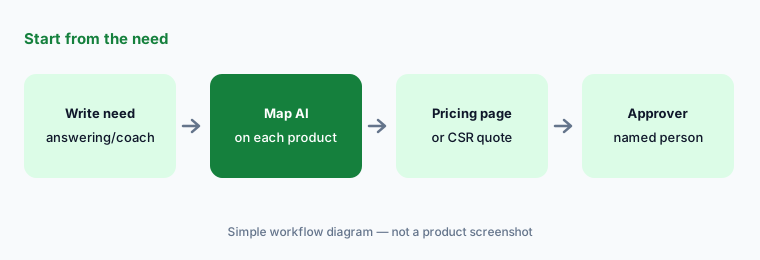
What it is: Both platforms can answer the phone, book work, and help you ask questions about the business. What you actually need this month is usually narrower: after-hours answering so leads don’t go to voicemail, in-app coaching and analytics so you stop guessing, or both. Write that down first, then note which product’s AI covers each need and what the pricing page (or a written quote for CSR AI) says it costs.
If you only need one of those jobs, don’t buy the other as a package. Name who reviews every AI booking before you widen hours.
Your need first:
Write down whether you need after-hours answering, in-app coaching, or both. Note which product’s AI covers each and what it costs on the pricing page.
2. Who each platform is built for
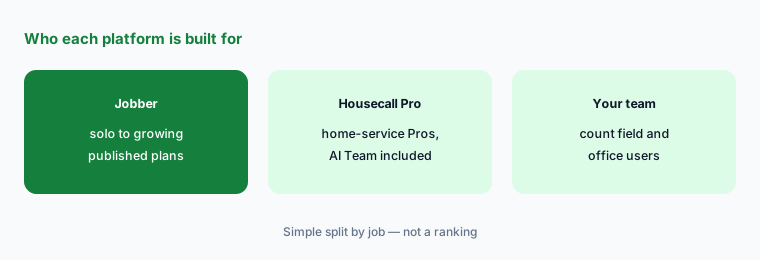
What it is: Both sell to home-service Pros. Jobber’s plans scale from a solo operator on Core up through crew scheduling and custom reports on Plus. Housecall Pro’s Basic / Essentials / MAX ladder adds routes, flat-rate pricing, recurring service plans, and escalated support as you grow. Many shops could run either; the question is which AI surfaces you will actually turn on in the first 30 days.
Count field users and office users separately. Answering AI helps most when someone already owns the morning booking review.
Count your team:
Write down how many field users and office users you have. Read each product’s published plan price for that headcount before you compare add-ons.
3. In-app AI: Jobber Chat/Voice vs Housecall Pro AI Team
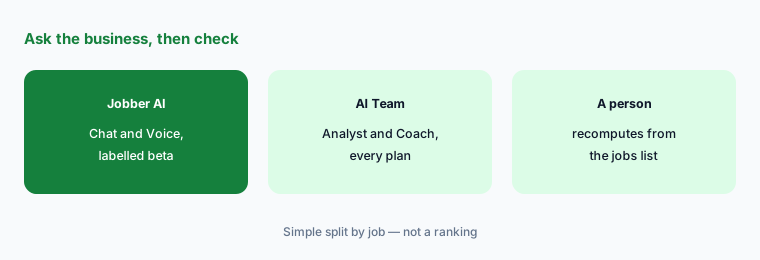
What it is: On Jobber, AI Chat (web and mobile) and Voice (mobile) answer questions, draft quotes, and handle field tasks; Jobber’s help center labels them beta. Rewrite polishes client messages, and Plus adds Custom Report Builder. On Housecall Pro, the AI Team is a set of named teammates: Analyst AI for questions about revenue and jobs, Coach AI for growth and pricing advice, Marketing AI (Write it for me) for emails and service descriptions, and Help AI — all included on every plan per the AI Team FAQ.
Ask each assistant one question whose answer you can recompute from the jobs list the same day — and treat the answer as a lead, not a fact.
Same question, both tools:
Ask each assistant (or each trial) the same question about last month’s jobs for one technician. Recompute the total from the jobs list before you believe either answer.
4. After-hours answering: Receptionist vs CSR AI
What it is: Jobber’s AI Receptionist answers calls and texts, takes messages, and books work inside limits you set. Jobber’s help center says it is included on Plus with unlimited usage and is otherwise an add-on at USD 29 per month for 30 conversations, then $0.79 per extra conversation. Housecall Pro’s CSR AI answers customer calls (and chats) day or night as a paid add-on; the AI Team FAQ says CSR AI chat is included with the AI Team, while 24/7 call answering is the paid piece — and Housecall Pro does not publish that add-on price on the pricing page.
Write the booking rules on one page before you turn either on: which services the AI may book, during which hours, and who reviews every booking by the next morning.
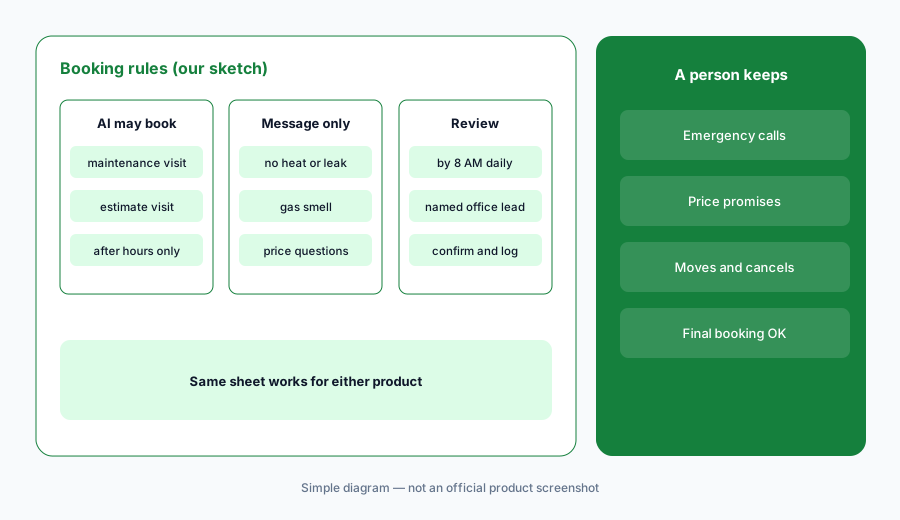
One-page rules:
Write a one-page booking rule sheet — services the AI may book, hours, and what always goes to a person — and name who reviews every AI booking by the next morning.
5. Quotes, marketing drafts, and customer messages
What it is: Jobber offers Rewrite for client messages, auto-drafted quotes from requests on higher plans, and AI Chat that can draft quotes. Housecall Pro’s Marketing AI drafts emails, campaigns, and service descriptions via Write it for me. In both, the AI makes a draft faster; it cannot know a promise made on site unless someone typed it in, and a promotional offer is not a contract until a person sends it.
Keep one checklist for every AI-drafted quote or customer message: what’s included, what’s excluded, and what you never promise.
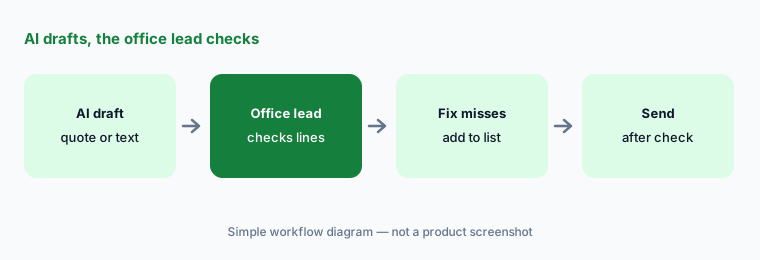
Line-by-line check:
Pick one recent estimate follow-up. Have each product’s AI draft or polish it (trial), then have the office lead check every line before anything is sent.
6. Pricing transparency and who approves
What it is: Both publish base plan prices — that is the practical difference from ServiceTitan-style quote-only FSM platforms. The remaining gap is the answering add-on: Jobber publishes Receptionist at USD 29/mo (off Plus); Housecall Pro does not publish CSR AI call-answering pricing. Put both on one cost sheet with the same headcount, the AI features you would turn on, and the named reviewer for AI bookings.
Ask Housecall Pro for CSR AI pricing in writing with conversation or call volume assumptions that match your after-hours load.
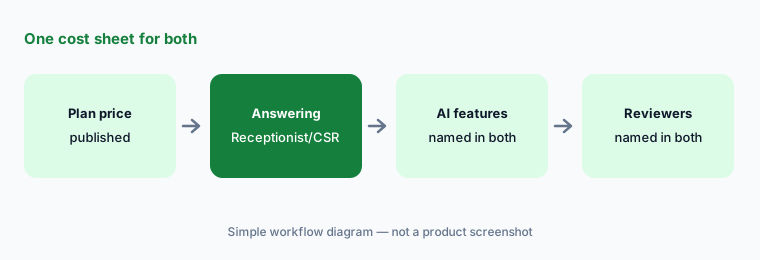
One cost sheet:
Build one cost sheet for both: published plan price at your headcount, Receptionist or CSR AI answering cost, and who reviews AI bookings in each.
Pricing context (October 2026)
Jobber publishes prices. Its pricing page (checked 12 Oct 2026; dateModified 23 Sep 2026) lists Core from USD 29/mo, Connect from USD 99/mo, Grow from $149/mo, and Plus from $399/mo on annual billing for the smallest team size shown; prices rise with users and with monthly billing. Receptionist is included on Plus and is otherwise USD 29/mo for 30 conversations, then $0.79 each. Card processing fees are separate.
Housecall Pro publishes plan prices. Its pricing page (checked 12 Oct 2026) shows Basic $59, Essentials $149, and MAX $299 per month on the annual amounts displayed; MAX lists additional users at +$35/mo. AI Team members are included on every plan. CSR AI 24/7 call answering is a paid add-on with no published price — ask Sales for a written quote. See our Jobber AI and Housecall Pro AI reviews for detail.
Uncertainty: Jobber AI Chat and Voice are labelled beta, and Jobber Teammate (announced 23 September 2026) may not be in every account yet. Housecall Pro’s CSR AI call-answering price is unpublished, and which CSR surfaces (chat vs call) are included vs paid can be easy to mix up — re-read the AI Team FAQ for your account. Plan names and add-on prices change often. Vendor productivity and booking claims are not repeated here.
When it’s useful (honest take)
Jobber is useful when you want published plan and Receptionist prices, AI Chat/Voice and Rewrite without a long sales process, and an owner or office lead who reviews every AI booking and quote.
Housecall Pro is useful when you want Analyst, Coach, Marketing, and Help included on every plan, are fine requesting a CSR AI quote for 24/7 call answering, and have a named person who recomputes Analyst numbers before payroll or pricing talks.
Less useful when (either one) nobody owns the booking rules, you want AI to send quotes without a person, or you haven’t priced the answering add-on at your real after-hours volume.
Still choosing between Jobber and Housecall Pro? The $19 AI toolkit audit gives you a written plan for which tools to keep using and which to drop across your whole AI stack, including this pair.
Prefer to do it yourself? Spreadsheet — $9
Related options (educational)
| Need | Better home | Why |
|---|---|---|
| Jobber’s AI on its own | Jobber AI | Chat, Receptionist, Teammate |
| Housecall Pro’s AI on its own | Housecall Pro AI | AI Team, CSR AI add-on |
| Larger trade orgs, quote pricing | ServiceTitan AI · ServiceTitan vs Jobber | Atlas, Virtual Agent |
| Answering and booking for trades | Workiz AI | Genius, quote-only plans |
| Trade office with published prices | Service Fusion AI | Notes+, unlimited users |
| Construction project records | Buildertrend AI · Procore AI | Different buyer |
FAQ
Should I choose Jobber or Housecall Pro?
This page is not a ranking. Write down whether you need after-hours answering, in-app coaching, or both, note which product’s AI covers each, and check the pricing page (plus a CSR AI quote if needed). Both publish base plan prices; the answering add-on is where transparency differs.
How much do Jobber and Housecall Pro cost in October 2026?
Jobber lists Core from USD 29/mo up to Plus from $399/mo on annual billing for the smallest team size, with Receptionist included on Plus or USD 29/mo as an add-on. Housecall Pro lists Basic $59, Essentials $149, and MAX $299 on the annual amounts shown; CSR AI call answering has no published price.
What is the difference between Jobber AI Chat and Housecall Pro’s AI Team?
Jobber AI Chat and Voice answer questions and draft work inside Jobber (labelled beta). Housecall Pro’s AI Team is a set of named teammates — Analyst, Coach, Marketing, Help — included on every plan, with CSR AI call answering as a paid add-on.
Can the AI book jobs without a person?
Both can book inside rules you set — Receptionist on Jobber, CSR AI on Housecall Pro. Keep booking limited to simple job types and have a named person review every AI booking before it counts as sold work.
Is after-hours answering included?
Jobber’s help center says Receptionist is included on Plus and is an add-on elsewhere. Housecall Pro includes AI Team chat teammates on every plan; CSR AI 24/7 call answering is paid and not priced on the public page.
Optional next step (if seats overlap)
If you pay for a field service platform, a separate answering service, and chat seats that all draft the same customer messages, that overlap is worth mapping. Map the overlap with the $19 AI toolkit audit or the $9 AI toolkit spreadsheet. Email Audit $19 or Toolkit spreadsheet $9.
Checkout is live via Stripe. After you pay, we email delivery (spreadsheet) or intake next steps (audit).