Tool · Construction · Buildertrend · Oct 2026
Buildertrend AI review (Oct 2026): AI help for residential builders and remodelers
Buildertrend is construction management software for home builders, remodelers, and specialty contractors — schedules, selections, daily logs, client portal, budgets, and more. Its AI sits inside those workflows rather than as a separate chat product: AI Client Updates drafts homeowner summaries from job data, AI Bill Capture pulls bill line items, AI Submittals drafts a submittal log from a spec book, AI Plans organizes plan sets, and AI Selections pulls supplier product data. This page is about using those drafts while a named project manager still decides what a client sees. Each section has a Try this.
What this Buildertrend page covers
This page is for a builder, remodeler, or project manager who runs Buildertrend or is comparing construction platforms. The question it answers: which client-update, bill, submittal, and plan jobs Buildertrend’s AI drafts for you, how pricing works when there is no public price list, and what still needs a named person before anything reaches a homeowner or an architect.
Buildertrend’s 29 September 2026 announcement lists AI Submittals, AI Bill Capture, AI Client Updates, and AI Plans as capabilities built into existing workflows. An earlier Client Updates launch describes drafts built from Daily Logs, Schedule items, Change Orders, and Invoices. On 28 July 2026 Buildertrend acquired BizJet AI to expand agent-style AI across preconstruction, project management, and financials. The pricing page has no dollar amounts — you answer questions and get a custom quote; unlimited users are included.
Ground rules: an AI-drafted client update isn’t ready until the PM has rewritten anything the client hasn’t formally approved; an AI submittal log is a first draft, not the official log; bill capture still needs AP to match cost codes; and no homeowner PII goes into a general chat tool. Facts below come from Buildertrend’s site and press pages as read on 12 October 2026; Buildertrend’s time-saving marketing statistics are not repeated here.

Major features (with how someone uses them)
Examples at a glance: each feature has a concrete example from a real job plus a short Try this you can run this week.
1. AI Client Updates: drafts a homeowner summary (primary)
What it is: AI Client Updates reads Daily Logs, Schedule items, Change Orders, and Invoices already in Buildertrend and drafts a plain-language summary for the homeowner. The builder edits the draft, chooses what to include (including items normally hidden by viewing permissions), and publishes it to the Client Portal. Buildertrend’s launch post frames this as a weekly update workflow — not a live chat with the homeowner.
Anything the client has not formally approved — a provisional date, an allowance discussion, a change still in talk — should come out of the draft before it posts.
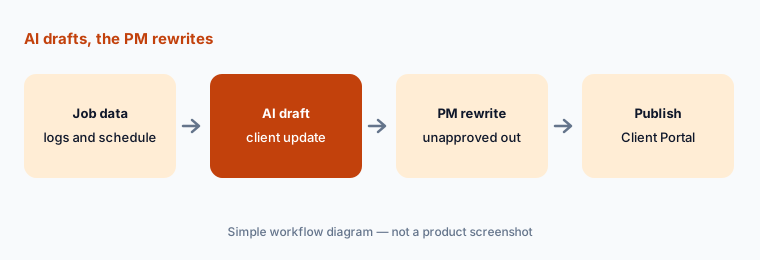
Primary workflow:
Ask Buildertrend’s AI to draft one client update for a milestone. Have the PM rewrite anything the client hasn’t formally approved.
2. AI Submittals: first draft of the submittal log
What it is: AI Submittals (called out in the 29 September 2026 announcement) generates and manages a submittal log and moves reviews through a structured workflow. Buildertrend’s help flow (as summarized in industry write-ups of that release) has the user upload a spec book, receive a draft log (often as a CSV), review it, and import what they keep. It is a starting list for the project engineer — not an automatic approval.
Spec books contain boilerplate. Delete or rewrite any row that does not match how this job will actually submit.
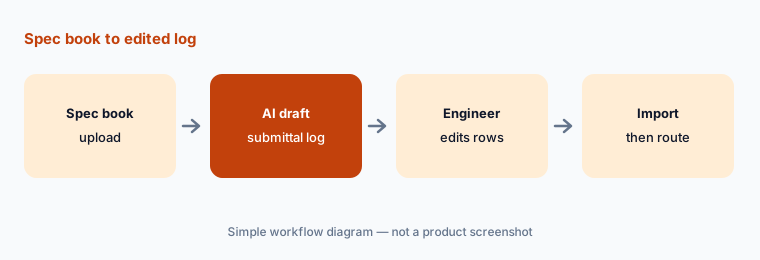
Draft, then edit:
On one job, generate an AI submittal log from the spec book. Have the project engineer delete or rewrite every row that does not belong before import.
3. AI Bill Capture: line items a person matches
What it is: AI Bill Capture pulls vendor details, line items, and cost codes from bills and receipts into Buildertrend’s accounts-payable flow so AP spends less time typing. The 29 September 2026 release pairs it with a Sage Intacct integration for two-way sync of bills and invoices on larger jobs.
OCR and extraction mistype amounts and codes. Match every line to the PO or budget code before you post.
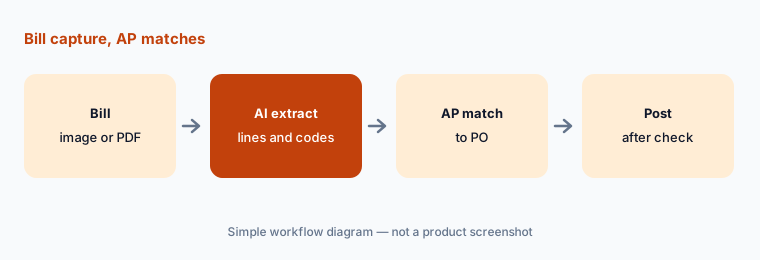
Match before post:
Run Bill Capture on one supplier invoice. Have AP match every line and cost code to the PO before posting.
4. AI Plans and page naming: organize the set
What it is: AI Plans organizes uploaded plan sets with automated page naming and revision tracking — aimed at the rework that comes from outdated drawings and missed requirements. It sits next to Buildertrend’s broader plans-and-specifications tools and the Bluebeam integration called out in the same September release.
A misnamed sheet still looks official. Have the document controller confirm sheet names against the architect’s index before the field uses the set.
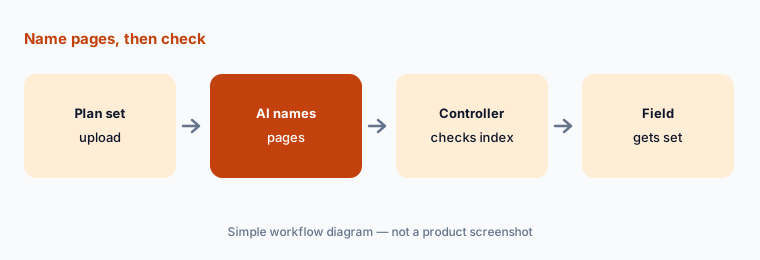
Check the index:
Upload one revision set and let AI name the pages. Have the document controller compare every sheet name to the architect’s index before the field uses it.
5. AI Selections and what Buildertrend AI is not
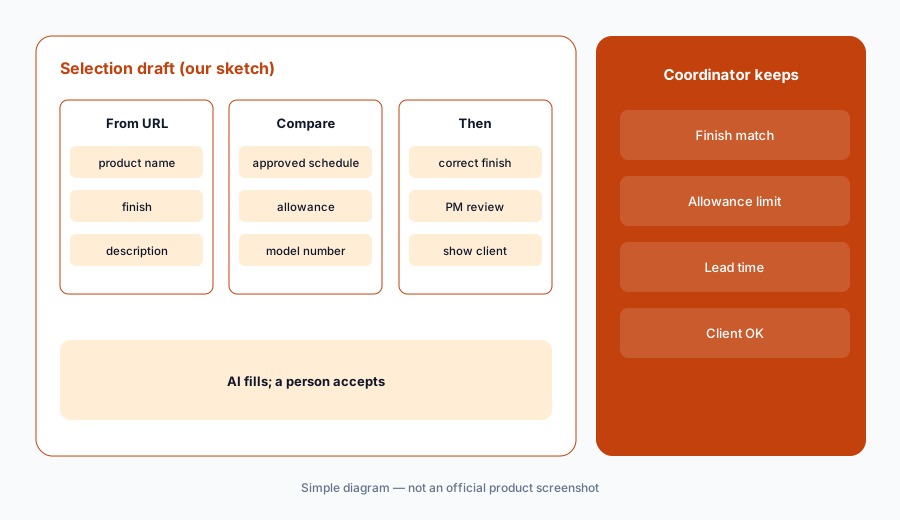
What it is: AI Selections pulls product data and descriptions from a supplier product URL for the builder to review in the selections workflow. Equally important: as of mid-October 2026 Buildertrend’s published AI list is document-and-draft oriented. There is no general “ask Buildertrend” chat copilot on the marketing pages we read, and estimating / takeoff modules are not branded as AI chat. Buildertrend’s July 2026 BizJet acquisition signals more agent-style workflows ahead — confirm what is live in your tenant before you plan around it.
Treat each AI-filled selection as a proposal the designer or PM accepts against the allowance and the approved finish schedule.
Check the finish:
Use AI Selections on one supplier product URL. Compare finish, model, and allowance against the approved schedule before the client sees it.
6. Custom quote pricing and who approves
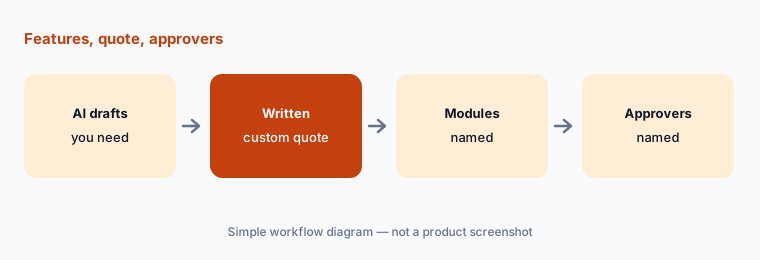
What it is: Buildertrend’s pricing page asks a few business questions and routes you to a custom quote. It highlights unlimited users, core tools, and support resources in the subscription — with no public monthly dollar amount. Before you compare Buildertrend with another construction platform, write down which AI drafts you will actually use and who approves each client-facing or budget-facing output.
Ask for the quote in writing with modules, implementation, and any Sage Intacct or Bluebeam-related costs named.
Feature-to-approver list:
List the Buildertrend AI drafts you need, who approves each (PM, AP, engineer), and request a written quote that names those modules.
Pricing context (October 2026)
Buildertrend’s pricing page (read 12 Oct 2026) publishes no dollar amounts. Pricing is a custom quote after a short questionnaire and a call. Buildertrend states unlimited users are included, along with core tools and support resources; some services (setup, onsite consulting, advanced training) may be separate.
There is no separate public “Buildertrend AI” add-on price on the pages we read — AI Client Updates, Bill Capture, Submittals, Plans, and Selections are described as capabilities inside the platform. Confirm on your quote which AI features are included for your package.
Uncertainty: Buildertrend’s AI feature set is expanding quickly (Client Updates, then the 29 Sep 2026 wave, plus the BizJet AI acquisition on 28 Jul 2026). Which capabilities are on for your account can lag the press page — confirm in-product. Custom quotes vary by project volume and modules. Vendor time-saving claims (including Client Updates “97% faster”) are not repeated here as our measurement.
When it’s useful (honest take)
Useful when you run residential or light-commercial work in Buildertrend, want AI drafts for client updates, bills, submittals, and plan sets inside the tools you already use, and have a PM who rewrites every client-facing message.
Less useful when you need a general AI chat over the whole project record (see Procore AI agents), run pure field-service booking rather than construction (see Jobber vs Housecall Pro), or nobody owns client-portal publishing.
Paying for Buildertrend AI and a few other AI tools? The $9 AI toolkit spreadsheet lists every AI subscription you have, what each one costs, and how fast it pays for itself, so you can see which ones are worth the money.
Want someone to do it for you? AI toolkit audit — $19
Related options (educational)
| Need | Better home | Why |
|---|---|---|
| Buildertrend AI drafts | Buildertrend AI (this page) | Client Updates, bills, submittals |
| Construction agents for RFIs and logs | Procore AI | Agent library, quote-only |
| Home-service booking AI | Jobber vs Housecall Pro | Receptionist / CSR AI |
| Trade contractor platform AI | ServiceTitan AI | Atlas, Virtual Agent |
| CMMS work orders | MaintainX AI · UpKeep AI | Maintenance, not builds |
| General chat for sanitized drafts | ChatGPT · Claude | No live Buildertrend data |
FAQ
What AI features does Buildertrend have in October 2026?
Published AI capabilities include AI Client Updates, AI Bill Capture, AI Submittals, AI Plans (page naming and revision tracking), and AI Selections. They sit inside existing workflows rather than as a separate chat app. Buildertrend acquired BizJet AI in July 2026 to expand further — confirm what is live in your account.
How much does Buildertrend cost?
Buildertrend publishes no public dollar amounts. Pricing is a custom quote; unlimited users are included per the pricing FAQ (checked 12 October 2026).
Can AI Client Updates message homeowners on its own?
No. The workflow drafts a summary from job data; a person edits and publishes to the Client Portal. Have the PM rewrite anything the client has not formally approved.
Is there a Buildertrend AI chat assistant?
On the marketing and press pages we read on 12 October 2026, Buildertrend’s AI is draft-and-extract oriented (updates, bills, submittals, plans, selections), not a general project chat. Ask your rep what is enabled in your tenant after the BizJet acquisition.
Does Buildertrend replace Procore?
They overlap as construction platforms with different AI shapes and buyers. Compare by the drafts you need, who approves client-facing messages, and quoted cost — not as a ranking.
Optional next step (if seats overlap)
If you pay for construction software AI drafts, a separate client-email tool, and chat seats that all write homeowner updates, that overlap is worth a look. Map the overlap with the $19 AI toolkit audit or the $9 AI toolkit spreadsheet. Email Audit $19 or Toolkit spreadsheet $9.
Checkout is live via Stripe. After you pay, we email delivery (spreadsheet) or intake next steps (audit).