Tool · Fleet / field ops · Motive · Oct 2026
Motive AI review (Oct 2026): AI for fleet safety, ELD, and dispatch coaching
Motive (formerly KeepTruckin) is a fleet platform built around ELD compliance, GPS, AI dash cams, and driver safety. Its AI stack includes the AI Dashcam / AI Dashcam Plus, AI Omnicam for blind-spot coverage, AI Coach for personalized coaching videos, EVE (Event Validation Engine) to filter false positives, and Atlas — Motive’s in-cab voice assistant (coming soon; not ServiceTitan’s Atlas). This page is about reviewing flagged events with a named safety manager before coaching is stored. Each section has a Try this.
What this Motive page covers
This page is for a fleet manager, safety manager, or operations lead who runs Motive or is comparing fleet platforms. The question it answers: which unsafe (and positive) driving events Motive’s AI flags, how AI Coach and EVE fit the review loop, what pricing looks like when there is no public price list, and who must review a harsh-braking or distraction clip before it becomes a coaching record.
Motive’s AI Dashcam Plus page (read 12 October 2026) describes a unified device that combines the Vehicle Gateway and dash cam, running 30+ AI models on a Qualcomm Dragonwing QCS6490 processor, with live two-way calling and an Atlas voice assistant (“Hey Atlas”) listed as coming soon. The driver safety page covers AI Coach avatar videos, EVE validation of events, Collision Evidence Capture, and AI Omnicam. The pricing page routes to a get-in-touch form — no public dollar amounts.
Ground rules: an AI-flagged harsh brake is a reason to look, not a closed case; EVE reduces false positives but does not replace a human decision on coaching; Atlas voice actions are still driver/manager tools, not unsupervised discipline; and no driver performance files go into a general chat prompt. Facts below come from Motive’s website as read on 12 October 2026; Motive’s ROI and accuracy marketing statistics are not repeated here.
Major features (with how someone uses them)
Examples at a glance: each feature has a concrete example from a real job plus a short Try this you can run this week.
1. Review one AI-flagged harsh-braking event (primary)
What it is: Motive’s AI dash cams detect behaviors such as harsh braking, close following, mobile device use, seat-belt issues, and more (Motive describes 20+ event types, with the list growing as models are trained). The first fair habit: pick one AI-flagged harsh-braking event, review the clip with the driver and the safety manager, and only then decide whether it is stored as coaching.
Context matters: another vehicle cut in, wet pavement, a load shift, or a brake fault can look like “harsh braking” in isolation.
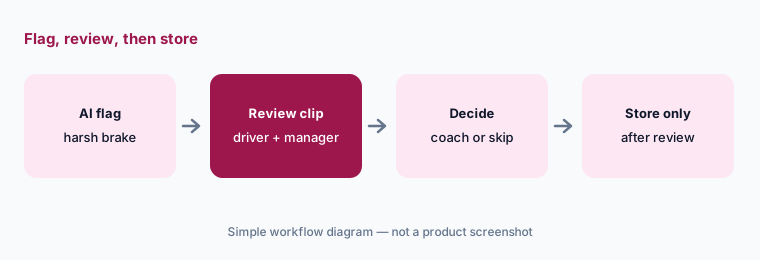
Primary workflow:
Pick one AI-flagged harsh-braking event. Review it with the driver and the safety manager before it is stored as coaching.
2. AI Dashcam Plus: cameras, gateway, and calling
What it is: The AI Dashcam Plus combines Motive’s Vehicle Gateway and AI dash cam into one windshield device. Motive lists dual road-facing lenses for depth perception (stereo vision / lane and forward-collision alerts — some capabilities coming late 2026), a 1440p zoom lens for Collision Evidence Capture, noise-canceling audio for live two-way calling, and dual-SIM connectivity (also coming late 2026). It replaces a separate gateway install for fleets that choose this hardware path.
Collision Evidence Capture is marked unavailable in Arkansas, New Hampshire, and Maine on Motive’s page — confirm for your states.
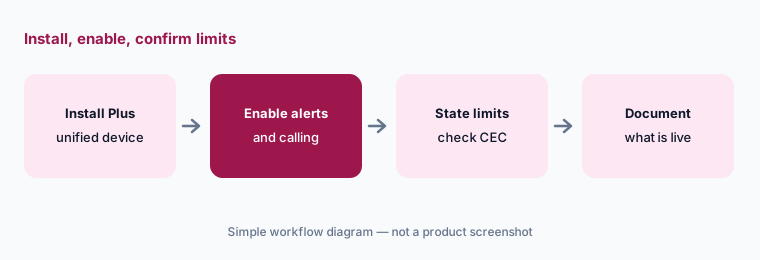
Pilot checklist:
On a pilot vehicle, list which Plus features are live today versus “coming late 2026,” and note Collision Evidence Capture availability for your states.
3. EVE validation and AI Coach videos
What it is: EVE (Event Validation Engine) analyzes flagged events and aims to remove false positives — Motive says high-confidence events go to managers while low-confidence events can be reviewed by Motive’s safety team, with an option to use cloud models only. AI Coach then sends drivers personalized coaching videos with an AI avatar that highlights positive behaviors, key unsafe events, and how to improve. Live coaching sessions remain available for repeat high-risk patterns.
Validation reduces noise; it does not decide discipline. The safety manager still owns what is stored.
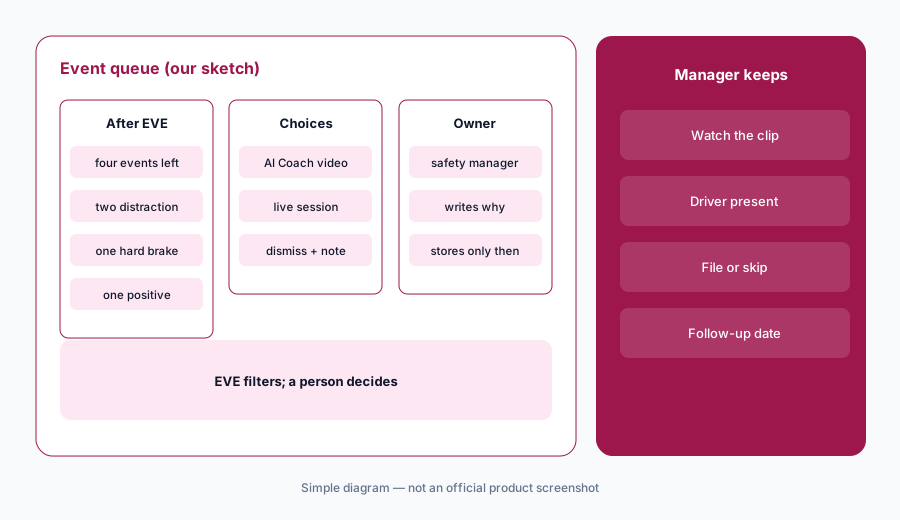
Queue with notes:
For one day, review the post-EVE event queue with the safety manager. For each event, choose AI Coach video, live session, or dismiss — and write why.
4. Atlas voice assistant (Motive’s Atlas)
What it is: Motive’s dash cam page describes Atlas as Motive’s intelligent AI assistant: drivers can say “Hey Atlas” to save critical footage, check drive time, or find the nearest fuel stop hands-free. It is listed as coming soon as of the page read on 12 October 2026. This is Motive’s product name — not ServiceTitan’s Atlas sidekick. If you evaluate both vendors, keep the names straight in your notes.
Hands-free help is still a distraction risk if drivers chat at the wrong moment. Set policy for when Atlas may be used.
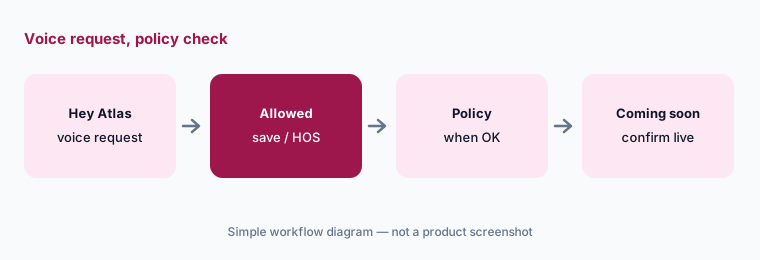
Name collision check:
Write “Motive Atlas (voice, coming soon)” vs any other Atlas you use (for example ServiceTitan) on one line in your evaluation notes so the team does not mix them up.
5. AI Omnicam, ELD, and positive driving
What it is: AI Omnicam adds side, rear, passenger, and cargo monitoring for blind-spot coverage. Motive’s platform also covers ELD / hours-of-service, DVIRs, and fleet tracking — the compliance layer many carriers start with before cameras. The safety page emphasizes detecting positive driving (for example creating space after a cut-off) so coaching can start with recognition, not only problems.
Start coaching conversations with one positive behavior from the same week whenever the clip supports it.
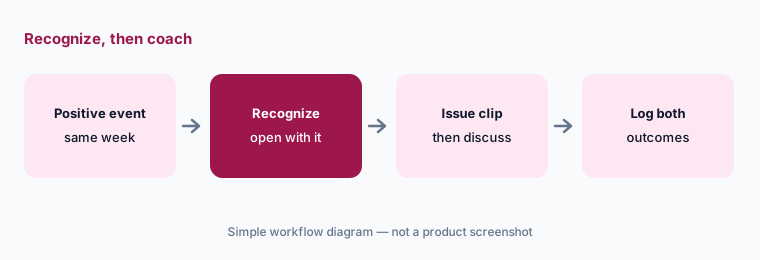
Lead with recognition:
Before your next coaching talk, find one positive driving event for that driver from the same week and open with it.
6. Quote-only pricing and who owns coaching
What it is: Motive’s pricing URL sends you through a get-in-touch form — no public per-vehicle or hardware prices on the pages we read. Quotes typically bundle ELD, cameras, software, and term length. Before you compare Motive with another fleet platform, get a written quote with AI Dashcam Plus / Omnicam / coaching named, and write down that the safety manager owns every coaching decision.
Ask for all-in monthly cost at your vehicle count, hardware ownership vs lease, and which “coming late 2026” features are included.
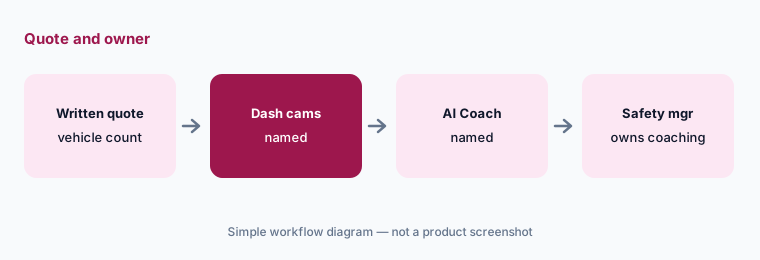
Quote + owner:
Request a written Motive quote at your vehicle count with dash cams and AI Coach named. Write who may store coaching after an AI flag.
Pricing context (October 2026)
Motive’s pricing page (read 12 Oct 2026) publishes no dollar amounts. It routes to a get-in-touch / quote form. Hardware (Vehicle Gateway, AI Dashcam Plus, AI Omnicam) and software are quoted together; term length is set on the order form.
Third-party sites publish guessed per-vehicle ranges; this page does not repeat them. Ask Motive for a written quote for your fleet size with cameras and coaching named.
Uncertainty: Atlas voice assistant and several AI Dashcam Plus capabilities (stereo vision depth alerts, dual-SIM) are marked coming soon / late 2026 — confirm what is live in your tenant. Collision Evidence Capture is unavailable in AR, NH, and ME per Motive’s footnote. EVE’s human-review option vs cloud-only is a customer choice. Vendor accuracy and ROI claims are not repeated here.
When it’s useful (honest take)
Useful when you need ELD compliance plus AI cameras and coaching in one stack, want EVE to cut false positives, and have a safety manager who reviews clips with drivers before storing coaching.
Less useful when nobody owns coaching decisions, you need only light GPS without cameras, or you expected Motive’s Atlas to be the same product as ServiceTitan’s Atlas (it is not).
Paying for Motive AI and a few other AI tools? The $9 AI toolkit spreadsheet lists every AI subscription you have, what each one costs, and how fast it pays for itself, so you can see which ones are worth the money.
Want someone to do it for you? AI toolkit audit — $19
Related options (educational)
| Need | Better home | Why |
|---|---|---|
| Motive AI cams and AI Coach | Motive AI (this page) | Quote-only; formerly KeepTruckin |
| Samsara Coach and Automated Coaching | Samsara AI | Quote-only; coaching priority routing |
| Home-service answering AI | Jobber vs Housecall Pro | Receptionist / CSR AI |
| Trade contractor platform AI | ServiceTitan AI | Different Atlas product |
| Construction project AI | Buildertrend AI · Procore AI | Jobsites, not highway |
| General chat for sanitized SOPs | ChatGPT · Claude | No live fleet video |
FAQ
What AI features does Motive have in October 2026?
AI Dashcam / AI Dashcam Plus, AI Omnicam, AI Coach (avatar coaching videos), EVE event validation, Collision Evidence Capture, and Atlas voice assistant (coming soon). Motive was formerly KeepTruckin (checked 12 October 2026).
How much does Motive cost?
Motive publishes no public prices. The pricing page is a quote form. Ask for a written quote at your vehicle count with cameras and coaching named.
Is Motive’s Atlas the same as ServiceTitan’s Atlas?
No. Motive’s Atlas is an in-cab voice assistant on the dash cam (coming soon). ServiceTitan’s Atlas is a different product inside ServiceTitan. Keep the names separate in evaluations.
Can an AI-flagged event become coaching without a person?
It should not. Review the clip with the driver and the safety manager before anything is stored as coaching. EVE filters false positives; it does not replace that decision.
Does Motive replace Samsara?
They overlap as fleet safety and telematics platforms. Compare by camera hardware, coaching workflow, ELD needs, and quoted cost — not as a ranking. See also Samsara AI.
Optional next step (if seats overlap)
If you pay for ELD, cameras, a separate coaching tool, and chat seats that all summarize the same incidents, that overlap is worth a look. Map the overlap with the $19 AI toolkit audit or the $9 AI toolkit spreadsheet. Email Audit $19 or Toolkit spreadsheet $9.
Checkout is live via Stripe. After you pay, we email delivery (spreadsheet) or intake next steps (audit).