Tool · Logistics ops · Parade · Oct 2026
Parade AI review (Oct 2026): CoDriver and AI capacity management for freight brokerages
Parade sells capacity management to freight brokerages and 3PLs: software that finds, reuses, and books carriers for open loads. Its AI layer is CoDriver, which answers carrier emails and phone calls, reads trucklists, captures quotes, negotiates, and — if you switch it on — books loads under a maximum rate you set. This page is about putting CoDriver on that repetitive carrier traffic while a named carrier sales lead still decides which offers, rates, and carriers are acceptable. Each section has a Try this.
What this Parade AI page covers
This page is for a carrier sales lead, capacity manager, or brokerage operations leader with more carrier emails and calls than reps to answer them. It answers: what CoDriver does on each channel, where Parade says it acts without a rep, which settings keep a person in charge of rates and bookings, and what Parade publishes about price.
Parade’s CoDriver page (read 17 October 2026) says CoDriver handles inbound load emails and outbound replies including trucklists, answers every call, asks the right questions, pulls rates and availability, and syncs everything into Parade. Its Voice 2.0 post (5 March 2026) lists the full system: inbound phone, inbound email, outbound email, trucklist extraction, and CoDriver Negotiation across email and voice. Parade was acquired by Mudflap on 15 April 2026 and says “Parade stays Parade”.
Ground rules: a named carrier sales lead sets Max Rates and decides whether CoDriver may book on its own, reviews a sample of handled emails and calls every week, and owns the carrier eligibility rules; the compliance lead owns the carrier checks that run before any booking. Carrier phone numbers, contract rates, and shipper names stay out of outside chat tools, and Parade’s figures are its claims, not our measurement.

Major features (with how someone uses them)
Examples at a glance: each feature has a concrete example from a real job plus a short Try this you can run this week.
1. CoDriver on carrier capacity emails (primary)
What it is: CoDriver reads inbound carrier emails about your loads, replies, “qualifies the opportunity, and keeps the conversation going until a quote is captured”, then syncs the quote into Parade (CoDriver page). Parade says brokers see three times more carrier quotes by email than by phone and that most of those messages go untracked. Its outbound email AI follows up with carriers you pick (Voice 2.0 post).
An email reply that names the wrong lane, date, or rate is the failure that costs money. Grade a week of real replies before you let CoDriver answer every inbox.
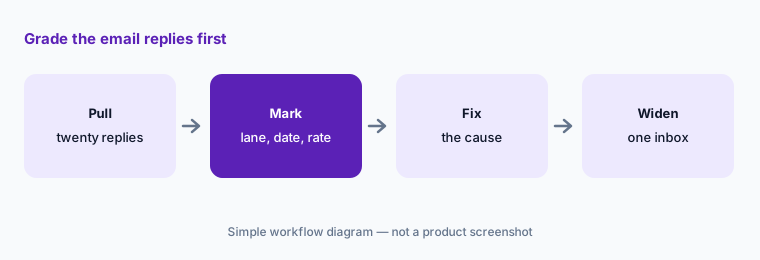
Primary workflow:
Ask CoDriver to answer twenty carrier capacity emails from last week. Have the carrier sales lead mark every reply that offers the wrong lane, date, or rate.
2. CoDriver Voice 2.0 on inbound carrier calls
What it is: Parade’s Voice 2.0 post (5 March 2026) describes a rebuilt voice agent that recognises repeat callers, transfers only confirmed, qualified carriers to your floor, sends managed carriers straight to their assigned manager, describes loads by origin, destination, equipment, and stops, asks for price once, and captures the final rate. You choose a mode: Qualify only (identify and qualify, then transfer), Full automation (qualification, load search, quoting, and negotiation), or Strict compliance, which checks your compliance tool (Highway, RMIS, MyCarrierPortal, or another) so disqualified carriers never reach a rep. Parade reports 27% more quotes from the same call volume in its own A/B test.
Start in Qualify only. Full automation means CoDriver negotiates on the phone, so a person should hear real calls before it does.
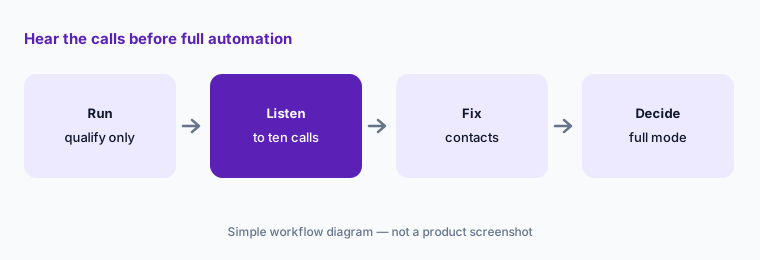
Hear it first:
Run CoDriver Voice in Qualify only mode on one desk for a week. Have the carrier sales lead listen to ten handled calls before switching any lane to full automation.
3. Auto-Accept Under Max: when CoDriver books on its own
What it is: A Parade help article dated 13 August 2026 says Auto-Accept Under Max now runs in CoDriver email: when a carrier emails an offer under the load’s Max Rate, CoDriver “accepts it and books the load without a rep stepping in”. Options include extra carrier confirmation (CoDriver asks the carrier to confirm the rate first) and, since 23 September 2026, a Book Now rate fallback through your Parade contact. The carrier must already be eligible under your rules, CoDriver makes one auto-book attempt per load, any carrier question goes to a rep, and the rate confirmation still comes from your TMS.
This is the setting that turns CoDriver from an assistant into a buyer. The Max Rate on each load is now the approval, so the carrier sales lead owns it.
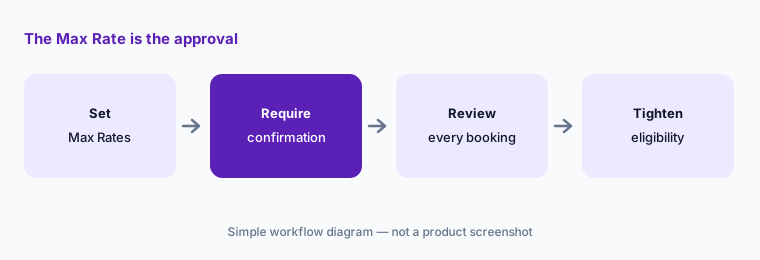
Own the Max Rate:
Before turning on Auto-Accept Under Max, have the carrier sales lead set a Max Rate on every eligible load and switch on extra carrier confirmation. Review every auto-booked load for the first two weeks.
4. Estimated Carrier Bid and CoDriver Negotiation
What it is: Parade’s Estimated Carrier Bid post (22 July 2026) describes a live estimate of what carriers are asking for a lane, built from anonymised quotes across the Parade network, updated hourly, shown with a quote count so you can judge confidence, for dry van, reefer, and flatbed truckload. It appears in Load Details, Quote View, and the Source page next to My Past Loads and Load Last Moved, and through the Parade Data API (daily estimates from seven days before to ten days after pickup). CoDriver Negotiation handles rate negotiation over email and voice (Voice 2.0 post). Parade says your team “controls the weighting, margin logic, and final shipper price”.
An asking-rate estimate with a small quote count is a weak anchor. Write the minimum count you trust before reps or CoDriver negotiate against it.
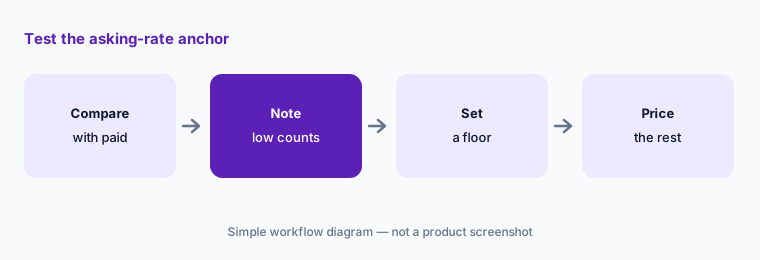
Test the anchor:
Compare Estimated Carrier Bid with the rate you actually paid on twenty recent loads. Have the pricing lead note every lane where the quote count was low before using it for buy rates.
5. Capacity: carrier matching, automated outreach, and lane signals
What it is: Parade’s capacity page says its machine learning studies your historical load and capacity data to learn carrier preferences and match carriers to loads, posts loads where carriers already look (load boards and email), and offers digital quoting, self-booking, and digital bidding. Parade says it “automates email and loadboard outreach and responds on your behalf”. Its home page names Cascade and AutoAssign for keeping recurring lanes covered by carriers you already use, and a 3 March 2026 help article adds CoDriver Capacity: lane-interest signals captured when a carrier engages through CoDriver but does not finish the conversation, which expire when the carrier quotes or a day after the pickup window, and never include carriers marked Do Not Use.
Matching learns from your history, so it repeats your habits — good and bad. Review who it suggests on your core lanes before outreach runs on its own.
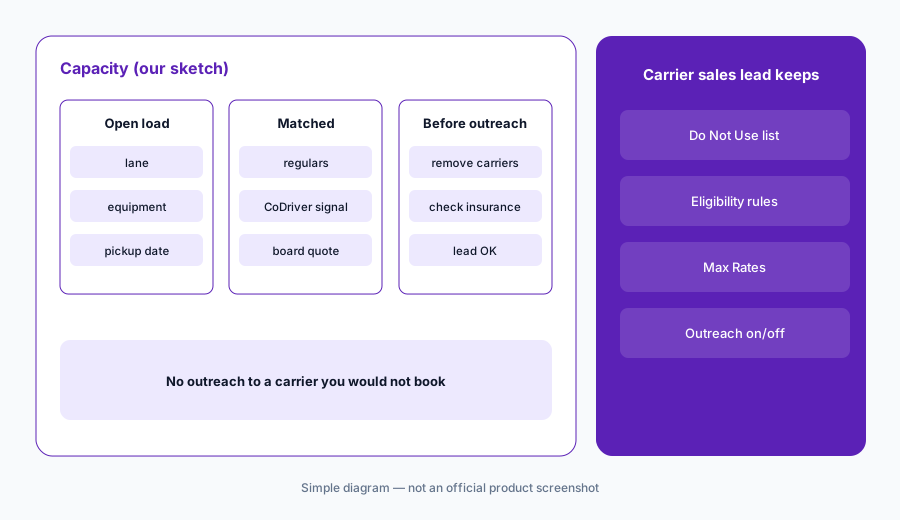
Check the matches first:
Pick five recurring lanes and review the carriers Parade matched to them last month. Have the carrier sales lead remove any carrier they would not offer the load to before turning on automated outreach.
6. Integrations, compliance checks, and the Mudflap network
What it is: Parade lists integrations with TMSs, load boards and capacity networks, carrier onboarding and compliance tools, visibility tools, and rate benchmarks, and says it syndicates loads to load boards. After the Mudflap acquisition (15 April 2026), Parade says brokers gain access to Mudflap’s network, which Mudflap puts at more than 515,000 drivers across more than 100,000 carriers, and that the platform, support, and integrations stay the same. Parade’s release names its products as CoDriver AI agents, Carrier Sourcing & Freight Matching, Smart Lanes, Load Syndication, and third-party integrations.
Every board CoDriver posts to and every compliance check it reads is part of who can end up on your load. Write that list down once.
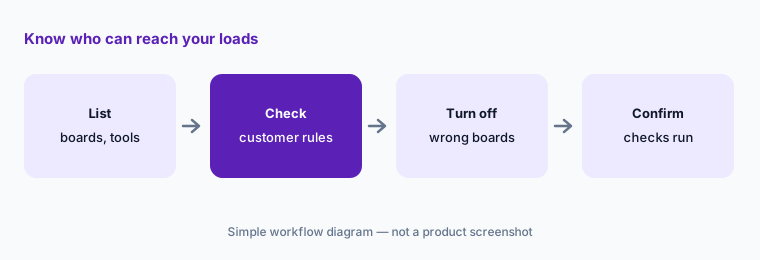
Write the list:
List every load board and TMS Parade posts to or reads from. Have the compliance lead confirm which carrier checks run before CoDriver can book a load.
Pricing context (October 2026)
Parade does not publish prices; parade.ai/pricing returns “page not found” and the site offers “Request Demo” and “Try CoDriver Phone”. Pricing is quote-only as of 17 Oct 2026.
Ask whether CoDriver email, CoDriver Voice, and negotiation are priced separately, whether Estimated Carrier Bid and the Data API cost extra, whether load-board syndication partners need their own subscriptions (Parade’s FAQ asks this but the answer did not display when we read it), and what changes after the Mudflap acquisition.
Uncertainty: Parade’s Voice 2.0 post says both that it is “rolling out automatically” and, in a garbled sentence, that it is available to all customers; ask whether your account has it. Auto-Accept Under Max lets CoDriver book loads without a rep, so on this page “approval” means the carrier sales lead setting Max Rates and choosing whether the feature is on, not a person approving each booking. Figures such as 4X rep bandwidth, 60% fewer one-and-done carriers, 12M+ AI conversations a year, $40B transacted, 27% more quotes, 25% more carrier reuse, and the CoDriver 4x / 10-second / 2x / 3x figures are Parade’s claims, not our measurement. Parade’s FAQ still names a load board by an older brand name. Roadmap changes under Mudflap are not yet described. No plan names or prices are published.
When it’s useful (honest take)
Useful when you run a truckload brokerage or 3PL, carrier emails, calls, and trucklists outrun your reps, and a carrier sales lead will own Max Rates, eligibility rules, and a weekly sample of CoDriver’s work.
Less useful when you are a shipper rather than a broker (Loadsmart AI, Shipwell AI), you want a general voice agent for many call types (HappyRobot AI), or your volume is small enough that reps answer every carrier already.
Paying for Parade AI and a few other AI tools? The $9 AI toolkit spreadsheet lists every AI subscription you have, what each one costs, and how fast it pays for itself, so you can see which ones are worth the money.
Want someone to do it for you? AI toolkit audit — $19
Related options (educational)
| Need | Better home | Why |
|---|---|---|
| Carrier emails, calls, trucklists, and capacity matching for brokers | Parade AI (this page) | Quote only |
| Voice agents for carrier sales, check calls, and appointments | HappyRobot AI | Quote only |
| Shipper-side agents for tender failures and load audits | Loadsmart AI | Quote only |
| Shipper TMS with an AI assistant and document AI | Shipwell AI | Quote only |
| Shipper analytics and managed transportation | Uber Freight AI | Quote only |
| Drafting a carrier email template from a sanitized load | Claude | General chat; no bookings |
FAQ
What does Parade CoDriver do?
CoDriver answers carrier emails and phone calls about your loads, reads trucklists, qualifies carriers, captures and negotiates quotes, and syncs them into Parade. With Auto-Accept Under Max switched on, it can also book email offers under a load’s Max Rate.
Can CoDriver book loads without a person?
Yes, if you enable Auto-Accept Under Max. Parade says CoDriver then books qualifying email offers under the Max Rate without a rep, with optional carrier confirmation, one attempt per load, and questions escalated to a rep.
How much does Parade cost in October 2026?
Parade does not publish prices; its pricing URL returns page not found and the site offers demos. Treat it as quote-only and ask how CoDriver channels, Estimated Carrier Bid, and the Data API are priced.
What is Estimated Carrier Bid?
A live estimate of what carriers are asking for a lane, built from anonymised quotes across the Parade network, updated hourly, shown with a quote count, for dry van, reefer, and flatbed, in Parade and through its Data API.
Who should approve what CoDriver does?
A named carrier sales lead sets Max Rates, eligibility rules, and voice mode and samples handled emails and calls; the compliance lead owns carrier checks; the pricing lead decides how Estimated Carrier Bid feeds buy rates.
Optional next step (if seats overlap)
If you pay for a capacity platform with AI email and voice, a separate voice agent, rate benchmarks, load boards, and chat seats your reps use to draft carrier replies, that overlap is worth mapping. Map the overlap with the $19 AI toolkit audit or the $9 AI toolkit spreadsheet. Email Audit $19 or Toolkit spreadsheet $9.
Checkout is live via Stripe. After you pay, we email delivery (spreadsheet) or intake next steps (audit).