Tool · Logistics ops · Shipwell · Oct 2026
Shipwell AI review (Oct 2026): Swifty AI assistant, Document AI, and pricing intelligence in a TMS
Shipwell is a transportation management system (TMS) for shippers that now sells itself as an “AI transportation platform”. Its AI pieces are Document AI for freight paperwork, an In-App AI Assistant (the page that used to be called Swifty), a Track & Trace AI Worker that chases carriers, and an MCP Server that lets outside AI assistants reach Shipwell data, next to its Pricing Intelligence rate tools. This page covers what each does, which ones need the full TMS, and what a freight team should check. Each section has a Try this.
What this Shipwell AI page covers
This page is for a freight manager, logistics coordinator, or transportation lead at a shipper running Shipwell or choosing a TMS. It answers: what Shipwell’s AI tools do, which work without the full Shipwell TMS, where they act without asking, and what Shipwell publishes about price.
Shipwell’s AI page (read 17 October 2026) lists the Track & Trace AI Worker, In-App AI Assistant, and MCP Server, configured in AI Studio, with every worker action logged in an audit trail. Its Document AI page describes a standalone product for reading freight and business documents. Its 13 May 2026 release launched the MCP Server, which it calls production-grade, while the MCP page still carries a “Beta” label.
Ground rules: a named freight manager approves every rate change and repricing request before a tender, a freight coordinator checks extracted document fields and assistant answers before they drive invoices or orders, IT owns MCP access, and AI Studio settings say which worker actions need approval. Contract rates and customer details stay out of outside chat tools unless connected through approved access, and Shipwell’s figures are its claims, not our measurement.

Major features (with how someone uses them)
Examples at a glance: each feature has a concrete example from a real job plus a short Try this you can run this week.
1. Document AI on bills of lading and PODs (primary)
What it is: Shipwell’s Document AI takes uploaded files in batches — PDFs, images, spreadsheets, text — identifies each document type, groups related pages, extracts key fields, and makes them searchable in plain language (for example “signed POD from last Tuesday”). It understands BOLs, PODs, freight invoices, rate confirmations, and customs paperwork. Shipwell says every extracted field comes with a confidence value and page-level evidence so your team can verify results, and that a corrected value “becomes part of the document’s permanent record”. Document AI is sold standalone: it does not need the Shipwell TMS and connects by REST API (up to 50MB per file, results in 10–60 seconds) or the MCP Server.
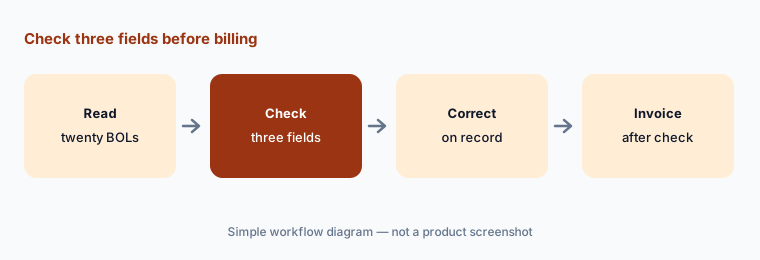
Weight, piece count, and consignee are the fields that change an invoice. Check them against the page image Shipwell shows before billing.
Primary workflow:
Have Shipwell's Document AI read twenty bills of lading. Have the freight coordinator check each extracted weight, piece count, and consignee before invoicing.
2. Swifty, now the In-App AI Assistant
What it is: Shipwell’s home page still shows a “Swifty AI Assistant” tile for order and shipment status requests and new order creation, but the old Swifty page now redirects to Shipwell’s AI page, which calls it the In-App AI Assistant. It answers plain-language questions about shipments, orders, carrier contracts, appointments, invoices, routing guides, and tenders, creates orders and recurring shipments, applies filters, and handles routine communications. Shipwell’s 21 January 2026 release says it became available to all customers after a beta, can schedule dock appointments, can be renamed (name, avatar, and welcome message), and lets users act only within their existing Shipwell permissions. It is built into the Shipwell TMS and offered to TMS customers.
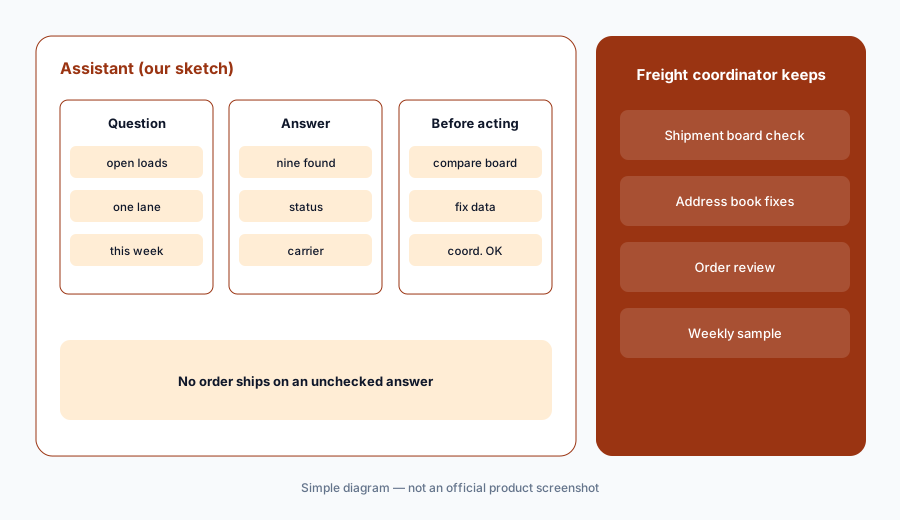
An assistant that creates orders is a data-entry tool with a chat box. Check what it found before anyone acts on the answer, and what it created before it ships.
Check the answer:
Ask Shipwell's In-App AI Assistant for every open shipment on one lane this week. Have the freight coordinator check five against the shipment list before acting on the answer.
3. Track & Trace AI Worker
What it is: The Track & Trace AI Worker monitors shipments around the clock across most modes, detects missing or delayed tracking, contacts carriers and drivers, updates shipment data “according to your configured rules”, and escalates when human judgment is needed (AI page). Shipwell’s January release says you choose which carriers to monitor, how often and how it reaches out, and approval workflows, and that it then updates data, requests approval, or just notifies the team. It talks over Shipwell email, in-platform messages, notifications, and SMS, with phone and direct email listed as future additions. It is the one AI worker sold standalone. Shipwell says it cuts manual tracking work by up to 70%.
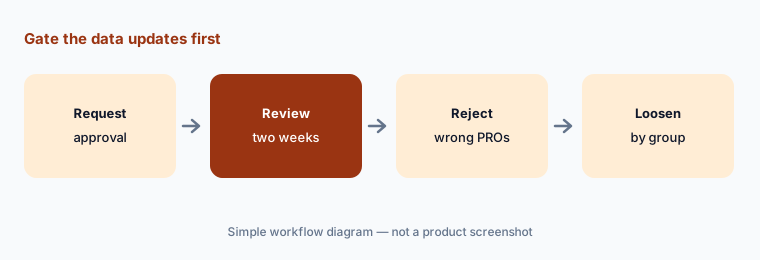
“Updates shipment data” is the step to gate at first. Start in request-approval mode for one carrier group and read what it proposes.
Gate the updates:
Set the Track & Trace AI Worker to request approval before updating shipment data for one carrier group. Have the freight coordinator review every update it proposes for two weeks.
4. Pricing Intelligence and rate decisions
What it is: Shipwell’s Pricing Intelligence page describes a Rates Integration Marketplace with real-time spot rates and historical insights, comparisons of your contract rates with industry rates, rate subscriptions from partners including DAT, Truckstop, and FreightWaves SONAR, and reports on carrier performance, prior paid rates, and market trends. It suggests repricing contracts, switching carriers, or negotiating spot rates when market rates differ. The page describes decision-support tools and does not call Pricing Intelligence AI.
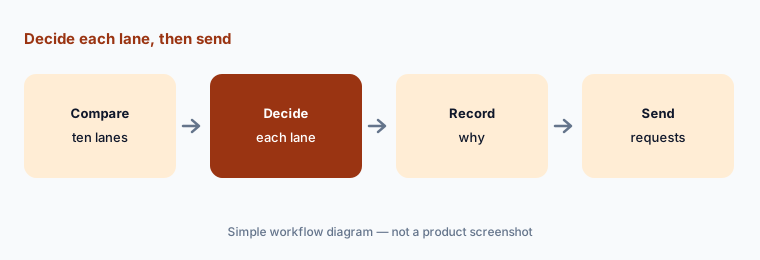
A benchmark is an argument, not a decision. The freight manager signs off before a repricing request or a carrier switch goes out.
Decide, then send:
Compare Shipwell Pricing Intelligence's market rates with your contract rates on your top ten lanes. Have the freight manager approve every repricing request before it goes to a carrier.
5. MCP Server: outside AI assistants on Shipwell data
What it is: Shipwell’s MCP Server gives approved AI assistants and agent workflows access to shipments, carriers, contracts, rates, tracking updates, dock schedules, invoices, settlements, exceptions, documents, and workflows, and can trigger actions across systems. Shipwell says permissions are enforced server-side and access is tenant-scoped. Its 13 May 2026 release says it works with AI tools from Anthropic, OpenAI, Google, and others, has production and sandbox environments, and is available to existing Shipwell customers.
An outside assistant that can reach contracts and trigger workflows needs the same review as a new employee’s access. Start in the sandbox.
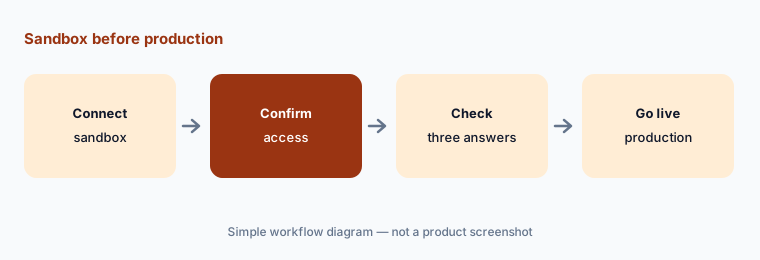
Sandbox first:
Connect one AI assistant to Shipwell's MCP Server in the sandbox first. Have IT confirm which users and data it can reach, and check three answers against the TMS.
6. AI Studio, audit trails, and what is coming
What it is: Shipwell’s AI page describes AI Studio as the place to activate workers, set preferences, monitor performance, and configure behaviour, communication channels, branding, and permissions, with every worker action logged for audit and dashboards for response time and completion rates. Workers can be switched on and off. It lists three workers as coming soon — a Knowledge and Process Worker, a Logistics Planning Worker, and a Settlement & Freight Audit Worker — with no dates.
Settings drift as people change them. Write down what each worker may change and read the audit trail on a schedule.
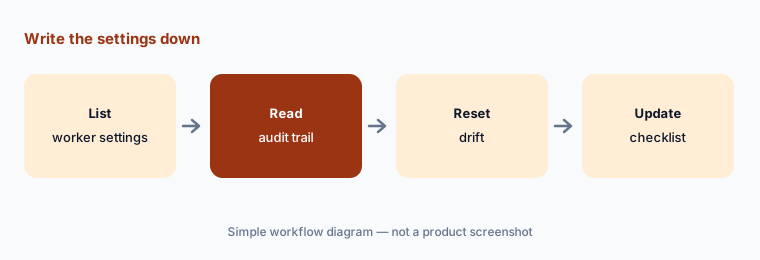
Write the settings down:
Open AI Studio and write down which workers are on, what each may change, and who gets escalations. Have the freight manager review the audit trail weekly for the first month.
Pricing context (October 2026)
Shipwell does not publish prices; shipwell.com/pricing sends you to the demo request form, and its FAQ says to contact sales for “a customized quote”. Pricing is quote-only as of 17 Oct 2026.
Shipwell’s January release says its AI tools are available to customers with an active Shipwell subscription; its AI page says the Track & Trace AI Worker and Document AI can be bought standalone, the assistant is for TMS customers, and the MCP Server is for existing customers. Ask which AI tools are included in your subscription, how Document AI usage is counted, and whether rate data subscriptions in Pricing Intelligence are billed separately.
Uncertainty: Shipwell no longer has a Swifty page: the old URL redirects to its AI page, which calls the tool the In-App AI Assistant, while the home page tile and a customer quote still say Swifty; we treat them as the same assistant, which Shipwell does not state outright. The MCP page carries a “Beta” label while the May 2026 release calls the server production-grade and available today. The Pricing Intelligence page describes rate data and benchmarking, not AI. We found no launch date for Document AI, and the three coming-soon workers have no dates. Figures such as up to 70% less manual tracking, 90% fewer manual processes, Airlite Plastics’ 98%, and 99.9% uptime are Shipwell’s and its customers’ claims, not our measurement.
When it’s useful (honest take)
Useful when you are a shipper on Shipwell or choosing a TMS, your team spends hours keying BOLs, answering status questions, and chasing carriers, and a freight manager will own rate decisions and the AI Studio settings.
Less useful when you want agents that also re-tender and audit with a vendor’s people behind them (Loadsmart AI), you are a broker covering loads (Parade AI), or you need a full warehouse and transport suite (Blue Yonder vs Manhattan).
Paying for Shipwell AI and a few other AI tools? The $9 AI toolkit spreadsheet lists every AI subscription you have, what each one costs, and how fast it pays for itself, so you can see which ones are worth the money.
Want someone to do it for you? AI toolkit audit — $19
Related options (educational)
| Need | Better home | Why |
|---|---|---|
| TMS with AI assistant, tracking worker, document AI, and MCP | Shipwell AI (this page) | Quote only |
| Execution agents with freight operators behind them | Loadsmart AI | Free PoC, then quote |
| Shipper analytics assistant and TMS | Uber Freight AI | Quote only |
| Visibility analyst and agents across carriers | project44 AI | Quote only |
| Broker capacity and carrier email AI | Parade AI | Quote only |
| Pulling fields from one sanitized BOL | Claude | General chat; no TMS link |
FAQ
What is Shipwell Swifty?
Swifty was the name shown for Shipwell’s AI assistant; the old Swifty page now redirects to Shipwell’s AI page, which calls it the In-App AI Assistant. It answers questions about shipments, orders, and contracts and can create orders inside the Shipwell TMS.
Does Shipwell Document AI need the Shipwell TMS?
No. Shipwell says Document AI is a standalone product with its own REST API that can also feed the TMS or AI agents through the MCP Server. Every extracted field shows a confidence value and page-level evidence.
How much does Shipwell cost in October 2026?
Shipwell does not publish prices; its pricing URL goes to a demo request and its FAQ says to contact sales for a customized quote. Treat it as quote-only.
Can Shipwell’s AI change shipment data on its own?
The Track & Trace AI Worker can update shipment data according to rules you configure, or request approval, or only notify. Start with approval required for one carrier group and review its proposals.
Who should approve what Shipwell’s AI does?
The freight manager approves rate changes and repricing requests, a freight coordinator checks document fields and assistant answers, IT owns MCP access, and AI Studio settings record which worker actions need approval.
Optional next step (if seats overlap)
If you pay for a TMS, a document-capture tool, a rate data subscription, a visibility service, and chat seats your team uses to read BOLs, that overlap is worth mapping. Map the overlap with the $19 AI toolkit audit or the $9 AI toolkit spreadsheet. Email Audit $19 or Toolkit spreadsheet $9.
Checkout is live via Stripe. After you pay, we email delivery (spreadsheet) or intake next steps (audit).