Tool · Logistics ops · ShipBob · Oct 2026
ShipBob AI review (Oct 2026): Bobby assistant, ShipBob MCP, and AI for ecommerce fulfillment
ShipBob runs outsourced fulfillment for ecommerce brands from 50+ fulfillment centers and sells its software layer as “ShipBob AI”. The parts you touch are Bobby, an AI agent inside the ShipBob dashboard that answers questions and makes changes after you confirm, and ShipBob MCP, which lets Claude, ChatGPT, and other AI tools read and write your orders, products, and receiving orders. Underneath, two engines decide where inventory sits and how orders ship. This page covers what each does and who should approve the changes. Each section has a Try this.
What this ShipBob AI page covers
This page is for an ecommerce ops lead, inventory planner, or founder whose orders ship from ShipBob. It answers: what Bobby and ShipBob MCP can see and change, where a person confirms each change, what the fulfillment engines decide without you, and what ShipBob publishes about price.
ShipBob’s AI page (read 17 October 2026) says ShipBob AI “makes the calls across your whole operation” and that Bobby “confirms before every change and logs each one, so nothing moves without you.” Its release notes list ShipBob MCP in April 2026, the AI Hub in July 2026, and “Bobby is Live!” in October 2026, while a 30 September 2026 guide still describes Bobby as rolling out to beta merchants.
Ground rules: a named ops lead approves every warehouse receiving order (WRO), inventory transfer, SKU swap, and order change; an account admin decides who gets MCP write access; someone reads MCP Insights every week. Customer names, addresses, and payment details stay out of outside chat tools unless connected through ShipBob’s own sign-in, and ShipBob’s figures are its claims, not our measurement.
Major features (with how someone uses them)
Examples at a glance: each feature has a concrete example from a real job plus a short Try this you can run this week.
1. Bobby on stockout risk (primary)
What it is: Bobby reads your live ShipBob inventory and order data. ShipBob’s Bobby guide shows asking “Which SKUs are running out of stock in the next 30 days?”, after which Bobby flags at-risk items from recent sales velocity and breaks stock down by fulfillment center. The MCP tools page gives a similar example: projecting stockouts from on-hand inventory and the last 30 days of units shipped.
A stockout forecast built on 30 days of sales misses promotions, seasonality, and inbound stock already on the water. Check a few against your own inventory report before you send more units.
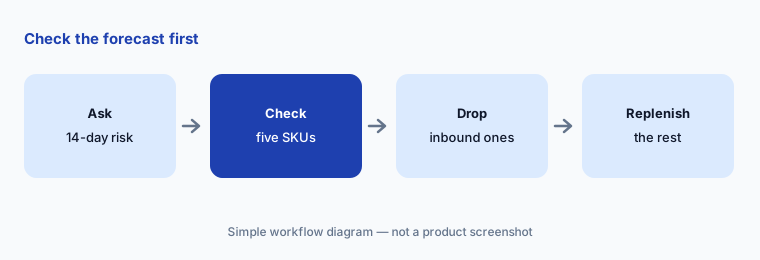
Primary workflow:
Ask Bobby which SKUs will run out at any ShipBob warehouse in the next 14 days. Check five of them against the inventory report before you send a replenishment.
2. Bobby on exception orders: confirm before every change
What it is: ShipBob’s Bobby guide (updated 30 September 2026) walks through fixing out-of-stock exception orders by swapping to an in-stock variant, reassigning orders to a fulfillment center that has the stock, and expediting a shipping method. In each case Bobby shows a summary and “confirms before executing”; the change is then logged under your user in the order’s timeline. ShipBob says Bobby can also loop in a human support agent from the same window.
The confirmation summary is the approval step, so it only works if someone reads it. Make the ops lead the person who approves anything that changes what a customer receives.
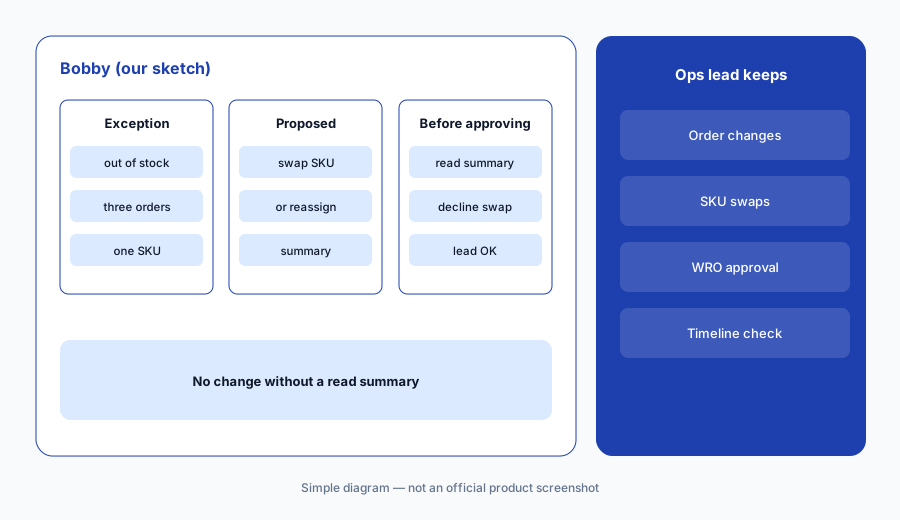
Read before you approve:
Ask Bobby to fix three out-of-stock exception orders. Have the ops lead read each confirmation summary before approving, then check the order timeline for the change.
3. Creating a WRO from a chat
What it is: The Bobby guide shows creating a warehouse receiving order (WRO) from a prompt such as “Create a WRO to restock [SKU] at Moreno Valley.” Bobby uses a ShipBob-defined skill, asks for missing details (which site, a tracking number), proposes an arrival date you can change, and shows a full summary — quantity, SKU, dates, destination — before creating anything. ShipBob says Bobby will correct a location that does not receive inventory to the right hub.
Bobby picking a different hub than you named is helpful only if you notice it. Check destination and quantity on the summary every time.
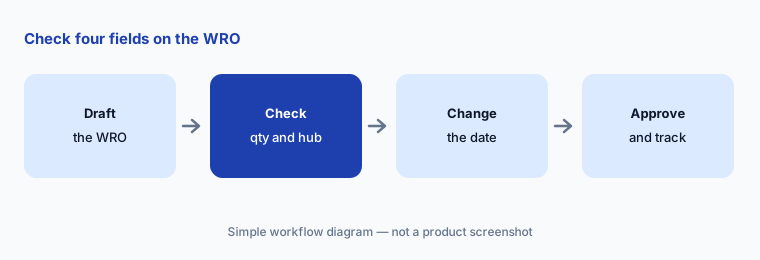
Check the summary:
Have Bobby draft one WRO for a low-stock SKU. Have the ops lead check quantity, destination hub, arrival date, and tracking number on the confirmation before approving it.
4. ShipBob MCP: your AI tools, with read and write
What it is: ShipBob MCP connects Claude, ChatGPT, VS Code with GitHub Copilot, and other MCP clients to ShipBob through a browser sign-in (developer overview). ShipBob’s tools page lists 73 tools across eleven domains, including creating and cancelling orders, cancelling shipments, changing addresses and shipping services, creating receiving orders, and editing products; inventory is read-only through MCP. The setup guide says an account admin grants MCP Read and MCP Write separately, writes only apply to records on the channel created at sign-in (product edits are the exception), and there are separate sandbox and production servers. It also says “Your AI client controls tool approval — the ShipBob MCP Server does not enforce a prompt”: Claude apps and VS Code ask before write tools, while ChatGPT developer-mode connectors run tool calls without a prompt by default.
Whether a person approves each write depends on the AI tool, not on ShipBob. Choose a client that asks, and limit who has MCP Write.
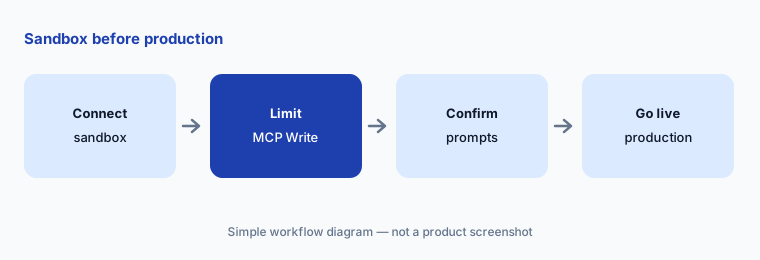
Sandbox first:
Connect ShipBob MCP to your AI assistant in the sandbox first. Have the account admin give write access to one person, and confirm the client asks before every write tool runs.
5. AI Hub and MCP Insights: what AI changed
What it is: The AI Hub, added in July 2026 (release notes), is ShipBob’s dashboard home for its AI: what each capability does, connections for your own AI tools, and an MCP Insights tab that ShipBob describes as “a live, complete view of every action AI has taken on your account, by any user or tool, Bobby included.” The AI page also lists AI Labs, ShipBob’s experimental apps, as coming soon.
A log nobody reads is not oversight. Put a weekly review of AI actions on someone’s calendar.
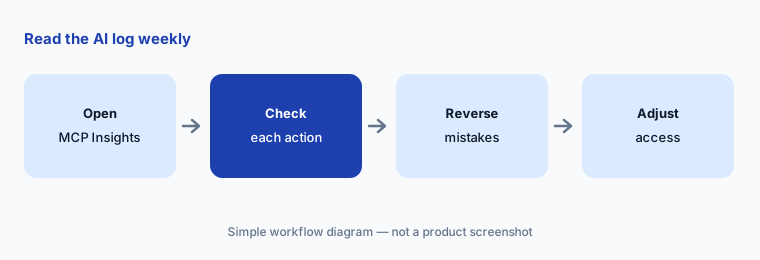
Read the log weekly:
Open MCP Insights in the AI Hub once a week for a month. Have the ops lead check every AI action against the order or WRO it touched.
6. The fulfillment and transportation engines
What it is: ShipBob’s AI page describes two engines that make decisions without a prompt: a Fulfillment Engine (inventory placement, fulfillment center balancing, a Promise Engine for delivery dates, carrier and packaging selection, order routing) and a Transportation Network Engine (middle and last mile, zone skipping, truck and container fill, delivery estimates, TrackBob tracking pages). ShipBob says its Promise Engine gives 97.6% delivery estimate accuracy and that 55% of orders are fulfilled in-region, published on its performance data site.
You do not approve these decisions one by one, so test the outcome you show customers: the delivery date at checkout.
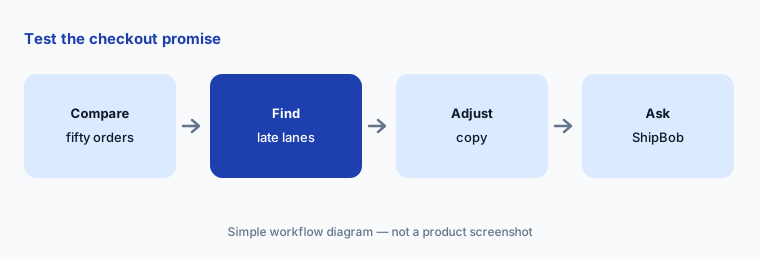
Test the promise:
Compare the delivery dates ShipBob showed at checkout with actual delivery for fifty orders last month. Have the ops lead note the lanes where promises missed before changing checkout copy.
Pricing context (October 2026)
ShipBob does not publish a fulfillment price list. Its pricing page (checked 17 Oct 2026) lists the standard fees — implementation, receiving, warehousing, and pick, pack, and ship — and says “All quotes are customized for each customer”. Fulfillment is quote-only.
The same page says “ShipBob’s software is completely free for all customers”, and we found no separate price for Bobby, ShipBob MCP, or the AI Hub. ShipBob’s WMS for your own warehouse is priced on request. Ask whether AI features differ by plan or region and whether MCP access is available on every account.
Uncertainty: ShipBob’s October 2026 release note says “Bobby is Live!”, while its 30 September 2026 guide says Bobby is “currently rolling out to beta merchants” (more than 150 in beta); check that your account has it. The AI page says “70+ tools across 10 domains” for MCP, while the developer docs list 73 tools across eleven domains. The Bobby guide mentions “updating inventory”, while MCP treats inventory as read-only. The AI page says ShipBob AI “makes the calls”, while Bobby “confirms before every change” — both are true for different parts. Whether MCP writes get a confirmation depends on your AI client. Figures such as 97.6% delivery estimate accuracy, 55% in-region fulfillment, and 1 billion+ units are ShipBob’s claims, not our measurement; we do not repeat its “first” connector claim.
When it’s useful (honest take)
Useful when your orders already ship from ShipBob, your team answers stockout and exception questions every day, and an ops lead will approve changes and read the AI action log.
Less useful when you run your own warehouse and need reorder planning across channels (Cin7 AI), you mostly need post-purchase tracking and returns (AfterShip AI), or you run your own delivery fleet (Locus AI).
Paying for ShipBob AI and a few other AI tools? The $9 AI toolkit spreadsheet lists every AI subscription you have, what each one costs, and how fast it pays for itself, so you can see which ones are worth the money.
Want someone to do it for you? AI toolkit audit — $19
Related options (educational)
| Need | Better home | Why |
|---|---|---|
| Outsourced fulfillment with an in-app agent and MCP | ShipBob AI (this page) | Fulfillment quoted; software free |
| Inventory and reorder AI for your own stock | Cin7 AI | See that review |
| Post-purchase tracking and returns AI | AfterShip AI | See that review |
| Delivery promise and returns experience | Narvar AI | See that review |
| Mapping overlap across ecommerce ops tools | Stack map for ecommerce ops | Free guide |
| Connecting your AI assistant to ShipBob MCP | Claude | Claude plan; no separate MCP price found |
FAQ
What is ShipBob Bobby?
Bobby is ShipBob’s AI agent inside the merchant dashboard. It answers questions from your live fulfillment data and can reship orders, swap SKUs, reassign fulfillment centers, and create WROs after you confirm a summary.
What can ShipBob MCP change?
ShipBob lists 73 MCP tools, including creating and cancelling orders and shipments, changing addresses and shipping services, creating receiving orders, and editing products. Inventory is read-only, and writes are limited to the channel created when you connect.
How much does ShipBob cost in October 2026?
ShipBob customizes every fulfillment quote (implementation, receiving, storage, pick, pack, and ship). Its pricing page says the software is free for all customers; we found no separate AI price.
Does ShipBob MCP ask before making changes?
ShipBob says the server does not enforce a prompt; your AI client decides. Claude apps and VS Code ask before write tools; ChatGPT developer-mode connectors do not by default.
Who should approve what ShipBob’s AI does?
A named ops lead approves WROs, inventory transfers, SKU swaps, and order changes; an account admin controls MCP Write access; someone reviews MCP Insights weekly.
Optional next step (if seats overlap)
If you pay for a 3PL, an inventory tool, a post-purchase tracking app, and chat seats your team uses to ask where orders are, that overlap is worth mapping. Map the overlap with the $19 AI toolkit audit or the $9 AI toolkit spreadsheet. Email Audit $19 or Toolkit spreadsheet $9.
Checkout is live via Stripe. After you pay, we email delivery (spreadsheet) or intake next steps (audit).