Tool · Logistics ops · Optimal Dynamics · Oct 2026
Optimal Dynamics AI review (Oct 2026): agentic automation for truckload carrier planning and dispatch
Optimal Dynamics sells a “Transportation Decision System” to trucking companies that run their own trucks and drivers. An optimization engine decides which freight fits the network and which driver should take it; Atlas, its agentic automation layer, acts on those decisions — accepting or rejecting loads, bidding for freight through Scale, and suggesting driver-to-load assignments in Execute. This page covers what each part does, where Optimal Dynamics says it acts on its own, and how a carrier keeps a named planner in charge. Each section has a Try this.
What this Optimal Dynamics AI page covers
This page is for a planning lead, dispatch manager, or operations leader at an asset-based truckload carrier or private fleet. It answers: what Optimal Dynamics automates, which load and dispatch decisions it can make without a person, how to compare it with your planners before you trust it, and what Optimal Dynamics publishes about price.
Optimal Dynamics’ home page (read 17 October 2026) groups the product into Plan (Network Simulation, Bid Analysis), Scale (Network Management), and Execute (Dispatch Management), all on one decision engine. Its agentic automation page says Atlas can act “automatically accepting freight that meets specific profit thresholds”, and its decision automation page calls the platform Level 4 “conditional automation … with minimal need for human oversight” on its own five-level scale. Scale was announced on 2 March 2026.
Ground rules: a named planning lead sets the profit thresholds, lane limits, and protected customer commitments, and decides when auto-accept goes on; dispatchers review and assign every driver-to-load recommendation; driver hours-of-service and home time stay the dispatcher’s responsibility. Rate confirmations, customer contracts, and driver details stay out of outside chat tools, and Optimal Dynamics’ figures are its claims, not our measurement.
Major features (with how someone uses them)
Examples at a glance: each feature has a concrete example from a real job plus a short Try this you can run this week.
1. Load acceptance suggestions versus your planners (primary)
What it is: Optimal Dynamics plans freight over three horizons: strategic (a month to a year out), tactical (1–15 days, including “advanced load acceptance”), and real time (under 24 hours) (decision automation page). It uses machine-learning forecasts that give a range of likely loads rather than one number, plus reinforcement learning to value where a driver ends up after a load. The agentic layer can accept or reject freight automatically against profit thresholds you set (Atlas page).
Automatic acceptance is the decision with the biggest downside, because a wrong yes strands a truck and a wrong no loses a customer. Run the suggestions next to your planners before any switch goes on.
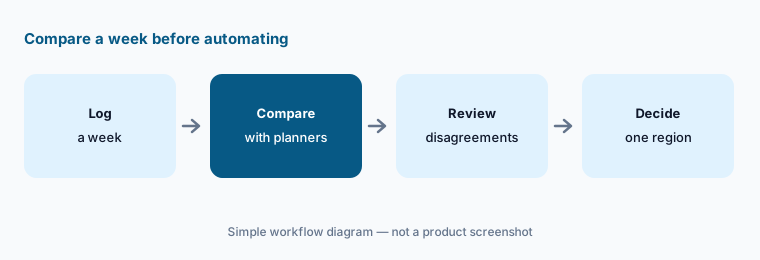
Primary workflow:
Compare Optimal Dynamics' load-acceptance suggestions with your planners' choices for one week. Have the planning lead review every disagreement before turning on automation.
2. Scale: agents that bid for and book freight
What it is: Scale, launched on 2 March 2026, is described as an “always-on, autonomous agentic workforce” that searches, bids, negotiates, and procures freight across load boards, email, EDI, and direct shipper channels. The Network Management page lists “auto accept or reject network-aware freight” and says secured loads flow straight into dispatch decisions in Execute. Customer quotes in the launch release are about what carriers “expect” Scale to do.
Agents that negotiate rates on your behalf need written limits. The planning lead owns the profit threshold, the lanes, and the customers Scale may not touch.
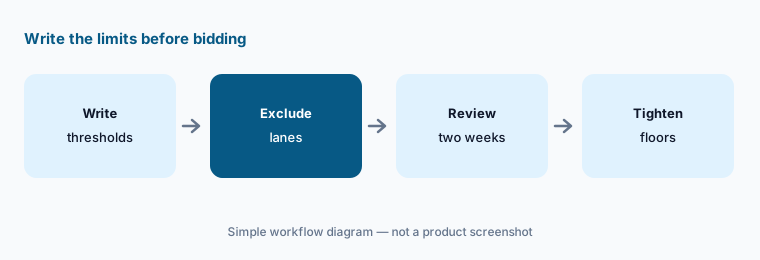
Limits first:
Before Scale's agents bid or negotiate on their own, have the planning lead write the profit threshold and lane limits for auto-accept. Review every load Scale accepted or declined for two weeks.
3. Execute: driver-to-load recommendations
What it is: Optimal Dynamics’ Dispatch Management page lists ranked driver and load recommendations, automated driver-to-load assignment, dynamic tour building, and spot-freight sourcing across load boards, email, and private customer boards, and says “driver preferences and HOS taken into account”. Its own summary is “Simply review and assign, and done.” The home page says recommendations factor in hours of service, home time, and location.
The software can weigh hours and home time, but the dispatcher still answers to the driver. Check the first week of recommendations against what drivers were promised.
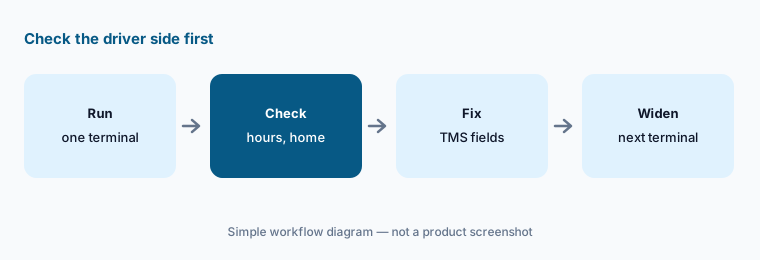
Check the driver side:
Run Optimal Dynamics' dispatch recommendations for one terminal for a week. Have the dispatcher check every assignment against driver hours, home time, and stated preferences before assigning.
4. Atlas explanations: why a load was rejected
What it is: Optimal Dynamics’ agentic automation page describes four parts of Atlas. The first, Explain, translates the optimization logic into plain-English “decision stories” so users understand “why a load was rejected, a driver was selected, or a plan changed”. The others cover setup and testing of new models for each customer, learning driver preferences, customer priorities, and lane sensitivities, and connecting decisions to execution systems.
An explanation is only useful if your planners can disagree with it. Read the stories for loads the system turned down, because those are the decisions nobody else sees.
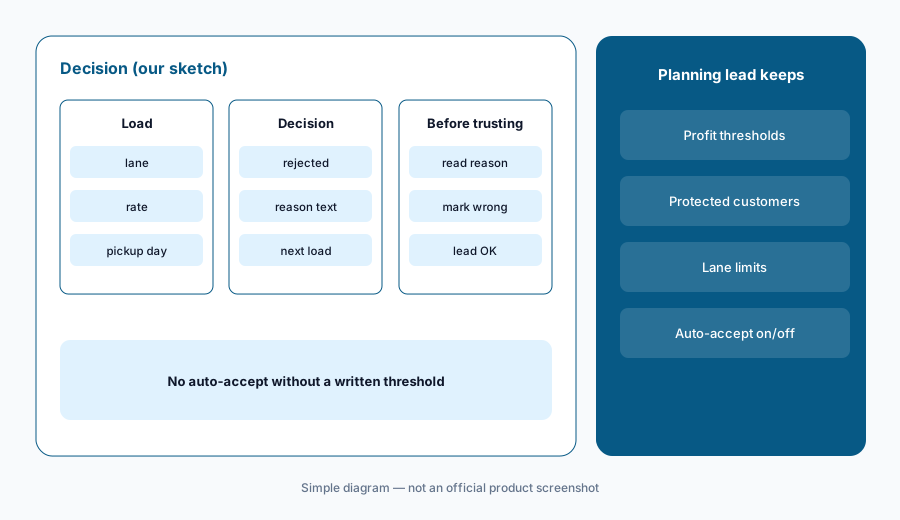
Read the reasons:
Pick ten loads the system rejected and read the plain-English explanation for each. Have the planning lead mark any reason that does not match what your team knows about the customer or lane.
5. Plan: Bid Analysis and Network Simulation
What it is: The Bid Analysis page says it identifies the lanes and volumes worth bidding on for your network and simulates each bid’s effect on profit, coverage, and service before you answer an RFP. Network Simulation models scenarios — such as adding trucks or a new customer — in a digital twin “before executing a single change”. Both run on the same engine as dispatch.
A simulated bid is a forecast. The pricing lead compares it with the team’s own picks and signs off before anything goes to a shipper.
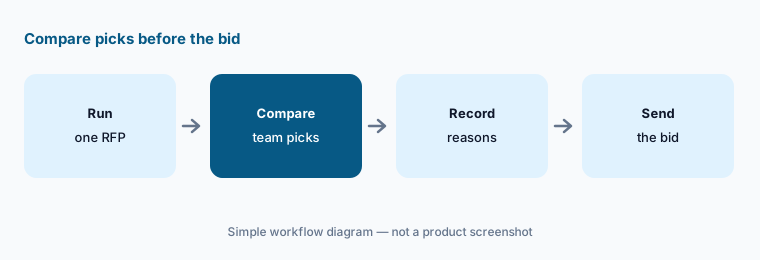
Compare before you bid:
Run one RFP through Bid Analysis. Have the pricing lead compare its recommended lanes with the team's own picks and sign off before any bid is sent.
6. Proof-of-Value, integrations, and what you need to provide
What it is: Optimal Dynamics’ Proof-of-Value process takes three months of your historical TMS and ELD data, calibrates the engine to your runs and driver types, and simulates how the platform would have decided, with results “in just weeks”. Its integrations page calls it a decision layer on top of your existing systems with two-way TMS and ELD integrations and an API; the logos shown include McLeod, Trimble, Samsara, Motive, and Geotab (see our Motive AI and Geotab AI reviews).
A simulation on your own history is the cheapest test you will get. Check a handful of its “would have” decisions against what really happened on those days.
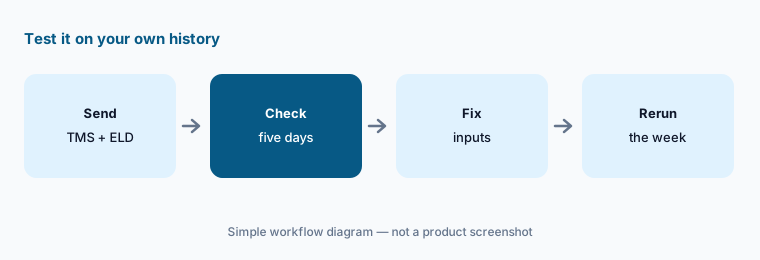
Test on your history:
Before signing, run the Proof-of-Value on three months of your TMS and ELD data. Have the planning lead check five simulated decisions against what actually happened on those days.
Pricing context (October 2026)
Optimal Dynamics does not publish prices; optimaldynamics.com/pricing returns a 404 page, and the site offers demo requests and a Proof-of-Value on your own data. Pricing is quote-only as of 17 Oct 2026.
Ask which of Plan, Scale, and Execute are in the quote, whether Scale’s agents are priced by truck, by load, or as a flat fee, what the Proof-of-Value costs and how long it takes, and which TMS and ELD integrations are included.
Uncertainty: Optimal Dynamics’ 14 April 2026 results release lists Scale among its fiscal 2025 milestones, while the Scale launch release is dated 2 March 2026; we use the March date. The platform calls itself Level 4 automation with “minimal need for human oversight” and lists auto-accept or reject, while the dispatch page says “review and assign” — we treat automatic acceptance as a setting the planning lead switches on. Scale customer quotes describe what carriers expect, not measured results. We could not confirm which Atlas capabilities each customer gets, and the integration list is taken from logos. Figures such as 80% of fleet managers moved off routine planning, 12.5% and “nearly 20%” more weekly revenue per truck, Ploger’s 14.6% revenue per mile, and Leonard’s Express’s 45% fewer brokerage-booked loads are Optimal Dynamics’ and its customers’ claims, not our measurement.
When it’s useful (honest take)
Useful when you run an asset-based truckload fleet with enough volume that planners spend their day on load acceptance and driver assignment, your TMS and ELD data are clean, and a planning lead will own the thresholds and review disagreements.
Less useful when you are a broker covering loads with outside carriers (Parade AI, HappyRobot AI), a shipper choosing a TMS (Shipwell AI), or a last-mile operation planning many small stops (Locus AI).
Paying for Optimal Dynamics AI and a few other AI tools? The $9 AI toolkit spreadsheet lists every AI subscription you have, what each one costs, and how fast it pays for itself, so you can see which ones are worth the money.
Want someone to do it for you? AI toolkit audit — $19
Related options (educational)
| Need | Better home | Why |
|---|---|---|
| Carrier load acceptance, freight procurement agents, and dispatch | Optimal Dynamics AI (this page) | Quote only |
| Broker capacity, carrier email, and trucklists | Parade AI | Quote only |
| Voice agents for carrier sales and check calls | HappyRobot AI | Quote only |
| Fleet telematics and safety with AI | Samsara AI | See that review |
| Last-mile route planning and dispatch | Locus AI | Quote only |
| Thinking through one sanitized lane decision | Claude | General chat; no TMS link |
FAQ
What is Optimal Dynamics Atlas?
Atlas is Optimal Dynamics’ agentic automation layer. It explains decisions in plain English, learns driver and customer preferences, and connects the optimization engine to execution — for example accepting freight that meets a profit threshold.
What is Optimal Dynamics Scale?
Scale, announced 2 March 2026, is a set of agents that search, bid, negotiate, and procure freight across load boards, email, EDI, and direct channels, and can auto-accept or reject loads based on what the network needs.
How much does Optimal Dynamics cost in October 2026?
Optimal Dynamics does not publish prices; its pricing URL returns a 404 and the site offers demos and a Proof-of-Value. Treat it as quote-only.
Does Optimal Dynamics account for hours of service?
Optimal Dynamics says dispatch recommendations take driver preferences and hours of service into account. Dispatchers still review and assign, and hours rules remain the carrier’s responsibility.
Who should approve what Optimal Dynamics does?
A planning lead sets profit thresholds, lane limits, and protected customers and decides when auto-accept goes on; dispatchers review every driver assignment; the pricing lead signs off on bids.
Optional next step (if seats overlap)
If you pay for a TMS, a telematics platform, load boards, a decision engine, and chat seats your planners use to think through loads, that overlap is worth mapping. Map the overlap with the $19 AI toolkit audit or the $9 AI toolkit spreadsheet. Email Audit $19 or Toolkit spreadsheet $9.
Checkout is live via Stripe. After you pay, we email delivery (spreadsheet) or intake next steps (audit).