How-to · Truckload carriers · Optimal Dynamics · Oct 21, 2026
Write one Optimal Dynamics load auto-accept rule, and have dispatchers review every assignment
Optimal Dynamics’ Atlas layer can accept or reject freight automatically against profit thresholds you set, and its Execute module recommends driver-to-load assignments. A wrong yes strands a truck; a wrong no loses a customer. This page shows how to write one auto-accept rule with the planning lead owning it, while dispatchers review every assignment.
Who this is for
Planning leads, dispatch managers, and operations leaders at truckload carriers and private fleets that run their own trucks and drivers. The job here is load acceptance and dispatch. For running Locus routing in shadow mode with the dispatch lead approving same-day route changes — a different job in last-mile delivery — see Locus shadow mode route approval.
How to do it
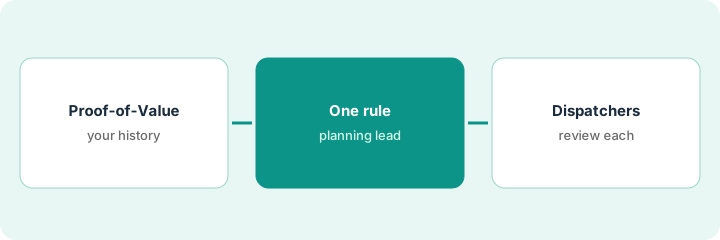
This is a how-to, not a ranking of carrier software. Per the Optimal Dynamics AI review, Atlas explains decisions in plain-English “decision stories” and can accept freight that meets profit thresholds; Scale (announced 2 March 2026) bids and procures freight; Execute ranks driver-to-load recommendations that Optimal Dynamics says take hours of service and preferences into account; and the Proof-of-Value simulates decisions on three months of your TMS and ELD data. Optimal Dynamics’ figures are its claims. The ground rule: the planning lead writes and owns every auto-accept rule, and dispatchers review and assign every driver-to-load recommendation; hours of service stay the dispatcher’s responsibility.

1. Scope the Proof-of-Value on your own history
What it is: Before signing, run the Proof-of-Value on three months of your own data and check what it says it would have done.
- Provide three months of TMS and ELD data.
- Ask what the Proof-of-Value costs and how long it takes.
- Check five simulated decisions against what actually happened on those days.
- Compare load-acceptance suggestions with your planners’ choices for one week.
- List every disagreement for the planning lead.
The Proof-of-Value would have rejected two loads her planners took. Checking those days, one was a loss on the backhaul, as the simulation said; the other was a protected customer commitment the simulation did not know about. She adds that customer to the protected list.
Run the Proof-of-Value on three months of your data, and have the planning lead check five simulated decisions against what really happened.
2. Planning lead writes one auto-accept rule after reading Atlas explanations
What it is: Read Atlas explanations for loads the system rejected, then write one narrow rule: a profit threshold, the lanes it covers, and the customers it may never decline.
- Read the plain-English explanation for ten rejected loads.
- Mark any reason that does not match what your team knows about the customer or lane.
- Write one rule: profit threshold, lanes covered, protected customers.
- Decide in writing when auto-accept turns on and who may change it.
- Review every load accepted or declined under the rule for two weeks.
Reading ten rejection stories, she finds eight sound right; two cite low profit on a lane where a dedicated customer pays a quarterly bonus the system cannot see. She writes one auto-accept rule for three lanes with a profit threshold and her protected customers excluded from automatic decline.
Read the Atlas explanation for ten rejected loads, then write one auto-accept rule with a threshold, its lanes, and protected customers, signed by the planning lead.
3. Dispatchers review every driver-to-load assignment
What it is: Execute recommends assignments; dispatchers check each one against what drivers were promised before assigning.
- Run recommendations for one terminal for a week.
- Check each assignment against driver hours of service.
- Check home time and stated preferences.
- Assign only after the check; never auto-assign during the pilot.
- Log every assignment the dispatcher changed and why.
Over a week the dispatcher accepts most recommendations. Three would have kept drivers out past promised home time, and one paired a driver with a customer he had asked not to serve. She changes all four and logs the reasons for the planning lead.
For one terminal and one week, have dispatchers check every recommendation against hours of service, home time, and preferences before assigning.
Pricing context (October 2026)
This how-to isn’t a price sheet. Per the Optimal Dynamics AI review, Optimal Dynamics does not publish prices. When we checked on Oct 21, 2026, optimaldynamics.com/pricing returned not found and the site lists no prices. Treat it as quote-only and ask what the Proof-of-Value costs and which of Plan, Scale, and Execute are in the quote. Dated October 2026.
Checked Oct 21, 2026 on the vendor’s own site: Optimal Dynamics publishes no prices; optimaldynamics.com/pricing returned not found and Optimal Dynamics’ site lists no prices. This page quotes no Optimal Dynamics dollar figure; ask Optimal Dynamics for a written quote and see our review for what is known.
Uncertainty: The only prices this site sells here are the optional $9 AI toolkit spreadsheet and $19 AI toolkit audit.
When this helps (honest take)
Useful when you run your own trucks and drivers, planners spend hours on load acceptance, and a planning lead will own every auto-accept rule.
Not useful when protected customer commitments are not written down, you want auto-accept on every lane at once, or dispatchers will not have time to check assignments.
Related options (educational)
| Need | Where to look | Why |
|---|---|---|
| Load acceptance, Scale, Execute, Atlas | Optimal Dynamics AI | Primary path; quote only |
| Same-day route changes in last-mile delivery | Locus shadow mode route approval | A different job |
| Broker carrier rate limits | HappyRobot rate limit approval | A different job |
| Where freight tools fit | Stack map: logistics ops | Broader map |
FAQ
What is Atlas?
Per our review, Optimal Dynamics’ agentic automation layer: it explains decisions in plain English and can act on them, for example accepting freight that meets a profit threshold.
Does Optimal Dynamics handle hours of service?
Per our review, Optimal Dynamics says recommendations take hours of service into account. Dispatchers still review and assign, and hours rules remain the carrier’s responsibility.
How much does Optimal Dynamics cost?
Optimal Dynamics publishes no prices. Treat it as quote-only (checked Oct 21, 2026).
Optional next step
If you want a one-page toolkit map for the tools you already pay for, use the optional $9 AI toolkit spreadsheet. If you want a short review of seat waste and unused tools, use the optional $19 AI toolkit audit. Neither is required to follow this how-to.