Tool · Fleet telematics · Geotab · Oct 2026
Geotab AI review (Oct 2026): AI insights for telematics and field fleet data
Geotab is a telematics platform: a GO device in each vehicle, the MyGeotab portal, and a large partner Marketplace. Its AI headline is Geotab Ace, an assistant inside MyGeotab that answers fleet questions in plain language — idling, fuel, safety, utilization — and shows the data behind each answer. Geotab also sells GO Focus Plus, an AI dash cam with in-cab voice alerts. This page is about using those answers to brief drivers only after a fleet manager has checked the trips. Each section has a Try this.
What this Geotab page covers
This page is for a fleet manager, field-ops director, or sustainability lead whose vans and trucks run Geotab, or who is weighing it against camera-first platforms. The question it answers: what Geotab Ace can answer, where its numbers need a spot-check, which features sit in GO Core versus GO Plan, how Marketplace add-ons change the bill, and who checks an insight before drivers hear about it.
Geotab’s Ace page (read 12 October 2026) calls it an AI assistant built into MyGeotab that answers questions about your fleet in plain language, spots idling and fuel outliers, compares against industry benchmarks, gives step-by-step help with rules and features, and backs answers with cited data. Geotab says Ace is included with a Geotab subscription and available only to Geotab customers. The software packages page lists GO Core and GO Plan with hardware included, and asks you to request pricing.
Ground rules: an AI answer about a driver is a reason to look at the trips, not a finding; a fleet manager spot-checks trips on the map before any briefing; coaching from dash-cam events goes through a safety lead; and driver names and phone numbers stay out of general chat tools. Facts below come from Geotab’s website as read on 12 October 2026; Geotab’s fuel and safety improvement statistics are not repeated here.
Major features (with how someone uses them)
Examples at a glance: each feature has a concrete example from a real job plus a short Try this you can run this week.
1. Ask Ace for idle-time outliers, then spot-check trips (primary)
What it is: Idling is the classic Ace question: Geotab says Ace can “spot idling and fuel usage anomalies instantly.” The answer is a list of vehicles or drivers that look unusual. What it may not know: a technician running the engine to power a lift, a cold-weather warm-up policy, or a vehicle parked at a site with no shore power. The map and the trip log tell you which.
Spot-check at least three trips per outlier before anyone talks to a driver. Note any reason the data can’t see.
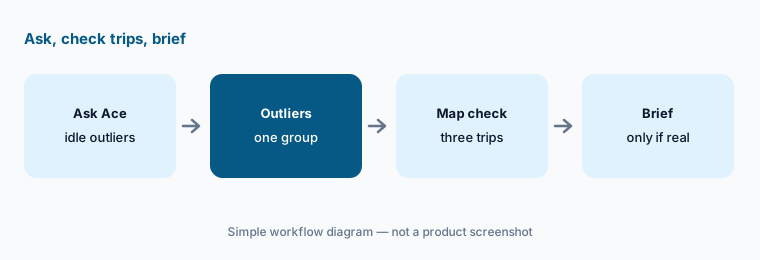
Primary workflow:
Ask Geotab’s AI for idle-time outliers on one vehicle group last week. Spot-check three trips in the map before you brief drivers.
2. Geotab Ace: plain-language fleet questions
What it is: Geotab Ace sits inside MyGeotab. Geotab lists three jobs: operational answers (idling, fuel, outliers), predictive and benchmark answers on safety and operations, and platform guidance (how to build a rule or find a feature). Geotab says every answer is backed by cited data and that Ace explains its analysis. That makes checking easier — open the cited report rather than trusting the summary.
Good Ace questions name a group, a date range, and a metric you can verify in a standard report.
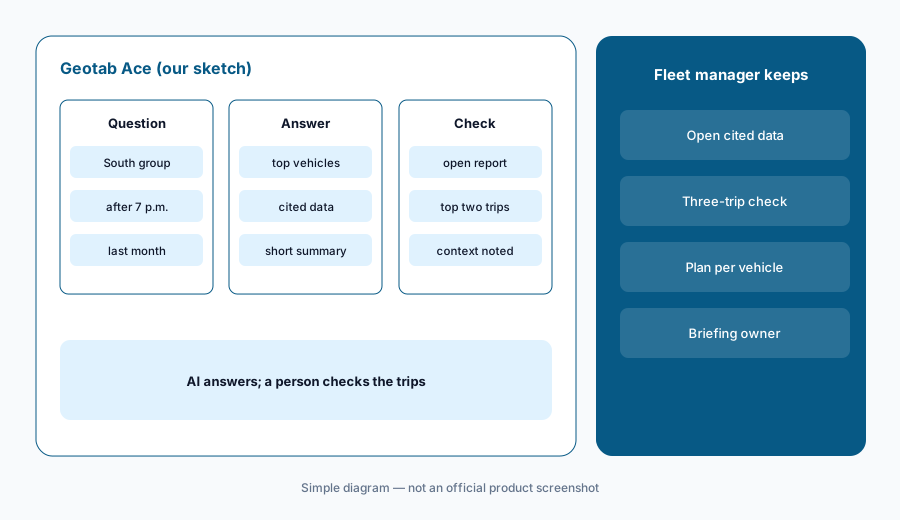
Open the cited data:
Ask Ace one question with a group, date range, and metric. Open the cited report and confirm the top two results before you share it.
3. GO Focus Plus AI dash cam and Smart Sequence
What it is: GO Focus Plus is Geotab’s AI dash cam. Geotab says it calls out distraction, tailgating, and rolling stops with instant in-cab voice feedback, and Smart Sequence surfaces the most urgent events first with video and context so managers can review and coach. This is the same kind of job as Samsara AI and Motive AI coaching — the clip still needs a person.
Watch the clip with the safety lead before anything is filed as coaching.
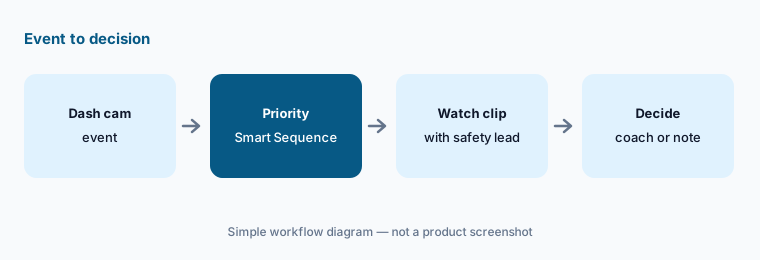
Watch the top event:
Open the top Smart Sequence event this week. Watch the clip with the safety lead and write the context before deciding on coaching.
4. GO Core vs GO Plan: which data you have
What it is: Geotab sells two current packages. GO Core covers GPS tracking, maintenance basics, dashboards, and Marketplace access, with fuel economy per vehicle. GO Plan adds advanced collision-risk tools, HOS/ELD compliance, predictive maintenance, full fuel and idling insights, EV and sustainability reporting, routing, and video and AI dash cam integration. Geotab says hardware is included in both and you can upgrade from MyGeotab. Ace can only answer from data your plan collects.
If an Ace answer about idling looks thin, check whether the vehicle is on GO Core — full idling analysis is listed under GO Plan.
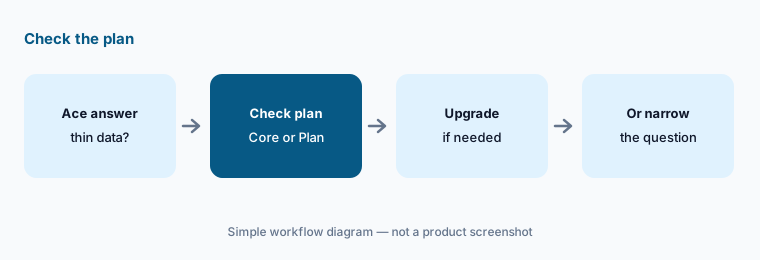
Check the plan first:
List which vehicle groups are on GO Core and which are on GO Plan before you ask Ace about idling or fuel across the whole fleet.
5. Marketplace add-ons and Order Now
What it is: The Geotab Marketplace lists hundreds of partner and Geotab-built solutions in categories such as cameras and ADAS, routing and dispatch, maintenance, fuel, and sustainability; the Order Now program lets you order some of them with your Geotab hardware. Each add-on is a separate product, often with its own AI features, data rules, and price. Write down which one owns each job so you do not pay twice.
Before adding a partner AI tool, check whether Ace or GO Plan already answers the same question.
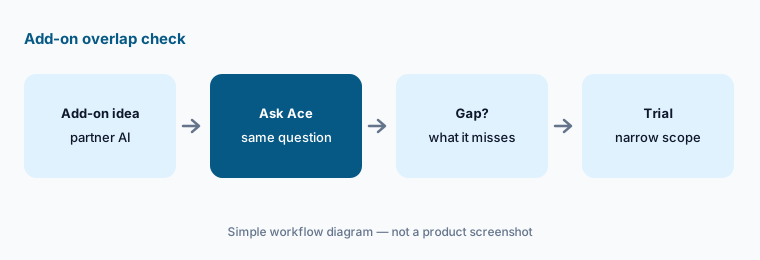
Overlap check:
Before adding one Marketplace AI tool, ask Ace and your GO Plan reports the same question. Trial the add-on only for what they miss.
6. Reseller pricing and who verifies insights
What it is: Geotab’s site does not list package prices; each plan has a “Get pricing” button, and Geotab sells through authorized resellers. Reseller sites and public-sector contract sheets carry their own figures, which are not Geotab’s general list and are not repeated here. Get a written quote with hardware, package, dash cams, and any Marketplace add-ons named, and write down who checks AI insights before they reach drivers.
Ask for the monthly cost per vehicle on GO Core and on GO Plan side by side, with and without cameras.
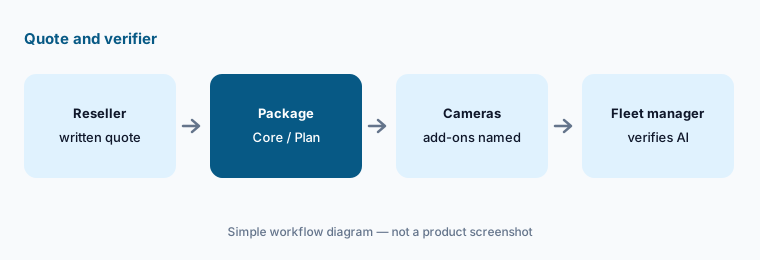
Quote + verifier:
Request a written reseller quote naming the package, cameras, and add-ons per vehicle. Name who checks Ace insights before driver briefings.
Pricing context (October 2026)
Geotab’s software packages page (read 12 Oct 2026) lists GO Core and GO Plan with a “Get pricing” button and no published prices. Geotab says hardware is included in the subscription with no upfront device or installation fee, and larger fleets get volume pricing through sales. Purchases go through authorized resellers.
Geotab says Geotab Ace is included with a Geotab subscription. Older Base, Pro, and ProPlus plans have not been offered to new customers since 1 October 2024. Dash cams and Marketplace add-ons are priced separately on the quote. Reseller and public-contract price sheets exist but are not Geotab’s own list, so they are not repeated here.
Uncertainty: Ace’s answers depend on which plan each vehicle is on and which data your devices collect — check the cited data. Marketplace partner counts differ between Geotab pages (hundreds either way). Pricing comes from your reseller, not a Geotab list. Geotab’s fuel-savings and safety-improvement claims are not repeated here.
When it’s useful (honest take)
Useful when you already run Geotab devices, want quick plain-language answers on idling, fuel, and utilization, and have a fleet manager who will spot-check trips before drivers are briefed.
Less useful when you want camera-first safety coaching as the core product (compare Samsara AI and Motive AI), your vehicles are mostly on GO Core with little idling data, or nobody owns checking AI answers.
Paying for Geotab AI and a few other AI tools? The $9 AI toolkit spreadsheet lists every AI subscription you have, what each one costs, and how fast it pays for itself, so you can see which ones are worth the money.
Want someone to do it for you? AI toolkit audit — $19
Related options (educational)
| Need | Better home | Why |
|---|---|---|
| Plain-language fleet data questions | Geotab AI (this page) | Ace included; reseller quote |
| Camera-first safety coaching | Samsara AI · Motive AI | Quote-only |
| Dispatch and technician work at customer sites | Salesforce Field Service AI | Published per-user list |
| Enterprise assets beyond vehicles | IBM Maximo AI | AppPoints; plants and networks |
| Building and facilities ops | Facilio AI | Quote-only |
| General chat for sanitized fleet SOPs | ChatGPT · Claude | No live trip data |
FAQ
What is Geotab’s AI called in October 2026?
Geotab Ace is the generative AI assistant built into MyGeotab. Geotab also sells the GO Focus Plus AI dash cam with Smart Sequence event prioritization (checked 12 October 2026).
Does Geotab Ace cost extra?
Geotab says Ace is included with a Geotab subscription and available only to Geotab customers. Packages, dash cams, and Marketplace add-ons are priced on your reseller quote.
How much does Geotab cost?
Geotab does not publish prices on its site. GO Core and GO Plan show a “Get pricing” button, hardware is included in the subscription, and sales run through authorized resellers. Ask for a written per-vehicle quote.
Can I brief drivers straight from an Ace answer?
Spot-check first. Open the cited data and at least three trips on the map for each outlier. Equipment use, weather, and site rules can explain what looks like waste.
Is Geotab the same kind of product as Samsara or Motive?
They overlap on fleet telematics and AI dash cams. Geotab leans on open data, Ace, and its Marketplace; compare by data needs, cameras, and quoted cost, not as a ranking. See Samsara AI.
Optional next step (if seats overlap)
If you pay for telematics, a partner analytics add-on, and chat seats that all summarize the same trip data, that overlap is worth a look. Map the overlap with the $19 AI toolkit audit or the $9 AI toolkit spreadsheet. Email Audit $19 or Toolkit spreadsheet $9.
Checkout is live via Stripe. After you pay, we email delivery (spreadsheet) or intake next steps (audit).