Tool · Field service / dispatch · Salesforce · Oct 2026
Salesforce Field Service AI review (Oct 2026): Agentforce and Einstein for field dispatch and work
Salesforce Field Service runs work orders, scheduling, dispatch, and the technician mobile app on the Salesforce platform. Its AI is now sold as Agentforce for Field Service — earlier Salesforce material called the first features Einstein for Field Service, and the generative AI setup in Salesforce still carries the Einstein name. The jobs: a Post-Work Summary drafted at the end of each job, a Pre-Work Brief before it, a Scheduling Agent for customer bookings, and natural-language help in the dispatcher console. This page is about using those drafts while a dispatcher still owns anything that moves a customer’s appointment. Each section has a Try this.
What this Salesforce Field Service page covers
This page is for a dispatcher, field service manager, or service operations lead on Salesforce Field Service, or weighing it against FSM tools like ServiceTitan AI. It covers the field side only — work orders, dispatch, technicians, and appointments. Case and chat summaries for a contact center (Einstein Work Summaries, service agents) are covered on our Salesforce Service Cloud AI page and are not repeated here.
Salesforce’s Field Service page (read 12 October 2026) describes Agentforce booking, changing, and canceling appointments for customers around the clock; pre-work briefs with customer and asset history; knowledge answers, image data capture, and guided troubleshooting in the mobile app; an automatic post-work summary at the end of each appointment; and natural-language help in the dispatch console to find appointments that need attention. The pricing page publishes per-user list prices and marks most AI features as “Available for Purchase” on lower editions.
Ground rules: an AI-drafted job summary is checked against the mobile report before it reaches the customer or the invoice; a dispatcher approves any AI change that moves a customer appointment; the Scheduling Agent’s booking rules are written down before customers use it; and no customer personal data goes into a general chat tool. Facts below come from Salesforce’s own pages as read on 12 October 2026; Salesforce’s productivity statistics are not repeated here.
Major features (with how someone uses them)
Examples at a glance: each feature has a concrete example from a real job plus a short Try this you can run this week.
1. Draft a work summary for one closed job (primary)
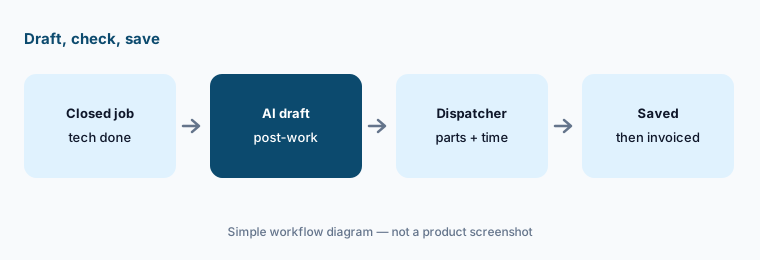
What it is: Salesforce now lists this as Post-Work Summary: at the end of a service appointment, Agentforce drafts a summary from the data the technician captured, and the technician can ask it in plain language to add or change details before it is saved to the work order. Salesforce’s first version shipped as part of Einstein for Field Service, which is why many orgs still call it “the Einstein summary.” The draft only knows what was entered — parts used from the van and travel time are the usual gaps.
Compare every part and time line to the mobile report. Anything the summary adds that isn’t in the report comes out.
Primary workflow:
Let Einstein draft a work summary for one closed job. Have the dispatcher confirm every part and time entry against the mobile report.
2. Pre-Work Brief and troubleshooting in the mobile app
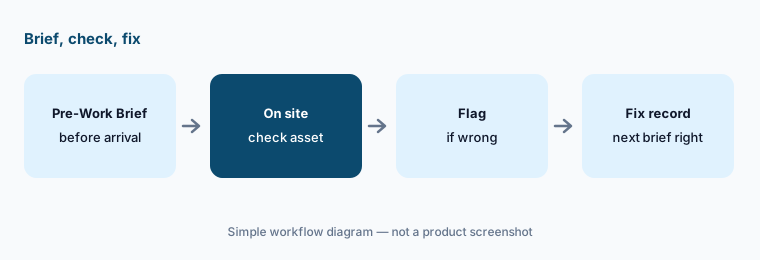
What it is: A Pre-Work Brief gives the technician a short summary of the work order, customer history, and asset insights before arrival; Salesforce added audio playback and a Siri shortcut for iPhone users. In the job, Agentforce can surface knowledge articles, capture data from images, and walk through troubleshooting steps (Multimodal Troubleshooting on the pricing page). A brief is only as good as the asset record behind it.
Have technicians flag any brief that was wrong about the asset or the last visit — that is a data fix, not a training issue.
Flag wrong briefs:
For one week, ask technicians to flag any Pre-Work Brief that was wrong about the asset or last visit. Fix the record behind each one.
3. Scheduling Agent and Appointment Assistant
What it is: The Scheduling Agent lets customers book, change, or cancel appointments through Agentforce on any channel, and can reshuffle and confirm when something unexpected happens. Appointment Assistant gives customers self-service updates about the visit. On the pricing page, the Scheduling Agent requires Flex Credits on every edition except Agentforce 1 Field Service, which includes 1M Flex Credits per org per year.
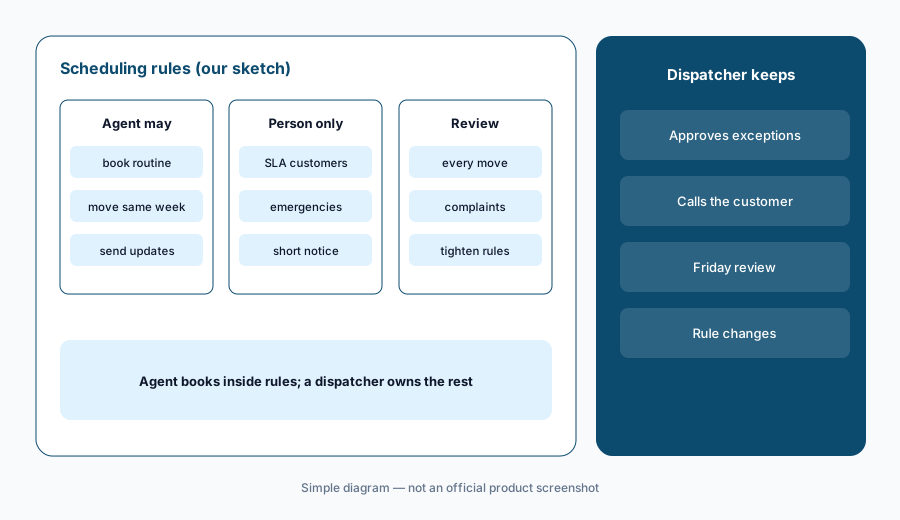
Write the booking rules first: job types the agent may book, the earliest notice it may give, and which customers always go to a person.
Write the booking rules:
Write which job types the Scheduling Agent may book or move on its own. Review every appointment it moved in its first week.
4. Dispatcher console: natural-language help
What it is: In the dispatch console, Salesforce says dispatchers can ask Agentforce in plain language to find appointments that need attention and take actions like filling a gap in the schedule or locating missing parts. Schedule Summary and Field Service Intelligence appear on the pricing page as purchasable add-ons. The scheduling engine itself does AI-assisted route and resource optimization on every edition with Dispatcher.
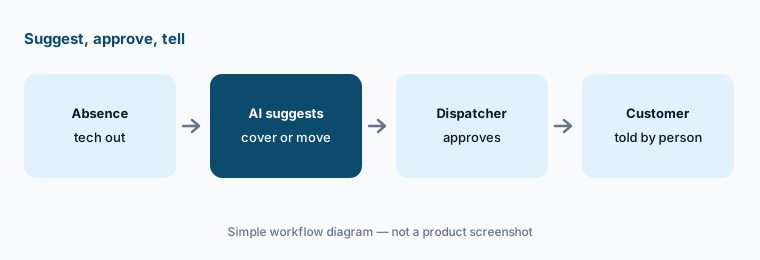
Any suggestion that moves a customer’s appointment time needs the dispatcher’s click and a note to the customer.
Approve the moves:
The next time Agentforce suggests moving a customer appointment, approve it yourself and note who told the customer and when.
5. Editions: what is included and what is extra
What it is: Salesforce sells Field Service per user. Dispatcher and Technician licenses each list at $175 per user per month; Field Service Plus ($230) combines Dispatcher, Technician, Service Cloud, and Sales Cloud; Agentforce 1 Field Service ($650) adds the full AI suite with unlimited Agentforce use for employees and yearly Flex and Data Cloud credits. On the lower editions, Agentforce for Field Service, Pre-Work Brief, Post-Work Summary, and troubleshooting are listed as available for purchase.
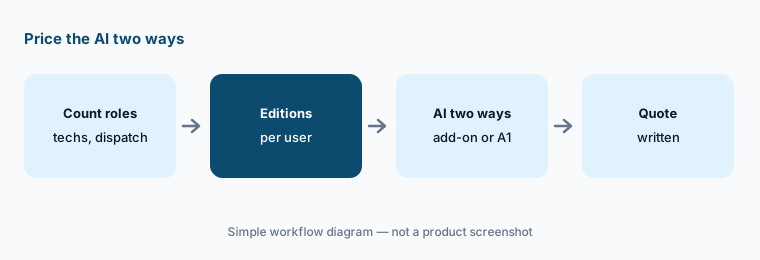
Price the AI two ways: add-ons on Technician seats versus Agentforce 1 Field Service for the people who need it.
Price it two ways:
Count dispatchers and technicians. Price AI as add-ons on those seats and as Agentforce 1 Field Service for the heaviest users, side by side.
6. Who approves AI changes to customer appointments
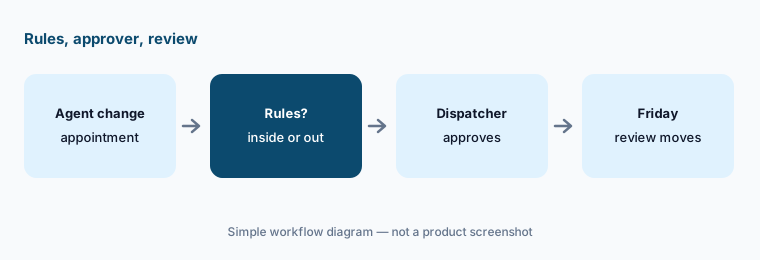
What it is: The rule that keeps customers’ trust is simple: any AI change that moves a customer appointment — from the Scheduling Agent, a dispatcher console suggestion, or an automatic reshuffle — is approved by a named dispatcher or falls inside written rules. Salesforce describes monitoring tools for reviewing agent interactions; use them to check what the agents actually did each week.
Keep one weekly review: every appointment an agent moved, why, and whether the customer complained.
Name the approvers:
Name the dispatchers who approve agent-moved appointments outside your rules. Review every moved appointment each Friday.
Pricing context (October 2026)
Salesforce’s Field Service pricing page (read 12 Oct 2026, USD, billed annually) publishes list prices: Dispatcher $175 per user per month; Technician $175; Contractor Plus $80 per user per month or $32 per login; Field Service Plus $230; Agentforce 1 Field Service $650 (everything in Field Service Plus plus the full AI suite, unlimited Agentforce use for employees, Appointment Assistant, Visual Remote Assistant, Digital Channels, Slack and Tableau Next, and 1M Flex Credits plus 2.5M Data Cloud credits per org per year).
Below Agentforce 1, Agentforce for Field Service is marked “Available for Purchase” on every edition, as are Pre-Work Brief, Post-Work Summary, and Multimodal Troubleshooting on the editions that carry them, and the Scheduling Agent requires Flex Credits. As of 21 Oct 2026, Salesforce’s Field Service AI pricing page lists Agentforce for Field Service at $125 per user per month (USD) as the add-on for editions that don’t include AI; Pre-Work Brief, Post-Work Summary, and Multimodal Troubleshooting still show no separate price. Salesforce notes the page is for information and to contact sales for detailed pricing.
Uncertainty: The $125 Agentforce for Field Service list price is Salesforce’s published figure as of 21 Oct 2026, not a quote; prices for the other AI add-ons and Flex Credit use per booking are not on the pricing page — get them in writing. Names have moved from Einstein for Field Service to Agentforce for Field Service; some Setup screens and older docs still say Einstein. List prices are Salesforce’s published figures, not a quote. Salesforce’s productivity claims are not repeated here.
When it’s useful (honest take)
Useful when your service, sales, and field data already live in Salesforce, you dispatch many technicians to customer sites, and you have dispatchers who will check AI summaries and approve appointment moves.
Less useful when you are a small home-service shop (look at Jobber AI or Housecall Pro AI), you only need contact-center AI (see Salesforce Service Cloud AI), or nobody owns the booking rules.
Paying for Salesforce Field Service AI and a few other AI tools? The $9 AI toolkit spreadsheet lists every AI subscription you have, what each one costs, and how fast it pays for itself, so you can see which ones are worth the money.
Want someone to do it for you? AI toolkit audit — $19
Related options (educational)
| Need | Better home | Why |
|---|---|---|
| Field dispatch and technician AI on Salesforce | Salesforce Field Service AI (this page) | Published per-user list prices |
| Contact-center case and chat summaries | Salesforce Service Cloud AI | Service Cloud, not field work |
| Trades and home-service FSM | ServiceTitan AI · Jobber AI | Built for trades |
| Crews on your own heavy assets | IBM Maximo AI | Maximo Field Service Management |
| Fleet and trip data | Geotab AI | Telematics, not work orders |
| Building help desk agents | Facilio AI | Facilities intake |
FAQ
Is it Einstein or Agentforce for Field Service in October 2026?
Salesforce now sells it as Agentforce for Field Service. Early features shipped as part of Einstein for Field Service, and the generative AI setup in Salesforce still uses the Einstein name, so you will see both (checked 12 October 2026).
How much does Salesforce Field Service cost?
Salesforce publishes list prices billed annually: Dispatcher and Technician $175 per user per month, Contractor Plus $80 per user or $32 per login, Field Service Plus $230, and Agentforce 1 Field Service $650. On lower editions, Salesforce now lists the Agentforce for Field Service add-on at $125 per user per month on its Field Service AI pricing page (checked 21 Oct 2026); other AI add-ons are listed as available for purchase without a public price.
How is this different from the Service Cloud AI page?
This page covers field work: work orders, dispatch, technicians, and appointments. Contact-center case and chat summaries are on our Salesforce Service Cloud AI page.
Can the Scheduling Agent move customer appointments on its own?
It can book, change, and cancel within the rules you configure. Write those rules first and have a named dispatcher approve anything outside them, then review every agent-moved appointment weekly.
Does Post-Work Summary replace the technician’s report?
No. It drafts from what the technician captured. Have the dispatcher confirm parts and time against the mobile report before the summary reaches the customer or the invoice.
Optional next step (if seats overlap)
If you pay for Field Service seats, a separate scheduling bot, and chat seats that all summarize the same jobs, that overlap is worth a look. Map the overlap with the $19 AI toolkit audit or the $9 AI toolkit spreadsheet. Email Audit $19 or Toolkit spreadsheet $9.
Checkout is live via Stripe. After you pay, we email delivery (spreadsheet) or intake next steps (audit).