Tool · Logistics ops · Everstream Analytics · Oct 2026
Everstream AI review (Oct 2026): AI supply chain risk alerts and supplier risk monitoring
Everstream Analytics sells supply chain risk intelligence: it maps your suppliers, sites, lanes, and materials, watches world events around the clock, and sends alerts about the ones that could hit your network. Everstream says it pairs AI and natural language processing with human analysts and meteorologists who check alerts before they reach you. The products are Reveal (alerts), Explore (supplier risk assessment), Discover (sub-tier suppliers), network mapping, and integrations. This page covers each and who should decide what to do about an alert. Each section has a Try this.
What this Everstream AI page covers
This page is for a procurement lead, supply chain planner, logistics manager, or compliance officer using Everstream or comparing it. It answers: what the AI does in each Everstream product, where Everstream says people check its work, how alerts reach your systems, and what Everstream publishes about price.
Everstream’s platform page (read 17 October 2026) describes “real-time data, expertise, data science, and AI & NLP for complete supply chain risk management”. Its Reveal page says “Expert analysts verify all alerts to eliminate false positives” and that a “context engine” decides which events matter to your network. Everstream’s own pages talk about numeric risk measures; on this page we call them risk signals, because they are predictions to check, not verdicts.
Ground rules: the procurement lead decides every mitigation — pulled orders, second suppliers, buffer stock — and no alert changes a purchase order by itself; the logistics manager checks shipment and equipment suggestions before they reach a carrier; the compliance officer confirms sub-tier findings before they reach an audit. Supplier contracts and prices stay out of outside chat tools, and Everstream’s figures are its claims, not our measurement.
Major features (with how someone uses them)
Examples at a glance: each feature has a concrete example from a real job plus a short Try this you can run this week.
1. AI risk alerts for your critical suppliers (primary)
What it is: Everstream’s Global Monitoring and Alerting product, Reveal, monitors events 24/7 across plan, source, make, and deliver. Everstream says it analyses 1,000 to 1,500 potential disruptions a day, filters them with an AI context engine for relevance to your network, and has analysts verify alerts before they reach you. Sources include paywalled news, logistics providers, and private chat groups, plus an in-house meteorology team. Alerts arrive in the platform, by email digest, or in your own systems.
A relevant alert is a prediction about your supplier, not a fact. Check a month of alerts against what actually happened before you build buying rules on them.
Primary workflow:
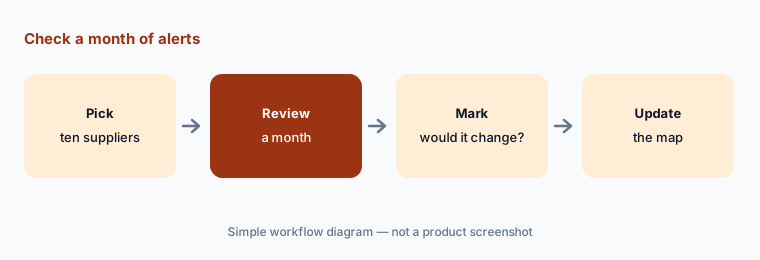
Pick your ten most critical suppliers and review a month of Everstream's alerts for them. Have the procurement lead mark which alerts would have changed an order.
2. Network mapping: the digital twin alerts depend on
What it is: Everstream’s network mapping page describes a digital twin connecting companies, locations, shipments, lanes, and materials, which every other product uses. Its FAQ says implementation starts here, recommends beginning with “a targeted subset” of sites rather than mapping everything, and says platform access comes “within days of contracting” with full onboarding taking 4 to 12 weeks.
Alerts can only be as good as the map. Wrong or stale sites send alerts about places you no longer buy from.
Check the map first:
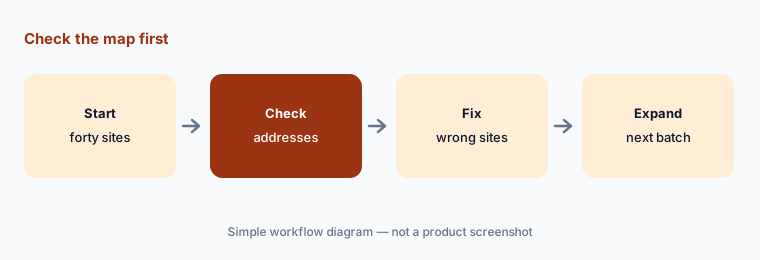
Load forty supplier sites into Everstream's network map for one product line. Have buyers confirm each address is the real production site before alerts go live.
3. Supplier risk assessment (Explore) as risk signals
What it is: Everstream’s Risk Assessment product, Explore, combines more than 50 external risk topics — natural disasters, financial risk, unethical labour practices, ESG violations — with climate projections to 2100 and your own supplier data from surveys, internal reviews, or integrations such as D&B and RapidRatings. It weights them into a combined view per location, company, or material and sends change alerts when a supplier’s risk shifts. We describe these as risk signals.
A combined risk signal hides its parts. Before it shapes a sourcing decision, open what drives it.
Open the parts:
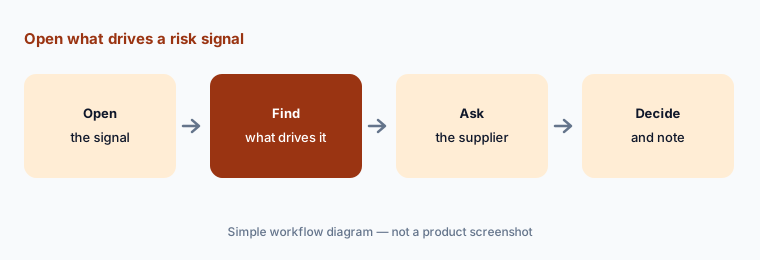
Pick three suppliers whose Everstream risk signal changed this quarter. Have the category manager open what drove each change before it affects any sourcing decision.
4. Sub-tier visibility (Discover)
What it is: Everstream’s Sub-Tier Visibility product, Discover, maps suppliers beyond tier 1 from trade data, shipment data, and location data, and Everstream says industry specialists verify discovered connections. It highlights “Sourcing Diamonds”, where several supply paths converge on one hidden supplier, and sends alerts when a sub-tier site is hit. The FAQ recommends a “surgical approach”: start with known problem areas, strategic commodities, or a compliance concern such as forced labor.
A discovered tier-2 supplier is a lead. Confirm it with your tier-1 supplier before it goes into a compliance file.
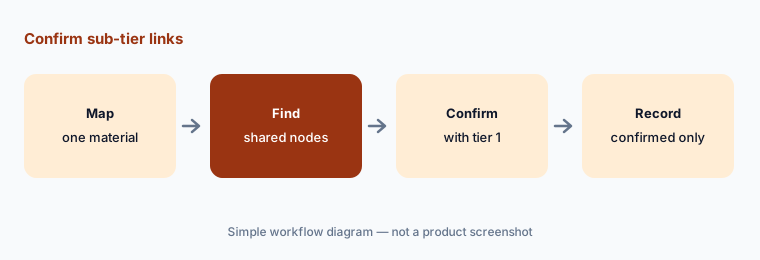
Confirm before filing:
Map one strategic material with Everstream's sub-tier view. Have the compliance officer confirm each tier-2 link with the tier-1 supplier before it goes into a compliance file.
5. Action plans, supplier feedback, and scenario planning
What it is: Everstream’s Reveal page lists collaboration tools alongside alerts: supplier feedback channels to verify impacts with affected suppliers, action plans described as “structured workflows for disruption response and mitigation with trackable outcomes and accountability”, and scenario planning to “evaluate potential outcomes before implementing solutions”. Its procurement page adds predictive risk forecasting for price volatility, commodity availability, and crop yields.
An action plan records a decision; it does not make one. The procurement lead chooses each mitigation and its cost.
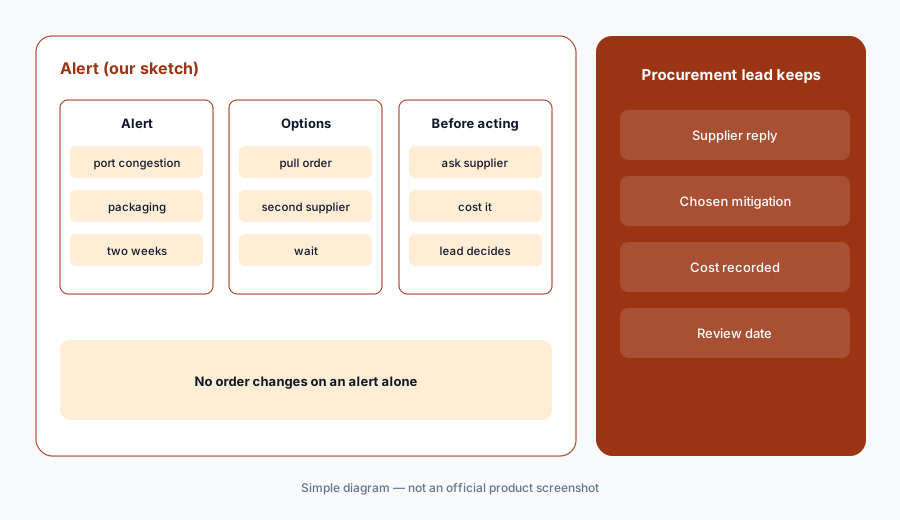
Decide each mitigation:
Open the next Everstream alert that affects a critical supplier. Have the procurement lead check the impact with the supplier, choose the mitigation, and record the reason in the action plan.
6. Insights-to-Action integrations and Temperature Protection
What it is: Everstream’s Insights-to-Action page sends alerts and quantified risk values into planning, sourcing, tracking, and transport systems by API, webhooks, or SFTP — naming SAP Integrated Business Planning, SAP Business Network for Logistics, Oracle Transportation Management, and Kinaxis — and says the values can “drive automated decisions”. Its logistics page describes lane and shipment risk analysis and Temperature Protection, which recommends protect-from-freeze or protect-from-heat equipment per shipment up to 14 days ahead, citing up to $2M a year in savings for some customers.
Automated decisions need a written limit. Decide which ones a system may take on its own and which a person approves.
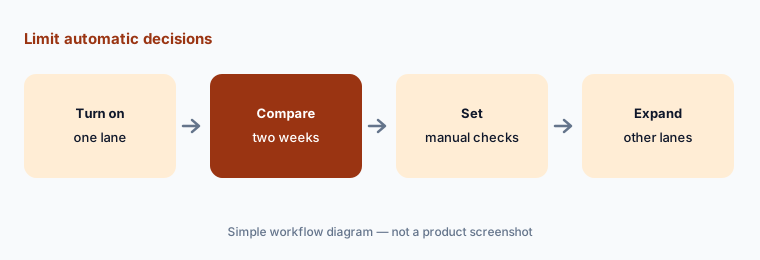
Set the limits:
Turn on Everstream's Temperature Protection for one lane. Have the logistics manager compare two weeks of equipment picks with the forecast before they flow to carriers automatically.
Pricing context (October 2026)
Everstream does not publish prices; everstream.ai/pricing returns a “Page not found” page and the site offers demo requests. Everstream is quote-only as of 17 Oct 2026.
Its FAQ says the platform is modular: network mapping comes first, Reveal or Explore can be bought on their own, and Discover is recommended with both. Ask which products the quote includes, how it scales with sites or suppliers mapped, whether integrations and specialist reports (crop, commodity, forced labor) are extra, and what the 4 to 12 week onboarding includes.
Uncertainty: Everstream says “Expert analysts verify all alerts”, while its Insights-to-Action page says its risk values can “drive automated decisions” and Temperature Protection assigns equipment automatically; we keep a named person on every decision that changes an order or shipment. Lead times differ by page: “up to 14 days in advance” (FAQ), “a week in advance” (logistics page), and “days, weeks, even months” (home page). Data volume is “billions of data points” on some pages and “20+ billion daily data points” on others. We found no generative assistant or agent product named on the site beyond a support chatbot, and no 2026-dated product release. Figures such as 90% of impacts mitigated with zero financial loss, seven-figure cost avoidance, $3.5M per billion in purchases, up to 80% of commodity price spikes avoided, and $2M in equipment savings are Everstream’s or its customers’ claims, not our measurement. Analyst rankings and awards on the site are not used.
When it’s useful (honest take)
Useful when you buy from many suppliers across regions, disruptions have cost you before, and a named procurement lead will decide mitigations with alerts as input, not instructions.
Less useful when your main job is proving product origin to customs (Altana AI), tracking your own freight in transit (project44 AI, FourKites AI), or replanning supply after a hit (Kinaxis vs o9).
Paying for Everstream AI and a few other AI tools? The $9 AI toolkit spreadsheet lists every AI subscription you have, what each one costs, and how fast it pays for itself, so you can see which ones are worth the money.
Want someone to do it for you? AI toolkit audit — $19
Related options (educational)
| Need | Better home | Why |
|---|---|---|
| Risk alerts, supplier risk, sub-tier visibility | Everstream AI (this page) | Quote only |
| Value-chain mapping and customs Passports | Altana AI | Quote only; free for suppliers |
| Shipment visibility with AI agents | project44 AI | Quote only |
| Planning suites that use risk in scenarios | Kinaxis vs o9 | Quote only |
| Trade data questions and screening | Descartes AI | TMS quote only; screening from a few thousand dollars a year |
| Drafting a sanitized supplier question | Claude | General chat; not a risk feed |
FAQ
What does Everstream Analytics’ AI do?
It filters world events for relevance to your mapped suppliers, sites, and lanes, sends alerts that Everstream says analysts check first, maps sub-tier suppliers, and turns risk data into signals that can feed your planning and transport systems.
What are Reveal, Explore, and Discover?
Reveal is Everstream’s global monitoring and alerting product, Explore is supplier risk assessment, and Discover is sub-tier supplier visibility. Network mapping sits underneath all three.
How much does Everstream cost in October 2026?
Everstream publishes no prices and offers demos, so it is quote-only (checked 17 Oct 2026). Its FAQ says products can be bought separately, starting with network mapping.
How long does Everstream take to set up?
Everstream says access comes within days of contracting and a typical full onboarding takes 4 to 12 weeks, starting with a targeted set of sites.
Who should act on an Everstream alert?
The procurement lead decides every mitigation, the logistics manager checks shipment and equipment suggestions, and the compliance officer confirms sub-tier findings before they reach an audit.
Optional next step (if seats overlap)
If you pay for a risk feed, a visibility platform, a planning suite with its own risk module, and chat seats your team uses to summarize news, that overlap is worth mapping. Map the overlap with the $19 AI toolkit audit or the $9 AI toolkit spreadsheet. Email Audit $19 or Toolkit spreadsheet $9.
Checkout is live via Stripe. After you pay, we email delivery (spreadsheet) or intake next steps (audit).