Role guide · Ecommerce ops · ChatGPT Business · Oct 2026
ChatGPT for ecommerce ops (Oct 2026): product copy drafts, returns SOPs, and promo calendars
Ecommerce ops role guide — a shared Store SOPs project in a ChatGPT Business workspace that drafts CX macros from a sanitized returns policy, product copy from spec sheets, a promo calendar from your planned events, and supplier email templates from an approved fact sheet. ChatGPT drafts; the CX lead, merchandiser, or retention lead marks every line that does not match your policy or spec sheet and approves it before anyone uses it. Use Projects, not new custom GPTs — OpenAI says custom GPTs are scheduled to retire on December 11, 2026. Pair with your store platform's own AI, such as BigCommerce AI or Wix AI.
Who this guide is for
CX leads, merchandisers, retention leads, and ecommerce managers — the person who keeps the returns policy current, writes the CX macros, drafts product copy from supplier spec sheets, and plans the promo calendar — at a brand that already pays for ChatGPT Business or Enterprise. If your store platform or product-data tool already drafts product copy inside the catalog, start there: see BigCommerce AI, Wix AI, Salsify AI, or Akeneo AI. Product deep-dive: ChatGPT.
Use Projects, not new custom GPTs. OpenAI's custom GPT retirement FAQ (read 16 October 2026) says custom GPTs are scheduled to retire on December 11, 2026 (February 11, 2027 for Enterprise workspaces with an approved deferral), that the change affects all ChatGPT plans, and that creators will migrate GPTs to plugins. For affected Enterprise workspaces it lists October 26, 2026 (planned) as the end of new custom GPT creation. A project keeps related chats, files, and instructions together, and OpenAI's Projects help article says project instructions apply only inside that project.
Ground rules for every section below: never paste customer PII — names, emails, phone numbers, shipping addresses, order numbers tied to a person — and never paste card numbers, full order exports, or a subscriber list. Supplier bank details and tax ID numbers stay out too, and so do passport or ID scans from a supplier onboarding pack. Work from sanitized material: the written policy, a spec sheet, SKU counts by week. ChatGPT does not issue refunds, change prices or discount codes, publish product pages, schedule SMS or email sends, or place purchase orders. The CX lead owns every policy line, the merchandiser owns every product claim (sizing, materials, care, “made in”), and the retention lead owns every send, consent rule, and quiet hour.
Major features (with how someone uses them)
Examples at a glance: each feature has a concrete example from a real job plus a short Try this you can run this week.
1. Project Store SOPs: returns CX macro (primary)
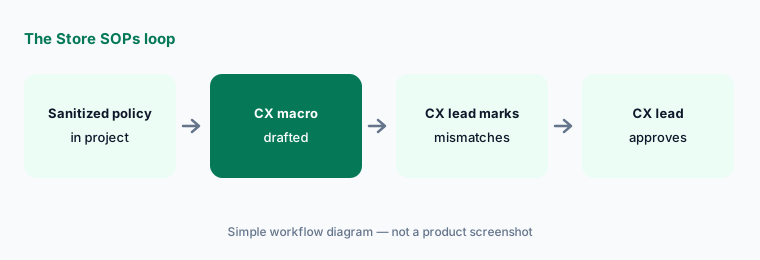
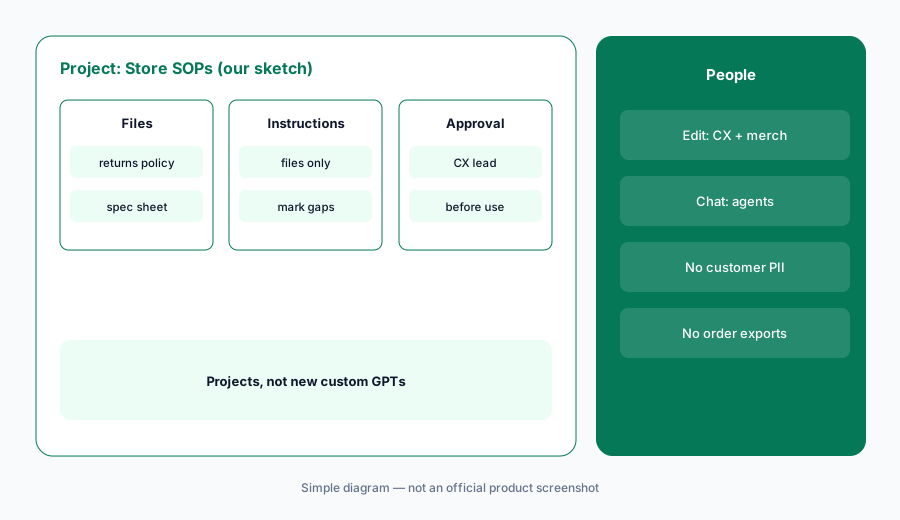
What it is: Select New project in the sidebar and name it Store SOPs. Upload one sanitized returns policy — return window, condition rules, final-sale categories, exchange steps, who pays return shipping — with no customer names, order numbers, or emails. In Project settings, add instructions: draft only from the uploaded files; quote policy wording exactly; mark any line you could not source. Then ask for a CX macro for a common returns question. OpenAI says Business projects support up to 40 files.
The mismatches are the useful part. If the macro offers free return shipping your policy limits to exchanges, or a 60-day window you shortened last spring, that is a promise the CX lead decides — not an improvement.
Primary workflow:
Create a Project called Store SOPs. Upload one sanitized returns policy and ask for a CX macro — have the CX lead mark every line that does not match your policy.
2. Product copy drafts from spec sheets
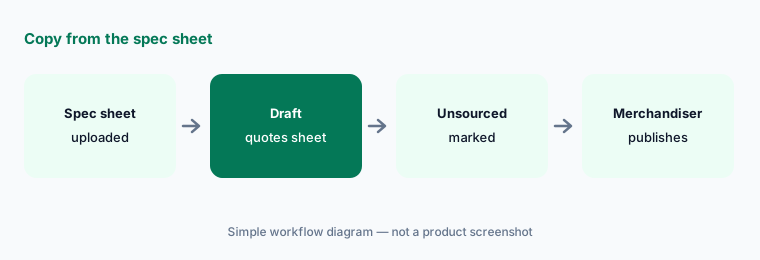
What it is: Add a supplier spec sheet and your brand style notes to the project, then ask for a product title, a short description, and five bullets — with every material, size, and care line quoted from the spec sheet and anything not on it marked Not in spec — merchandiser to confirm. Ask it to leave out health, safety, and “made in” claims unless the spec sheet states them. ChatGPT drafts; the merchandiser checks each claim and publishes in the store platform or PIM.
Draft here, publish there. If your platform or PIM already has an AI enrichment step, compare the two drafts before adding a second workflow — see Salsify vs Akeneo.
Quote the spec sheet:
Upload one supplier spec sheet to Store SOPs and ask for a title, description, and five bullets that quote the sheet for every material, size, and care line. Have the merchandiser check each claim before publishing.
3. Promo calendar draft from planned events
What it is: Give the project a sanitized planning list — event names, start and end dates, the products or collections involved, the planned discount type — and ask for a promo calendar table with columns for channel, owner, and approval date. Ask it to flag overlapping offers and any week with two discounts on the same collection. It does not create discount codes or schedule sends: the retention lead checks every date, code, and claim against the promo sheet, and consent and quiet-hour rules stay the brand's.
The calendar is a draft for the planning meeting. Sends are built and approved in your email and SMS platform — see Attentive AI or Postscript AI.
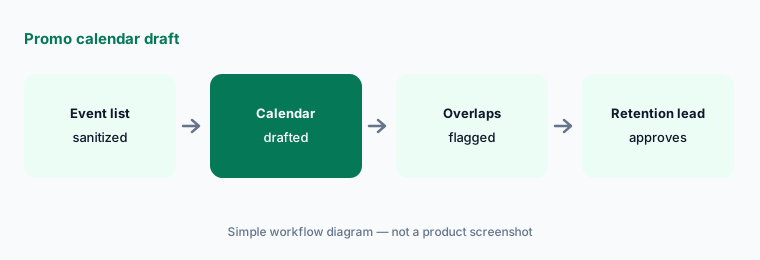
Flag the overlaps:
Upload a sanitized list of next quarter's planned promotions and ask for a calendar with channel, owner, and approval-date columns. Have the retention lead check every date and discount against the promo sheet.
4. Supplier email templates from a fact sheet
What it is: Write one approved fact sheet — your PO process, lead-time expectations, packaging and labeling rules, where invoices go — and ask for templates: a late-shipment check-in, a packaging-change request, a sample request. Ask it to use only facts on the sheet and to leave blanks for quantities, dates, and prices. A named person fills the blanks and sends each email; supplier bank details and tax ID numbers never go into the project.
Templates save typing, not judgment. The inventory lead or buyer decides every quantity and date in the email they send.
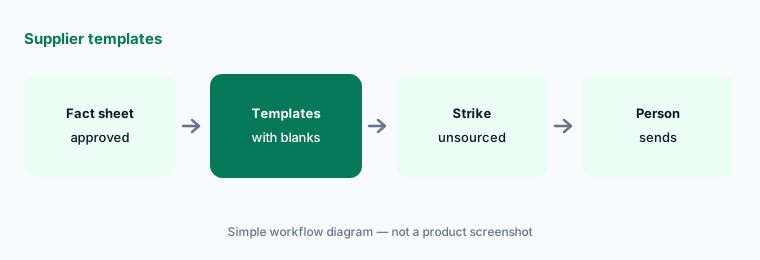
Facts only, blanks for numbers:
Write one approved supplier fact sheet and ask for three email templates that use only its facts and leave blanks for quantities, dates, and prices. Have the buyer strike any promise that is not on the sheet.
5. Who can see the project
What it is: OpenAI's Projects help article says Business users can share a project with individuals or workspace groups at Edit or Chat access. Edit lets members update instructions, upload or remove files, and invite others; Chat lets them see and use the project's chats, files, and instructions. A workspace project can include up to 100 collaborators, and shared projects automatically use project-only memory — so anything uploaded is visible to everyone you add.
Give edit access to the people who own the policies (CX lead, merchandiser). Give agents and coordinators chat access.
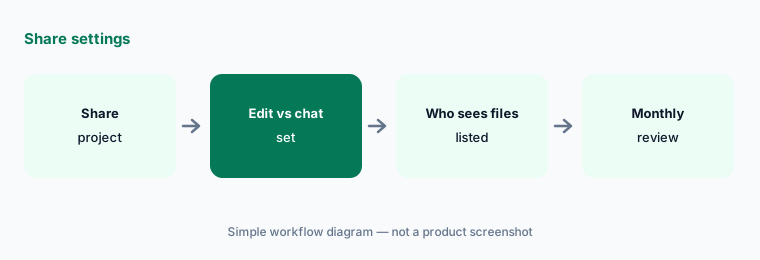
Two editors, everyone else chat:
Open Share on your Store SOPs project. Give edit access to the CX lead and merchandiser and chat access to everyone else, then list who can see the uploaded files.
6. Plan the move before December 11, 2026
What it is: OpenAI says existing custom GPTs remain usable until retirement on December 11, 2026, that migration is to plugins, that custom actions do not transfer automatically, and that existing GPT conversations stay accessible. If your team already has a custom GPT for product copy or CX replies, save a few requests it handles well, put its instructions into a project, and compare results before anyone switches. Do not use the new-custom-GPT flow for store work — use a project. See OpenAI's retirement FAQ.
Write the comparison down: five familiar requests, the old answer, the project answer, and the lines the CX lead or merchandiser had to fix.
Compare before you switch:
Before December 11, 2026, save five product-copy or CX requests your store GPT already handled. Move its instructions into a project, rerun them, and compare every line your reviewers mark before anyone switches.
Pricing context (October 2026)
As listed on openai.com/business/pricing and OpenAI's ChatGPT Business overview on 16 October 2026 (Oct 2026): ChatGPT Business Standard seat $20 per user per month billed annually, $25 billed monthly; Premium seat $100 per month billed annually, $125 billed monthly; Business is for teams of 2–200. OpenAI notes pricing may vary by country and currency. Enterprise is custom pricing through sales. The pricing grid lists Projects and shared projects on Business with no separate line item.
Budget from your invoice. Never paste customer PII or card numbers into a personal ChatGPT account used for store work.
Uncertainty: OpenAI list prices and seat types change; use the live pricing page and your invoice (the Standard seat amount did not render in our copy of the pricing page on 16 Oct 2026, so it is taken from OpenAI's Business overview help article). Custom GPT retirement dates follow the help center FAQ read 16 Oct 2026 (Dec 11, 2026 standard; Feb 11, 2027 approved Enterprise deferral; Oct 26, 2026 planned creation cutoff for affected Enterprise workspaces) — OpenAI says the Enterprise dates are subject to change and your in-product notice wins.
When it’s useful (honest take)
Useful when your brand already pays for ChatGPT Business and needs CX macros, product copy drafts, and promo calendars with a named CX lead, merchandiser, or retention lead approving.
Less useful when your store platform or PIM already drafts copy inside the catalog (BigCommerce AI, Salsify AI, Akeneo AI), or nobody will mark the lines that do not match the policy.
Paying for ChatGPT and a few other AI tools? The $9 AI toolkit spreadsheet lists every AI subscription you have, what each one costs, and how fast it pays for itself, so you can see which ones are worth the money.
Want someone to do it for you? AI toolkit audit — $19
Related options (educational)
| Need | Better home | Why |
|---|---|---|
| CX macros + copy drafts in a Project | ChatGPT for ecommerce ops (this page) | Business seats |
| Inventory lists in Sheets, briefs in Docs | Gemini for ecommerce ops | Workspace Standard+ |
| Product copy inside the store platform | BigCommerce AI | Plan-based |
| Enrichment inside the PIM | Salsify vs Akeneo | Quote-based |
| Restaurant twin guide | ChatGPT for restaurant ops | Business seats |
FAQ
Should we build a custom GPT for store SOPs?
Not a new one. OpenAI says custom GPTs are scheduled to retire on December 11, 2026 (February 11, 2027 for Enterprise workspaces with an approved deferral) and plans migration to plugins. Use a project instead; if you already have a GPT, save test requests and compare the replacement before switching. See OpenAI's retirement FAQ.
Can ChatGPT issue refunds, change prices, or schedule sends for us?
Not in this guide. ChatGPT drafts macros, copy, calendars, and templates; a named person approves them; refunds happen in the help desk or store admin, prices and codes in the store platform, and sends in your email and SMS platform.
What goes in the Store SOPs project?
Sanitized policies, spec sheets, style notes, planning lists, and approved fact sheets — no customer PII, card numbers, full order exports, subscriber lists, or supplier bank and tax details. Every member you share with can see the files.
How does this differ from ChatGPT for restaurant ops?
Same Projects pattern; ecommerce examples are returns macros, product copy from spec sheets, promo calendars, and supplier templates — not pre-shift notes or prep lists. See ChatGPT for restaurant ops.
Who approves outputs?
The CX lead for every policy line and macro; the merchandiser for every product claim; the retention lead for every promotion, send, and consent rule; the buyer for every supplier email they send.
Optional next step (if seats overlap)
If ecommerce ops pays for ChatGPT, Gemini, a store platform with built-in AI copy, and a PIM with its own enrichment that all draft the same product pages, map that overlap before adding another seat. Map the overlap with the $19 AI toolkit audit or the $9 AI toolkit spreadsheet. Email Audit $19 or Toolkit spreadsheet $9.
Checkout is live via Stripe. After you pay, we email delivery (spreadsheet) or intake next steps (audit).