Tool · Ecommerce ops · Jungle Scout · Oct 2026
Jungle Scout AI review (Oct 2026): AI Assist and Catalyst for Amazon seller ops
Jungle Scout sells Amazon seller software. Catalyst is its toolkit for new and growing sellers (product and keyword research, listings, sales analytics, review requests), and Cobalt is its platform for larger brands. AI Assist is the name for the AI features inside Catalyst: listing drafts, review analysis, a help chat, and a profit report. In September 2026 Jungle Scout added Ask Cobalt and the Jungle Scout MCP for brand teams. This page is about using that AI to speed up listing and research work while the brand lead still approves every listing before it reaches Amazon. Each section has a Try this.
What this Jungle Scout page covers
This page is for an Amazon seller, brand lead, or marketplace manager who uses Jungle Scout or is choosing seller software, and wants to know what its AI does. The question it answers: what AI Assist does in Catalyst, which plan includes which AI allowance, what changed with Ask Cobalt and the MCP in September 2026, what Jungle Scout charges, and who approves the output before it reaches a customer.
Jungle Scout’s Catalyst plans page, pricing page, Catalyst page, MCP page, AI use cases page, its help centre articles on AI Assist in Listing Builder, AI Assist Chat, AI Profit Analysis, and Listing Analyzer, and the 10 September 2026 launch release were read on 16 October 2026.
Ground rules: the brand lead checks every AI-written title, bullet, and description against the spec sheet and Amazon’s rules before it is synced; health, safety, and “made in” claims are never left to the AI; customer reviews are requested only through Amazon’s own request and never bought, filtered, or swapped for discounts; profit and sales numbers are estimates until finance has checked costs; and Jungle Scout’s data-coverage figures are the vendor’s claims, not our measurement.

Major features (with how someone uses them)
Examples at a glance: each feature has a concrete example from a real job plus a short Try this you can run this week.
1. AI Assist in Listing Builder (primary)
What it is: In Catalyst’s Listing Builder, AI Assist writes a product title, all five feature bullets, or a description from the top keywords in your keyword bank, using an OpenAI model. You accept its terms first, then choose Discard or Replace for each result and can edit afterwards. Jungle Scout notes that the bullets are written from the keyword bank only, so text you already typed in those fields is replaced. Listings you imported from Amazon can be synced back to Amazon; A+ content and the Handmade category are not supported.
Keyword-led copy can read well and still overclaim. Read every line against the spec sheet and Amazon’s title and category rules, and keep the old version until the new one has been checked.
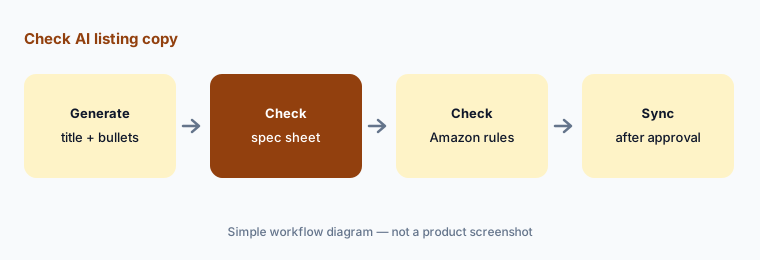
Primary workflow:
Ask Jungle Scout's AI to rewrite one Amazon listing. Have the brand lead check every claim against Amazon's category rules and your spec sheet before you submit it.
2. Listing Analyzer: themes from customer reviews
What it is: Listing Analyzer gathers the 50 most recent, most helpful customer reviews for any product (yours or a competitor’s) and summarises common positive and negative comments, suggested improvements, how it compares with similar products, trends over time, and whether buyers would buy again. The plans page lists 50 analyses a month on Growth Accelerator and 300 on Brand Owner; products with few or no reviews can’t be analysed.
Fifty reviews is a sample, not your whole customer base. Read a handful of the reviews behind each theme before it changes a product or a listing.
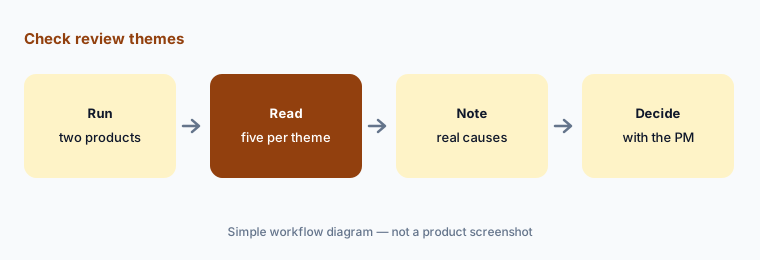
Check the themes:
Run Listing Analyzer on your best seller and one competitor. Have the product manager read five reviews behind each negative theme before changing the product or listing.
3. AI Assist Chat (early beta)
What it is: AI Assist Chat sits in the top-right corner of Jungle Scout and answers questions about selling on Amazon and using Jungle Scout, drawing on Jungle Scout’s help centre, blog, and selected YouTube transcripts. On Starter and Growth Accelerator it answers knowledge and support questions; other plans can also ask questions about their own business. Jungle Scout says it is in early beta and may produce inaccurate results, shows no links to its sources, and does not save answers.
An answer with no source is a lead, not a rule. Check anything about Amazon policy, fees, or category approval on Amazon’s own Seller Central help pages before acting on it.
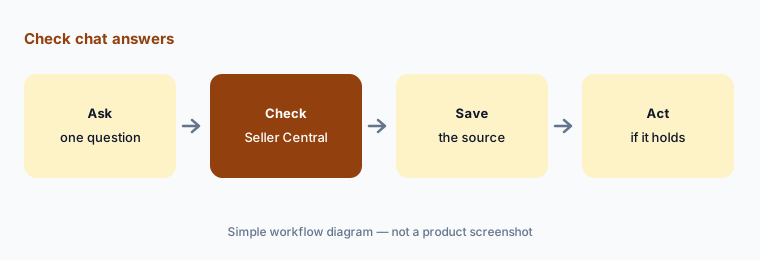
Check the answer:
Ask AI Assist Chat three questions about Amazon fees or category rules. Check each answer on Seller Central and write down any it got wrong before relying on it.
4. AI Profit Analysis
What it is: Inside Profit Overview, AI Profit Analysis takes your company and product-level numbers for a date range you pick and writes a report: financial information, insights on your top 30 products, and recommended next steps, which you can download as a PDF. It is on the Growth Accelerator and Brand Owner plans and needs your Seller Central account connected first.
A written report sounds more certain than the numbers behind it. Check that product costs, fees, and refunds are entered before you read any recommendation, and treat every suggested action as a question for the finance lead.
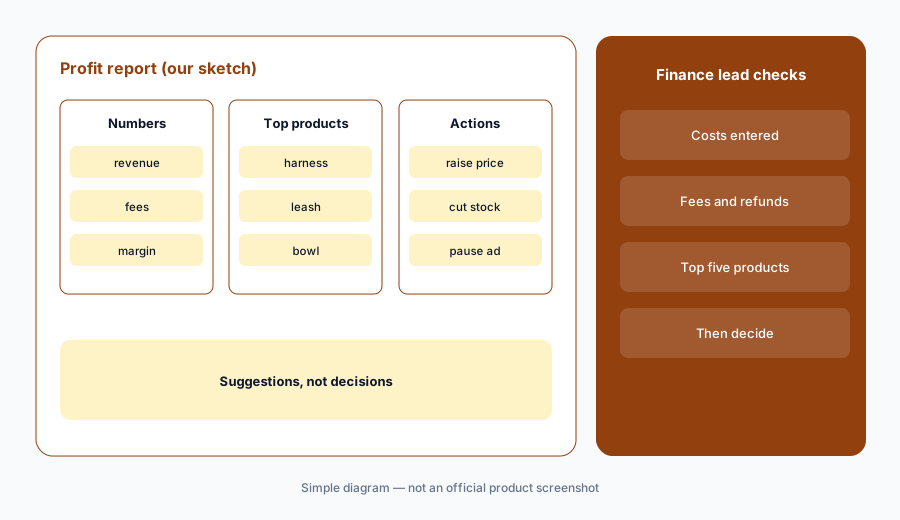
Check the report:
Run AI Profit Analysis for last month. Have the finance lead check product costs and fees for the top five products before acting on any recommendation.
5. Review requests under Amazon’s rules
What it is: Catalyst’s Review Automation sends Amazon’s own “Request a Review” for eligible orders once you switch it on (it is not on Starter). Jungle Scout’s eligibility article says requests come from Amazon, not buyer-seller messaging; can be sent 5 to 30 days after delivery; are limited to one per order; and skip cancelled, refunded, and non-Amazon orders. Brand Owner adds delayed sending, and Growth Accelerator and above can skip chosen orders and products.
Asking for a review is allowed; steering it is not. Never pair a request with a discount, a free product, or a message that asks only happy customers, and don’t exclude orders just because a buyer complained.
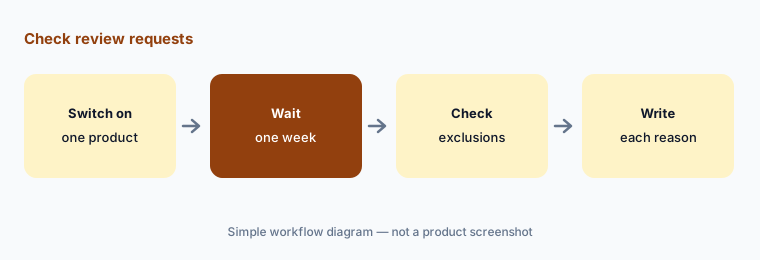
Check the requests:
Switch on Review Automation for one product. A week later, have the operations manager check every excluded order and write down the reason for each exclusion.
6. Ask Cobalt and Jungle Scout MCP (Sep 2026)
What it is: On 10 September 2026 Jungle Scout launched Ask Cobalt, a question-and-answer box inside Cobalt, and the Jungle Scout MCP, which connects Cobalt’s Amazon data to AI tools that support MCP, including Claude, ChatGPT, Gemini, and Copilot. Jungle Scout lists more than 15 use cases, from category sizing and share changes to listing rewrites and unauthorised-seller checks, and says availability and functionality vary by platform and by your organisation’s setup. The MCP is powered by Cobalt, so it is sold through a demo, not on the Catalyst plans.
An answer about market share is an estimate built on Jungle Scout’s models. Before it goes into a board pack, check it against your own Seller Central or Vendor Central numbers.
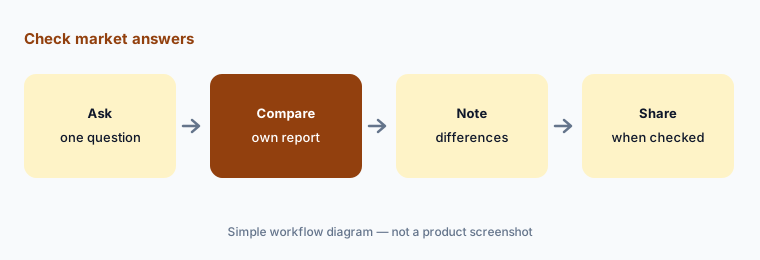
Check before you share:
Put one question about your category share to Ask Cobalt or the MCP. Have the category lead check the answer against your own Seller Central or Vendor Central report before sharing it.
Pricing context (October 2026)
Jungle Scout publishes Catalyst prices (checked 16 October 2026 on its Catalyst plans page). On monthly billing: Starter $49, Growth Accelerator $79, and Brand Owner $149 a month (the comparison table calls it Brand Owner + CI, for Competitive Intelligence). Billed annually, the same plans are $348, $588, and $1,548 a year. Starter includes 1 user, Growth Accelerator 1, and Brand Owner 3; extra seats are $49 a month ($459 a year on annual plans). There is no free trial; regularly priced Catalyst plans carry a 7-day money-back guarantee, and you can cancel at the end of a billing cycle.
AI Assist allowances differ by plan: the plans table shows Starter as “Chat Only”, Growth Accelerator 100 a month, and Brand Owner 500 a month. Cobalt, for businesses above $1M in annual Amazon revenue, is priced per user after a demo, and the MCP and Ask Cobalt sit on Cobalt — no public prices for either.
Uncertainty: Jungle Scout’s pages don’t agree on a few points on 16 Oct 2026. The plans table shows AI Assist at 100 and 500 a month, while the Listing Builder help article (updated Feb 2025) says 50 and 300 clicks a month — check the allowance in your account. Annual savings are given as “up to 40%” (plans page), “up to $360” (pricing page), and “30% … until Jan. 30th” (an older banner on the Catalyst page). The Catalyst page describes PPC automation under “Review Automation and AI Assist”, while the pricing comparison lists PPC management only for Cobalt. Data coverage is described as “18x more GMV coverage” on the home page and “18% of Amazon’s GMV” in the launch release; we repeat neither as fact. AI Assist Chat is early beta. Revenue-growth and customer-count figures are Jungle Scout’s claims, not our measurement.
When it’s useful (honest take)
Useful when you sell on Amazon through Seller Central, want listing drafts and review themes in the same tool as your keyword research, and have a brand lead who checks every claim before sync.
Less useful when most of your sales are on your own store (BigCommerce AI, Wix AI), your main job is product data for many retailers (Salsify vs Akeneo), or you sell through Vendor Central, which Catalyst does not support (Cobalt does).
Paying for Jungle Scout AI and a few other AI tools? The $9 AI toolkit spreadsheet lists every AI subscription you have, what each one costs, and how fast it pays for itself, so you can see which ones are worth the money.
Want someone to do it for you? AI toolkit audit — $19
Related options (educational)
| Need | Better home | Why |
|---|---|---|
| Amazon research, listings, and review requests for growing sellers | Jungle Scout AI (this page) | Catalyst $49–$149/mo on monthly billing |
| Product data sent to Amazon and other retailers | Salsify vs Akeneo | Quote (Akeneo Community free) |
| Your own online store with built-in AI | BigCommerce AI | Core $39 → Scale $399/mo (monthly billing) |
| Customer reviews on your own store | Yotpo AI | Reviews Free, then from $15 |
| Ecommerce analytics and attribution | Triple Whale AI | Free plan; tiers by GMV |
FAQ
How much does Jungle Scout cost?
On 16 Oct 2026 Catalyst cost $49 (Starter), $79 (Growth Accelerator), or $149 (Brand Owner) a month on monthly billing, or $348, $588, or $1,548 a year billed annually. Cobalt and the Jungle Scout MCP are priced after a demo.
What is Jungle Scout AI Assist?
AI Assist is the set of AI features in Catalyst: listing drafts in Listing Builder, review themes in Listing Analyzer, AI Assist Chat (early beta), and AI Profit Analysis. Allowances depend on your plan.
Can Jungle Scout’s AI publish a listing to Amazon?
AI Assist drafts the text; a person chooses Replace or Discard, edits it, and then syncs. Only listings imported from Amazon can be synced back. A brand lead should check every claim before syncing.
What are Ask Cobalt and the Jungle Scout MCP?
Launched on 10 Sep 2026, Ask Cobalt answers plain-English questions inside Cobalt, and the MCP brings Cobalt’s Amazon data into AI tools such as Claude, ChatGPT, Gemini, and Copilot. Both sit on Cobalt, not Catalyst.
Who should approve Jungle Scout’s AI output?
A named brand lead approves every listing before sync; a product manager checks review themes; the finance lead checks profit reports; the operations manager owns review-request settings; and the category lead checks market answers before they are shared.
Optional next step (if seats overlap)
If you pay for Amazon seller software with AI listing tools, a separate copywriting tool, and chat seats your team uses to research keywords, that overlap is worth mapping. Map the overlap with the $19 AI toolkit audit or the $9 AI toolkit spreadsheet. Email Audit $19 or Toolkit spreadsheet $9.
Checkout is live via Stripe. After you pay, we email delivery (spreadsheet) or intake next steps (audit).