Tool · Retail ops · YOOBIC · Oct 2026
YOOBIC AI review (Oct 2026): AI store tasks, photo checks, and frontline training for retail stores
YOOBIC is a mobile app for store teams: head office sends tasks, messages, and training, and stores complete them with photos and checklists. Its AI now checks visual-merchandising photos (VM Copilot), turns sales data into daily action plans for store managers (Store Manager Copilot), answers policy questions from your own documents (AI Assistant), and builds training courses from existing content. This page is about using that AI to cut review time and get stores to act faster while the district manager still confirms every photo verdict. Each section has a Try this.
What this YOOBIC page covers
This page is for a retail operations leader, district or regional manager, visual-merchandising lead, or L&D lead at a chain with many physical stores who uses YOOBIC or is comparing frontline apps. The question it answers: what each YOOBIC AI feature does, what changed in 2026, what YOOBIC says about price, and who confirms the AI’s output before a store is marked done or a plan is assigned.
YOOBIC’s AI page, the VM Copilot, Store Manager Copilot, and AI Assistant pages, the task management and learning pages, the pricing page, the 4-week proof of value page, and its releases on Store Manager Copilot (13 November 2025) and V16 (30 May 2026) were read on 16 October 2026.
Ground rules: a district or VM manager confirms photo verdicts by eye while you are testing VM Copilot and for every new campaign; store managers review AI action plans before assigning them; the AI Assistant answers only from documents someone owns and keeps current; AI-built courses are checked against the real procedure before launch; no customer data or staff personal details go into prompts; and YOOBIC’s results figures are its claims, not our measurement.
Major features (with how someone uses them)
Examples at a glance: each feature has a concrete example from a real job plus a short Try this you can run this week.
1. VM Copilot photo checks (primary)
What it is: VM Copilot checks the photos store teams take for a visual-merchandising task against your brand standards and the campaign’s reference images, which are added when the campaign is set up in YOOBIC. YOOBIC says it flags issues such as product placement, mannequin styling, lighting, and display consistency, gives the store feedback before the photo is submitted, and shows VM and regional leaders compliance across every store. It lives inside the normal YOOBIC task, so there is no separate app.
YOOBIC’s FAQ says the check needs no human reviewer. Until you have compared its verdicts with your own eye across a few campaigns, keep a person on every verdict — especially for a new campaign look.
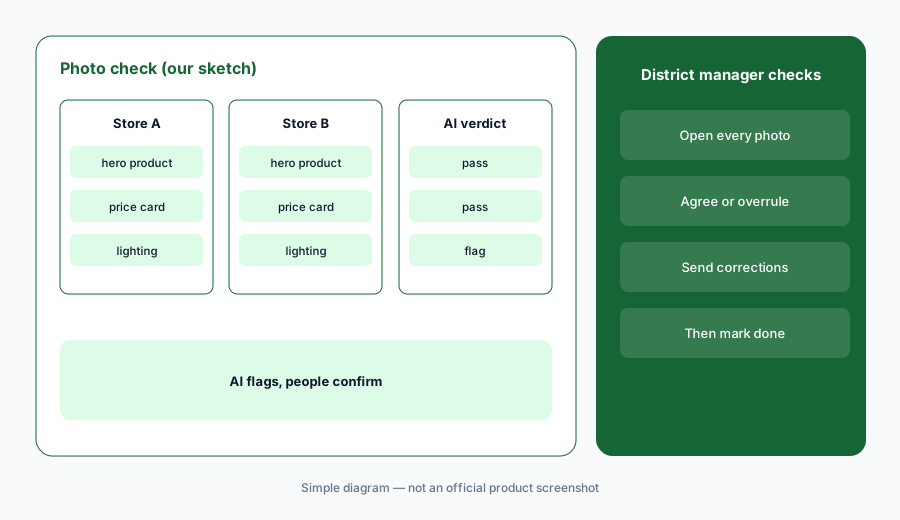
Primary workflow:
Send one visual-merchandising task through YOOBIC to three stores. Have the district manager check every AI photo verdict by eye before marking the task done.
2. Store tasks, visits, and action plans
What it is: YOOBIC’s task management sends missions to stores with digital guidelines, collects photos, and lets head office annotate and approve them; area managers run store visits with tailored checklists and assign action plans for anything that fails. YOOBIC says its AI helps with workflows, search across documents, and spotting compliance issues, and its AI page describes visits whose questions adapt to each store’s weakest numbers.
A task marked done is only as good as the check behind it. Decide in advance which tasks need a photo, who approves it, and how long a store has to fix a failed item.
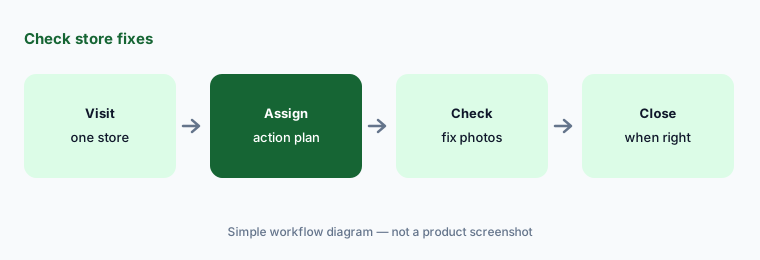
Check the follow-up:
Run one store visit in YOOBIC and assign an action plan for every failed item. Have the area manager check each fix photo before closing the plan.
3. Store Manager Copilot daily action plans
What it is: Store Manager Copilot, launched with YOOBIC’s purchase of Humanitics on 13 November 2025 and made generally available in V16 after an early-access programme, reads your sales, stock, and traffic data, compares each store with similar-format stores, and gives the manager a morning briefing with three priorities and an AI-written action plan ready to assign. It also shows which team members are on track and where coaching would help. A District Manager Copilot is listed as “coming soon”.
Benchmarks against similar stores can miss local reasons — a roadworks month, a refit, a staff shortage. The store manager should read the plan, change what doesn’t fit, and only then assign it.
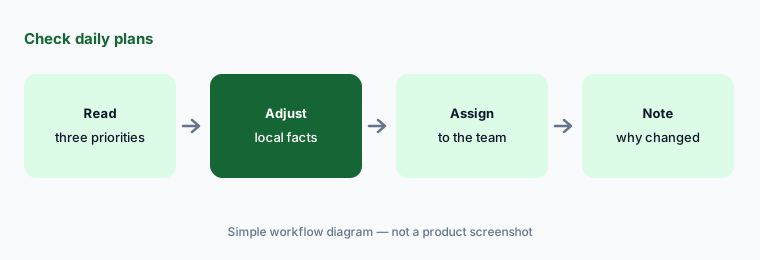
Check the plan:
For one week, have one store manager read every Copilot action plan before assigning it and note each change they made and why. Review the notes with the regional manager.
4. AI Assistant answers from your own documents
What it is: The AI Assistant answers staff questions by text or voice from the policies, procedures, promotions, and training material you have connected in YOOBIC. YOOBIC says each answer links to its source document, the assistant says when it has no answer (which shows HQ where documentation is missing), and role-based permissions limit what each employee can see. The V16 release tied it to a new Knowledge Centre.
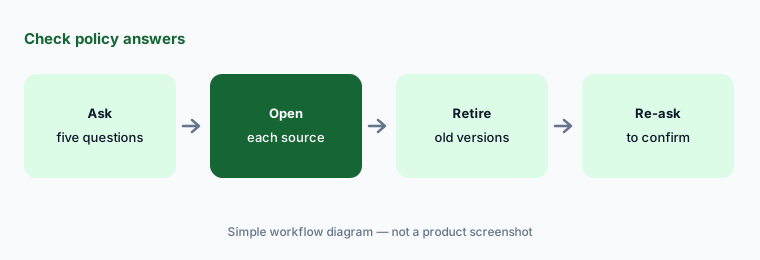
An answer is only as current as the document behind it. Give every policy an owner and a review date, and spot-check answers after each policy change.
Check the answers:
After your next policy change, ask the AI Assistant five questions about it. Have the operations lead open each linked source and remove any outdated document it used.
5. AI-built training and quizzes
What it is: YOOBIC’s learning module includes an AI course creator that turns existing content or a prompt into a course, fast translation for global teams, AI-adapted quizzes, and learning paths that enrol staff by role, event, or trigger. Its AI page describes training assigned automatically when task results or performance show a team needs support.
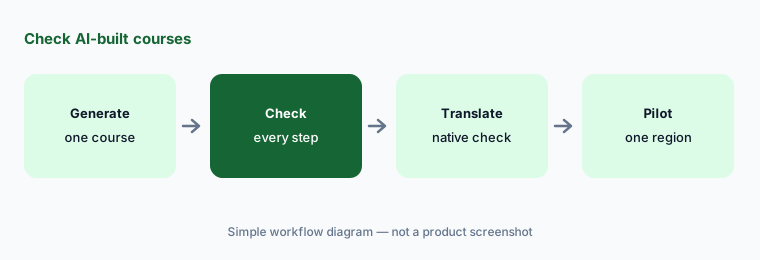
A course built in seconds can teach the wrong step just as quickly. Check every AI-built course against the real procedure, and have a native speaker read each translation before launch.
Check the course:
Build one course with YOOBIC’s AI course creator from an existing procedure. Have the L&D lead compare every step and quiz answer with the procedure before launch.
6. Rules that trigger follow-ups and training
What it is: YOOBIC’s AI page describes rules, thresholds, store context, and performance signals that trigger work automatically: training when task results show a gap, visits tailored to a store’s KPIs, corrective tasks after a failed audit, restock tasks after a recall or inventory signal, urgent routing to the right team, and alerts when priorities change.
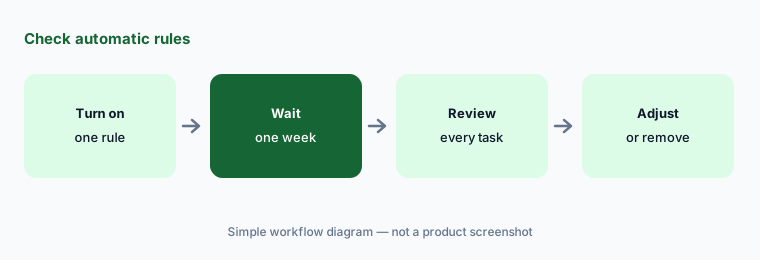
Automatic follow-ups can bury stores in tasks. Start with one or two rules, cap how many a store receives per week, and name who reviews the rules each month.
Check the rules:
Turn on one YOOBIC rule that creates a follow-up task. After a week, have the operations director review every task it created and remove any that were not needed.
Pricing context (October 2026)
YOOBIC publishes no prices (checked 16 October 2026). Its pricing page says the price depends on the number of locations or users, depending on the modules you choose — Task Management, Communications, Learning, and AI — and that a package is designed after a call. The menu describes a 4-week proof of value as “priced upfront”, but no amount is shown.
Ask which AI features (VM Copilot, Store Manager Copilot, AI Assistant, AI course creation) are in each module or sold as add-ons, whether the 4-week proof of value is credited against a contract, and what data connections Store Manager Copilot needs from your point-of-sale and stock systems.
Uncertainty: No published prices on 16 Oct 2026, so cost depends on your quote. YOOBIC’s VM Copilot FAQ says its checks need “no human reviewer”; we suggest keeping a person on verdicts until you have tested them on your own campaigns. Its figures for photos differ between pages (“80M+ merchandising moments” a year, “80M photos” a year, and VM Copilot “trained on more than 80 million photos”), and the AI Assistant page claims “no hallucinations” — we repeat none of these as fact. District Manager Copilot is listed as coming soon, not available. Conversion, compliance, revenue, and time-saving figures are YOOBIC’s and its customers’ claims, not our measurement.
When it’s useful (honest take)
Useful when you run many physical stores, already send campaigns and audits through an app, and have district, VM, and L&D leads who will check the AI’s photo verdicts, plans, and courses before they count.
Less useful when you run one or two shops, sell mainly online (BigCommerce AI, Wix AI), or only need a searchable knowledge base (Guru AI) or training courses (Docebo AI).
Paying for YOOBIC AI and a few other AI tools? The $9 AI toolkit spreadsheet lists every AI subscription you have, what each one costs, and how fast it pays for itself, so you can see which ones are worth the money.
Want someone to do it for you? AI toolkit audit — $19
Related options (educational)
| Need | Better home | Why |
|---|---|---|
| Store tasks, photo checks, and frontline training in one app | YOOBIC AI (this page) | Quote (by locations or users and modules) |
| Verified knowledge answers for teams | Guru AI | See its review |
| Training courses and learning paths | Docebo AI | See its review |
| Step-by-step procedure guides | Scribe AI | See its review |
| Amazon listings and research | Jungle Scout AI | Catalyst $49–$149/mo on monthly billing |
FAQ
How much does YOOBIC cost?
YOOBIC publishes no prices (checked 16 Oct 2026). It prices by number of locations or users, depending on the modules you pick, and designs a package after a call; its 4-week proof of value is described as priced upfront, with no amount shown.
What does YOOBIC VM Copilot do?
It checks store photos for a visual-merchandising task against your brand standards and the campaign’s reference images, gives the store feedback before the photo is submitted, and shows leaders compliance across stores.
Does VM Copilot replace a person checking photos?
YOOBIC says no human reviewer is required. We suggest a district or VM manager confirms verdicts by eye while you test it and for every new campaign look, then decides how much to rely on it.
What is Store Manager Copilot?
An AI feature that reads sales, stock, and traffic data, compares each store with similar stores, and gives managers a daily briefing and an action plan to assign. It launched on 13 Nov 2025 and became generally available in V16 (30 May 2026).
Who should approve YOOBIC’s AI output?
The district manager confirms photo verdicts; store managers review action plans before assigning; the operations lead owns the documents behind AI Assistant answers; the L&D lead checks AI-built courses; and the operations director reviews automatic rules.
Optional next step (if seats overlap)
If you pay for a frontline app with AI photo checks, a separate training tool, a knowledge base, and chat seats your managers use for briefings, that overlap is worth mapping. Map the overlap with the $19 AI toolkit audit or the $9 AI toolkit spreadsheet. Email Audit $19 or Toolkit spreadsheet $9.
Checkout is live via Stripe. After you pay, we email delivery (spreadsheet) or intake next steps (audit).