Role guide · Restaurant ops · ChatGPT Business · Oct 2026
ChatGPT for restaurant ops (Oct 2026): prep lists, SOP drafts, and pre-shift notes
Restaurant ops role guide — a shared Kitchen SOPs project in a ChatGPT Business workspace that drafts pre-shift notes from a sanitized closing checklist, prep lists from sanitized item sales, SOP and training drafts from your recipe book, and catering reply templates from an approved fact sheet. ChatGPT drafts; the chef or GM marks every line that does not match the kitchen and approves it before anyone uses it. Use Projects, not new custom GPTs — OpenAI says custom GPTs are scheduled to retire on December 11, 2026. Pair with a restaurant POS such as Toast AI or Square for Restaurants AI.
Who this guide is for
Chefs, kitchen managers, GMs, and training leads — the person who keeps the closing checklist current, writes the pre-shift note, builds the prep list, and answers catering inquiries — at a restaurant group that already pays for ChatGPT Business or Enterprise. If your POS already answers sales and labor questions from live data, ask it first: see Toast AI, Square for Restaurants AI, SpotOn AI, or Lightspeed Restaurant AI. Product deep-dive: ChatGPT.
Use Projects, not new custom GPTs. OpenAI's custom GPT retirement FAQ (read 15 October 2026) says custom GPTs are scheduled to retire on December 11, 2026 (February 11, 2027 for Enterprise workspaces with an approved deferral), that the change affects all ChatGPT plans, and that creators will migrate GPTs to plugins. For affected Enterprise workspaces it lists October 26, 2026 (planned) as the end of new custom GPT creation. A project keeps related chats, files, and instructions together, and OpenAI's Projects help article says project instructions apply only inside that project.
Ground rules for every section below: never paste guest PII — guest names, phone numbers, emails, allergy notes tied to a named guest, or card numbers — and never paste employee Social Security numbers (SSNs), pay rates tied to names, or home addresses. Work from sanitized exports: item, quantity, day, station. ChatGPT does not change menu prices, place supplier orders, edit schedules, or send guest emails. The chef owns every recipe and allergen line; the GM owns every guest-facing template; local food-safety, labor, and tip rules are checked locally, not with a chat tool. Passport or ID scans from staff onboarding never go into a prompt either.
Major features (with how someone uses them)
Examples at a glance: each feature has a concrete example from a real job plus a short Try this you can run this week.
1. Project Kitchen SOPs: pre-shift note (primary)
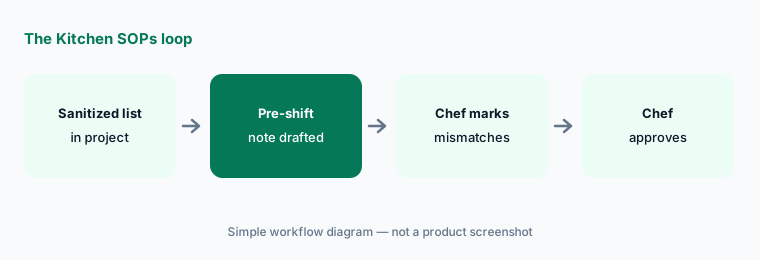
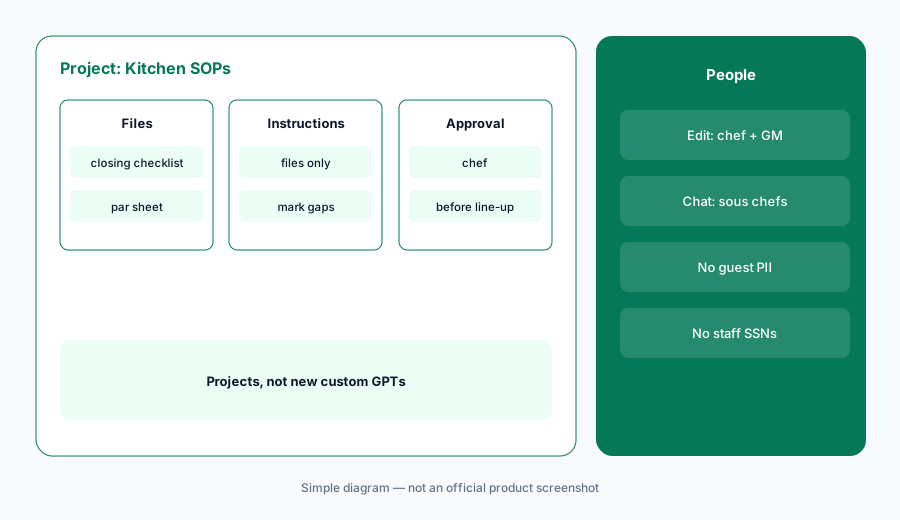
What it is: Select New project in the sidebar and name it Kitchen SOPs. Upload one sanitized closing checklist — station breakdown, label-and-date, walk-in temps, waste log, lock-up — with no staff names or phone numbers. In Project settings, add instructions: draft only from the uploaded files; keep station names exactly as written; mark any line you could not source. Then ask for tomorrow's pre-shift note. OpenAI says Business projects support up to 40 files.
The mismatches are the useful part. If ChatGPT adds a fryer-oil step your kitchen does on Mondays only, or a station you closed last month, that is a change the chef decides — not an improvement.
Primary workflow:
Create a Project called Kitchen SOPs. Upload one sanitized closing checklist and ask for a pre-shift note — have the chef mark every line that does not match your kitchen.
2. Prep lists from sanitized sales
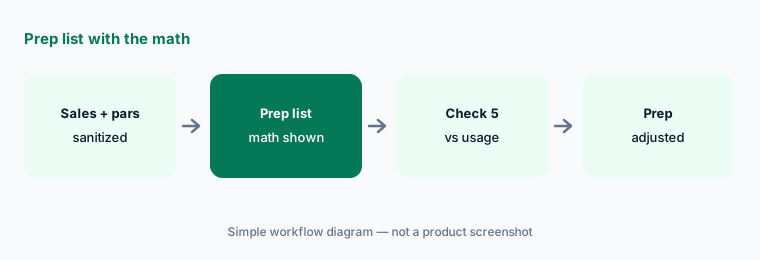
What it is: Export last week's item sales by day from the POS — item name, quantity, day — and strip out check numbers, server names, and anything tied to a guest. Upload it with your par sheet and ask for a prep list for one day that shows the math for each item (average sold, par, on hand). The kitchen manager checks five items against actual usage before anyone preps from it.
A prep list from last week's sales is a starting point. Weather, a private event, or a menu change can make it wrong — the kitchen manager adjusts it, not ChatGPT.
Show the math:
Upload one week of sanitized item sales and your par sheet. Ask for tomorrow's prep list with the math for each item, and have the kitchen manager check five items against actual usage.
3. SOP and training drafts from the recipe book
What it is: Upload the approved recipe book pages and station guides for one station, then ask for a new-hire training outline and a one-page station SOP that cites the source page for every step. Ask it to list anything it could not source instead of filling the gap. Allergen statements come only from the recipe book and are approved by the chef.
Never let a chat draft be the source for an allergen answer. If the recipe book does not say it, the SOP says Ask the chef.
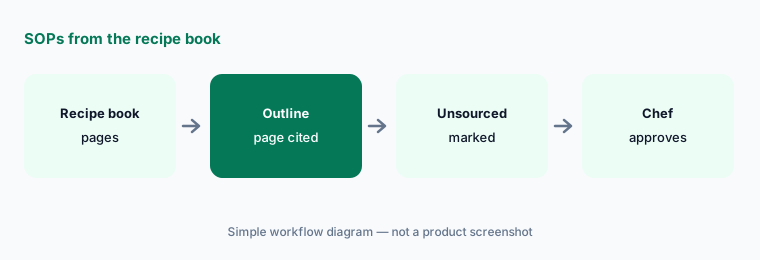
Source every step:
Upload one station's recipe book pages and ask for a training outline that cites a page for every step. Have the chef cross out anything it cannot source before training starts.
4. Catering reply templates from an approved fact sheet
What it is: Write a one-page catering fact sheet — minimum order, lead time, delivery radius, deposit and cancellation policy, package names — and have the GM approve it. Upload it and ask for five reply templates that use only those facts and list any claim it could not source. A named person sends every reply from your own email or catering tool.
Delete any price, discount, or delivery promise that is not on the fact sheet. Never paste a guest's card number or contact details into the project.
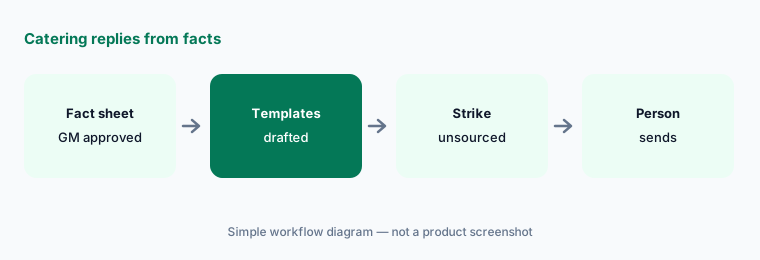
Facts only:
Upload one approved catering fact sheet and ask for five reply templates. Delete every price, discount, or delivery promise that is not on the sheet before anyone sends one.
5. Who can see the project
What it is: OpenAI's Projects help article says Business users can share a project with individuals or workspace groups at Edit or Chat access. Edit lets members update instructions and upload or remove files; Chat lets them see and use the project's chats, files, and instructions. A workspace project can include up to 100 collaborators, and shared projects use project-only memory — so anything uploaded is visible to everyone you add.
Give edit access to the people who own the SOPs (chef, GM). Give sous chefs and shift leads chat access.
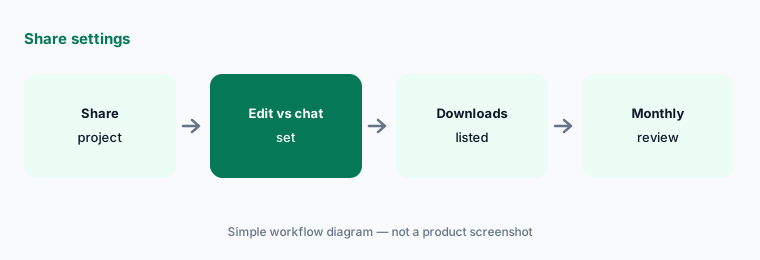
Two editors, everyone else chat:
Open Share on your Kitchen SOPs project. Give edit access to the chef and GM and chat access to everyone else, then list who can download the files.
6. Plan the move before December 11, 2026
What it is: OpenAI says existing custom GPTs remain usable until retirement on December 11, 2026, that migration is to plugins, that custom actions do not transfer, and that existing GPT conversations stay accessible. If your group already has a custom GPT for recipes, prep, or catering replies, save a few requests it handles well, put its instructions into a project, and compare results before anyone switches. Do not use the new-custom-GPT flow for restaurant ops — use a project. See OpenAI's retirement FAQ.
Write the comparison down: five familiar requests, the old answer, the project answer, and the lines the chef had to fix.
Compare before you switch:
Before December 11, 2026, save five recipe, prep, or catering requests your restaurant GPT already handled. Move its instructions into a project, rerun them, and compare every line the chef marks before anyone switches.
Pricing context (October 2026)
As listed on openai.com/business/pricing on 15 October 2026 (Oct 2026): ChatGPT Business Standard seat $20 per user per month billed annually, $25 billed monthly; Premium seat $100 per month billed annually, $125 billed monthly; Business is for teams of 2–200. Enterprise is custom pricing through sales. Projects do not add a separate line on Business.
Budget from your invoice. Never paste guest PII or card numbers into a personal ChatGPT account used for restaurant work.
Uncertainty: OpenAI list prices and seat types change; use the live pricing page and your invoice. Custom GPT retirement dates follow the help center FAQ read 15 Oct 2026 (Dec 11, 2026 standard; Feb 11, 2027 approved Enterprise deferral; Oct 26, 2026 planned creation cutoff for affected Enterprise workspaces) — OpenAI says dates are subject to change and your in-product notice wins.
When it’s useful (honest take)
Useful when your group already pays for ChatGPT Business and needs pre-shift notes, prep lists, and SOP drafts with a named chef or GM approver.
Less useful when your POS already answers the question from live data (Toast AI, Square for Restaurants AI, MarginEdge AI), or nobody will mark the lines that do not match the kitchen.
Paying for ChatGPT and a few other AI tools? The $9 AI toolkit spreadsheet lists every AI subscription you have, what each one costs, and how fast it pays for itself, so you can see which ones are worth the money.
Want someone to do it for you? AI toolkit audit — $19
Related options (educational)
| Need | Better home | Why |
|---|---|---|
| Pre-shift notes + SOP drafts in a Project | ChatGPT for restaurant ops (this page) | Business seats |
| Food-cost lists in Sheets, recipes in Docs | Gemini for restaurant ops | Workspace Standard+ |
| Sales and labor questions in the POS | Toast AI | Included with Toast POS |
| Invoice and food-cost questions | MarginEdge AI | Per location |
| Hospitality twin guide | ChatGPT for hospitality ops | Business seats |
FAQ
Should we build a custom GPT for kitchen SOPs?
Not a new one. OpenAI says custom GPTs are scheduled to retire on December 11, 2026 (February 11, 2027 for Enterprise workspaces with an approved deferral) and plans migration to plugins. Use a project instead; if you already have a GPT, save test requests and compare the replacement before switching. See OpenAI's retirement FAQ.
Can ChatGPT change menu prices or place orders for us?
Not in this guide. ChatGPT drafts notes, lists, and templates; the chef or GM approves them; price changes happen in the POS and supplier orders in your ordering tool, by a person.
What goes in the Kitchen SOPs project?
Sanitized checklists, recipe book pages, par sheets, and approved fact sheets — no guest PII, card numbers, employee SSNs, or staff contact details. Every member you share with can see the files.
How does this differ from ChatGPT for hospitality ops?
Same Projects pattern; restaurant examples are pre-shift notes, prep lists, station SOPs, and catering replies — not night-audit checklists or hotel guest templates. See ChatGPT for hospitality ops.
Who approves outputs?
The chef for every recipe, prep, and allergen line; the GM for every guest-facing template and anything that changes service. A named person sends every catering reply.
Optional next step (if seats overlap)
If restaurant ops pays for ChatGPT, Gemini, a POS assistant, and a back-office AI that all draft the same notes and answer the same sales questions, map that overlap before adding another seat. Map the overlap with the $19 AI toolkit audit or the $9 AI toolkit spreadsheet. Email Audit $19 or Toolkit spreadsheet $9.
Checkout is live via Stripe. After you pay, we email delivery (spreadsheet) or intake next steps (audit).