Tool · Restaurant ops · Toast · Oct 2026
Toast AI review (Oct 2026): Toast IQ assistant, IQ agents, Toast IQ Grow, and Toast IQ Team for restaurants
Toast is a restaurant POS with payments, kitchen displays, online ordering, payroll, and marketing on one platform. Its AI layer is called Toast IQ: a chat assistant built into Toast that answers questions about sales, labor, and the menu, can make changes after you confirm them, and now powers agents for briefings and alerts, a marketing package called Toast IQ Grow, and a labor package called Toast IQ Team. This page is about using that AI for the boring, useful jobs while a GM still decides what changes on the menu, the schedule, and in guest inboxes. Each section has a Try this.
What this Toast page covers
This page is for a restaurant owner, general manager, or multi-unit ops lead who runs Toast or is shortlisting a restaurant POS. The question it answers: which Toast IQ features exist today, which are still beta or early access, what Toast publishes about price, and who must approve menu changes, schedules, and guest-facing marketing.
Toast’s Toast IQ page (read 15 October 2026) says the assistant is “included with Toast POS at no additional cost”. Toast’s Fall Release on 6 October 2026 added Toast IQ Team (sales forecasting, a Scheduling Agent in beta, tips and payroll tools) and new Toast IQ Grow agents for search visibility, guest reviews, and offers. Several more agents — Menu, Answering, and configurable agents — are betas available to existing customers through Toast’s Test Kitchen.
Ground rules: a named GM approves every menu, price, and availability change; the owner approves every campaign and review reply before it goes out; the manager accepts every schedule and tip calculation; no guest card data or employee SSNs go into any test; and vendor percentages (overtime hours, sales lifts, click-through) are Toast’s claims, not our measurement.

Major features (with how someone uses them)
Examples at a glance: each feature has a concrete example from a real job plus a short Try this you can run this week.
1. Toast IQ assistant: ask your own numbers (primary)
What it is: Toast IQ is a chat assistant inside Toast. You ask in plain words about sales, labor, menu performance, guest trends, discounts, voids, and upsells — for example which days had the highest labor spend, or what changed in sales this week — and it answers from your Toast data. Toast says business data is not used for general model training, and the assistant replies in the language you ask in.
A quick answer is still a claim about your business. Check the first few answers against the report you already trust before anyone acts on them.
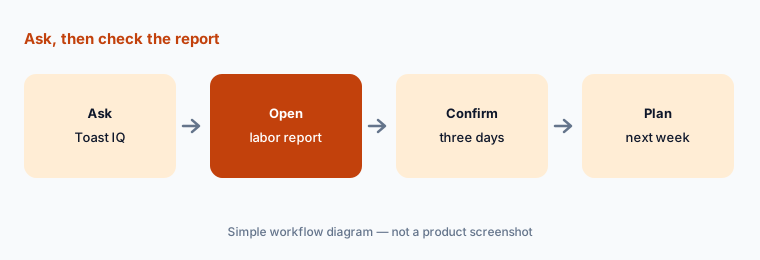
Primary workflow:
Ask Toast IQ which days had the highest labor spend last month. Check three of those days against your labor report before you change next week's schedule.
2. Actions after confirmation: items, stock, shifts, and upsells
What it is: Toast IQ can move from answer to action. Depending on your products and permissions, it can update menu items, adjust stock, mark items out of stock, edit shifts, or set up upsells — “with your confirmation”. Toast’s FAQ says it will not change your configuration without explicit confirmation, and what each person can see or do follows their Toast Web permissions.
Confirmation only protects you if the person confirming is the person who owns that change. Match Toast Web permissions to who really sets prices and edits shifts.
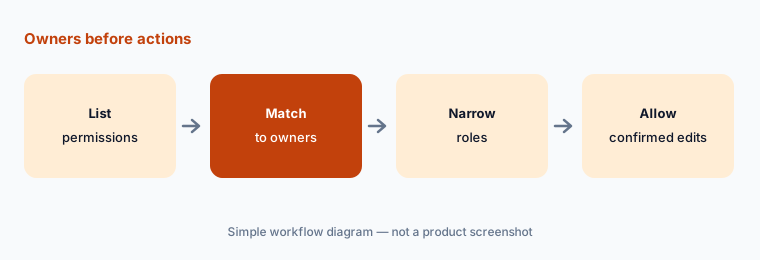
Owners before actions:
List who in Toast Web can change prices, items, and shifts. Narrow any role that can confirm a Toast IQ change its holder should not make.
3. Toast IQ agents: scheduled briefings and alerts
What it is: A Toast IQ agent does a recurring job: it checks your Toast data on a schedule and sends a short update by push notification or email — a morning briefing, or an alert when labor runs over target. Toast’s agent help article (updated 2 Oct 2026) says agents are in early access with select customers: you opt in through Test Kitchen in Toast Web, each user can set up two Toast-built agents per location, and custom agents are on a waitlist. Agents “can’t make changes in Toast for you” — they send updates and recommendations.
An alert you never check is noise; an alert you trust blindly is worse. Decide who reads each agent’s update and what they do when it fires.
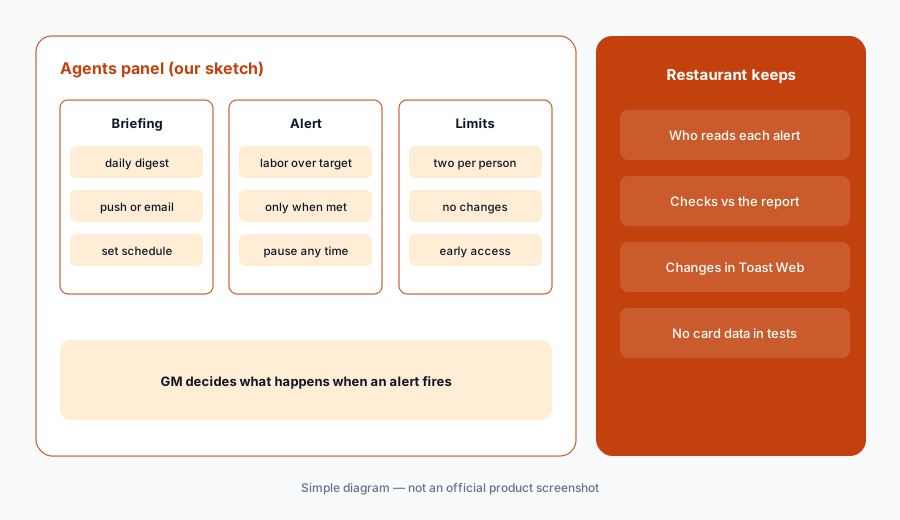
Check every alert:
Set up one labor-over-target alert agent for the GM. For two weeks, check each alert against the labor report and note every false alarm.
4. Toast IQ Grow: marketing, guest review, offer, and search agents
What it is: Toast IQ Grow is a paid marketing package: four AI agents — Marketing (email, SMS, and social campaigns), Reviews (asks guests for reviews, gives unhappy guests a private feedback channel, drafts replies), Offers (recommends who to target and an offer around a goal), and a search-visibility agent — plus a human Marketing Success Manager. Toast’s Grow page says each agent “drafts and prepares the work. You approve anything that goes out.”
A drafted reply or offer goes out in your restaurant’s name. Read every one before you approve it, and never let an offer promise a discount the owner has not set.
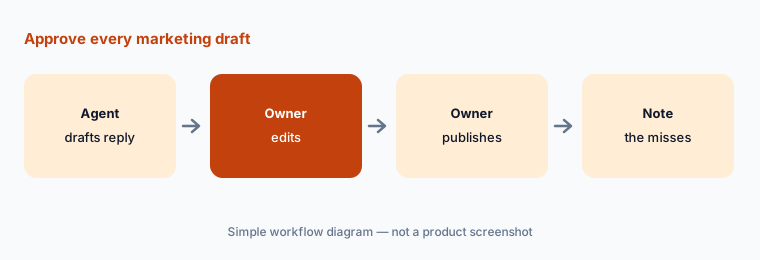
Approve every draft:
Have the Reviews agent draft replies to ten recent guest reviews. The owner edits and publishes each one and notes any draft that promised something you don’t offer.
5. Toast IQ Team: sales forecasting, the Scheduling Agent, and tips
What it is: Toast IQ Team, announced on 6 October 2026, combines sales forecasting from your POS history, a Scheduling Agent (beta) that drafts a full schedule from availability, expected sales, and overtime risk, staff contests, the MyToast employee app, and Tips Manager for tip-pool calculations. Toast claims restaurants using its scheduling tool averaged 41% fewer overtime hours per employee — Toast’s own comparison, not ours.
A drafted schedule is a suggestion until the manager accepts it. Tip-pool, minor-labor, and predictive-scheduling rules are local; the software does not replace checking them.
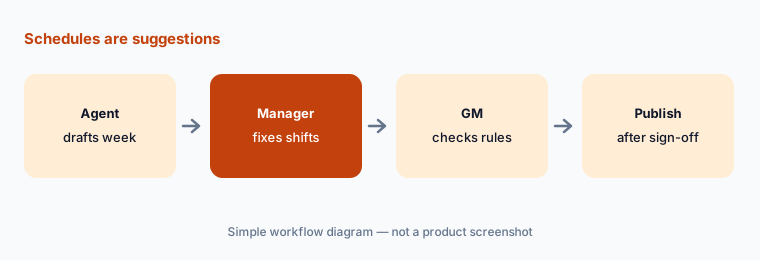
Suggestions until accepted:
Let the Scheduling Agent draft one week for one department. The manager compares it with the schedule they would have built and checks minors and breaks against your local rules before publishing.
6. Menu upsells, multilingual teams, and the Test Kitchen betas
What it is: Toast IQ can recommend menu pairings from your sales and push them as upsell prompts on Toast Go handhelds, POS terminals, kiosks, and guest-facing displays. Toast Web, the assistant, and the handheld and terminal software now also run in Spanish, Simplified Chinese, and Québec French. Betas in Test Kitchen include a Menu Agent (descriptions and pricing recommendations), an Answering Agent for the phone, and configurable agents built from templates — for example catching missed clock-outs before payroll closes.
An upsell prompt changes what servers say at the table. Test one pairing at a time, and treat any pricing recommendation from a beta agent as a suggestion for the GM.
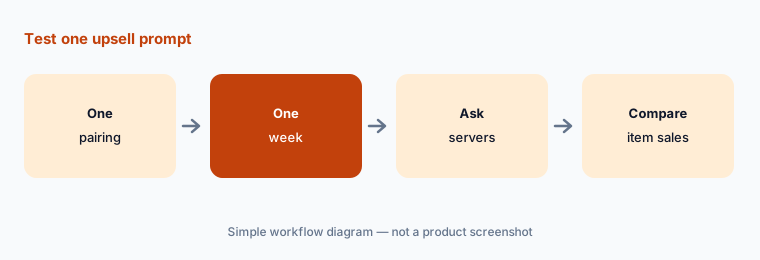
Test one prompt:
Turn on one Toast IQ upsell pairing on handhelds for one week. Compare item sales with the week before and ask three servers whether the prompt slowed them down.
Pricing context (October 2026)
Toast’s pricing page (read 15 Oct 2026) says published plan pricing applies to new customers and single locations only, and that the price includes the first hardware terminal subscription, with charges for more devices. Toast’s own 2026 pricing guide (28 Aug 2026) lists the Starter Kit at $0/month (eligible new single-location restaurants needing one or two terminals), Point of Sale at $69/month (core POS, your own hardware choice), and Build Your Own at custom pricing.
Payment processing, hardware, installation, and add-ons are extra. The Toast IQ assistant is included with Toast POS. Toast IQ Grow is sold for “one flat price” that the page does not state (ad spend and per-delivery fees are charged separately), and Toast IQ Team pricing was not published on the pages we read.
Uncertainty: Toast IQ agents are early access for select customers; the Scheduling Agent, SEO and Offers agents, Menu Agent, Answering Agent, and configurable agents were labelled beta on 15 Oct 2026. Grow and Team prices are not public. Vendor figures (41% fewer overtime hours, 8% sales lift, 69% higher click-through) are Toast’s claims, not our measurement.
When it’s useful (honest take)
Useful when you already run Toast (or are choosing a restaurant POS) and want quick answers on sales and labor, a few scheduled alerts, and help drafting marketing — and you have a GM who owns permissions and an owner who reads every guest-facing draft.
Less useful when you need deep reservations and guest CRM (SevenRooms AI), a separate labor tool across several POS systems (7shifts AI), or a resort or casino stack where POS sits beside a hotel PMS (Agilysys AI).
Paying for Toast AI and a few other AI tools? The $9 AI toolkit spreadsheet lists every AI subscription you have, what each one costs, and how fast it pays for itself, so you can see which ones are worth the money.
Want someone to do it for you? AI toolkit audit — $19
Related options (educational)
| Need | Better home | Why |
|---|---|---|
| Restaurant POS + built-in AI assistant | Toast AI (this page) | Starter Kit $0 · Point of Sale $69 · custom |
| Reservations, guest CRM, phone AI | SevenRooms AI | Starter / Growth / Premium — quote |
| Scheduling and labor across POS brands | 7shifts AI | Comp free → Premium per location |
| Resort or casino POS beside a hotel PMS | Agilysys AI | Enterprise quote |
| Ad hoc analysis on an exported report | Claude (sanitized export) | General chat; no POS actions |
FAQ
Is Toast IQ free?
Toast says the Toast IQ assistant is included with Toast POS at no additional cost. Toast IQ Grow is a paid package with a flat monthly price that was not stated on the page we read on 15 October 2026.
Can Toast IQ change my menu or prices by itself?
No. Toast says Toast IQ will not change your configuration without explicit confirmation, and what each person can do follows their Toast Web permissions. Toast IQ agents cannot make changes at all; they send updates and recommendations.
How much does Toast cost in October 2026?
Toast’s 2026 pricing guide lists the Starter Kit at $0/month, Point of Sale at $69/month, and Build Your Own at custom pricing, for eligible new single-location customers. Processing, hardware, installation, and add-ons are extra.
What is Toast IQ Team?
A labor package announced 6 October 2026: sales forecasting, a Scheduling Agent in beta, staff contests, the MyToast employee app, Tips Manager, and payroll support. Treat every drafted schedule and tip calculation as a suggestion until the manager accepts it.
Who should approve Toast IQ changes and marketing?
A named GM for menu, price, availability, and shift changes; the owner for every campaign, offer, and guest review reply. Keep Toast Web permissions narrow so only those people can confirm those changes.
Optional next step (if seats overlap)
If you pay for a POS with built-in AI marketing, a separate email tool, and a separate scheduling app that now overlap, that is worth mapping. Map the overlap with the $19 AI toolkit audit or the $9 AI toolkit spreadsheet. Email Audit $19 or Toolkit spreadsheet $9.
Checkout is live via Stripe. After you pay, we email delivery (spreadsheet) or intake next steps (audit).