Tool · Restaurant ops · 7shifts · Oct 2026
7shifts AI review (Oct 2026): sales forecasting, auto-scheduling, Operational Insights, and AI training for restaurant teams
7shifts is a team platform built only for restaurants: hiring, training, scheduling, time clocking, payroll, tips, and team chat in one app. Its AI shows up in four places — a sales forecast learned from your POS, labor recommendations while you schedule, an Operational Insights summary of the manager log, and AI course building for training. This page is about using those to save a manager’s evening while the manager still decides who works, what they earn in tips, and what the training says. Each section has a Try this.
What this 7shifts page covers
This page is for a restaurant owner, GM, kitchen manager, or multi-unit ops lead who uses 7shifts or is choosing a scheduling and labor tool. The question it answers: what the AI and machine-learning parts of 7shifts actually do, how accurate 7shifts says its forecast is, which plan each feature needs, and who must accept forecasts, schedules, tips, and training before they reach the team.
7shifts says its sales forecast (help article updated 6 May 2026) combines three models — recent trends, seasonal trends, and year over year — and reaches “~95% accuracy” as a statistical average; its latest audit showed an average daily error of 5.51%. In July 2026 it added an AI-generated Operational Insights summary, and in September 2026 Employee Training (with AI course building) left beta as a Premium feature.
Ground rules: the GM accepts every forecast-based schedule before it is published; tip-pool, minor-labor, break, overtime, and predictive-scheduling rules are local and checked by a person; no employee SSNs, bank details, or tax forms go into any test or outside chat tool; and vendor figures (hours saved, labor-cost cuts, forecast accuracy) are 7shifts’ claims, not our measurement.
Major features (with how someone uses them)
Examples at a glance: each feature has a concrete example from a real job plus a short Try this you can run this week.
1. Sales forecasting from your POS (primary)
What it is: 7shifts trains its forecast on daily sales pulled from your connected POS (7shifts lists 20+ direct POS integrations, including Toast, Square, and Lightspeed). New locations see no projections for the first two weeks; the recent-trends model starts at two to four weeks and seasonal and year-over-year models join as history builds. 7shifts warns the forecast is a directional guide when sales swing widely, and after weather events or local events.
An average error of about 5% still leaves some days far off — usually the ones that matter, like a holiday or a game night. Compare before you trust.
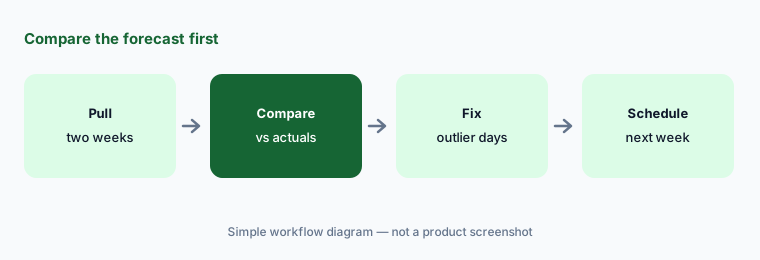
Primary workflow:
Compare 7shifts' sales forecast with actual sales for the last two weeks. Have the GM adjust any day that was off by more than 10% before building next week's schedule.
2. Labor targets, hourly forecasts, and labor recommendations
What it is: From the Essentials plan up, 7shifts lets you set labor targets on projected sales, budget each department with POS sales data, and see hourly forecasts and labor recommendations while you build the schedule. Premium adds an “advanced hourly labor forecast” and “advanced labor recommendations”, per the plan page.
A labor target is a business decision, not a forecast. The GM sets it, and the recommendation only tells you how far a draft schedule sits from it.
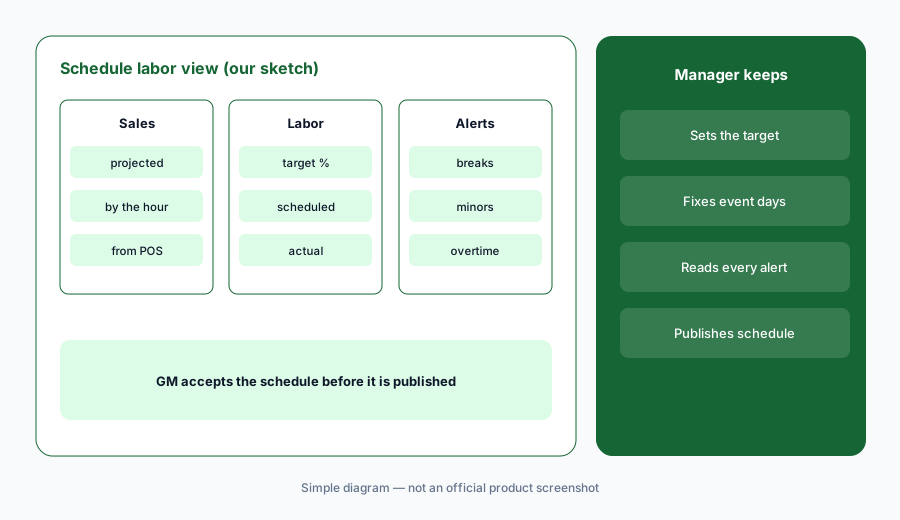
Target first:
Set a labor target for one department for next week. After the week, compare scheduled, actual, and target labor by day with the GM and note the days the recommendation missed.
3. Auto-filled schedules and compliance alerts
What it is: 7shifts’ scheduling page describes templates that auto-fill shifts from past schedules and availability, availability and time-off shown while you build, and real-time alerts for required breaks, fair-workweek laws, minor scheduling restrictions (under 16 and 18), and expired certifications. Shift swaps go through Shift Pool, where managers approve every change.
An alert only covers the rules you set up for your jurisdiction. Someone still has to read the warnings and check the rules themselves.
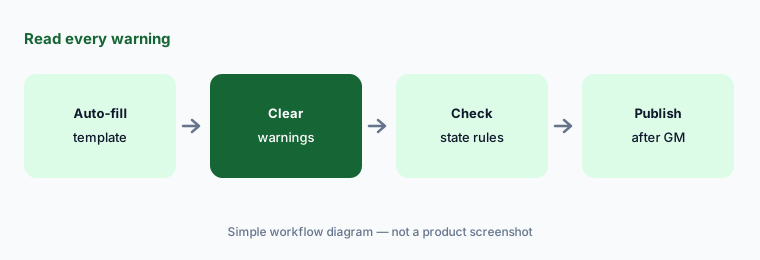
Read every warning:
Auto-fill next week’s schedule from a template for one department. Before publishing, have the GM clear every compliance warning by hand and check minors’ hours against your state rules.
4. Operational Insights: an AI summary of the manager log
What it is: Operational Insights, added in July 2026, reads the day’s Log Book entries, comments, sales, and labor and writes a short summary on the web dashboard and at the top of the Log Book on mobile. A new summary is triggered after five separate text entries. It needs the Log Book add-on ($14.99 per location per month) or a plan upgrade, and each summary has a feedback link.
A summary is only as good as what managers write, and it can drop the one line that matters — a burn, a broken walk-in, a no-show. Leadership should still skim the log on bad days.
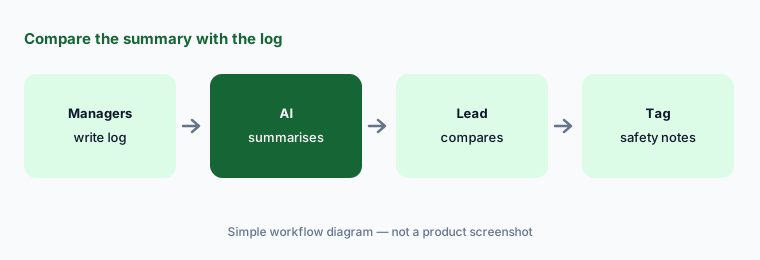
Compare with the log:
For one week, compare the daily Operational Insights summary with the Log Book entries it read. Mark any summary that left out a safety or staffing issue.
5. Employee Training with AI course building
What it is: 7shifts Employee Training turns uploaded SOPs, menus, and handbooks into lessons “in seconds with AI”, generates quizzes, and assigns courses by role, department, or location with reminders and completion reports. It left beta in September 2026: publishing, assigning, and completing training now needs the Premium plan. 7shifts lists training connected to schedule and performance data as “coming soon”.
A course built from an old SOP teaches the old way, quickly. The person who owns the station checks every step before anyone is quizzed on it.
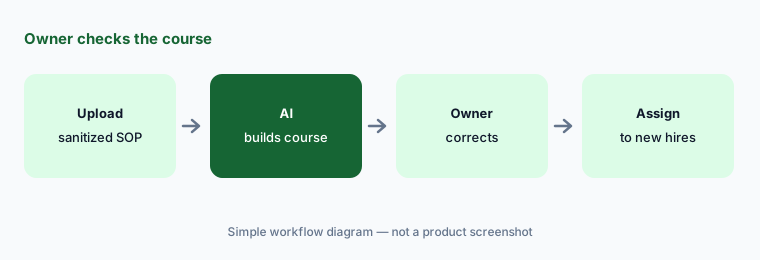
Owner checks the course:
Upload one sanitized SOP and let 7shifts build a lesson and quiz. Have the kitchen manager correct every step that does not match your kitchen before you assign it.
6. Tip Management and the payroll handoff
What it is: Tip Management (included in Premium, or a $49.99 per location per month add-on plus $1 per instant payout) calculates and distributes tips, gives employees mobile tip reports, and can send tips to payroll. 7shifts Payroll added in-app warnings for state tax-filing access and a pay-as-you-go workers’ compensation option in September 2026.
Tip-pool rules differ by state and city, and a wrong rule repeats every pay period. Recompute a few people by hand before the first real payout.
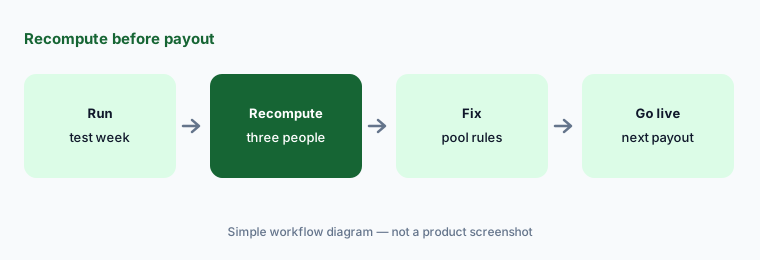
Recompute before payout:
Run last week’s tips through 7shifts Tip Management as a test. Have the GM or bookkeeper recompute three employees’ tips by hand and check the pool rules against your local law.
Pricing context (October 2026)
7shifts’ plan page (read 15 Oct 2026; “new customer pricing, prices are subject to change”) lists Comp free (one location, up to 15 employees, basic scheduling), Essentials $44.99 per location per month on monthly billing ($39.99 billed annually; up to 30 employees), Pro $89.99 ($79.99 annually; labor compliance, labor cost tools, Manager Log Book), and Premium $149.99 ($134.99 annually; tips, tasks, advanced hourly labor forecast and labor recommendations, advanced operational insights).
Add-ons: Tip Management $49.99 per location per month (+ $1 per instant payout transaction), Manager Log Book $14.99, Task Management $12.99. Annual billing saves 10%; enterprise and franchise pricing is by quote. There is a 14-day free trial.
Uncertainty: 7shifts’ main pricing page loads its amounts in the browser; the figures above come from its plan page read 15 Oct 2026. The pricing FAQ calls the trial plan “The Works” while the plan page says the trial is on Pro — confirm the trial plan when you sign up. Forecast accuracy (~95% average, 5.51% average daily error) and time-saving figures are 7shifts’ claims, not our measurement.
When it’s useful (honest take)
Useful when you run one or more restaurants on a POS that 7shifts connects to and want forecasts, labor targets, compliance warnings, a log summary, and training in one team app — with a GM who accepts every schedule and checks local rules.
Less useful when your POS already bundles scheduling you plan to use (Toast AI now sells Toast IQ Team), you mainly need reservations and guest CRM (SevenRooms AI), or you only need a quick labor check in a spreadsheet (Gemini for hospitality ops).
Paying for 7shifts AI and a few other AI tools? The $9 AI toolkit spreadsheet lists every AI subscription you have, what each one costs, and how fast it pays for itself, so you can see which ones are worth the money.
Want someone to do it for you? AI toolkit audit — $19
Related options (educational)
| Need | Better home | Why |
|---|---|---|
| Restaurant scheduling, labor, tips, training | 7shifts AI (this page) | Comp free · $44.99 → $149.99 per location |
| Scheduling bundled with the POS | Toast AI (Toast IQ Team) | Team price not published |
| Reservations and guest CRM | SevenRooms AI | Quote |
| Labor checks in a spreadsheet | Gemini for hospitality ops | Workspace Business plans |
| Inventory of every labor and AI seat | Stack map for hospitality ops | Your own invoices |
FAQ
How much does 7shifts cost in October 2026?
On the plan page read 15 October 2026: Comp free; Essentials $44.99, Pro $89.99, and Premium $149.99 per location per month on monthly billing ($39.99, $79.99, and $134.99 billed annually). Tip Management, Manager Log Book, and Task Management are add-ons.
How accurate is the 7shifts sales forecast?
7shifts says about 95% as a statistical average with a POS connected, and its latest audit showed an average daily error of 5.51%. It says the forecast is a directional guide when sales swing widely or after weather and local events.
What is 7shifts Operational Insights?
An AI-generated daily summary of Log Book entries, sales, and labor, added in July 2026. It needs the Log Book add-on or a plan upgrade and refreshes after five separate text entries.
Does 7shifts build schedules automatically?
It auto-fills shifts from templates, past schedules, and availability, and shows forecasts, labor recommendations, and compliance alerts as you build. A manager still reviews and publishes the schedule.
Who should approve 7shifts schedules and tips?
The GM accepts every forecast-based schedule and checks local break, overtime, and minor rules; the GM or bookkeeper recomputes tips by hand before the first payout and checks pool rules against local law.
Optional next step (if seats overlap)
If you pay for a POS labor add-on, a separate scheduling app, and a separate training tool that now overlap, that is worth mapping. Map the overlap with the $19 AI toolkit audit or the $9 AI toolkit spreadsheet. Email Audit $19 or Toolkit spreadsheet $9.
Checkout is live via Stripe. After you pay, we email delivery (spreadsheet) or intake next steps (audit).