Role guide · Hospitality ops · ChatGPT Business · Oct 2026
ChatGPT for hospitality ops (Oct 2026): SOP drafts, guest reply templates, and night-audit checklists
Hospitality ops role guide — a shared Hotel SOPs project in a ChatGPT Business workspace that drafts night-audit and handover checklists from an uploaded sanitized SOP, guest reply templates from approved facts, and training outlines from house rules. ChatGPT drafts; a named front-office manager or GM approves every guest-facing template before it is used. Use Projects, not new custom GPTs — OpenAI is retiring custom GPTs on December 11, 2026. Pair with a hotel PMS such as Mews AI or Cloudbeds AI.
Who this guide is for
Front-office managers, assistant managers, training leads, and GMs — the person who keeps SOPs current, drafts guest reply templates, and builds night-audit checklists — whose company already has ChatGPT Business or Enterprise. If your PMS already drafts guest replies inside the product, see Mews AI, Cloudbeds AI, or Canary Technologies AI. Product deep-dive: ChatGPT.
Use Projects, not new custom GPTs. OpenAI's help center (read 14 October 2026) says custom GPTs are scheduled to retire on December 11, 2026 (February 11, 2027 for Enterprise workspaces with an approved deferral), that the change affects all ChatGPT plans, and that it plans to help creators migrate GPTs to plugins. For affected Enterprise workspaces it lists October 26, 2026 (planned) as the end of new custom GPT creation. Putting hospitality-ops instructions in a project keeps related chats, files, and instructions together and costs nothing extra on qualifying plans.
Ground rules: never paste guest PII — names, room-and-name pairs, phone numbers, emails, folio details, card numbers, or passport / ID scans. SOPs and templates use sanitized examples only. ChatGPT does not send guest messages, change rates, move rooms, or post folio charges. A named person approves every guest-facing template; local occupancy, tax, and consent rules are checked locally, not with a chat tool.
Major features (with how someone uses them)
Examples at a glance: each feature has a concrete example from a real job plus a short Try this you can run this week.
1. Project Hotel SOPs: night-audit checklist (primary)
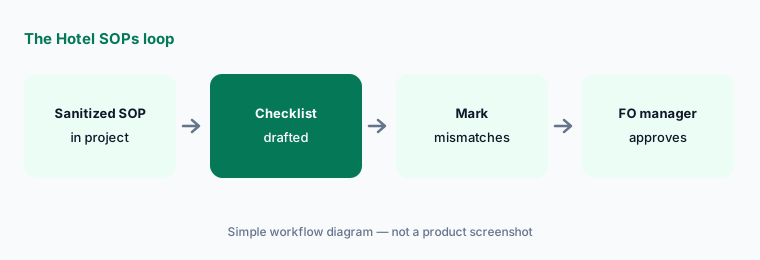
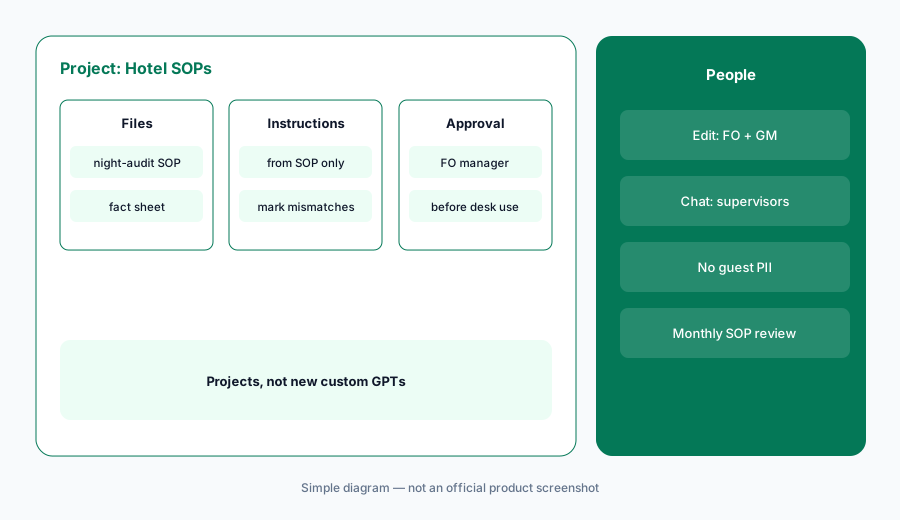
What it is: Select New project in the sidebar and name it Hotel SOPs. Upload one sanitized SOP — night audit or front-desk close — with bracketed fields and no real guest names or folio amounts. In Project settings, add instructions: draft only from the uploaded SOP; mark any step that does not match the PMS procedure; leave bracketed fields as brackets. OpenAI says project instructions apply only within that project, and Business projects support up to 40 files.
The mismatches are the useful part. If ChatGPT invents a cash-drop step your PMS does not use, that is not an improvement — it is a change the FO manager must decide on.
Primary workflow:
Create a Project called Hotel SOPs. Upload one sanitized SOP and ask for a night-audit checklist — mark every step that does not match your PMS.
2. Guest reply templates from approved facts
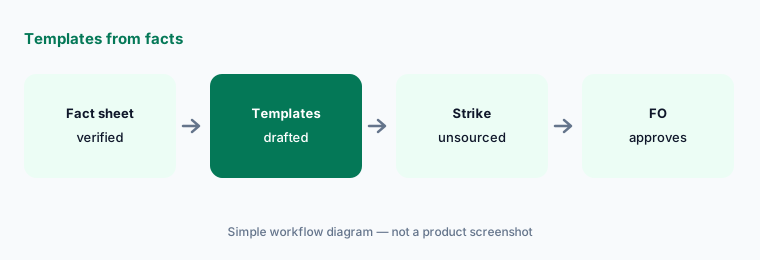
What it is: Upload a one-page fact sheet — WiFi, parking, checkout, pets, breakfast, fees — each checked by the person who owns guest communications. Ask for reply templates that use only those facts and list any claim that could not be sourced. A named front-office manager approves every template before it is pasted into a PMS or messaging tool.
Delete any fee or amenity claim that is not on the fact sheet. Never put real guest names or room numbers into the project.
Facts only:
Upload one verified hotel fact sheet and ask for five guest reply templates. Delete every fee or amenity claim that is not on the sheet before anyone uses them.
3. Handover checklists from an approved procedure
What it is: Upload the approved shift-handover procedure — what the night auditor tells the morning desk, which VIP notes must be verbal, which maintenance flags go to engineering. Ask for a handover checklist with the source step for each item. Paste only sanitized examples — no guest PII, passport details, or card numbers.
VIP and accessible-room notes always end with a person, never with a chat reply alone.
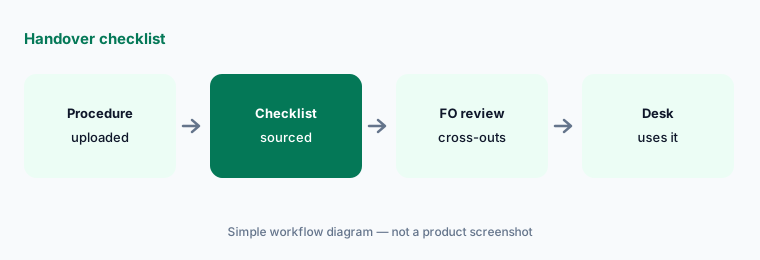
Source every step:
Upload one approved handover procedure and ask for a checklist with a source step for each item. Have the front-office manager cross out anything it cannot source.
4. Who can see the project
What it is: A project can be shared with individual colleagues or workspace groups. OpenAI's Projects help article describes edit vs chat access; every member can view and download uploaded files, so a template in the project is readable by everyone you add. Shared projects use project-only memory. A workspace project tops out at 100 collaborators.
Give edit access only to people who keep SOPs current; give desk staff chat access.
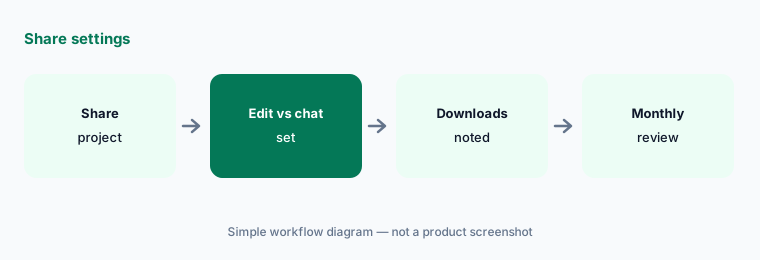
Two editors, everyone else chat:
Open Share on your Hotel SOPs project. Give edit access to the people who own the SOPs and chat access to everyone else, then list who can download the files.
5. Plan the move before December 11, 2026
What it is: OpenAI says existing custom GPTs keep working until retirement on December 11, 2026, that migration is to plugins, and that chats created with a GPT cannot be moved into a project. If your hotel already has a custom GPT for SOPs or replies, save test requests, move instructions into a project, and compare results before anyone switches.
Do not use the new-custom-GPT flow for hospitality ops — use a project. See OpenAI's retirement FAQ.
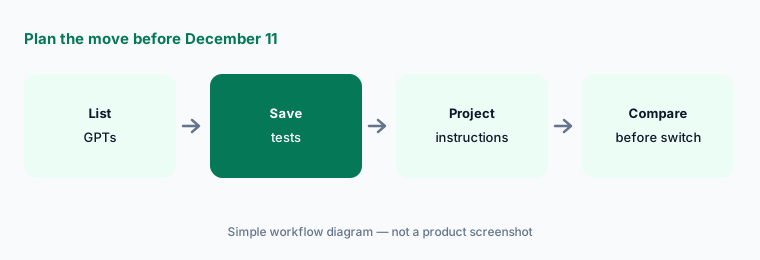
Compare before you switch:
Before December 11, 2026, save five SOP or reply requests your hotel GPT already handled. Move its instructions into a project, rerun them, and compare every marked line before anyone switches.
6. ChatGPT Business plans (as listed)
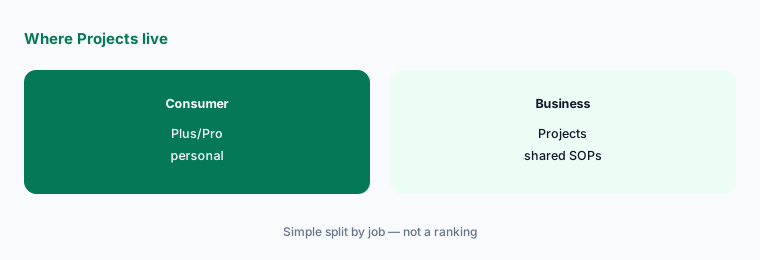
What it is: OpenAI's business pricing page lists team plans separately from Plus/Pro consumer plans. Confirm current Standard and Premium seat prices on openai.com/business/pricing before budgeting — amounts change. Projects are included on qualifying Business/Enterprise plans.
Workspace retention and residency follow your Business/Enterprise settings. Guest PII still does not belong in prompts.
Count seats from the invoice:
Open your ChatGPT Business invoice and count hospitality-ops seats. Write Cost/mo from the invoice into your stack map — do not invent a seat price from memory.
Pricing context (October 2026)
Confirm ChatGPT Business seat prices on OpenAI's business pricing page before budgeting (checked 14 Oct 2026 — amounts can change). Projects do not add a separate line on qualifying plans.
Never paste guest PII into a consumer ChatGPT account used for hotel work.
Uncertainty: OpenAI business list prices change; use the live pricing page and your invoice. Custom GPT retirement dates follow the help center FAQ read 14 Oct 2026 (Dec 11, 2026 standard; Feb 11, 2027 approved Enterprise deferral).
When it’s useful (honest take)
Useful when your hotel already pays for ChatGPT Business and needs SOP/checklist drafts with a named FO approver.
Less useful when your PMS or guest-messaging tool already owns reply drafts (Mews AI, Canary Technologies AI, Duve AI), or nobody will mark checklist mismatches against the PMS.
Paying for ChatGPT and a few other AI tools? The $9 AI toolkit spreadsheet lists every AI subscription you have, what each one costs, and how fast it pays for itself, so you can see which ones are worth the money.
Want someone to do it for you? AI toolkit audit — $19
Related options (educational)
| Need | Better home | Why |
|---|---|---|
| SOP + checklist drafts in a Project | ChatGPT for hospitality ops (this page) | Business seats |
| Sheets/Docs/Gmail drafts | Gemini for hospitality ops | Workspace Standard+ |
| PMS-native Agent messaging | Mews AI | Pro — quote |
| Guest messaging AI | Canary Technologies AI | Advanced/Pro quote |
| Property-ops twin guide | ChatGPT for property ops | Business seats |
FAQ
Should we build a custom GPT for hotel SOPs?
Not a new one. OpenAI says custom GPTs are scheduled to retire on December 11, 2026 (February 11, 2027 for Enterprise workspaces with an approved deferral) and plans migration to plugins. Use a project instead; if you already have a GPT, save test requests and compare the replacement before switching. See OpenAI's retirement FAQ.
Can ChatGPT send guest messages for us?
Not in this guide. ChatGPT drafts templates; a named front-office manager approves them; your PMS or messaging tool sends. Never paste guest PII, card numbers, or passport scans into prompts.
What goes in the Hotel SOPs project?
Sanitized SOPs, approved fact sheets, and house rules — no guest names, folios, card data, or ID images. Every member you share with can download the files.
How does this differ from ChatGPT for property ops?
Same Projects pattern; hospitality examples are night-audit checklists, guest reply templates, and shift handover — not resident notices or fair-housing listing copy. See ChatGPT for property ops.
Who approves outputs?
A named front-office manager or GM for every guest-facing template and every checklist that changes desk procedure. Accessible-room and VIP notes stay with a person.
Optional next step (if seats overlap)
If hospitality ops pays for ChatGPT, Gemini, a PMS agent, and a guest-messaging tool that all draft the same replies, map that overlap before adding another seat. Map the overlap with the $19 AI toolkit audit or the $9 AI toolkit spreadsheet. Email Audit $19 or Toolkit spreadsheet $9.
Checkout is live via Stripe. After you pay, we email delivery (spreadsheet) or intake next steps (audit).