How-to · Property ops · Stack inventory · Oct 2026
Stack map for property ops (Oct 2026): inventory AI seats across PMS, leasing AI, STR channel tools, pricing, and chat
How-to inventory — property and short-term rental jobs, tools, owners, and overlaps. Overlap is the point: in 2026 the PMS answers the phone, the leasing AI answers the phone, the channel manager drafts guest replies the messaging add-on also drafts, the pricing tool and the channel manager both suggest nightly rates, and every manager has a chat assistant that drafts all of it again. Pair with Stack map for field service ops and Stack map for support ops.
What this how-to covers
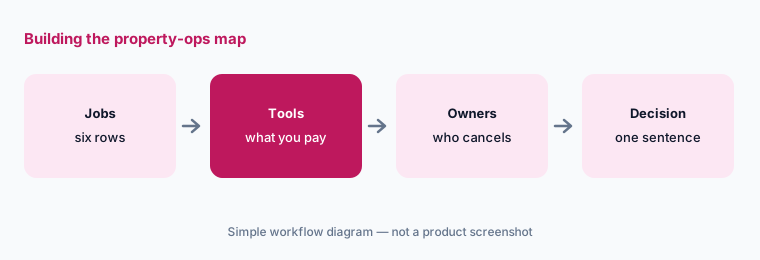
Property teams rarely buy one AI tool on purpose. The PMS adds an AI assistant, a receptionist, and agents for leasing, maintenance, and accounting; a separate AI leasing agent answers prospects by text and phone; the short-term rental PMS or channel manager adds AI guest replies; a dynamic pricing tool suggests nightly rates while the channel manager offers its own; an operations tool adds a guest concierge; and every manager already has a chat assistant. A year later, three tools can answer the same prospect about the same unit and nobody knows which one promised a tour time. This how-to builds one table — Job | Tool | Owner | Cost/mo | Overlap | Decision — for the six jobs where that overlap is most common.
It is an inventory, not a ranking. Fill Cost/mo from your own invoices, write overlaps in plain sentences, and add a column for who approves: every notice, every rent or nightly-rate change, every screening and approval decision, every bill and owner statement, and every message sent to residents, owners, or guests at scale. AI drafts and suggests; a named person approves. An AI-drafted bill, notice, listing, or rate isn’t accurate until its owner checks it against the lease, invoice, or house rules; leasing and screening scripts get a fair-housing review by a person; and no tenant, applicant, guest, or owner PII goes into a general chat tool.
How to inventory property-ops AI seats
Examples at a glance: each feature has a concrete example from a real job plus a short Try this you can run this week.
1. Build the blank table (primary)
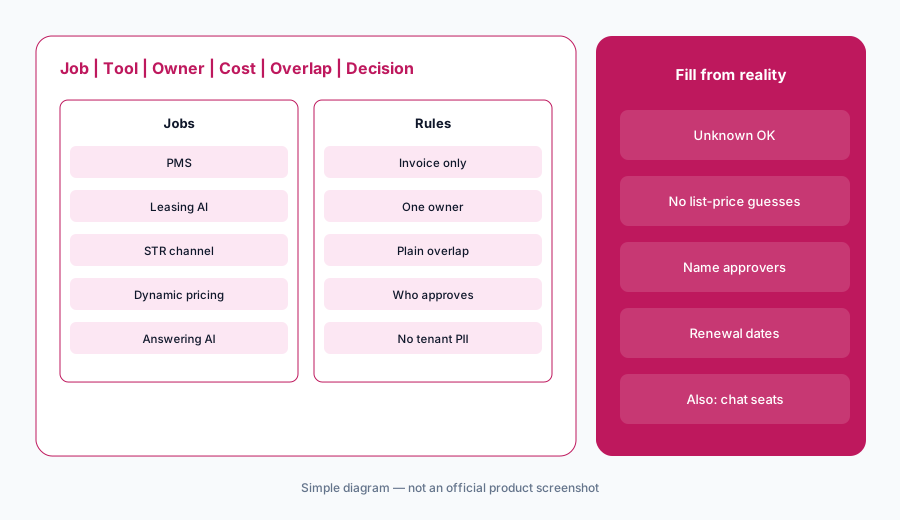
What it is: Start with six rows and six columns, and leave cells blank until you have a source: an admin seat list, an invoice, or the person who uses the tool. The six jobs: PMS (AppFolio, Buildium, Yardi, Entrata, RealPage, DoorLoop, Rent Manager, Rentvine, MRI Software), leasing AI (EliseAI, or the PMS’s own leasing agents — Entrata ELI+, AppFolio’s Leasing Performer, RealPage’s Lumina agents), STR channel manager or STR PMS (Guesty, Hostaway, Hospitable, Lodgify, Hostfully), dynamic pricing (PriceLabs, Wheelhouse, or the channel manager’s own pricing), answering AI (AppFolio’s Receptionist Performer, EliseAI VoiceAI, DoorLoop’s receptionist agent, guest-messaging AI such as Guesty ReplyAI, Hostaway AI Replies, Hostfully InboxAI, or Breezeway Concierge), and the chat assistant (ChatGPT, Claude, or Gemini seats used for notices, listings, house rules, and owner emails — see ChatGPT for property ops and Gemini for property ops).
Primary workflow:
Build Job | Tool | Owner | Cost/mo | Overlap | Decision blank for: PMS, leasing AI, STR channel manager, dynamic pricing, answering AI, chat assistant.
2. Owners and Cost/mo from invoices
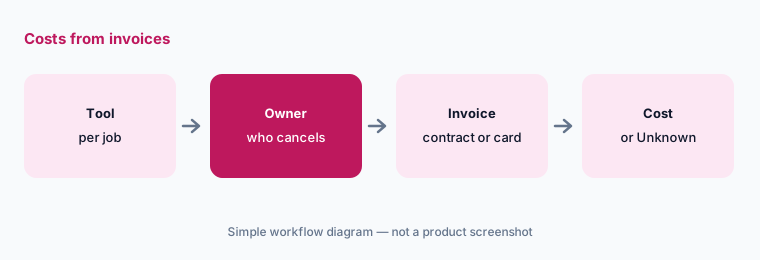
What it is: For each tool, write one owner — the person who can cancel it — and the monthly cost from the invoice, contract, or card statement. If you can’t find it, write "Unknown — check bill". Don’t fill costs from list prices. Property and rental tools price in units that don’t compare: per unit or door, per listing or property, a percentage of booking revenue, per AI conversation or minute, a platform fee, a minimum spend, or a quote. Several vendors reviewed today publish no prices at all — AppFolio’s plan cards, Entrata, RealPage, Rent Manager, EliseAI, MRI Software, and Hostaway among them — and others publish a starting price that says little about a negotiated contract. Our dated reviews note what each vendor showed on 13 October 2026, but your bill is the only number that belongs in this column.
Costs from invoices only:
For each of the six jobs, name the owner and Cost/mo from invoices only. If missing, write Unknown — check bill. Do not invent prices, unit counts, or booking volumes.
3. Mark overlaps in plain language
What it is: For each job with two or more tools, write one sentence about what both do — for example, "The PMS receptionist and the AI leasing agent both answer prospect calls after hours and both can offer tour times." Common property overlaps: answering prospects in the PMS and a separate leasing AI; guest replies in the channel manager and a messaging add-on; nightly rates in a pricing tool and the channel manager’s own pricing (PriceLabs vs Wheelhouse); house rules and listing text in the PMS, the channel manager, and a chat assistant; and AI answers about company data in the PMS assistant (AppFolio’s new Realm-X, Entrata’s ELI Console) and in a chat assistant fed exported Sheets.
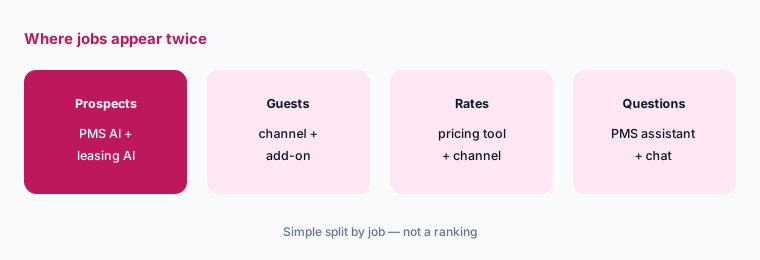
One sentence per overlap:
Wherever two tools share a job, write what both do in one sentence — for example, both answer prospect calls after hours. Ask each tool’s owner to confirm it before anyone suggests dropping a seat.
4. Add who approves and the data rules
What it is: Add two columns: Who approves and Data rules. Many property tools can now act, not just draft — answer and route a call, offer a tour, send a guest reply on a rule, change a nightly rate, enter a bill, flag an application — and some do it around the clock. For every tool, name the person who approves each action it can take, and write what data may go in: sanitized exports, approved templates, and house rules, yes; tenant, applicant, guest, or owner names, ledgers, bank details, screening reports, or door and lock codes in a general chat tool, no. Rent and rate recommendations are suggestions, and some jurisdictions restrict algorithmic rent-setting — check local rules with counsel. September’s PMS changes show why this matters — see What’s new in AppFolio (Sep 2026) for the Receptionist Performer and What’s new in Entrata (Sep 2026) for AI Admin approval and escalation policies.
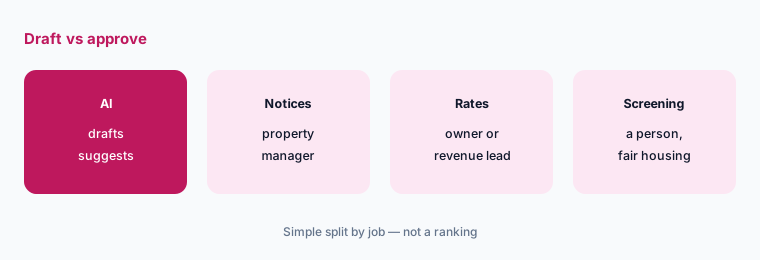
Who approves, what goes in:
For each tool, write who approves notices, rent and rate changes, screening decisions, bills, and guest messages, and one line on what data may go in. Have the operations director sign off on the two columns.
5. Write one-sentence decisions
What it is: Start with the rows that overlap most — answering AI, the chat assistant, and dynamic pricing — and write a decision for each in one sentence: keep both with a clear split, consolidate on one, or pause one for 30 days. Name the person who owns the follow-up and the renewal date. If anyone built a custom GPT for notices or listings, include it here: OpenAI retires custom GPTs on December 11, 2026, and our ChatGPT for property ops guide covers moving that work into a project; the same drafting work in Google Workspace is in Gemini for property ops. A decision is not a cut; it is a statement of which tool owns which job.
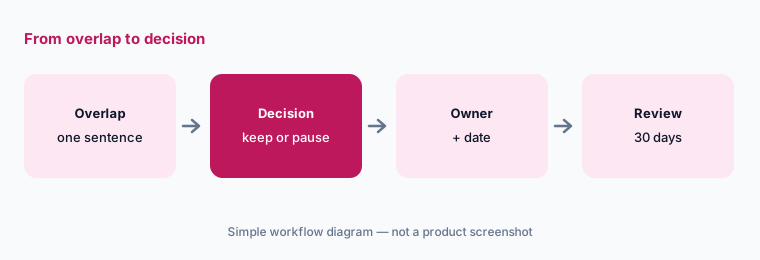
One sentence, one owner:
For the answering AI, chat assistant, and dynamic pricing rows only, write a Decision in one sentence each (keep both, consolidate, or pause). Name who owns the follow-up date and note any renewal date.
6. Run a 30-day check
What it is: After 30 days, check each paused or consolidated tool with three questions: did anyone ask for it back, did any prospect, resident, guest, or booking fall through, and did approvals still happen where they should? Update the table and keep it next to your renewal list. Revisit it after each big vendor release — the PMS, leasing, channel, and pricing vendors in this table all shipped AI changes in 2026 that moved features from one job to another, and comparisons such as AppFolio vs Buildium, Yardi vs Entrata, Guesty vs Hostaway, and PriceLabs vs Wheelhouse show how far the overlap goes.
Check after 30 days:
Thirty days after a pause or consolidation, ask the owners three questions: did anyone ask for the tool back, did any prospect, guest, or booking fall through, and did approvals still happen. Update the table.
Pricing context (October 2026)
This how-to is dated 13 October 2026 and is not a price sheet. Property and rental tools price per unit, per listing, as a share of bookings, per AI conversation, by minimum spend, or by quote, and many publish no prices at all. Our dated reviews record what each vendor listed when we checked today: AppFolio, Buildium, Yardi, Entrata, RealPage, DoorLoop, Rent Manager, Rentvine, MRI Software, EliseAI, Guesty, Hostaway, Hospitable, Lodgify, Hostfully, Breezeway, PriceLabs, and Wheelhouse. Fill Cost/mo from your invoices.
Optional structured help: $9 toolkit spreadsheet or $19 toolkit audit.
Uncertainty: Plan names, AI add-ons, unit minimums, booking-share pricing, and bundles change often, and several property vendors moved AI features between tiers or announced new ones in September 2026 (our dated notes on AppFolio and Entrata explain those). Which features count as AI, which can act without a person, and which are on by default differs by vendor and contract. Always verify on the vendor’s live page and your bill before budgeting. This is product education, not legal, fair-housing, trust-accounting, or short-term rental permit advice.
When it’s useful (honest take)
Useful when property or rental ops pays for more than one AI surface and you suspect several tools answer the same prospects, reply to the same guests, or suggest the same rates.
Useful when you need to show an owner, auditor, or counsel who approves every AI notice, rate change, screening step, bill, and message.
Less useful when you have one PMS, one phone process, and one chat seat with clear jobs. Soft $19/$9 only if overlaps are real.
Comparing several AI tools for the same job? The $9 AI toolkit spreadsheet puts each one you pay for on one page with cost, usage, and payback, so overlaps are easy to spot.
Want someone to do it for you? AI toolkit audit — $19
Related options (educational)
| Need | Better home | Why |
|---|---|---|
| Inventory seats by property-ops job | This stack map | Jobs · tools · owners · overlaps · decision |
| Field service and support inventories | Stack map for field service ops · Stack map for support ops | Same table pattern, neighbouring jobs |
| September PMS notes | AppFolio · Entrata | Dated changes |
| PMS platforms side by side | AppFolio vs Buildium · Yardi vs Entrata | Not a ranking |
| STR tools side by side | Guesty vs Hostaway · PriceLabs vs Wheelhouse | Not a ranking |
FAQ
What is a property-ops stack map?
One table that lists each property or rental job (PMS, leasing AI, STR channel manager, dynamic pricing, answering AI, chat assistant), the tool that does it, its owner, its monthly cost from your invoices, overlaps with other tools, and a one-sentence decision.
Which jobs should we inventory first?
Answering AI and the chat assistant, then dynamic pricing. They overlap most often, because the PMS, a leasing AI, a channel manager, and chat assistants can all answer or draft replies to the same prospect or guest, and a pricing tool and the channel manager can both change the same nightly rate.
Should we use list prices for Cost/mo?
No. Use invoices, contracts, or card statements. Property tools price per unit, listing, booking share, conversation, or minimum spend, and many are quote-only or bundled. Write Unknown — check bill when you can’t find it.
Why add who approves?
Because several tools can now answer calls, offer tours, send guest replies on rules, change rates, enter bills, or flag applications, some around the clock. A named person should approve each of those actions, leasing scripts need a fair-housing review, and an AI-drafted notice, bill, or rate isn’t accurate until its owner has checked it.
When do the $9 / $19 toolkit offers help?
Only after your own table shows real overlap between property tools. The $9 spreadsheet gives you the columns ready to fill; the $19 audit is a second look at a table you have already filled. Neither is needed if each job has one tool and one owner.
Optional next step (if seats overlap)
If property ops already pays for overlapping AI across the PMS, leasing AI, channel manager, pricing tool, answering service, and chat, map that before you buy another assistant. Map the overlap with the $19 AI toolkit audit or the $9 AI toolkit spreadsheet. Email Audit $19 or Toolkit spreadsheet $9.
Checkout is live via Stripe. After you pay, we email delivery (spreadsheet) or intake next steps (audit).