What’s new · Property ops · Entrata · Sep 2026
What’s new in Entrata (Sep 2026): Entrata Pro, ELI Console, Agent Studio, and AI Admin
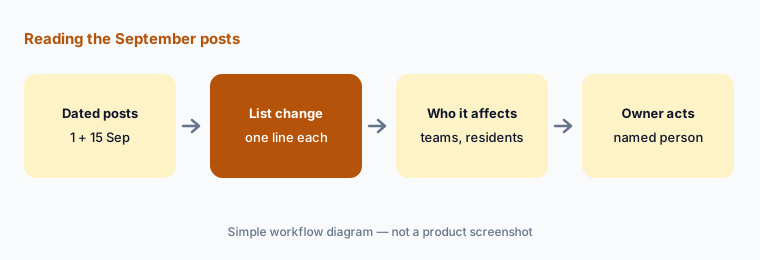
Entrata announced Entrata Pro at its Summit on 15 September 2026 — a new agentic platform tier with four capabilities: ELI Console, Agent Studio, Analytics, and AI Admin — two weeks after introducing Forge, its model built for multifamily, on 1 September. For a multifamily ops lead, five changes need an owner: who may ask ELI Console about company data, who builds agents in Agent Studio, which AI Admin policies require a person, who confirms Analytics findings, and which work runs on Forge. This page is not a review — for that, see our Entrata AI review. Every item comes from Entrata’s press room and blog, read on 13 October 2026.
What this page covers
This page is for a regional manager, operations director, or Entrata administrator at a multifamily, student, or affordable operator who wants September’s Entrata changes without reading every post — especially anything that changes what AI agents may do with residents and prospects, who can see AI answers about company data, and who governs models, approvals, and AI cost.
We list only entries dated September 2026 on Entrata’s site: Entrata’s 15 September press release introducing Entrata Pro at Summit 2026, and the 1 September blog post introducing Forge. Entrata’s 6 October release and its October product updates page describe what followed — Entrata Pro inside the operating system plus new tools — and appear here only as labelled context, not as September items. Forge is described as rolling out to customers over the next few months, so an item can be announced before it reaches your account.
Multifamily guardrails stay the same: an AI agent may answer, draft, or act within policies you set, but a named person owns every leasing script, every screening and approval decision, every rent change, every notice, and every resident message sent at scale. Leasing and screening scripts get a fair-housing review by a person. Vendor figures about model performance or cost are Entrata’s claims, not our measurement.
Major features (with how someone uses them)
Examples at a glance: each feature has a concrete example from a real job plus a short Try this you can run this week.
1. Five changes a multifamily ops lead should act on (primary)
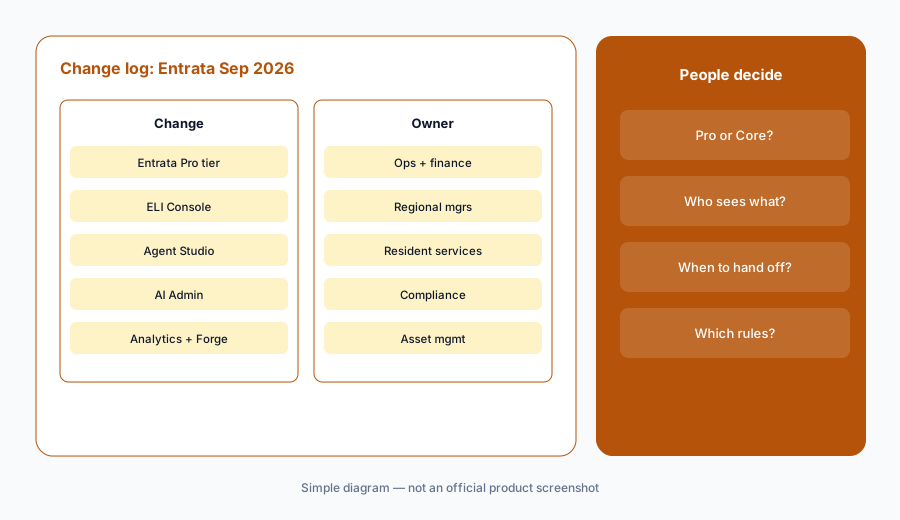
What it is: From Entrata’s September announcements, these five need a decision, not just awareness: (1) Entrata Pro, a new elevated agentic platform tier across the Entrata OS, working across its Operations Experience Platform and Resident Experience Platform and serving as the foundation for its AI in leasing, renewals, maintenance, and payments (press release, 15 Sep); (2) ELI Console, where team members ask plain-language questions and get answers that cite sources and are limited to what each user may access, plus a daily decision queue of items needing human attention (15 Sep); (3) Agent Studio, one place to build and manage conversational and operational agents from your SOPs, voice, and tone, with agent activity, escalations, and handoffs to team members visible (15 Sep); (4) AI Admin, with an exportable audit trail of AI interactions and policies for models, escalation, approvals, and time-bound exceptions, plus AI cost tracking (15 Sep); and (5) Analytics and the Forge model — findings linked to their source and confirmed by team members before action, and Forge, a post-trained model for multifamily that Entrata says it is rolling out to customers over the next few months (15 Sep; blog, 1 Sep).
Primary workflow:
From Entrata’s Sep 2026 announcements, list 5 changes a multifamily ops lead should act on — cite sources.
2. ELI Console: cited answers and a daily decision queue
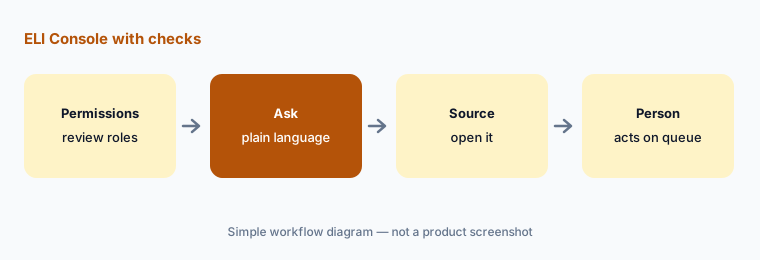
What it is: The 15 September release says ELI Console lets team members ask questions in plain language and receive answers based on their company’s data; answers cite their sources and are limited to information each user has permission to access. It also provides a daily decision queue that surfaces items requiring human attention, connects them to the company’s established procedures, and lets users review and take action from the console instead of moving between dashboards.
Permissions are the decision. Because answers follow each user’s access, a role that can see too much in Entrata today will see it faster in the console. Review role permissions before rollout, and treat a cited answer as a pointer: open the source before it drives a rent, renewal, or staffing decision. The decision queue is a list for a person to work, not a list of actions already taken.
Open the source first:
Ask ELI Console one question you already know the answer to, open every cited source, and check the numbers match. Review which roles can see delinquency and screening data before wider rollout.
3. Agent Studio: agents built from your SOPs
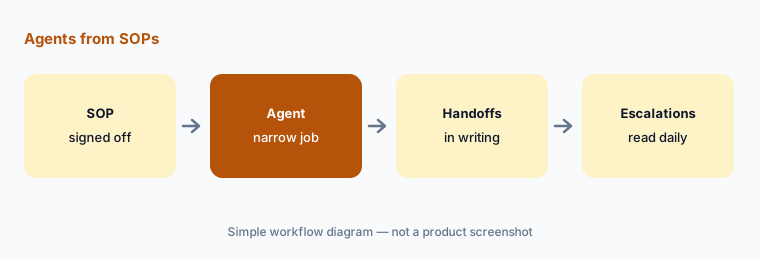
What it is: Per the release, Agent Studio gives operators one place to build, put to work, and manage AI agents. Conversational and operational agents can be configured from a company’s standard operating procedures, voice, and tone, and assigned work across operations and the resident experience. Operators can view agent activity and escalations, manage when work moves between AI agents and team members, and see questions that repeatedly come up across properties.
An agent built from an SOP is only as good as the SOP. Start with a procedure that is current and signed off, give the agent a narrow job, and decide in writing when it hands off to a person: anything about a lease dispute, a legal notice, a fair-housing question, an emergency, or money. Read escalations daily for the first two weeks. Other platforms handle the same handoff in EliseAI and RealPage AI.
Narrow job, written handoffs:
Pick one current SOP and write the handoff rules an Agent Studio agent built from it must follow. Have the resident-services lead read every escalation daily for two weeks.
4. AI Admin: audit trail, policies, and AI cost
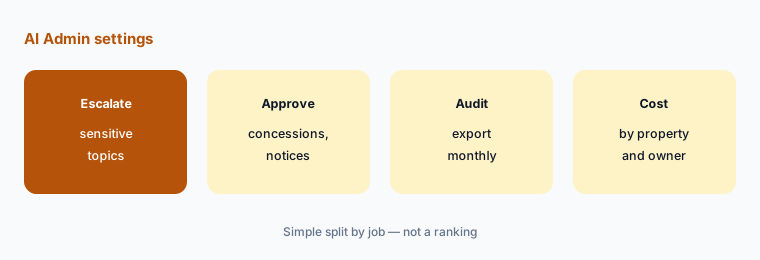
What it is: The release says AI Admin keeps an audit trail of AI interactions — the model used, answers provided, sources cited, and reasoning — with records that can be exported for audit. Operators can set policies such as requiring specific models for sensitive topics, escalating responses to a team member, requiring approvals, and granting time-bound exceptions. AI Admin also tracks AI costs by group and model and, for third-party operators, by property and owner.
Write the policies before the agents. Start with the topics that must always reach a person — fair housing and protected characteristics, screening and approvals, rent and concessions, legal notices, emergencies — and make each one an escalation or approval rule. Then decide who exports the audit trail and how often. For third-party managers, cost by property and owner is the column owners will ask about first; agree how it shows up on owner reporting before the first invoice. Yardi vs Entrata compares governance on both platforms.
Policies before agents:
List five topics that must always reach a person and write each as an AI Admin escalation or approval rule. Name who exports the audit trail and how often.
5. Analytics findings and the Forge model
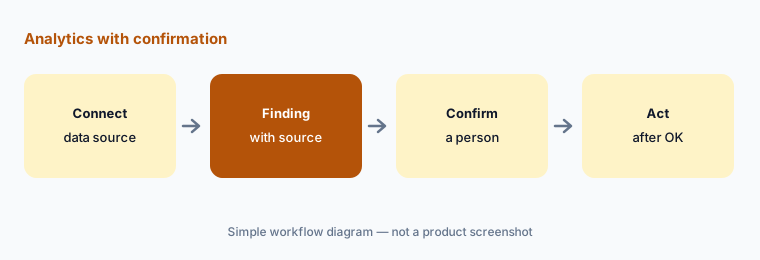
What it is: The release says Analytics brings structured and unstructured data together for team members and agents, lets operators connect their own corporate data sources, and links each finding to its source; findings are reviewed and confirmed by team members before action is taken, and Analytics adapts to feedback. It also says Entrata Pro work can run on Forge, Entrata’s model tuned for multifamily, as well as frontier and open-source models, with the model matched to each job. The 1 September Forge post describes Forge as a post-trained model for multifamily that Entrata is rolling out to customers over the next few months, and says frontier models remain part of its architecture.
Confirm before acting is Entrata’s own rule for Analytics; keep it. Name who confirms findings for each community, and connect corporate data sources only after deciding who can see them. For Forge, the useful question is which jobs run on it — use AI Admin’s model policies to require a specific model for sensitive topics if your compliance team wants that. Entrata’s published model evaluations are its own; we don’t repeat them here.
Confirm every finding:
Name one person per community who confirms Analytics findings before anyone acts. Ask your Entrata contact which Entrata Pro jobs run on Forge and write that down next to your AI Admin model policy.
6. What came after September, and owners for each change
What it is: For context only (not September items): Entrata’s 6 October release says Entrata introduced Entrata Pro last month at Summit 2026 as a tier alongside Entrata Core, and its October product updates page lists Entrata Pro in the operating system plus Lease File Audit, Advanced Budgeting Pro Forma, ELI+ Orchestrator, and an AI Website Builder that keeps human review before publishing. Owners for the September changes: Entrata Pro tier decision → the operations director and finance; ELI Console access → regional managers and the administrator; Agent Studio → resident services; AI Admin policies and audit exports → compliance; Analytics findings → asset management; model choices including Forge → compliance with IT.
Tier is the first question. Entrata Pro is described as a separate tier from Entrata Core, so ask what moves into Pro, what stays in Core, and what changes on the contract before any team plans around ELI Console or Agent Studio. Our Entrata AI review and Stack map for property ops help you see where Pro overlaps tools you already pay for.
One owner per change:
For the five September changes above, write one named owner and one review date each. Have the operations director approve the list before anyone builds an agent or connects a corporate data source.
Pricing context (October 2026)
The September announcements describe a new tier, not prices. Entrata publishes no prices on its site as of 13 October 2026 (its /pricing address returned not found when we checked), and the 15 September release does not say what Entrata Pro costs or how AI usage is billed; it does say AI Admin tracks AI costs by group and model and, for third-party operators, by property and owner.
Ask Entrata which features require Pro versus Core and how AI cost appears on your contract before you plan around them. For our dated review of Entrata’s AI and packaging, see Entrata AI and Yardi vs Entrata.
Uncertainty: We read Entrata’s press room, the 15 September 2026 press release, and the 1 September 2026 Forge post on 13 October 2026. Forge is described as rolling out over the next few months, the Forge post includes forward-looking statements, and Entrata Pro availability can differ by contract. September items only counted when dated in September; the October release is labelled as context. This is product education, not advice on fair housing, screening, or your contract.
When it’s useful (honest take)
Useful when you run Entrata and want September’s Entrata Pro changes with an owner and an action for each, especially AI Admin policies and Agent Studio handoffs.
Useful when you’re deciding whether Entrata Pro is worth a contract conversation and need to know which roles would use ELI Console.
Less useful when you want a full product review — read Entrata AI — or you don’t use Entrata.
Paying for Entrata and a few other AI tools? The $9 AI toolkit spreadsheet lists every AI subscription you have, what each one costs, and how fast it pays for itself, so you can see which ones are worth the money.
Want someone to do it for you? AI toolkit audit — $19
Related options (educational)
| Need | Better home | Why |
|---|---|---|
| Full review of Entrata’s AI | Entrata AI | Not a changelog |
| Two multifamily platforms side by side | Yardi vs Entrata | Virtuoso vs ELI+, not a ranking |
| Another PMS’s September notes | What’s new in AppFolio (Sep 2026) | Same format |
| Inventory property-ops AI seats | Stack map for property ops | Jobs, tools, overlaps |
| Drafting in Workspace instead | Gemini for property ops | Sheets, Docs, Gmail |
FAQ
What did Entrata announce in September 2026?
Per its 15 September press release, Entrata Pro, a new agentic platform tier with ELI Console, Agent Studio, Analytics, and AI Admin, announced at Summit 2026. On 1 September, a blog post introduced Forge, a post-trained model for multifamily that Entrata says it is rolling out over the next few months.
Is Entrata Pro the same as Entrata Core?
No. Entrata describes Pro as a separate platform tier alongside Entrata Core, which continues to receive new functionality. Ask Entrata which features need Pro and what changes on your contract.
Can Entrata’s AI agents act without a person?
Agent Studio lets operators manage when work moves between agents and team members, and AI Admin can require approvals and escalation for topics you choose. Write those rules before agents talk to residents or prospects, and keep a person on fair-housing, screening, rent, and legal questions.
What is Forge?
Entrata’s post-trained language model for multifamily, introduced on 1 September 2026. Entrata says Entrata Pro work can run on Forge as well as frontier and open-source models, with the model matched to each job, and that Forge is rolling out to customers over the next few months.
Did Entrata publish Entrata Pro pricing?
Not in the announcements we read. As of 13 October 2026, Entrata publishes no prices on its site; AI Admin tracks AI costs by group and model and, for third-party operators, by property and owner.
Optional next step (if seats overlap)
If property ops pays for Entrata’s ELI+ agents, a separate leasing AI, and a chat assistant that all answer the same prospect and resident questions, fix that overlap before adding another seat. Map the overlap with the $19 AI toolkit audit or the $9 AI toolkit spreadsheet. Email Audit $19 or Toolkit spreadsheet $9.
Checkout is live via Stripe. After you pay, we email delivery (spreadsheet) or intake next steps (audit).