Tool · Property ops · RealPage · Oct 2026
RealPage AI review (Oct 2026): Lumina AI, leasing agents, and operations AI for multifamily
RealPage sells property-management, leasing, screening, and revenue-management software to multifamily operators, and is the parent company of Buildium. Its AI is branded Lumina: the Lumina AI Workforce of seven agents across leasing, residents, operations, facilities, finance, spend, and analytics; Lumina Ascent for portfolio analytics; and Lumina Connect for piping RealPage data into your own BI and AI tools. RealPage also sells AI Revenue Management for rent pricing — software that has been the subject of antitrust litigation. This page is about using those agents while named people keep the decisions. Each section has a Try this.
What this RealPage page covers
This page is for a regional manager, leasing director, revenue manager, or asset manager at a multifamily operator that runs RealPage products or is evaluating them. The question it answers: which leasing, resident, maintenance, finance, analytics, and pricing work RealPage’s Lumina AI drafts or does on its own, what is published about cost, and who has to approve the output.
RealPage’s Lumina AI Workforce page (read 13 October 2026) describes seven “orchestrated” agents and says they are “Powered by Realpage + OpenAI” and run inside a RealPage AI Governance Framework with human-in-the-loop controls and traceable agent actions. Its Lumina AI Suite page groups four solutions: Workforce (agents), Ascent (operational intelligence), Lumina Atlas (institutional intelligence), and Connect (governed data access). RealPage publishes outcome figures with footnotes such as “based on internal modeling”; those are vendor claims and are not repeated here.
Ground rules: a named revenue manager approves every rent or renewal price change; leasing scripts and agent answers get a fair-housing review by a person; AI does not make screening or approval decisions (RealPage also sells AI Screening — the decision stays with your team); and no resident or applicant PII goes into any general chat tool you test with.

Major features (with how someone uses them)
Examples at a glance: each feature has a concrete example from a real job plus a short Try this you can run this week.
1. AI Analytics Agent: leasing-funnel summaries you recompute (primary)
What it is: RealPage’s AI Analytics Agent answers performance questions in plain language, writes narrative summaries for portfolios, markets, and assets, and builds reports and visuals on request. It sits inside Lumina Ascent, which RealPage describes as AI decision intelligence that turns property and market data into explainable performance signals and separates market effects from operational execution.
A plain-language summary is a starting point, not a report of record. Recompute the headline number from the system report before it reaches an owner or an investment committee.
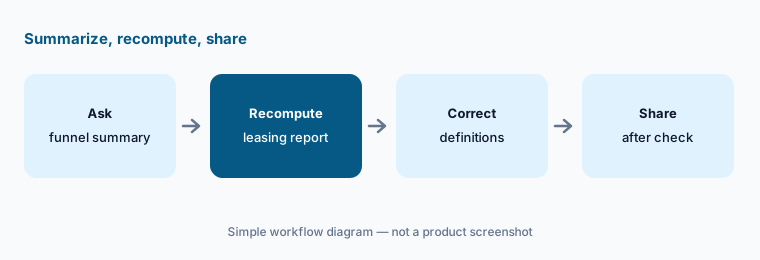
Primary workflow:
Ask RealPage’s AI to summarize last month’s leasing funnel for one property. Recompute the lease count from the leasing report before you share it.
2. AI Leasing Agent: 24/7 prospect replies with a fair-housing review
What it is: The AI Leasing Agent (“Powered by Lumina”) answers prospects over chat, text, voice, and email around the clock, pulls pricing and availability from your property-management system, schedules tours and reminders, logs conversations in Knock CRM, and hands off to a human leasing agent when needed. RealPage says it was designed with Fair Housing and SOC 2 alignment, audit logs, and built-in human review.
Vendor design claims do not replace your own review. Read a sample of real conversations each week, especially answers about fees, pets, accessibility, and availability.
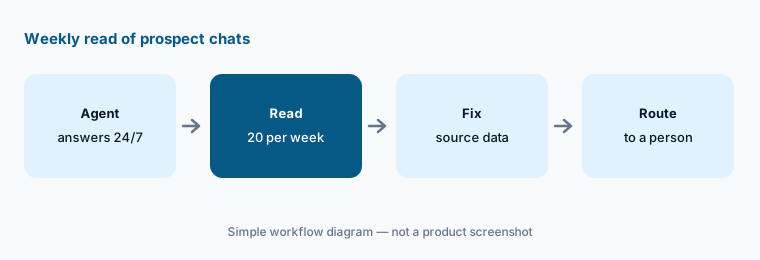
Weekly read:
Read twenty AI Leasing Agent conversations with the leasing director. Flag any answer about pets, fees, accessibility, or availability that does not match the property’s policy.
3. Resident and Operations agents: reminders, notices, and lease audits
What it is: RealPage’s Workforce page says the Resident Agent helps with resident questions, payment reminders, service requests, and renewal support, and the Operations Agent supports lease audits, move-ins, renewals, transfers, notices, and daily tasks. Both touch documents that carry legal weight.
A notice or renewal letter is not correct until the property manager checks amounts, dates, and required wording against the lease and local rules.
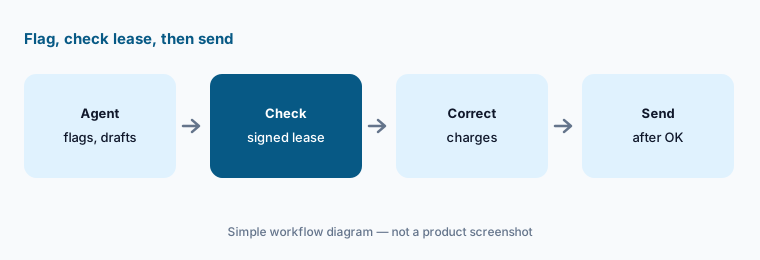
Check before it sends:
Have the Operations Agent run one lease audit for a single building. Check every flag against the signed lease before anyone changes a charge or sends a notice.
4. Facilities, Finance, and Spend agents: work orders and invoices
What it is: The Facilities Agent helps triage work orders, schedule vendors, and support turns; the Finance Agent reviews invoices, scans contracts, and flags variances; and the Spend Agent targets purchasing visibility and contract compliance, per RealPage’s Workforce page.
An AI-reviewed invoice is not approved until the accounts-payable owner checks vendor, amount, property, and GL code.
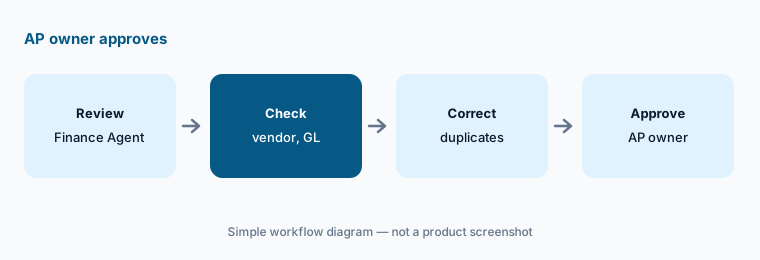
AP owner approves:
Run ten vendor invoices through the Finance Agent’s review. Have the accounts-payable owner check vendor, amount, property, and GL on every one before approval.
5. AI Revenue Management: recommendations, legal scrutiny, and a named approver
What it is: RealPage’s AI Revenue Management page says it recommends apartment pricing daily, optimizes renewal pricing, connects to most major property-management systems, and that “you have the final say” on recommendations. This product line has drawn antitrust litigation: RealPage announced a settlement with the U.S. Department of Justice on 24 November 2025 (no admission of liability, with an independent monitor, per RealPage), a federal court entered a Final Judgment on the United States’ claims on 19 May 2026, and a 30 September 2026 court order shows several states’ claims against RealPage still pending.
Some jurisdictions restrict algorithmic rent-setting. Check local rules with counsel before using any rent recommendation tool, and keep a written record of who approved each price.
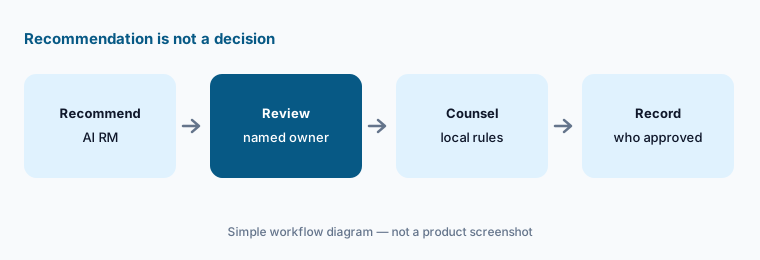
Named approver:
For one property, review a week of AI Revenue Management recommendations before any price changes. Record who approved or rejected each one and why.
6. Lumina Connect and Model Connect: your own AI on RealPage data
What it is: RealPage’s Lumina Connect page offers Lumina Data Cloud (zero-copy access through Snowflake, Databricks, Microsoft Fabric, or Google Cloud, plus BI tools such as Power BI) and Lumina Model Connect, an MCP connector that gives your AI agents governed access to modeled RealPage data. Its FAQ says Model Connect works with OpenAI ChatGPT or Codex today, with Claude and Microsoft Copilot support planned, and that initial access is read-only and user-permissioned.
Give any connected assistant only the datasets its job needs. Resident PII and screening data should not flow into a general chat workspace.
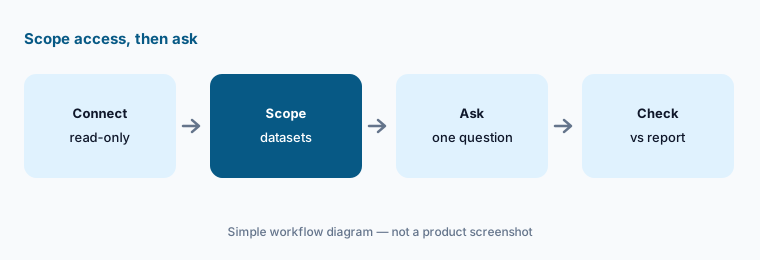
Scope it first:
If you trial Model Connect, connect one AI workspace with read-only access to one portfolio. Check its first three answers against the system report before anyone relies on them.
Pricing context (October 2026)
RealPage does not publish prices for Lumina AI Workforce, Lumina Ascent, Lumina Connect, AI Leasing Agent, or AI Revenue Management; product pages offer “Request a demo” or “Contact us”, and realpage.com/pricing returned a not-found page when we checked on 13 Oct 2026. Treat RealPage as quote-only.
For small residential portfolios, RealPage’s Buildium brand publishes plan prices — see our Buildium AI review. Ask RealPage whether each agent is licensed separately, per unit, or per property, and whether Model Connect is priced apart from Data Cloud.
Uncertainty: RealPage’s pages mix shipping products with planned support (for example Claude and Copilot for Model Connect). Which agents are live in your account depends on your contract. The legal status of rent-pricing software is still moving in court and in local law; nothing here is legal advice. RealPage outcome figures are vendor claims with internal-modeling footnotes and are not repeated.
When it’s useful (honest take)
Useful when you run a multifamily portfolio already on RealPage systems, want agents for leasing, residents, operations, facilities, and finance in the same stack, and have named owners for fair-housing review, AP approval, and every price change.
Less useful when you run short-term or vacation rentals (see Guesty vs Hostaway, PriceLabs AI, or Wheelhouse AI), you manage a small portfolio and want published prices (Buildium AI), or nobody can review rent recommendations with counsel.
Paying for RealPage AI and a few other AI tools? The $9 AI toolkit spreadsheet lists every AI subscription you have, what each one costs, and how fast it pays for itself, so you can see which ones are worth the money.
Want someone to do it for you? AI toolkit audit — $19
Related options (educational)
| Need | Better home | Why |
|---|---|---|
| Multifamily agents + revenue management | RealPage AI (this page) | Lumina Workforce; quote |
| Multifamily OS with ELI+ agents | Entrata AI | Quote-only |
| Voyager / Breeze with Virtuoso | Yardi AI | Breeze prices published |
| Standalone AI leasing agent | EliseAI | Beside the PMS; quote |
| Small portfolios, published prices | Buildium AI | RealPage company |
FAQ
What is RealPage Lumina AI?
Lumina is RealPage’s AI brand: the Lumina AI Workforce (Leasing, Resident, Operations, Facilities, Finance, Spend, and Analytics agents), Lumina Ascent analytics, Lumina Atlas, and Lumina Connect for governed data access, as described on realpage.com on 13 October 2026.
How much does RealPage AI cost?
RealPage does not publish prices for Lumina or AI Revenue Management; it quotes. Its Buildium brand publishes plan prices for smaller portfolios.
Is RealPage rent-pricing software legal to use?
It has been the subject of antitrust litigation: the DOJ’s claims were resolved by a Final Judgment entered 19 May 2026, and several states’ claims were still pending as of a 30 September 2026 court order. Some jurisdictions restrict algorithmic rent-setting — check local rules with counsel.
Can the AI Leasing Agent talk to prospects without a person?
Yes, it answers 24/7 and hands off to staff when needed. Have a named leasing director read a weekly sample and review scripts for fair housing.
Can I connect ChatGPT or Claude to RealPage data?
RealPage says Lumina Model Connect works with ChatGPT or Codex today, with Claude and Microsoft Copilot support planned, and that initial access is read-only. Scope access to the datasets each job needs.
Optional next step (if seats overlap)
If you pay for a multifamily platform’s AI agents, a separate AI leasing agent, and chat seats that all draft the same resident and prospect messages, that overlap is worth mapping. Map the overlap with the $19 AI toolkit audit or the $9 AI toolkit spreadsheet. Email Audit $19 or Toolkit spreadsheet $9.
Checkout is live via Stripe. After you pay, we email delivery (spreadsheet) or intake next steps (audit).