Tool · Property ops · PriceLabs · Oct 2026
PriceLabs AI review (Oct 2026): dynamic pricing, market dashboards, and revenue tools for short-term rentals
PriceLabs is a dynamic pricing and revenue-management tool for short-term and vacation rentals that syncs nightly rates and minimum stays to Airbnb, Vrbo, and 160+ property-management systems. Around the pricing engine it sells Market Dashboards, free Portfolio Analytics with AI Insights, the AI-written Listing Optimizer, an MCP connector for Claude and other assistants, and Athena, an AI revenue analyst in free beta that suggests changes you accept or reject. This page is about letting those tools recommend while the owner still sets the limits. Each section has a Try this.
What this PriceLabs page covers
This page is for a host, co-host, or revenue manager pricing short-term or vacation rentals who uses PriceLabs or is comparing pricing tools. The question it answers: what PriceLabs recommends and changes on its own, where its AI features sit, what each costs on the public plans page, and who must approve the rules the engine prices inside.
PriceLabs’ plans page (read 13 October 2026) prices Dynamic Pricing per listing by region, with a 30-day free trial and no card required. Its AI page says “PriceLabs’ pricing engine sets your prices. Athena suggests changes. Nothing changes until you say yes,” and lists the cost of each AI feature. PriceLabs publishes customer revenue anecdotes and host-count figures; those are vendor claims, not our measurement.
Ground rules: the owner approves every minimum-price and minimum-stay rule; rate recommendations are suggestions until someone has compared them with their own judgement for at least a week; local short-term rental permits, taxes, and occupancy limits are checked by a person; and guest data does not go into any chat assistant you connect.

Major features (with how someone uses them)
Examples at a glance: each feature has a concrete example from a real job plus a short Try this you can run this week.
1. Dynamic Pricing for one listing, read before it syncs (primary)
What it is: PriceLabs’ engine (its “Hyper Local Pulse” algorithm) recalculates nightly prices and minimum stays daily from market data, seasonality, events, pacing, lead time, and your own booking history, then syncs them to your channel or PMS. PriceLabs’ plans FAQ says you can pause syncing per listing and are not billed for paused listings after the current period — which makes a read-only week possible.
Check in your account that recommendations still show in the pricing calendar while sync is paused before you rely on this method. A week of side-by-side notes teaches you what the engine weighs.
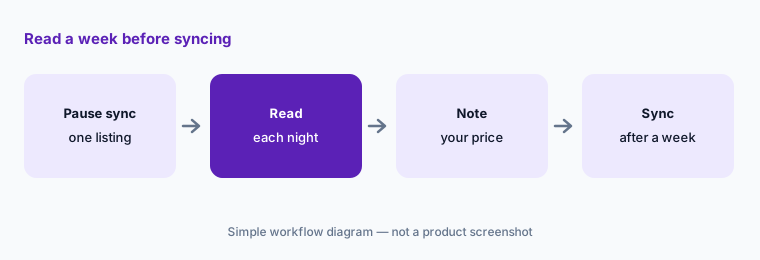
Primary workflow:
Set PriceLabs to recommend-only for one listing for a week. Compare each recommended rate with what you would have charged and why.
2. Guardrails: minimum price, minimum stay, and orphan-day rules the owner signs
What it is: PriceLabs’ Dynamic Pricing page lists pricing guardrails — base, minimum, and maximum prices, dynamic minimum stays, and check-in/check-out rules — plus date-specific overrides, orphan-day adjustments to fill gaps, occupancy-based and seasonal adjustments, and a Base Price Helper. Groups, Pricing Profiles, and Seasonal Profiles apply the same rules across similar listings.
The minimum price and minimum stay are business decisions, not model outputs. A floor below turnover cost or a one-night rule a cleaner cannot cover will be priced in faithfully.
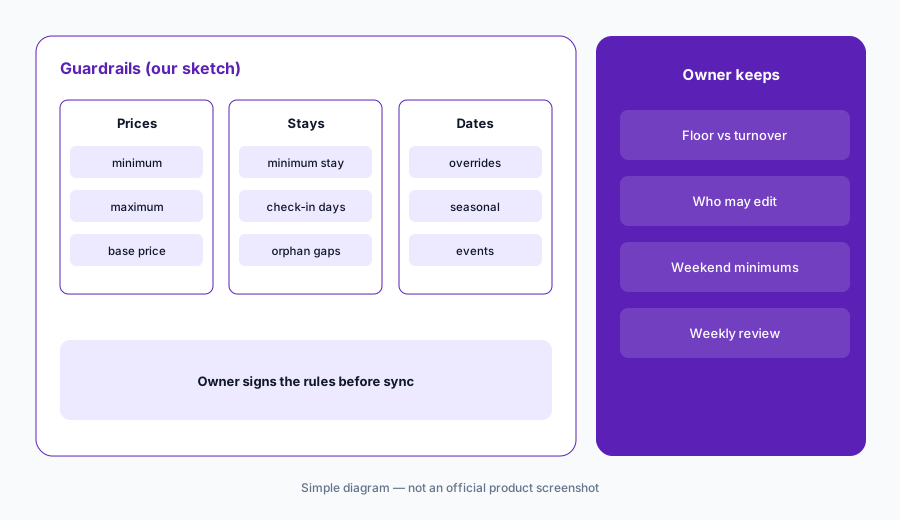
Owner signs the rules:
For one listing, write the minimum price, maximum price, minimum stay, and orphan-day rule with the owner. Enter them in PriceLabs and note who may change each one.
3. Market Dashboards and Comp Sets: check the comparison before you trust it
What it is: PriceLabs’ Market Dashboards track a market from public Airbnb and Vrbo data refreshed daily (direct bookings are not included), with up to 30 Comp Sets per dashboard. PriceLabs says Comp Sets you build there flow into Dynamic Pricing and Portfolio Analytics. New accounts with listings get one free dashboard.
A comp set that mixes a hot-tub chalet with a studio teaches the engine the wrong market. Look at the listings inside it, not just the averages.
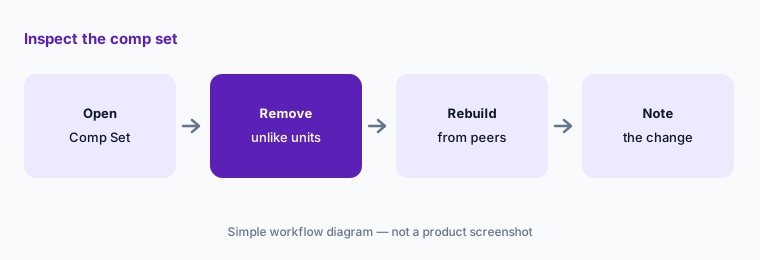
Inspect the comps:
Open one Comp Set in Market Dashboards. Remove any listing that is not truly comparable in bedrooms, location, and amenities, and note what you changed.
4. Portfolio Analytics and AI Insights: owner reports you check
What it is: PriceLabs’ Portfolio Analytics is free to use and includes KPI, pacing, and booking reports, a Report Builder, AI Insights that answer plain-language questions about your reports, and Owner Analytics with branded owner reports and AI-assisted summaries.
An AI summary that explains “why revenue fell” is a hypothesis. Check it against the booking report before it goes to an owner.
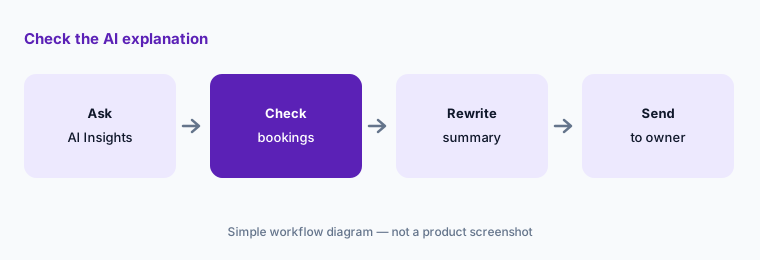
Check the why:
Ask AI Insights why one listing’s revenue changed last month. Check the answer against the booking report before it goes into an owner update.
5. Athena (beta) and the MCP connector: suggestions that wait for your yes
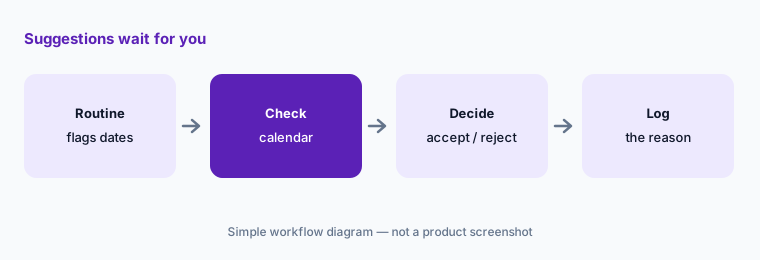
What it is: PriceLabs’ AI page describes Athena, an AI revenue analyst in free beta rolling out in waves, with agents such as an Underperforming Listings Scanner, Fast-Filling Dates Alert, Price History & Explainer, and Low Booking Diagnosis, plus Skills, scheduled Routines, and chat. PriceLabs says every recommendation waits for Accept, Review, or Reject and is logged. The MCP AI Connector (free in beta) connects Claude and other assistants to your PriceLabs account; PriceLabs says “your AI asks before it saves.”
Accepting a suggestion is still a pricing decision. Decide who in your team may press Accept, and what they must check first.
Accept with a reason:
Run one Athena routine (or ask the MCP connector one question) for your portfolio. For each suggestion, write why you accepted, rejected, or held it.
6. Listing Optimizer: AI-written titles and descriptions you verify
What it is: PriceLabs’ Listing Optimizer reviews an Airbnb listing’s title, photos, description, and amenities against comparable listings and uses AI to suggest clearer titles and descriptions. PriceLabs lists it as paid per listing and says it works without PriceLabs Dynamic Pricing.
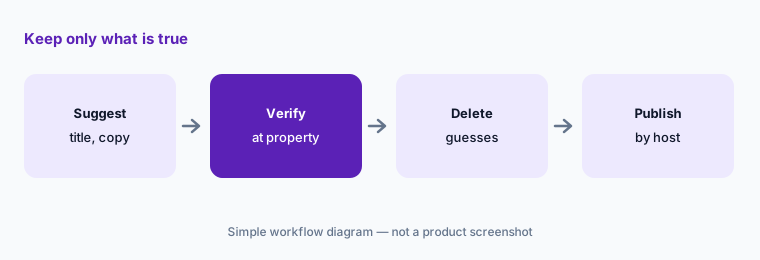
A rewritten description is a promise to guests. Every amenity, distance, and capacity line must be true at the property.
Verify every claim:
Run Listing Optimizer on one listing. Keep only the suggestions you can verify at the property and delete any amenity or distance claim you cannot.
Pricing context (October 2026)
PriceLabs’ plans page FAQ (read 13 Oct 2026) prices Dynamic Pricing at $19.99 USD per listing per month in the USA, UK, Canada, Europe, Australia, New Zealand, and Israel; $9.99 USD per listing per month in the rest of the world; and 47.50 BRL per listing per month in Brazil (plus taxes). It describes a sliding scale with discounts from the second listing, a percentage plan at 1% of total revenue on request, and a 30-day free trial with no card.
Other items as listed on 13 Oct 2026: Market Dashboards — one free dashboard for new accounts with listings, then from $9.99 per dashboard per month, scaling by listing count; Portfolio Analytics — free to use; AI Insights — free for everyone; Athena and the MCP connector — free in beta; Listing Optimizer — paid per listing (rate not shown on the pages we read); Revenue Estimator Pro — three monthly plans with 2, 15, or 50 estimates (prices render only in the live page).
Uncertainty: Plan cards on PriceLabs’ plans page load in the browser; the figures above come from the same page’s published FAQ. The sliding-scale discount amounts and Listing Optimizer rate were not shown in what we read. “Free in beta” for Athena and MCP can change when beta ends — ask how and when billing would start. Vendor revenue anecdotes are not repeated.
When it’s useful (honest take)
Useful when you price short-term or vacation rentals across Airbnb, Vrbo, or a PMS, want published per-listing pricing, detailed guardrails, and market data, and have an owner who sets and signs the floor and stay rules.
Less useful when your PMS’s built-in pricing is enough for a couple of listings (see Guesty vs Hostaway), you want a mixed rule-based approach priced by revenue share (Wheelhouse AI), or you manage long-term multifamily leases (RealPage AI).
Paying for PriceLabs AI and a few other AI tools? The $9 AI toolkit spreadsheet lists every AI subscription you have, what each one costs, and how fast it pays for itself, so you can see which ones are worth the money.
Want someone to do it for you? AI toolkit audit — $19
Related options (educational)
| Need | Better home | Why |
|---|---|---|
| Dedicated STR pricing + market data | PriceLabs AI (this page) | $19.99 / $9.99 per listing |
| Rule-based or data-driven pricing | Wheelhouse AI | Pro Flex / Pro Flat |
| Pricing inside the PMS | Guesty AI · Hostaway AI | PriceOptimizer / Dynamic Pricing |
| Hosts with a few listings | Hospitable AI | Dynamic pricing per property |
| Chat assistant over pricing data | Claude | Via MCP; scope access |
FAQ
How much does PriceLabs cost in October 2026?
PriceLabs lists Dynamic Pricing at $19.99 USD per listing per month in the USA, UK, Canada, Europe, Australia, New Zealand, and Israel, and $9.99 USD per listing per month in the rest of the world, with a sliding scale and a 30-day free trial, as read 13 October 2026.
Does PriceLabs AI change my prices on its own?
The pricing engine syncs prices and minimum stays daily once sync is on. Athena only suggests changes and waits for you to accept, review, or reject. Set the owner’s floor and stay rules first.
What is Athena?
PriceLabs’ AI revenue analyst, free in beta and rolling out in waves. It runs agents and routines that flag listings and dates, and every suggestion waits for your decision.
Can I connect Claude to PriceLabs?
Yes. PriceLabs offers an MCP AI connector, free in beta, for Claude and other assistants; it says the assistant asks before it saves a change.
Who should approve minimum prices and minimum stays?
The owner. Write the floor, ceiling, minimum stay, and orphan-day rule with the owner and record who may change each one.
Optional next step (if seats overlap)
If you pay for a PMS with built-in pricing, a separate pricing tool, and a market-data subscription that overlap, that is worth mapping. Map the overlap with the $19 AI toolkit audit or the $9 AI toolkit spreadsheet. Email Audit $19 or Toolkit spreadsheet $9.
Checkout is live via Stripe. After you pay, we email delivery (spreadsheet) or intake next steps (audit).